OpenCode: A Detailed Guide to the Open-Source Claude Code Alternative with Local Deployment Support
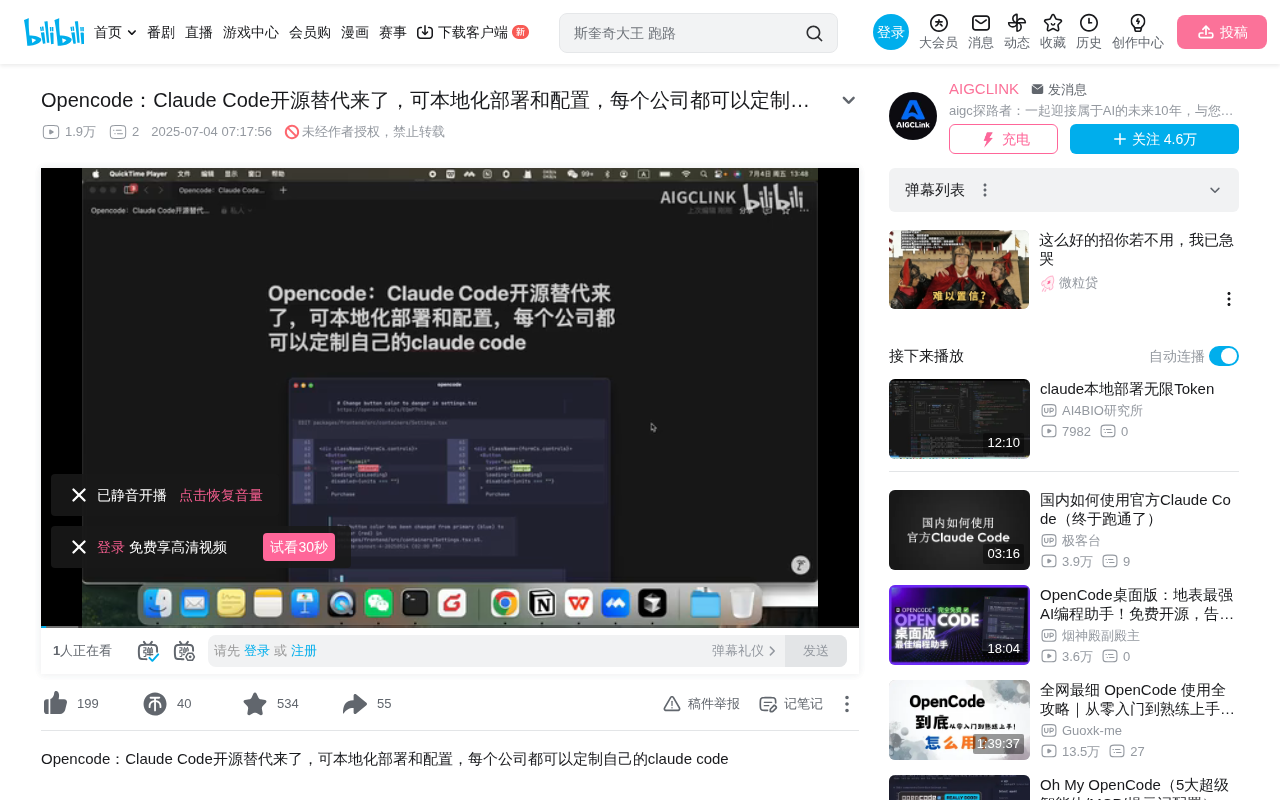
OpenCode: An open-source Claude Code alternative with multi-model switching and private deployment support
OpenCode is an open-source AI coding assistant that serves as a Claude Code alternative, supporting nearly 20 mainstream LLMs (OpenAI, DeepSeek, Gemini, OpenRouter, etc.), featuring a client-server architecture for enterprise-grade private deployment, full MCP protocol support, and a Terminal UI experience — ideal for enterprise teams with data security and customization needs.
Overview
For teams looking to deploy AI coding assistants internally, Claude Code is powerful but its closed-source nature and customization limitations have always been pain points. Recently, an open-source project called OpenCode has attracted widespread attention — it provides a complete alternative to Claude Code with support for local deployment, multi-model switching, and a client-server architecture, enabling every company to customize their own AI coding assistant.
Industry Background: The Open-Source Wave in AI Coding Assistants
From 2024 to 2025, the AI coding assistant market experienced explosive growth. From GitHub Copilot pioneering the field, to IDE-level products like Cursor and Windsurf emerging, to terminal-level tools like Claude Code and Aider rising — AI-assisted programming has evolved from a "nice-to-have" to a core productivity tool for developers. However, the closed-source nature of commercial products brings issues like data privacy concerns, vendor lock-in, and customization limitations, which has driven strong demand for open-source alternatives. OpenCode was born precisely in this context.
Core Features of OpenCode
100% Open Source with Free Model Switching
OpenCode's greatest advantage lies in its fully open-source nature. Unlike Claude Code which is tied to Anthropic's models, OpenCode supports virtually all mainstream large language models on the market:
- OpenAI series models
- DeepSeek series models
- Google Gemini series (including Gemini 2.5 Pro)
- All available models on OpenRouter
This means you can flexibly choose the underlying model based on actual needs and budget. The project has nearly twenty built-in models to choose from, covering all current mainstream AI service providers.
Why is multi-model switching so important? Supporting multi-model switching is not just about feature richness — it's a cost optimization and risk diversification strategy. Different models perform differently on different tasks: for example, Gemini 2.5 Pro excels at long-context understanding (supporting a 1-million-token context window), DeepSeek offers superior cost-effectiveness in code generation, while OpenAI's GPT series remains strong in general reasoning. OpenRouter, as a model aggregation gateway, provides a unified API interface to access hundreds of models, eliminating the need for developers to maintain separate integration code for each model. Enterprises can dynamically select models based on task complexity — using lightweight models for simple code completion to reduce costs, and top-tier models for complex architecture design to ensure quality.
About Claude Code's positioning and limitations: Claude Code is Anthropic's terminal AI coding assistant that can directly understand codebase context in the command line, perform file operations, run commands, and autonomously debug. Its core strengths lie in powerful code comprehension and autonomous Agent workflows. However, Claude Code's limitations are also clear: it can only use Anthropic's own Claude models, API costs are relatively high (Claude 3.5 Sonnet's output token price is $15/million tokens), and it cannot run in completely offline or private network environments, which poses barriers for enterprises with strict data compliance requirements.
Terminal UI Focused Experience
OpenCode focuses on Terminal UI (Terminal User Interface), providing a command-line interaction experience similar to Claude Code. It includes a rich built-in command system:
- Help command: View help information
- Editor command: Editor-related operations
- File command: File management operations
- Model command: Model switching
- Init command: Initialize and create agents
- Compact Session: Compress conversation history
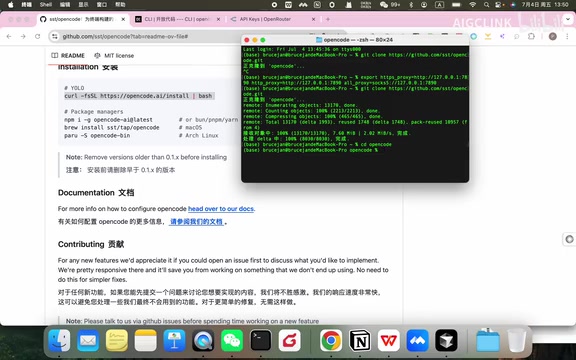
The design philosophy of Terminal UI: Terminal UI (TUI) is a technical approach that provides graphical interaction experiences within terminal environments, using characters to draw interface elements (such as borders, buttons, lists, etc.), combining the efficiency of command lines with the intuitiveness of graphical interfaces. For developers, TUI's advantages include: completing complex interactions without leaving the terminal environment, supporting SSH remote connections (meaning you can use the AI coding assistant directly on remote servers), extremely low resource usage, and seamless integration with existing terminal workflows (such as tmux multi-window management and zsh plugin ecosystems). This is also the core reason Claude Code chose a terminal form factor over an IDE plugin — it's more aligned with advanced developers' work habits, especially engineers who are accustomed to developing directly on servers.
Client-Server Architecture
OpenCode adopts a client-server separated architecture design, which is particularly important for large enterprises. Through this architecture, teams can:
- Deploy AI coding services in the cloud
- Control the AI programmer via mobile or remote terminals
- Achieve unified resource management and access control
The deeper enterprise value of C/S architecture: Traditional AI coding tools mostly use monolithic architectures, where the tool runs directly on the developer's local machine and calls remote APIs. A client-server separated architecture deploys AI inference services on centralized servers, with clients only responsible for interaction and display. The enterprise value of this architecture manifests on multiple levels: IT departments can centrally manage API keys and access permissions, avoiding leakage risks from scattered keys; model calls can be audited and billed, precisely tracking each team's AI usage costs; GPU resource pooling is supported, allowing shared computing power across teams when enterprises choose to run local large models; and unified Prompt strategies and security filtering rules can be implemented to prevent AI from generating non-compliant code. Additionally, this architecture naturally supports load balancing and high-availability deployment, ensuring AI service stability.
Installation and Usage Guide
Quick Installation
Installing OpenCode is very simple, with two methods:
Method 1: Direct installation command
After cloning the code repository, simply use the official installation command to complete deployment.
Method 2: Manual installation
Navigate to OpenCode's module package directory and run bun install to complete dependency installation.
Note: Bun is a high-performance JavaScript runtime and package manager. Compared to traditional npm/yarn, it offers several times faster installation speeds, which also reflects OpenCode's adoption of modern development toolchains.
Configuration and Login
After installation, you need to configure the model's API key. Using OpenRouter as an example:
opencode auth login
Select the corresponding model service provider (e.g., OpenRouter) and enter your API Key to complete login. After successful login, restart OpenCode to select a specific model and begin working.
Practical Usage Demo
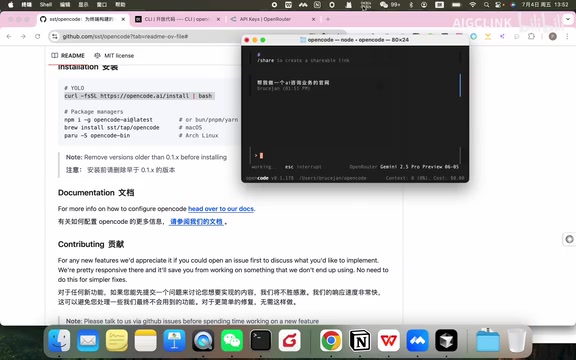
In the demonstration, the author uses the Gemini 2.5 Pro model to have OpenCode help create a website for an AI consulting business. OpenCode's workflow is similar to Claude Code:
- Analyze requirements and formulate execution steps
- Call file creation tools
- Automatically write code
- Handle permissions and dependency issues
- Automatically attempt fixes when encountering errors
The entire process demonstrates a complete AI programmer workflow capable of autonomous planning, execution, and debugging. This capability is technically called Agentic Coding — where AI doesn't merely respond passively to single instructions but can perform multi-step reasoning like a human developer, proactively gather information, and adjust strategies when encountering obstacles. This marks the evolution of AI coding tools from "code completion" to a new stage of "autonomous development."
MCP Support and Advanced Configuration
MCP Protocol Integration
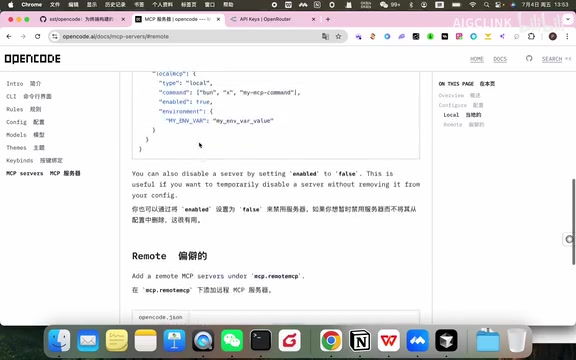
OpenCode fully supports the MCP (Model Context Protocol) protocol, with an intuitive configuration approach:
- Local MCP: Configured in the
mcp/localdirectory, suitable for MCP services installed via command-line tools like npx - Remote MCP: Configured in the
mcp/remotedirectory, suitable for remote MCP services
Technical background of the MCP protocol: MCP (Model Context Protocol) is a standardized protocol open-sourced by Anthropic in late 2024, designed to solve the connection problem between AI models and external tools/data sources. Before MCP, every AI tool needed to write dedicated integration code for each external service, creating M×N complexity (M AI tools connecting to N external services). MCP reduces this complexity to M+N by defining a unified communication standard — each AI tool only needs to implement an MCP client, and each external service only needs to implement an MCP server. It uses JSON-RPC 2.0 as the transport protocol and supports three core capabilities: Tools (tool invocation), Resources (resource access), and Prompts (prompt templates). Local MCP services typically communicate via stdio (standard input/output), offering fast startup but limited to local use; while remote MCP services use HTTP/SSE (Server-Sent Events), supporting cross-network access but requiring additional authentication mechanisms. Currently, thousands of MCP services are available, covering scenarios like database queries, document retrieval, API calls, and browser operations.
Other Customizable Options
- Model configuration: Enable or disable specific models
- Theme configuration: Customize terminal UI themes
- Keybinding configuration: Configure shortcuts based on usage habits
Use Cases and Value Analysis
OpenCode's greatest value lies in enterprise-grade private deployment of AI coding assistants. It's particularly suitable for the following scenarios:
- Enterprises with high data security requirements: Code stays within the internal network, models can be self-hosted
- Teams needing customization: Secondary development can be done based on source code
- Companies with multi-model strategies: Using different models for different tasks to optimize costs
- Distributed development teams: Enabling remote collaboration through C/S architecture
Compliance considerations for private deployment: In industries like finance, healthcare, government, and defense, code assets are considered core intellectual property, and data export and third-party access are subject to strict regulation. For example, China's Data Security Law and the EU's GDPR have explicit requirements for the processing and transmission of sensitive data. Private deployment means all code analysis and generation processes are completed within enterprise-controlled infrastructure, model inference doesn't rely on external APIs, fundamentally eliminating data leakage risks. Combined with locally deployed open-source models (such as DeepSeek-Coder, Qwen2.5-Coder, CodeLlama, etc.), enterprises can build completely offline AI coding environments that meet the strictest security audit requirements.
Conclusion
OpenCode provides a fully-featured open-source alternative to Claude Code. It not only inherits the core capabilities of terminal AI coding assistants but also addresses enterprise pain points in private deployment through its open-source nature, multi-model support, and flexible architecture design. For teams looking for controllable, customizable AI coding tools, OpenCode is worth thorough evaluation and experimentation.
As the open-source AI coding tool ecosystem continues to mature, we can foresee that enterprise AI coding infrastructure will become standardized internal services — much like today's CI/CD pipelines. Projects like OpenCode are the pioneers of this trend.
Related articles
 Product Reviews
Qoder vs Cursor Real-World Comparison: Which $20/Month AI IDE Is Better?
Hands-on comparison of Qoder vs Cursor AI IDEs: Agent autonomy, human interaction count, and architecture decisions. Qoder needed only 2 interactions vs Cursor's 8.
 Product Reviews
Cursor Cloud Agent Demo: Eliminating Bottlenecks Across the Entire Software Development Lifecycle
Deep analysis of Cursor's Cloud Agent demo showing how cloud VMs, automated test artifacts, and a full-chain control plane systematically eliminate human bottlenecks across the software development lifecycle.
 Product Reviews
Cursor 3.0 Deep Dive: Multi-Agent Parallelism, Design Mode, and Best-of-N Model Comparison
Cursor 3.0 evolves from an AI coding assistant into an Agent fleet command center. Explore multi-agent parallelism, Design Mode, and Best-of-N model comparison.