Athas IDE Deep Dive: A Free, Open-Source Lightweight AI Code Editor
Athas: A free, open-source AI code editor built from scratch on the Tauri framework
Athas is an open-source AI code editor built from scratch by a solo developer using the Tauri framework rather than forking VS Code, focusing on lightweight and fast performance. It features built-in Vim mode, Git integration, LSP support, and AI coding assistance with multiple AI providers (Google Gemini's free API recommended for zero-cost usage). While still in early stages of maturity, it offers a compelling free alternative for developers who prioritize speed and lightweight design.
Overview: Another AI Code Editor Enters the Arena
In a market dominated by Cursor and Windsurf, an open-source editor called Athas has quietly emerged. Built from scratch by a solo developer using Vim mode, Git integration, React, TypeScript, and the Tauri tech stack, it focuses on delivering a lightweight, fast, and intelligent development experience. Most importantly — it's completely free and open-source.
Core Features: Differentiated Design Built from Scratch
Not a VS Code Fork — Completely Independent Architecture
Athas is not a fork of VS Code. It's a code editor built entirely from the ground up. This means it's fundamentally different from most competitors at the architectural level. The developer claims the editor has reached a "production-ready" state, although it's still in its early stages.
In the current code editor ecosystem, the vast majority of emerging editors choose to build on top of VS Code (or its open-source counterpart VSCodium). Cursor, Windsurf (formerly Codeium's editor product), and early GitHub Copilot are all classic examples of layering AI capabilities on top of VS Code. The advantage of this approach is inheriting VS Code's massive extension ecosystem (over 50,000 extensions) and mature editor infrastructure, but the trade-off is being constrained by Electron's performance ceiling and Monaco editor's architectural limitations. Athas's decision to build from scratch means it can make entirely different technical decisions at the foundational level — such as choosing a lighter rendering engine, custom text buffer data structures (like Rope or Piece Table), and more flexible plugin sandboxing mechanisms.
What you might not realize is that building a code editor from scratch is an extremely difficult engineering task. Even mature commercial editors often need two to three years to polish a stable core architecture. As a result, Athas still has a gap in overall completeness compared to mainstream editors on the market, but its design philosophy and development direction are worth watching.
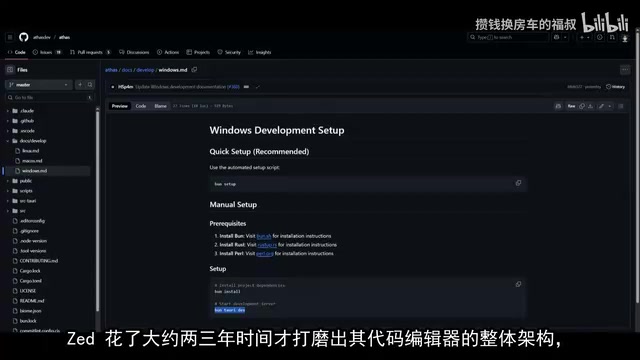
Blazing-Fast Experience Powered by the Tauri Framework
Being built on the Tauri framework is one of Athas's major technical highlights. Compared to Electron-based solutions, Tauri delivers a smaller package size and faster startup speed. Users will gradually notice its advantages in coding efficiency during actual use — it eliminates the bloat found in most existing code editors and focuses on the core coding experience.
Tauri is a cross-platform application framework written in Rust, which released its 1.0 version in 2022. Unlike Electron, which bundles a complete Chromium browser and Node.js runtime into the application, Tauri leverages the operating system's native WebView components (WebView2 on Windows, WKWebView on macOS, WebKitGTK on Linux) to render the frontend interface, while backend logic is written in Rust. The direct benefits of this architecture are obvious: application package sizes are typically 1/10 to 1/5 of Electron apps, memory usage is significantly reduced, and cold startup speed is dramatically improved. For reference, VS Code's installer is around 300MB with runtime memory usage often exceeding 1GB, while Tauri-based applications typically have installers between 10-30MB. The Rust backend also provides memory safety guarantees and near-native computational performance, which is particularly important for CPU-intensive tasks like code parsing and syntax analysis.
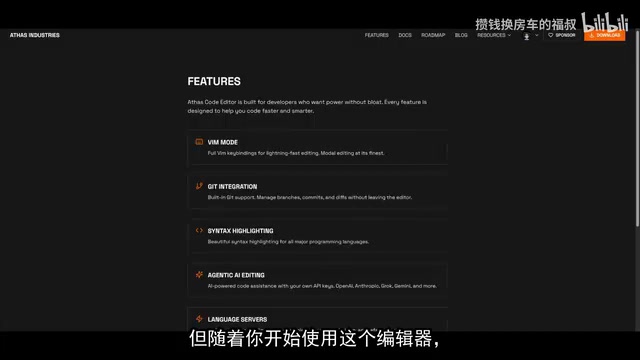
Native Vim Mode and Key Mappings
Athas has built-in full Vim mode support with complete key mappings for lightning-fast editing. For Vim users, this means getting a native-level modal editing experience without needing to configure additional plugins.
Vim (Vi IMproved) is a text editor born in 1991 whose core design philosophy is "modal editing" — dividing editing operations into multiple states such as Normal mode, Insert mode, and Visual mode. Users switch between modes via keyboard shortcuts, enabling efficient text manipulation without a mouse. For example, dd deletes an entire line, ciw changes the current word, and gg jumps to the beginning of the file. While this design has a steep learning curve, editing speed far exceeds traditional methods once mastered. In modern editors, Vim mode is typically implemented through plugins (like VS Code's Vim extension), but plugin-based solutions often suffer from keystroke response delays and partial command incompatibility. Athas's native built-in Vim mode means key mappings are handled at the lowest level, resulting in more immediate responses and more complete compatibility.
AI Features: Multi-Model Support and Free Usage Options
Comprehensive AI Coding Assistance Integration
Athas's AI features cover the core capabilities of current mainstream AI editors:
- AI Chat: An agent chat window accessible from the top-right corner, supporting natural language interaction
- AI Code Completion: Intelligent code completion and code definitions
- Inline Editing: AI-assisted modifications directly within the code
- LSP Support: Language Server Protocol integration for seamless refactoring
LSP (Language Server Protocol) is an open standard proposed by Microsoft in 2016, designed to decouple programming language intelligence capabilities (such as code completion, go-to-definition, rename refactoring, error diagnostics, etc.) from the editor itself. Before LSP, every editor needed to develop smart suggestion features separately for each language, creating an M×N combinatorial explosion problem. LSP simplifies this to M+N: language developers only need to implement one language server, editor developers only need to implement one LSP client, and the two communicate via JSON-RPC protocol. Currently, almost all mainstream programming languages have corresponding language server implementations, such as tsserver for TypeScript, Pylance/Pyright for Python, and rust-analyzer for Rust. Athas's LSP integration means it can immediately gain intelligent editing support for dozens of programming languages without developing a separate analysis engine for each one.
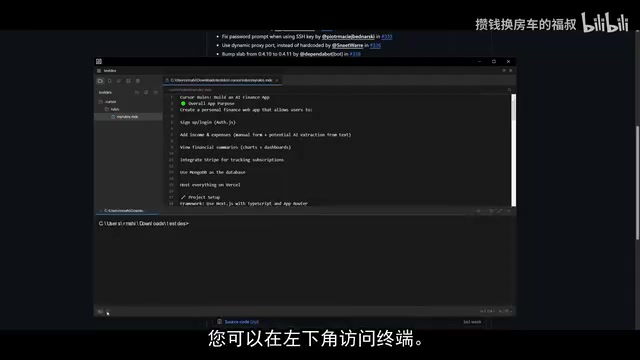
Zero-Cost Access to Google Gemini
A practical tip is to use Google Gemini as your AI provider, since it offers free API quota. In Athas's settings, go to the API keys section, open the dropdown menu to select a provider, paste your API key, choose the corresponding model, and you're ready to go. This lets users experience the full range of AI-assisted coding features at zero cost.
The Google Gemini API provides a Free Tier through Google AI Studio, currently allowing developers up to 15 requests per minute (RPM) and 1,500 requests per day (RPD) — generally sufficient for individual developers' daily coding assistance needs. The free tier supports models like Gemini 2.0 Flash and Gemini 1.5 Pro, with Gemini 2.0 Flash performing excellently on code generation tasks with fast response times. In comparison, OpenAI's GPT-4 API charges per token, Claude API also requires payment, and Cursor Pro subscription costs $20 per month. By connecting Athas with Gemini's free API, developers can access AI-assisted features including code completion, code explanation, and bug fix suggestions at zero cost — particularly attractive for budget-conscious indie developers and students.
Built-in Tools and Extension Ecosystem
Git Version Control Integration
Athas provides built-in Git support, allowing users to manage branches, commits, and view diffs without leaving the editor, enabling a complete version control workflow.
Extension Store
Athas already offers an extension store where users can install syntax highlighting, database tools, themes, and various other extensions. While the ecosystem's scale can't yet compare to VS Code's, it already provides basic extensibility.
Practical Development Tools
- Image Editing: Edit images directly within the editor
- SQL/SQLite Viewer: Built-in database viewing tool
- Global Search: Quickly index files across the codebase
- Syntax Highlighting: Support for all major programming languages
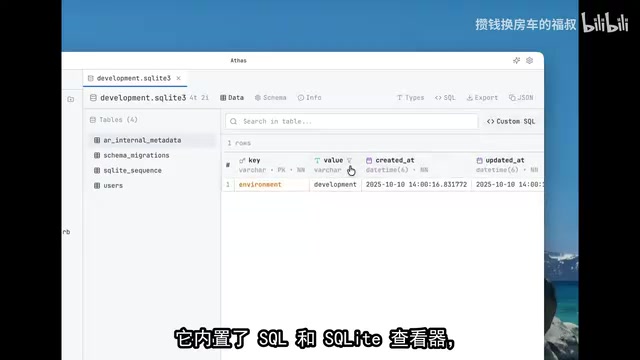
Installation and Getting Started Guide
Athas supports all three major platforms: MacOS, Windows, and Linux. Windows users can simply download the installer and double-click to complete setup. If you want to try the latest features (such as Mac preview support, icon themes, etc.), you can download the Beta version from the GitHub ChangeLog page.
However, note that Beta versions may have stability issues. If you encounter too many bugs, it's recommended to fall back to the official stable release for a smoother experience.
Roadmap and Future Outlook
According to the developer's published roadmap, Athas's next phase will focus on:
- Enhanced Agentic AI Editing Capabilities: Deeper AI integration
- Extension Store Ecosystem Development: Releasing more extensions
As an open-source project maintained by a solo developer, Athas demonstrates impressive completeness. While it can't yet fully replace Cursor or Windsurf in terms of feature richness and stability, it offers a worthwhile option for developers who prioritize lightweight performance, speed, free access, and privacy.
Conclusion: Who Is It For?
Athas IDE represents a fresh approach in the AI code editor space: independent of the VS Code ecosystem, built from scratch with a lightweight architecture, while remaining completely open-source and free. It may not be for everyone, but for developers tired of bloated editors and seeking ultimate speed, this is a project worth keeping an eye on.
Key Takeaways
- Athas is a fully from-scratch open-source AI code editor built on the Tauri framework, focused on lightweight and fast performance
- Supports multiple AI providers; Google Gemini's free API is recommended for zero-cost AI-assisted coding
- Built-in Vim mode, Git integration, extension store, SQL viewer, and more, though overall maturity is still in early stages
- Independently developed by a solo developer, supports MacOS/Windows/Linux, completely free and open-source
- The roadmap indicates the next phase will focus on strengthening agentic AI editing capabilities and extension ecosystem development
Related articles
 Product Reviews
Qoder vs Cursor Real-World Comparison: Which $20/Month AI IDE Is Better?
Hands-on comparison of Qoder vs Cursor AI IDEs: Agent autonomy, human interaction count, and architecture decisions. Qoder needed only 2 interactions vs Cursor's 8.
 Product Reviews
Cursor Cloud Agent Demo: Eliminating Bottlenecks Across the Entire Software Development Lifecycle
Deep analysis of Cursor's Cloud Agent demo showing how cloud VMs, automated test artifacts, and a full-chain control plane systematically eliminate human bottlenecks across the software development lifecycle.
 Product Reviews
Cursor 3.0 Deep Dive: Multi-Agent Parallelism, Design Mode, and Best-of-N Model Comparison
Cursor 3.0 evolves from an AI coding assistant into an Agent fleet command center. Explore multi-agent parallelism, Design Mode, and Best-of-N model comparison.