BuildBuddy: An AI Learning Tool That Guides Unreal Engine Operations in Real Time

BuildBuddy is an AI overlay tool providing personalized step-by-step guidance for Unreal Engine learners via real-time screen recognition.
BuildBuddy is an AI-assisted tool for Unreal Engine learners that works as a screen overlay, identifying editor state in real time and providing step-by-step operational guidance. It can automatically decompose YouTube tutorials into interactive steps with synchronized video pausing, offers both Guide Mode (user performs actions) and Action Mode (AI executes directly via MCP protocol), representing a paradigm shift from one-way video tutorials to personalized AI interactive guidance.
The Pain Point of Learning Unreal Engine: Everyone's Been There
Every person learning Unreal Engine has experienced this: a YouTube tutorial instructor operates at lightning speed, and just as you figure out one step, the next one has already passed. So you pause, rewind, and watch again. Twenty minutes later, you're still repeatedly rewatching the same 30-second segment, still unable to figure out exactly what went wrong.
This "pause-rewind-get lost" cycle is the biggest efficiency killer in video tutorial learning. And an AI-assisted tool called BuildBuddy is attempting to solve this problem at its root.
Unreal Engine, developed by Epic Games, is one of the world's most mainstream AAA game engines, also widely used in film production, architectural visualization, and virtual production. Its feature set is enormous—the editor interface contains hundreds of panels and thousands of parameter options, with the Blueprint visual programming system, Material Editor, Sequencer animation system, and other subsystems each having their own independent learning curves. This complexity means that even developers with programming experience need significant time to adapt to its workflow when first encountering Unreal Engine—and video tutorials often assume viewers can keep up with the instructor's pace, creating enormous learning friction.
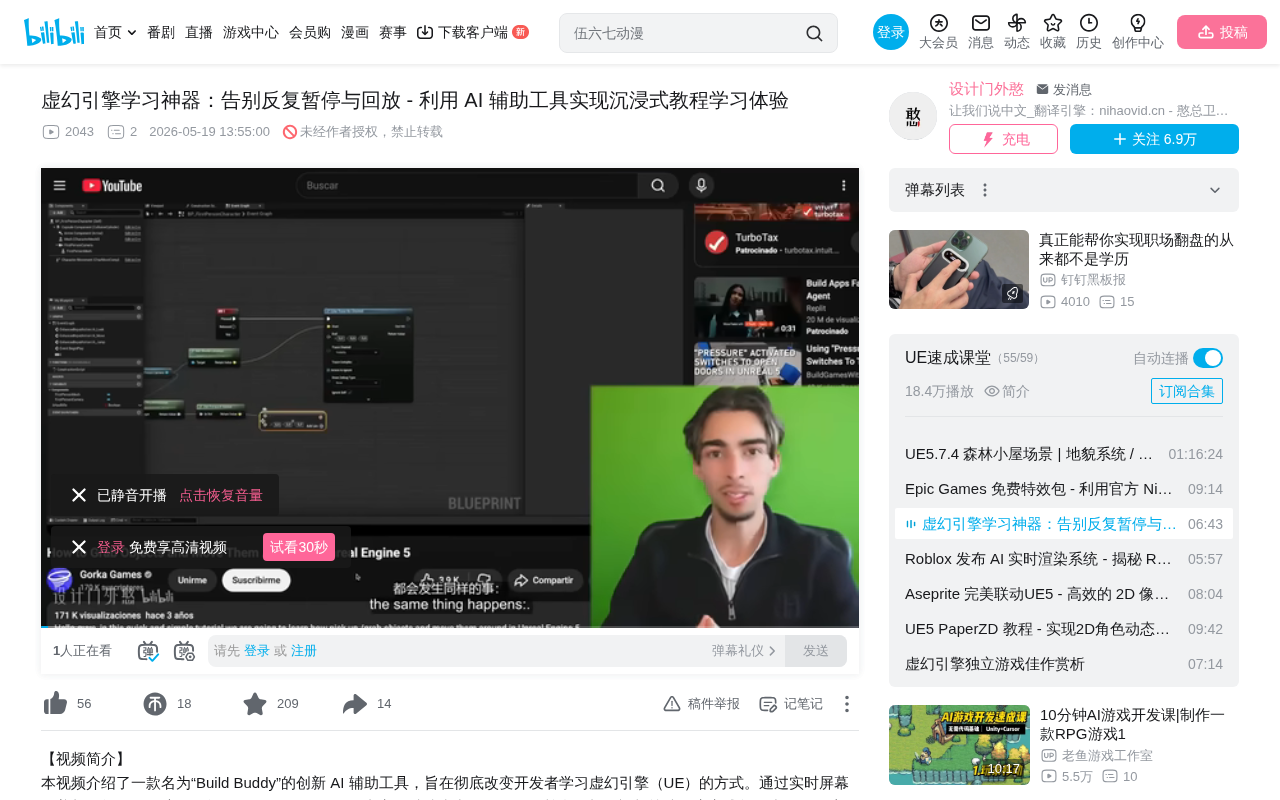
What BuildBuddy Is: An AI Real-Time Coach on Your Screen
BuildBuddy is essentially an AI overlay that stays displayed on top of your screen, capable of "seeing" your Unreal Engine interface in real time and providing step-by-step guidance.
From a technical perspective, an AI overlay is a transparent window technology running at the operating system level that floats above other applications and can capture the visual information of the application below through screen capture APIs. Combined with computer vision (CV) and large language models (LLMs), such overlays can understand the UI elements, text, and layout structures displayed on screen, enabling context-aware intelligent interaction. The advantage of this technical approach is that it can add intelligent assistance capabilities to Unreal Engine without modifying its source code—which also significantly lowers the installation and usage barrier for users.
Intelligent Step-by-Step Guidance: Customized Operations Based on Your Screen State
When you ask BuildBuddy a question (such as "How do I create a new material?"), it will:
- Scan the current screen to identify your editor state—level contents, folder structure in the Content Browser, etc.
- Generate a step-by-step guide tailored to your current project state
- Aim a cursor at the target location, pointing directly on screen to where you should click
After completing each step, you click "Next," and BuildBuddy re-analyzes the screen to confirm whether you've successfully completed the current operation before providing the next instruction. This means you'll never get "lost"—it knows where you are and where you need to go.
Behind this step-by-step verification mechanism is the visual understanding capability of multimodal large language models. These models can accept screenshots as input and identify UI controls, text labels, icons, and spatial layout relationships within them. Compared to traditional OCR (Optical Character Recognition) technology, multimodal models can not only read text but also understand the semantic relationships between interface elements—for example, recognizing that a certain panel is the Content Browser, that a certain node is a function call in a Blueprint, or which option is currently selected in a dropdown menu. This capability allows the AI to act like an experienced colleague who can determine your current work state and what you should do next just by looking at your screen.
Automatic YouTube Video Decomposition: Say Goodbye to Pausing and Rewinding
This is one of BuildBuddy's most impressive features. You simply copy a YouTube tutorial link, paste it into BuildBuddy, and it will:
- Automatically analyze the entire video content
- Embed video playback in a side window, no second monitor needed
- Break down the video content into executable step-by-step guides
- Automatically pause the video, waiting for you to complete the current step before continuing
Here's a practical example: when you're following a tutorial on "how to grab objects and move them," BuildBuddy will notice that the instructor in the video says you need to open the first-person camera Blueprint. It will then automatically pause the video, generate the corresponding step, and even discover that your Content Browser has a third-person camera folder and point directly to it. Throughout the entire process, your hands never need to touch the keyboard to pause or rewind.
This feature relies on multi-dimensional parsing of video content: extracting the instructor's narration through Automatic Speech Recognition (ASR), identifying the instructor's operations through video frame analysis, and then synthesizing this information into structured operational steps. Essentially, BuildBuddy acts as a "video translator," converting a linear, non-interactive video stream into a pausable, verifiable, and personally adaptable interactive tutorial.
Two Working Modes: Guide and Action
BuildBuddy offers two distinctly different working modes suited for different learning and work scenarios.
Guide Mode: Pure Learning Experience
This is the pure learning mode. BuildBuddy only observes, analyzes, and guides—all operations are performed by your own hands. It's ideal for the learning phase, helping you build muscle memory and operational intuition.
This design philosophy aligns with the "active learning" principle in educational psychology—research shows that knowledge retention is several times higher when learners perform operations themselves compared to passive observation. BuildBuddy's role here is similar to a driving instructor: it sits in the passenger seat, telling you what to do next, but the steering wheel is always in your hands.
Action Mode: AI Directly Executes Operations
After connecting via MCP (Model Context Protocol), BuildBuddy can directly execute operations on your behalf.
MCP is an open standard protocol released by Anthropic in late 2024, designed to provide AI models with a unified interface for interacting with external tools and data sources. It uses a client-server architecture that allows AI assistants to invoke external application functions in a standardized way. In BuildBuddy's scenario, MCP serves as a bridge between the AI and the Unreal Engine editor—Unreal Engine exposes editor operation interfaces through its built-in Remote Control API, and the MCP server wraps these interfaces as AI-callable tools, enabling the AI to directly manipulate object properties, scene settings, and other functions within the editor.
The configuration process isn't complicated: go to Project Settings, enable Remote Control, set the multicast bind address to 0.0.0.0 (which means allowing connection requests from all network interfaces on the local machine), then click connect.
Once connected, you can issue commands in natural language:
- "Change this level's lighting to night mode" → BuildBuddy directly modifies the scene lighting
- "Scale this selected table up by three times" → The object's scale automatically becomes 3x
This mode is better suited for scenarios where you already understand the principles and just need to quickly execute repetitive operations. It essentially transforms Unreal Engine's graphical interface into a natural language interface, offering significant efficiency gains for workflows that require batch scene parameter adjustments or rapid prototype validation.
BuildBuddy's Technical Foundation
BuildBuddy's capabilities are built on several key technical pillars:
- Screen Visual Understanding: Can identify UI elements, file structures, and current state in the Unreal Engine editor in real time
- Official Documentation Training: Trained on Unreal Engine 5's official documentation to ensure guidance accuracy
- Project Context Awareness: Can access all files in your project and understand what your game specifically looks like
- Video Content Analysis: Can parse speech and visual content from YouTube videos
- MCP Remote Control: Interacts directly with the Unreal Engine editor through the protocol
Notably, "official documentation training" is crucial for AI assistance in professional tools. Unreal Engine 5's official documentation is massive, covering everything from basic concepts to advanced rendering pipelines, but the documentation's organizational structure is complex, and beginners often struggle to find content relevant to their current problem. By internalizing this documentation knowledge, BuildBuddy can precisely retrieve relevant information and present it as operational steps when users encounter specific problems—far more efficient than having users search through documentation themselves.
Implications for Learning Paradigms: From One-Way Broadcasting to Personalized Guidance
BuildBuddy represents not just a tool, but a shift in learning paradigms. Traditional video tutorials are "one-to-many" one-way broadcasts—every learner's project state, knowledge level, and operation speed differs, but the video content is fixed.
BuildBuddy transforms this one-way broadcast into personalized interactive guidance:
- It provides suggestions based on your project state
- It advances steps at your pace
- It points to specific locations on your screen
This "AI coach" model will likely expand to learning scenarios for other complex software—whether it's Blender, Unity, or other professional tools, the core pain points are similar.
From a broader perspective, the AI-assisted learning model that BuildBuddy represents is an extension of the wider "AI Copilot" trend into professional software education. Previously, GitHub Copilot proved the value of AI assistance in code writing scenarios, and AI editors like Cursor further extended this capability to complete development workflows. In the creative tools space, Adobe's Firefly and Runway's Gen series are also exploring AI-assisted creation. BuildBuddy's uniqueness lies in its focus on the "learning process" itself—not replacing creation, but reducing the cognitive load of mastering complex tools. This aligns closely with the concept of "Scaffolding Theory" in educational technology: providing support when learners need it, gradually removing it as competence grows, with the ultimate goal of enabling learners to operate independently.
Conclusion
For Unreal Engine learners, BuildBuddy solves a real and universal pain point. It's not meant to replace tutorial creators, but rather to build a bridge between creators and learners—allowing quality tutorial content to be digested and absorbed in a personalized, interactive way. When AI can "see" your screen and understand your context, "not being able to keep up with tutorials" might truly become a thing of the past.
Related articles
 Product Reviews
Qoder vs Cursor Real-World Comparison: Which $20/Month AI IDE Is Better?
Hands-on comparison of Qoder vs Cursor AI IDEs: Agent autonomy, human interaction count, and architecture decisions. Qoder needed only 2 interactions vs Cursor's 8.
 Product Reviews
Cursor Cloud Agent Demo: Eliminating Bottlenecks Across the Entire Software Development Lifecycle
Deep analysis of Cursor's Cloud Agent demo showing how cloud VMs, automated test artifacts, and a full-chain control plane systematically eliminate human bottlenecks across the software development lifecycle.
 Product Reviews
Cursor 3.0 Deep Dive: Multi-Agent Parallelism, Design Mode, and Best-of-N Model Comparison
Cursor 3.0 evolves from an AI coding assistant into an Agent fleet command center. Explore multi-agent parallelism, Design Mode, and Best-of-N model comparison.