Codex vs Claude Code vs Cursor: A Practical Comparison and Selection Guide for the Three AI Coding Giants

Practical comparison and selection guide for Codex, Claude Code, and Cursor AI coding tools
OpenAI Codex launched a standalone APP, offering terminal, web, plugin, and APP forms. Compared to Claude Code, Codex is cheaper and more stable, excelling at UI and visual presentation for front-end development. Claude Code has stronger logic capabilities suited for backend work but suffers from rate limiting and account bans. Developers are advised to master all three tools and switch flexibly based on project needs.
Introduction: AI Coding Tools Enter a Multi-Form Era
OpenAI's Codex recently launched a standalone APP, giving it four usage forms: terminal (CLI), web, plugin, and APP. This marks a shift in AI coding tools from a single IDE plugin model to a more diversified product landscape.
For developers, the current AI coding tool market has formed a three-way standoff: Cursor, Claude Code, and Codex. So how should you choose among them? A Chinese tech YouTuber shared his hands-on experience and comparative analysis from a front-end developer's perspective.
Codex's Four Forms and APP Advantages
Codex currently offers four usage modes:
- Terminal (CLI): Command-line interaction mode. CLI (Command Line Interface) allows developers to interact with the tool by typing text commands. In AI coding tools, CLI mode means developers converse directly with AI in the terminal, where AI can read project files, execute commands, and modify code. This approach feels natural for backend developers familiar with terminal operations, but presents a learning curve for front-end developers accustomed to graphical interfaces.
- Web: Use directly in the browser
- Plugin: Integrated into development tools like VS Code
- APP: Standalone desktop application (newly launched)
Previously, most developers were accustomed to integrating Codex as a plugin in various IDEs, but with the launch of the standalone APP, the APP form is currently the most feature-complete option. It not only covers all core functionalities but also works alongside traditional development tools like VS Code, creating a more efficient workflow.
Core Differences Between Codex and Claude Code
Price and Stability
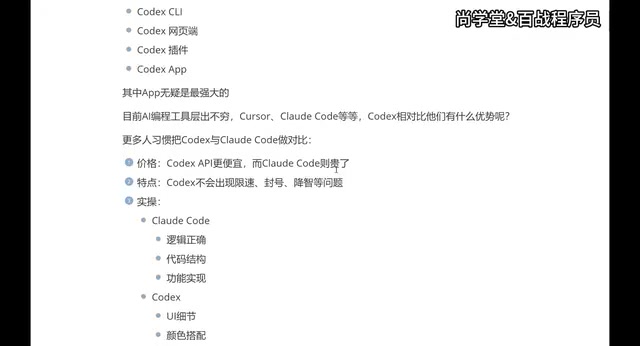
From a pricing perspective, the Codex APP has lower usage costs, while Claude Code is relatively more expensive. But price is only one factor—stability is the key factor affecting daily development experience.
Claude Code has a particularly frustrating issue for developers—rate limiting and account bans. In high-intensity usage scenarios, users may encounter rate limits or even account suspensions. Claude Code's rate limiting stems from Anthropic's control over API call frequency. When users send a large number of requests in a short period, the system triggers Rate Limiting, and in severe cases may even ban accounts. This is especially prominent in intensive coding scenarios—for example, during continuous hours of code refactoring or large-scale project development, frequent context interactions can easily hit the limit threshold. Some developers mitigate this by connecting to domestic relay APIs or using multi-account rotation, but these solutions add extra complexity. Codex performs more stably in this regard, without rate limiting or account bans.
Regarding the "quality degradation" issue, there's some debate in the community. Some users report that Codex also experiences declining output quality, but from practical use, this problem isn't particularly noticeable.
Different Capability Focus Areas
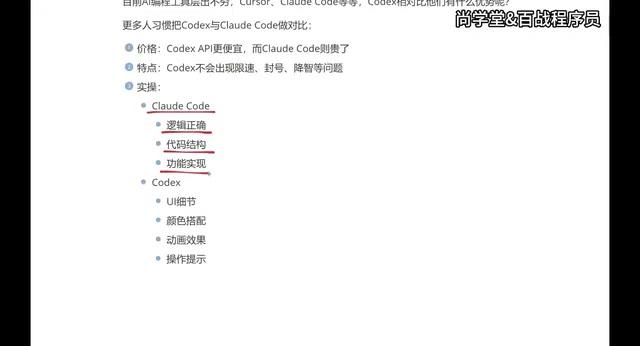
This is a highly valuable practical observation:
Claude Code's Strengths:
- Logical correctness
- Code structure design
- Completeness of feature implementation
- Better suited for backend development scenarios
Codex's Strengths:
- UI detail handling
- Color coordination
- Animation effect implementation
- Operation prompts and interaction design
- Better suited for front-end and APP development
In short, Claude Code is stronger at the "logic layer," while Codex excels at the "presentation layer." This difference likely relates to the underlying models' training data and optimization directions. OpenAI's models have invested heavily in multimodal understanding (including images and UI design mockups), making Codex better at handling CSS layouts, color schemes, animation curves, and other visual tasks. Anthropic's Claude series models have deeper optimization in long-context reasoning and code logic analysis, giving them an advantage in handling complex business logic, database design, and system architecture. This differentiated positioning means the two are not complete substitutes but rather each has its own strengths.
The Three Giants of AI Coding: Cursor, Claude Code, Codex
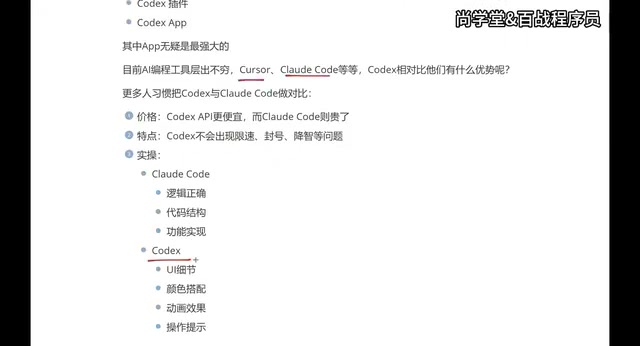
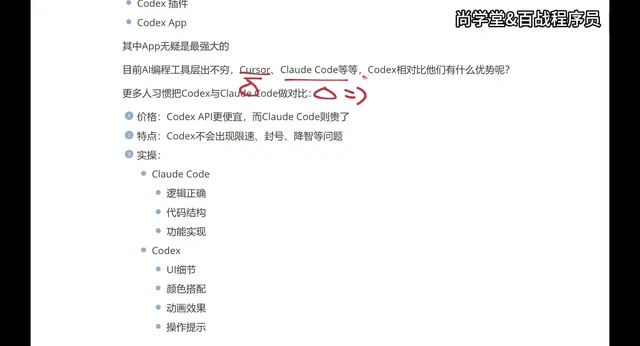
The current AI coding tool market has formed a clear three-giant landscape:
| Tool | Core Advantage | Main Pain Point |
|---|---|---|
| Cursor | Mature ecosystem, excellent IDE experience | Expensive |
| Claude Code | Strong logic capabilities, backend-friendly | Rate limiting/bans, terminal-based |
| Codex | Excellent UI performance, good stability | Relatively new ecosystem |
Developers are advised to master all three tools rather than relying on just one. The reason is practical: different companies may provide accounts for different tools or require the use of specific AI coding tools. Having multi-tool proficiency maintains flexibility in the workplace.
Personal Selection Path: Migration Experience from Cursor to Codex
Here's one front-end developer's tool migration path, which serves as a valuable reference for many:
- Starting Phase: Used Cursor for about six months—good experience but expensive
- Exploration Phase: Switched to Claude Code, connected to domestic models to reduce costs, but the experience was compromised
- Current Phase: Chose Codex APP—reasonable price, good stability, excellent UI performance
As a front-end developer, terminal CLI-based tools (like Claude Code's primary interaction method) don't feel intuitive to use, while the Codex APP provides a more visual graphical interface that pairs better with VS Code.
Summary: Selection Recommendations for Different Developers
For different types of developers, here are the recommendations:
- Front-end/APP Developers: Prioritize Codex—its performance in UI details and visual effects is superior
- Backend Developers: Claude Code has stronger advantages in logic and architecture
- Budget-Sensitive: Codex APP is more competitive in cost-effectiveness
- Non-Professional/Indie Developers: Codex delivers better visual results, suitable for quickly producing visual outcomes
Regardless of which tool you ultimately choose, the core principle is: understand each tool's characteristics and switch flexibly based on project needs. Competition among AI coding tools continues to intensify—maintaining the ability to learn and adapt is what matters most.
Key Takeaways
- Codex launched a standalone APP, offering four forms: terminal, web, plugin, and APP, with the APP considered the most powerful usage method
- Compared to Claude Code, Codex is cheaper and doesn't suffer from rate limiting or account bans, offering better stability
- Claude Code excels at logical correctness and code structure, suited for backend development; Codex excels at UI details and animation effects, suited for front-end development
- The current AI coding tool landscape is dominated by three giants: Cursor, Claude Code, and Codex—developers are advised to master all three
- For budget-sensitive front-end developers who value visual presentation, Codex APP is currently the best value choice
Related articles
 Product Reviews
Qoder vs Cursor Real-World Comparison: Which $20/Month AI IDE Is Better?
Hands-on comparison of Qoder vs Cursor AI IDEs: Agent autonomy, human interaction count, and architecture decisions. Qoder needed only 2 interactions vs Cursor's 8.
 Product Reviews
Cursor Cloud Agent Demo: Eliminating Bottlenecks Across the Entire Software Development Lifecycle
Deep analysis of Cursor's Cloud Agent demo showing how cloud VMs, automated test artifacts, and a full-chain control plane systematically eliminate human bottlenecks across the software development lifecycle.
 Product Reviews
Cursor 3.0 Deep Dive: Multi-Agent Parallelism, Design Mode, and Best-of-N Model Comparison
Cursor 3.0 evolves from an AI coding assistant into an Agent fleet command center. Explore multi-agent parallelism, Design Mode, and Best-of-N model comparison.