Cursor 2.0-2.3 Core Evolution: AI Programming Enters the Era of Fleet Command
Cursor 2.0-2.3 Core Evolution: AI Prog…
Cursor 2.0-2.3 transforms developers from code writers into AI fleet commanders.
Cursor achieves a quantum leap across versions 2.0 to 2.3: multi-agent parallelism lets up to 8 AI agents solve problems simultaneously, auto-evaluation recommends optimal solutions, a built-in browser and Mermaid diagrams enable visual development, and runtime probe injection revolutionizes debugging. Together, these features drive a fundamental role shift for developers—from hands-on code executors to technical decision-makers who command AI and review solutions.
From 2.0 to 2.3, Cursor has made a quantum leap in just a few months—it's no longer just a copilot that helps you write code, but has pushed developers into an entirely new role as "AI Fleet Commanders." Multi-agent parallelism, auto-evaluation, visual debugging, Mermaid architecture diagrams… these features combined are redefining the working paradigm of AI programming.
Multi-Agent Parallelism: From Single-Thread Chat to Commanding an AI Fleet
In the past, using AI programming tools was essentially a one-on-one chat—you describe requirements, AI writes code, you review it, and iterate if unsatisfied. The efficiency ceiling of this model was painfully obvious.
The Multi Agents mechanism introduced in Cursor 2.0 breaks through this bottleneck entirely. When you throw out a complex task like "refactor the payment module," Cursor no longer assigns a single AI to grind through it. Instead, it dispatches up to 8 AI agents simultaneously, each tackling the same problem with different approaches in parallel.
Technically, Cursor uses Git Work Trees for isolation—each agent works in an independent sandbox environment, without interfering with each other or turning your codebase into a mess. Git Work Trees is a native feature introduced in Git 2.5 that allows the same Git repository to simultaneously check out different branches or commits across multiple directories without cloning multiple complete repositories. All work trees share the same .git object database, saving storage while maintaining complete isolation. Cursor's adoption of this for its multi-agent architecture is essentially solving a software engineering problem with a software engineering tool—each AI agent gets its own independent work tree, free to modify files and run tests without polluting others, with the main process aggregating results at the end. This design doesn't reinvent the wheel; it directly repurposes a battle-tested isolation mechanism from the Git ecosystem for AI parallel computing scenarios, ensuring both parallel efficiency and code safety.
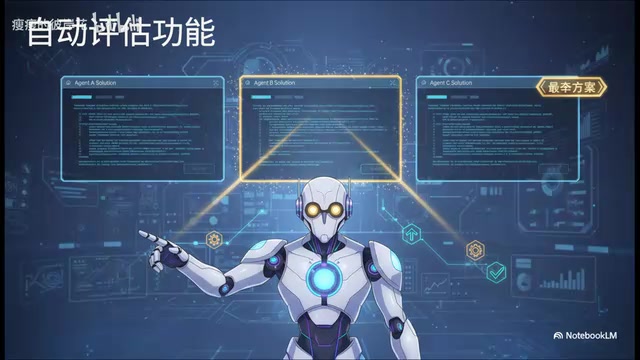
With version 2.2, Cursor dropped another bombshell—Auto Evaluation. When 8 agents submit 8 different solutions, does the developer need to manually diff-compare each one? No. Cursor automatically reviews all solutions, performs comparative analysis, directly recommends the best approach, and attaches a review report explaining its reasoning.
This means the developer's role has fundamentally shifted: you're no longer the head-down code executor, but the technical lead holding approval authority. The core work transforms from "how do I implement this feature" to "which of these solutions should I pick."
The Visual Revolution: A True WYSIWYG Development Experience
Built-in Browser: A Game Changer for Frontend Development
Cursor 2.2 embeds a browser directly inside the editor—a godsend for frontend developers. You can open web pages right in the editor, drag and drop components like in Figma, or tell the AI in natural language "make this button bigger and change the color to blue," and the code beside it updates in real time.
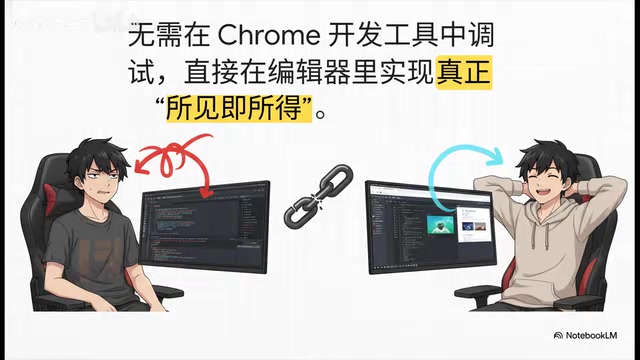
Think back to the old workflow: tweaking styles in Chrome DevTools for ages, then carefully copying the CSS back to your code files. That painful cycle is now a thing of the past. This is true WYSIWYG—and it happens right inside your code editor.
Mermaid Architecture Diagrams: Visualizing AI's Execution Logic
Visualization capabilities aren't limited to the frontend. When handling complex backend logic or large features, Cursor's Plan Mode no longer just gives you a cold text list—it directly generates a Mermaid flowchart that clearly presents the logical structure of the entire execution plan.
Mermaid is an open-source JavaScript-based diagramming language whose core philosophy is "drawing diagrams with code"—developers describe diagram structures using Markdown-like plain text syntax, and the rendering engine automatically generates flowcharts, sequence diagrams, Gantt charts, and other visualizations. It's natively supported by GitHub, GitLab, Notion, and other major platforms, making it the de facto standard in technical documentation. Mermaid's greatest advantage is that diagram content can be version-controlled and auto-generated just like code—a natural fit for AI-generated content. When Cursor outputs Mermaid diagrams, it's essentially having the AI express execution intent in a structured, machine-readable yet human-understandable format, rather than vague natural language lists.
This enables an entirely new interaction paradigm: you look at the architecture diagram like a project manager viewing a Kanban board, and you can point at a specific module and tell the AI, "Spin up a new agent to handle this subtask specifically." Decomposing tasks, delegating execution—this elevation in capability level is a qualitative change.
Intelligent Debugging: From Static Guessing to Runtime Diagnosis
Code is written, planning is done, but the program crashes on execution—every developer's daily reality. Previously, AI debugging was essentially "reading code and guessing bugs"—limited to static analysis, roughly at the level of a junior developer.
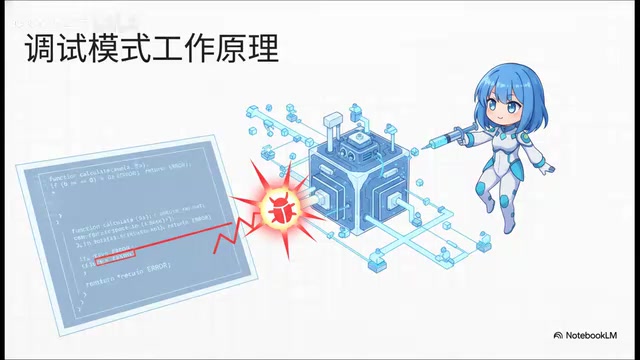
The new debug mode introduced in Cursor 2.2 is fundamentally different. Its principle: intelligently inject probes into the code, then actually run the program to observe what happens at runtime. This Probe Injection technique is a classic approach in dynamic program analysis—inserting observation points at critical execution paths without modifying the original source code logic, collecting runtime data such as variable states, function call stacks, and memory allocations. This technology has decades of practice in production APM tools (like Datadog and New Relic). Compared to static analysis, dynamic analysis deals with "the real world of actual program execution"—many bugs only trigger under specific inputs or specific timing conditions that static analysis inherently cannot cover. Cursor bringing this engineering-grade technique into the AI debugging workflow means AI is no longer a "textual reader of code" but has upgraded to an "experimental scientist observing program execution," locating bugs based on real runtime data with accuracy on an entirely different level.
Combined with the Instant Grab feature introduced in version 2.1, AI can search and understand the entire codebase almost instantaneously. This means during large-scale project refactoring, the probability of AI "suddenly losing memory, dropping context, and starting to hallucinate" is greatly reduced. Instant Grab is like giving AI's comprehension ability a super buff, keeping it lucid even in massive codebases.
Workflow Optimization: Detail Updates That Enhance the Development Experience
Beyond the core features above, versions 2.0-2.3 also bring a series of detail updates that improve the development experience:

Stop manually @-mentioning files. This is an old habit that needs breaking. Today's AI is smart enough to analyze your intent and find relevant context in the codebase on its own. Learn to let go and trust AI's retrieval capabilities.
Custom layouts (V2.3). Switch between "focused coding" and "AI conversation" modes with a single keyboard shortcut, reducing the cognitive overhead of interface switching.
Conversation sharing. Generate read-only links from AI conversations to share with colleagues for Code Review or technical documentation, making the AI-assisted process traceable and collaborative.
MCP service support. MCP (Model Context Protocol) is an open protocol released by Anthropic in late 2024, designed to standardize how AI models connect with external tools and data sources—borrowing design principles from the Language Server Protocol (LSP), it defines a unified client-server communication specification that allows AI models to connect to databases, CI/CD pipelines, project management systems, and any other external services through standardized interfaces. Cursor's support for MCP means developers can extend it from an isolated code editor into an intelligent hub for the entire development workflow, further expanding Cursor's capability boundaries.
A Paradigm Shift in the Developer's Role
Looking back at this evolution timeline—2.0 multi-agents, 2.1 Instant Grab, 2.2 debug mode + auto-evaluation + visualization, 2.3 layout optimization—Cursor's roadmap is crystal clear: pushing developers from "code drivers" to "AI fleet managers."
This isn't incremental feature stacking, but a fundamental shift in working paradigm:
- Replace manual coding with commanding and reviewing
- Replace serial waiting with parallel processing
- Replace pure text operations with visual interaction
- Replace static guessing with runtime diagnosis
The pace of tool evolution has far outstripped most people's speed of updating their workflows. If you're still on an old version from months ago, still manually adding file context, still waiting on tasks one by one in serial—you might genuinely need to pause and reassess your AI programming workflow.
After all, in the AI era, learning to command is more important than learning to code.
Related articles
 Product Reviews
Qoder vs Cursor Real-World Comparison: Which $20/Month AI IDE Is Better?
Hands-on comparison of Qoder vs Cursor AI IDEs: Agent autonomy, human interaction count, and architecture decisions. Qoder needed only 2 interactions vs Cursor's 8.
 Product Reviews
Cursor Cloud Agent Demo: Eliminating Bottlenecks Across the Entire Software Development Lifecycle
Deep analysis of Cursor's Cloud Agent demo showing how cloud VMs, automated test artifacts, and a full-chain control plane systematically eliminate human bottlenecks across the software development lifecycle.
 Product Reviews
Cursor 3.0 Deep Dive: Multi-Agent Parallelism, Design Mode, and Best-of-N Model Comparison
Cursor 3.0 evolves from an AI coding assistant into an Agent fleet command center. Explore multi-agent parallelism, Design Mode, and Best-of-N model comparison.