Cursor Composer 2.5 Hands-On: An AI Coding Model That's Faster and 10x Cheaper
Cursor Composer 2.5 Hands-On: An AI Co…
Cursor Composer 2.5 achieves top-tier coding performance at one-tenth the cost
Cursor released Composer 2.5, matching Claude Opus 4.7 and GPT 5.5 in coding quality while cutting inference costs by up to 10x. The model was trained in partnership with xAI using the Colossus 2 supercomputing cluster, specializing in coding to build a differentiated moat. Its Plan mode leverages multi-Agent parallel orchestration to deliver the best-in-class plan view with task decomposition and user control. The right panel integrates GitHub PRs, terminal, and more, enabling a complete development collaboration workflow within the editor.
Core Highlight: Comparable Coding Quality at 10x Lower Cost
Cursor just released Composer 2.5, and it might be the most noteworthy AI coding model in recent times. Its core advantage isn't necessarily outperforming Claude Opus 4.7 or GPT 5.5, but rather two key points: faster speed and up to 10x cost savings.
Benchmarks show that Composer 2.5 has essentially caught up with Anthropic and OpenAI's top-tier models in coding ability, whereas the previous Composer 2 lagged noticeably behind. Cursor's strategy is crystal clear—train a model that's extremely good at coding, without trying to cover writing, creativity, or other general-purpose scenarios.
The "10x lower cost" essentially reflects the difference in token consumption during inference. Claude Opus 4.7 and GPT 5.5 are ultra-large parameter general-purpose models, with API costs typically ranging from $15 to $75 per million tokens. Specialized coding models achieve equivalent coding tasks with a much smaller active parameter footprint through parameter distillation, task-aligned fine-tuning, and more efficient KV cache utilization, compressing inference costs to roughly 1/10 of general-purpose models. For developers who use Cursor heavily, this means the same subscription quota can support several times more code generation, review, and refactoring operations, dramatically reducing quota anxiety and making model selection strategy all the more important.
Notably, Cursor partnered with xAI, using the Colossus 2 data center for training, combining Cursor's accumulated coding data and training methods with massive compute power. This gives Cursor a unique competitive moat in the AI coding space.
xAI's Colossus supercomputing cluster is one of the world's largest AI training infrastructures. The first-generation Colossus was completed in 2024, equipped with approximately 100,000 H100 GPUs. Colossus 2 further expands on this, with compute capacity reportedly several times that of its predecessor. This level of compute allows Cursor to complete large-scale specialized training for coding scenarios within a reasonable timeframe—fundamentally different from general-purpose large model training paths. General-purpose models need balanced performance across dozens of dimensions including writing, reasoning, multilingual support, and code, while Cursor can concentrate virtually all training resources on coding quality, including code completion accuracy, multi-file context understanding, tool-calling stability, and other metrics, thereby achieving coding performance close to top-tier general-purpose models at much lower inference costs.
Agent View in Practice: From Entry Point to Model Switching
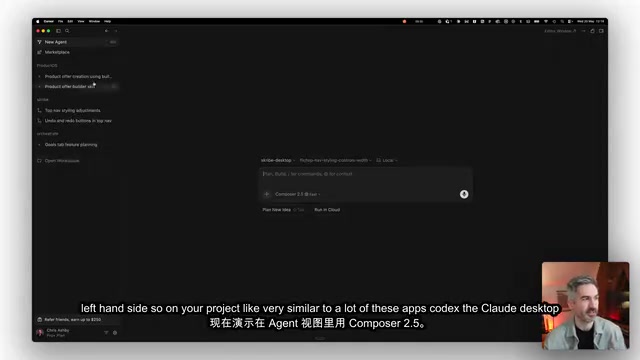
In the Cursor editor, click the top-right corner to enter the Agent view. Similar to Codex and the Claude desktop app, the left side displays project files, and clicking New Agent starts a new task. Model selection is at the bottom—switch to Composer 2.5 to start using it.
Fast mode is enabled by default; it's slightly more expensive but extremely responsive. After a full day of testing, the author's impression is: the gap with top-tier models is minimal, though for frontend design they still lean toward Opus 4.7, and for backend architecture they prefer GPT 5.5. Different models have their strengths, and you can mix and match flexibly based on task type.
Plan Mode: Best-in-Class AI Coding Plan View
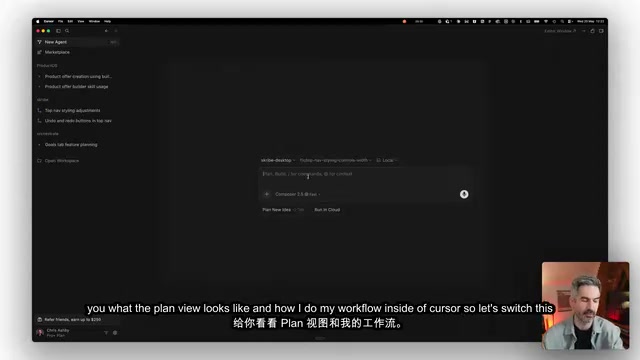
The author demonstrated with a real task—switching some fonts in the desktop app Scribe to Google Fonts' Geist. After switching to Plan mode, Composer 2.5 dispatches multiple Agents to work in parallel, then consolidates a complete execution plan.
Behind Plan mode is the rapidly evolving Multi-Agent Orchestration architecture. In traditional single-Agent mode, the model completes tasks sequentially, which is less efficient for complex project changes. Multi-Agent parallelism has a coordinating Agent break down tasks and assign them to multiple sub-Agents for simultaneous execution—for example, one Agent analyzes font reference paths while another scans CSS variable definitions, then results are consolidated into a unified execution plan. The core challenge of this architecture lies in context synchronization and conflict resolution—different sub-Agents may make conflicting modifications to the same file. Cursor's Plan view achieves a balance between automation and manual control through explicit task checklists and user confirmation steps, which is the main reason its plan view experience leads among similar tools.
This plan isn't just an ordinary Markdown document. It includes:
- How fonts integrate with the current project architecture
- Specific implementation steps and a list of files to modify
- Verification methods and a to-do outline
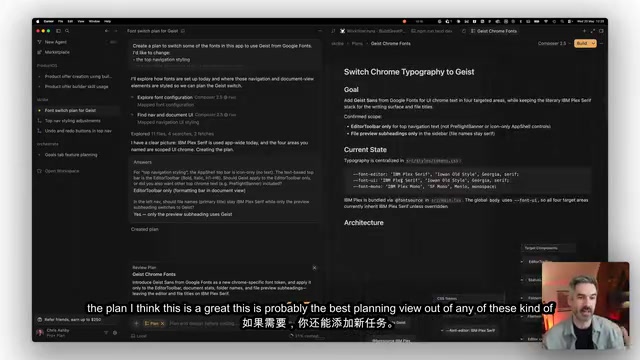
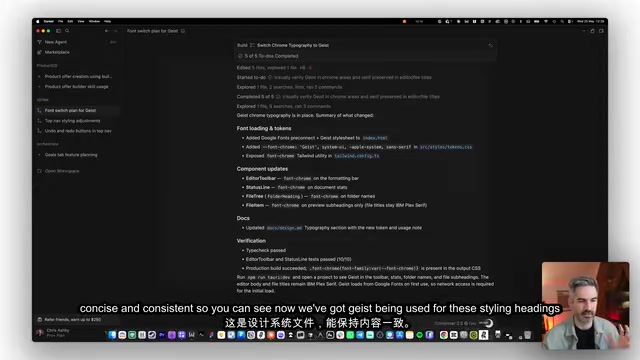
You can freely add or remove tasks, maintaining full control over the plan's direction. Once satisfied, click Build, and Composer 2.5 will systematically complete all to-do items and automatically apply code changes.
Right Panel: Project Management Flexibility Beyond Codex
Cursor's right panel supports multi-tab functionality, covering GitHub Release status, local terminal, file viewer, branch changes, PR reviews, and other common operations. You can view Pull Request content, handle check failures, and merge PRs directly within Cursor—no need to switch to the GitHub web interface.
This is a capability the Claude desktop app notably lacks—editing files directly within project context. For non-developers, this integrated workflow also helps with learning PR processes, Code Review, and other development practices, lowering the barrier to participating in collaborative development. A PR (Pull Request) is essentially a code change proposal mechanism—after a developer completes modifications on an independent branch, they request to merge the code into the main branch via a PR, where team members can review and discuss. Cursor embedding this workflow within the editor means the entire chain from writing code to submitting reviews never requires leaving the same tool, significantly reducing tool-switching costs for solo developers and small teams.
Summary: Who Is Composer 2.5 For, and How to Use It
Composer 2.5's positioning is very clear: cheaper, faster, and more quota-efficient at equivalent coding quality. If you're already using Cursor, consider shifting more daily coding tasks to Composer 2.5 and saving your top-tier model quota for more complex scenarios. If you're currently using Codex or the Claude desktop app, it's worth trying Cursor's workflow—these AI programming tools aren't mutually exclusive, and you can switch flexibly based on project needs to find the combination that works best for you.
Key Takeaways
- Composer 2.5 matches Opus 4.7 and GPT 5.5 in coding quality, but at up to 10x lower cost
- Cursor partnered with xAI to train on the Colossus 2 data center, focusing on coding scenarios to build a differentiated moat
- Plan mode is built on a multi-Agent parallel orchestration architecture, offering the best plan view among similar tools with task management and user intervention control
- The right panel integrates GitHub PRs, terminal, file editing, and other features, embedding the complete development collaboration chain within the editor—superior to competitors
Related articles
 Product Reviews
Qoder vs Cursor Real-World Comparison: Which $20/Month AI IDE Is Better?
Hands-on comparison of Qoder vs Cursor AI IDEs: Agent autonomy, human interaction count, and architecture decisions. Qoder needed only 2 interactions vs Cursor's 8.
 Product Reviews
Cursor Cloud Agent Demo: Eliminating Bottlenecks Across the Entire Software Development Lifecycle
Deep analysis of Cursor's Cloud Agent demo showing how cloud VMs, automated test artifacts, and a full-chain control plane systematically eliminate human bottlenecks across the software development lifecycle.
 Product Reviews
Cursor 3.0 Deep Dive: Multi-Agent Parallelism, Design Mode, and Best-of-N Model Comparison
Cursor 3.0 evolves from an AI coding assistant into an Agent fleet command center. Explore multi-agent parallelism, Design Mode, and Best-of-N model comparison.