Cursor Major Update: A Complete Breakdown of Background Agent, Cross-File Editing, and Other New AI Coding Features
Cursor Major Update: A Complete Breakd…
Cursor launches major update with cross-file Tab model and Background Agent for autonomous coding.
Cursor's latest version delivers several major updates: a new Tab model enabling cross-file edit suggestions, Max Mode now available for all models with maximum context windows and unlimited tool calls, and inline editing upgraded to support whole-file operations. The standout feature is the Background Agent, which can autonomously handle bug fixes, style updates, and other tasks in the background. With upcoming integration into task management systems like Jira, this marks Cursor's transformation from an assisted coding tool into an autonomous programming platform.
Cursor's founders recently released a feature walkthrough video for the latest version, showcasing several impressive updates. From a brand-new cross-file Tab model to a background intelligent coding assistant, this update marks a pivotal step in Cursor's mission to build the ultimate AI-powered programming platform.
The New Tab Model: A Leap in Cross-File Editing
Cursor has trained an entirely new Tab model that excels at sequential navigation operations. Previously, Tab completions were largely limited to multi-line edit suggestions within the current file. The new version introduces cross-file modification suggestions. When you jump between multiple files, the AI understands contextual relationships and automatically provides edit suggestions for related files.
It's worth noting that cross-file edit suggestions are far from trivial to implement technically. Code completion technology has evolved from single-line completion (like early IntelliSense) to multi-line completion (like the first generation of GitHub Copilot) to cross-file context awareness. Cross-file capability relies on understanding the codebase's overall Semantic Graph — the AI needs to simultaneously track symbol definitions, type dependencies, and call chain relationships, rather than merely predicting the next text sequence. This requires the model to have a longer effective context window and deep semantic understanding of code structure. Cursor specifically trained a new model for this scenario to break through this technical bottleneck.
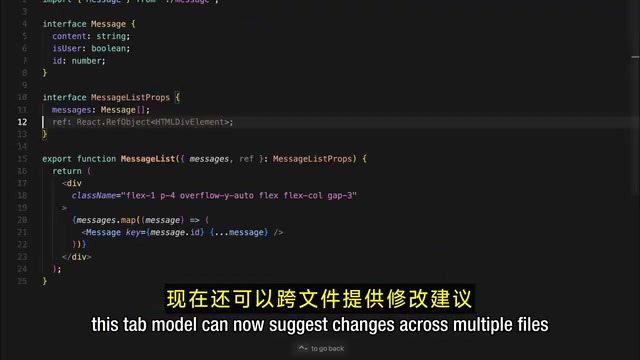
Even more noteworthy, the speed of all navigation operations has been significantly improved, including intra-file jumps. For the frequent code navigation scenarios in daily development, this smooth continuous editing experience will dramatically boost coding efficiency.
Max Mode Now Available for All Models
All Cursor models now support Max Mode. The core advantages of Max Mode include:
- Maximum context window: Capable of processing more code context information
- API-based pricing: Flexible pay-per-use billing
- Unlimited tool calls: No longer restricted by tool call limits
To understand the value of Max Mode, you first need to grasp the core concept of the Context Window. The context window is the maximum number of tokens a large language model can process at once, directly determining how much code the AI can "see." Early GPT-3 had a context window of only 4K tokens, while modern models like Claude 3.5 have expanded to 200K tokens. For large codebases, this metric is critical — the core files of a mid-sized project often exceed tens of thousands of lines of code. A larger context window means the AI can understand more related files simultaneously, resulting in more accurate suggestions — but at the cost of higher computational expense and response latency.
The team still recommends using the standard mode for everyday agent tasks, since most tasks don't require an oversized context. However, when you encounter complex tasks that demand extensive context information, you can switch to Max Mode at any time. This tiered design controls costs while maintaining flexibility.
Major Upgrades to Inline Editing
Cursor's Inline Edit feature has received a major update. In the new version, inline editing not only works with the Agent but also supports editing entire files via Command-K, rather than being limited to specific sections of a file.

This improvement addresses a pain point previously reported by users: when structural adjustments to an entire file were needed, editing section by section was inefficient. Now, a single keyboard shortcut lets the AI understand and refactor an entire file, making the workflow much smoother.
Multiple Practical UX Improvements
Beyond the core feature upgrades, Cursor also delivers several practical improvements for the daily development experience:
Multi-root Workspace Support: You can now create Multi-root Workspaces, allowing Cursor to work with multiple codebases simultaneously. This need stems from the evolution of modern software architecture — microservices architecture splits monolithic applications into multiple independent services, each typically in its own repository; meanwhile, the Monorepo strategy (widely adopted internally at Google, Meta, and others) consolidates multiple projects into a single repository. Regardless of the approach, developers need to frequently switch between multiple codebases. Multi-root workspace support enables the AI to be aware of context across multiple codebases simultaneously, providing more accurate suggestions for cross-service calls, interface alignment, and similar scenarios — especially valuable for full-stack developers and platform engineers.
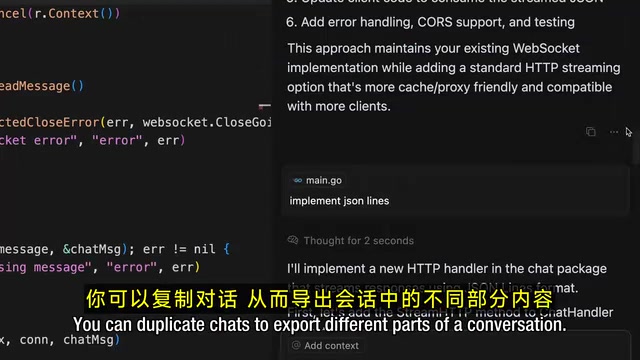
Conversation Copy and Export: Users can copy conversation content, making it easy to export different parts of a session. This is highly valuable for team collaboration, knowledge documentation, and issue tracking.
Folder-Level Context Tagging: Previously, only individual files could be added to the context. Now you can tag entire folders to include a whole codebase in the context. This gives the AI a more comprehensive understanding of the project, resulting in more accurate code suggestions.
Background Agent: The Most Promising New Feature
The most eye-catching feature in this update is undoubtedly the Background Agent. The Cursor team revealed that this feature has been in development for several months.
The Background Agent represents a paradigm shift in AI coding tools from "Copilot mode" to "Agentic mode." In Copilot mode, the AI passively responds to human instructions; in Agentic mode, the AI can autonomously plan task steps, invoke tools (such as the terminal, file system, and browser), execute code, and self-correct based on results. The core technologies behind this paradigm include the ReAct framework (iterative cycles of reasoning + action), Tool Use, and long-horizon task planning. In simple terms, the Background Agent doesn't just "suggest how to write code" — it can "write the code itself and report back with the results."
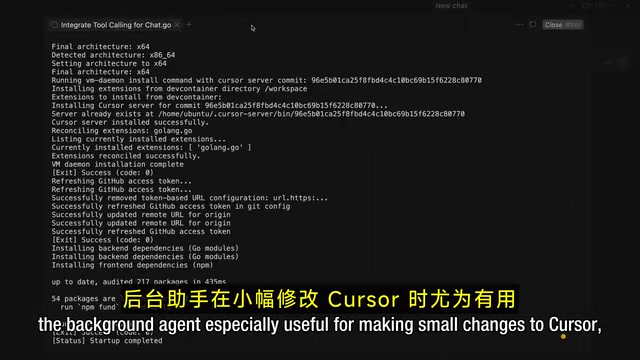
The key characteristic of the Background Agent is its ability to run in the background and handle multiple tasks simultaneously. Based on the Cursor team's internal usage experience, it performs particularly well in the following scenarios:
- Small bug fixes: Automatically identifying and fixing simple code defects
- Style updates: Handling UI/CSS-related adjustments
- Deep code Q&A: For complex questions requiring extensive research, the Agent can independently conduct in-depth analysis
- Mid-sized project scaffolding: Helping quickly build a project's foundational structure
Even more exciting, Cursor is about to launch integration with task management systems. The Background Agent will be able to automatically run on every Issue in task management systems like Jira and Linear, truly achieving an automated closed loop from task assignment to code implementation. This integration embeds the AI Agent into the standard software engineering workflow, making it a genuine "digital team member" — it no longer waits for a developer to open the editor before starting work, but begins autonomously pushing forward the moment a task is created.
The strategic significance of this feature is that it elevates Cursor from an assisted coding tool to an autonomous programming platform. Developers can delegate repetitive, low-complexity tasks to the Background Agent while focusing on architecture design and core logic.
Summary and Outlook
This update makes Cursor's product roadmap crystal clear: from code completion to intelligent editing, and then to autonomous programming. The Tab model's cross-file capabilities, the full rollout of Max Mode, and the inline editing upgrades all strengthen the foundational human-AI collaboration experience; the Background Agent represents the next phase — letting AI independently take on more programming tasks.
At the end of the video, Cursor's founders specifically thanked the community for their suggestions, noting that these updates were developed based on user feedback. They also revealed that the team has the next wave of updates ready, which makes the future of Cursor all the more exciting. In an increasingly competitive AI coding tools landscape, Cursor is solidifying its technological lead through concrete action.
Related articles
 Product Reviews
Qoder vs Cursor Real-World Comparison: Which $20/Month AI IDE Is Better?
Hands-on comparison of Qoder vs Cursor AI IDEs: Agent autonomy, human interaction count, and architecture decisions. Qoder needed only 2 interactions vs Cursor's 8.
 Product Reviews
Cursor Cloud Agent Demo: Eliminating Bottlenecks Across the Entire Software Development Lifecycle
Deep analysis of Cursor's Cloud Agent demo showing how cloud VMs, automated test artifacts, and a full-chain control plane systematically eliminate human bottlenecks across the software development lifecycle.
 Product Reviews
Cursor 3.0 Deep Dive: Multi-Agent Parallelism, Design Mode, and Best-of-N Model Comparison
Cursor 3.0 evolves from an AI coding assistant into an Agent fleet command center. Explore multi-agent parallelism, Design Mode, and Best-of-N model comparison.