Cursor Web and Mobile Launch: Hands-On with Cloud AI Coding Agents
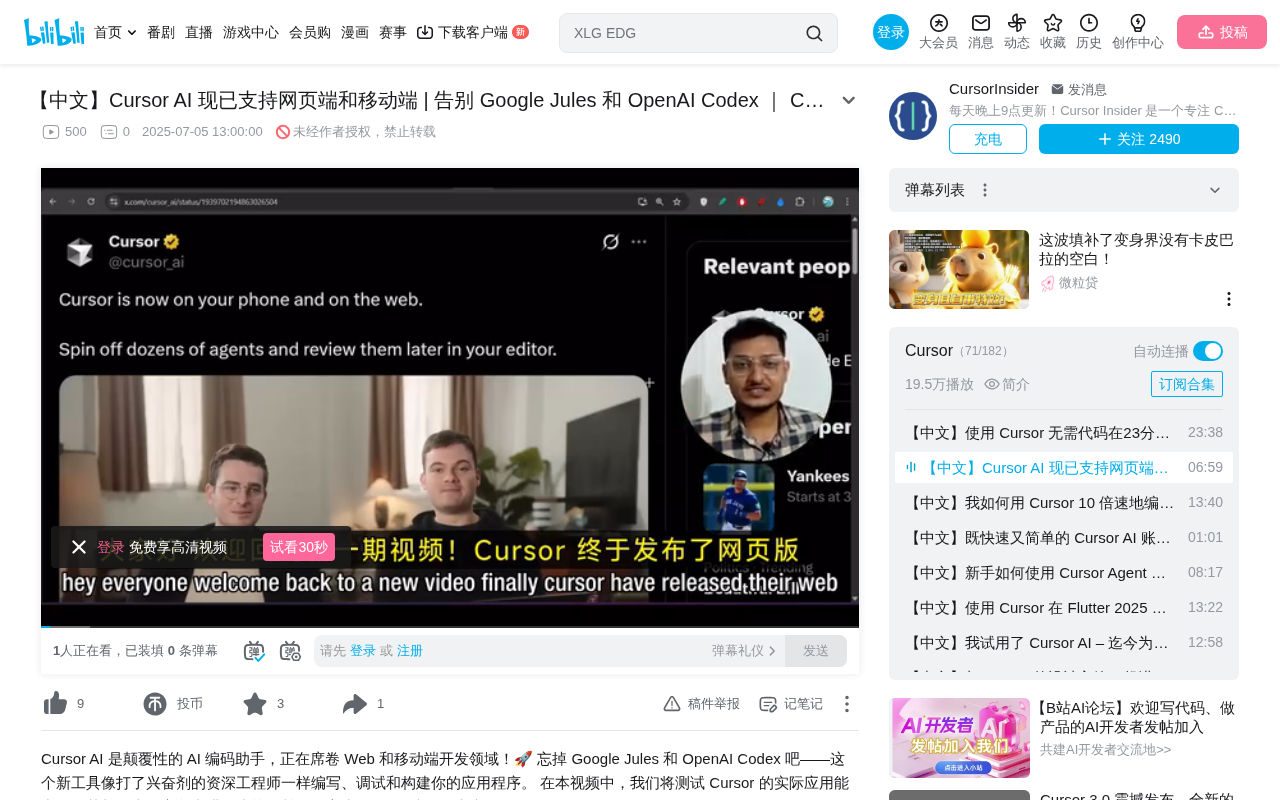
Cursor launches web and mobile versions, competing directly with Jules and Codex in cloud AI coding agents
Cursor officially launches web and mobile support (via PWA), enabling dozens of AI coding agents to run simultaneously in the browser with Claude Sonnet, O3, and Claude Opus models available. Its architecture mirrors Google Jules and OpenAI Codex, using independent sandbox execution where users connect GitHub and submit tasks for async completion. The mobile version supports code review and PR management, marking AI coding tools' evolution from local assistance to cloud-autonomous workflows.
Cursor recently officially launched web and mobile support, allowing users to use AI coding agents in browsers and on phones without installing a desktop client. This update puts Cursor in direct competition with Google Jules and OpenAI Codex, as the three major AI coding tools now face off head-to-head in the cloud agent arena.
Cloud AI Coding Agent Competitive Landscape: Google Jules is Google's asynchronous AI coding agent launched in late 2024, built on the Gemini model with deep integration into Google Cloud and the GitHub ecosystem. OpenAI Codex is OpenAI's cloud agent product launched in 2025, based on an o3 variant model fine-tuned for code tasks, emphasizing multi-step programming task execution in isolated cloud environments. All three adopt a "submit task → async execution → review results" workflow paradigm, essentially upgrading AI from a real-time interactive Copilot mode to an Autonomous Agent mode capable of independently completing entire tasks. The homogenization of competition in this space is shifting differentiation toward model capabilities, ecosystem integration, and concurrency performance.
Web Version Core Feature: Multi-Agent Parallel Execution
After logging into cursor.com, users see two main pages: the Agent page and the Dashboard page. The Dashboard shows detailed usage information, while the Agent page is the core workspace.
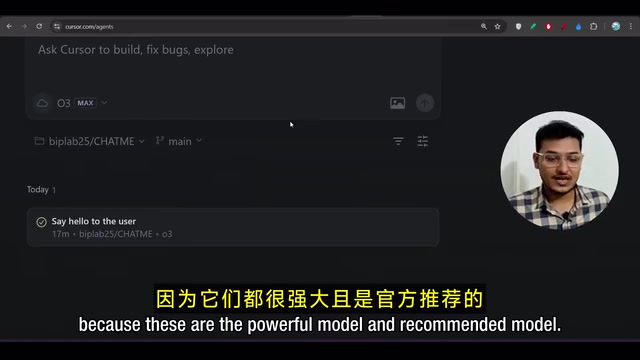
The web version's biggest highlight is support for running dozens of agents simultaneously. Users simply connect their GitHub account, and the system automatically loads all repositories and branches. For model selection, three officially recommended models are currently available: Claude Sonnet, O3, and Claude Opus — all among the most powerful code generation models available today.
The workflow is very intuitive: select a target repository and branch, enter a task description (such as "add dark/light mode toggle" or "fix a specific bug"), and the agent automatically executes the task in an independent sandbox environment. Users receive notifications when tasks complete and can review code changes at any time.
Technical Significance of Multi-Agent Parallel Execution: Supporting dozens of agents running simultaneously essentially brings the concept of concurrent engineering from software development into AI-assisted programming. In traditional development, a developer can only focus on one task at a time; cloud-based multi-agent architecture allows users to submit multiple independent tasks simultaneously (such as fixing bugs in different modules or adding test cases for multiple feature branches), with agents executing in parallel in their respective sandboxes while developers review everything afterward. This asynchronous batch processing mode aligns closely with the design philosophy of CI/CD pipelines, theoretically freeing developers from linear coding workflows and transforming them into task schedulers and code reviewers.
Comparison with Google Jules and OpenAI Codex
The Cursor web version works essentially the same way as Google Jules and OpenAI Codex — all three adopt an independent sandbox execution architecture. Users bind their GitHub account, select a repository and branch, then submit tasks, and the AI agent completes code modifications in an isolated environment.
Sandbox Execution Architecture Background: Independent sandbox execution is the core security mechanism for cloud AI coding agents. A sandbox is essentially an isolated virtual computing environment where agents run code, install dependencies, and execute tests — all completely isolated from the host system. This architecture originates from containerization technology (such as Docker), ensuring that even if AI generates incorrect or malicious code, it won't affect the user's actual codebase or production environment. Each task corresponds to an independent sandbox instance; after task completion, the sandbox is destroyed, and changes are presented to users as diffs (difference patches) for review, only merging into the real repository after user confirmation.
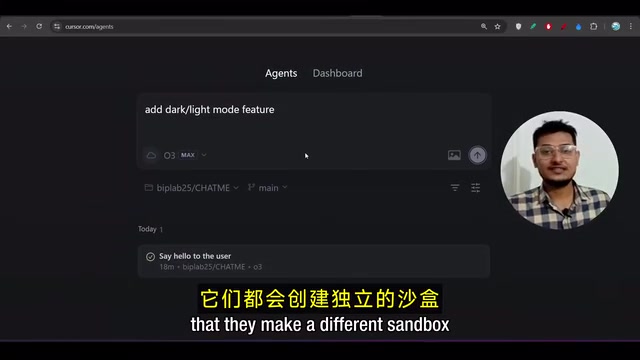
From a feature perspective, differentiation among the three isn't particularly pronounced. Core competitiveness is more reflected in the following dimensions:
- Model Selection Flexibility: Cursor offers multiple top-tier models to choose from, allowing users to switch flexibly based on task complexity
- Ecosystem Integration: As an editor that already has a large desktop user base, Cursor's seamless connection between web and desktop versions is a unique advantage
- Concurrency Capability: The official emphasis on running dozens of agents simultaneously provides clear advantages for batch task processing
What you might not have noticed is that Cursor's update essentially migrates its desktop AI coding capabilities to the cloud, lowering the barrier to entry while expanding use cases.
Mobile Experience: The Pragmatic PWA Approach
Cursor's mobile version isn't a native app but instead uses a PWA (Progressive Web App) approach. Here's how to set it up:
- iPhone users: Open cursor.com in Safari, select "Add to Home Screen"
- Android users: Tap the three-dot menu in the upper right corner of the browser, select "Download" or "Add to Home Screen"
PWA Technical Background: PWA (Progressive Web App) is a web application standard proposed by Google in 2015, designed to give web apps an experience close to native apps. Its core technologies include Service Workers (enabling offline caching and background sync), Web App Manifest (defining app icons, splash screens, and display modes), and HTTPS secure transmission. PWA's biggest advantage is distribution without App Store review, with development and maintenance costs far lower than native applications. For tools like Cursor that primarily involve text interaction and code display, PWA rendering performance is more than adequate, while also bypassing iOS and Android platform app store restrictions to quickly reach users.
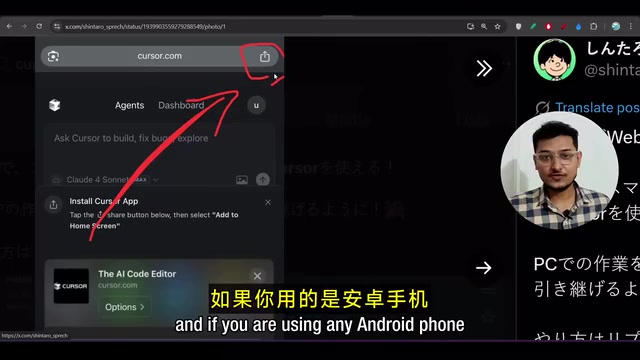
Once added, Cursor appears on the phone's home screen like a regular app, with an interface consistent with the web version. While the PWA approach isn't as smooth as a native app, it's more than sufficient for AI coding agents that primarily involve text interaction.
An important use case for mobile is code review and PR management. Users can perform the following operations on their phone:
- View code change diffs completed by agents
- Create and submit Pull Requests
- Review PRs submitted by others
- Have Cursor automatically review code and fix discovered bugs
- Merge code directly
This means developers can complete critical operations like code review and merging via phone even when away from their computer, truly enabling programming anytime, anywhere.
Live Demo: Automatically Adding Dark Mode
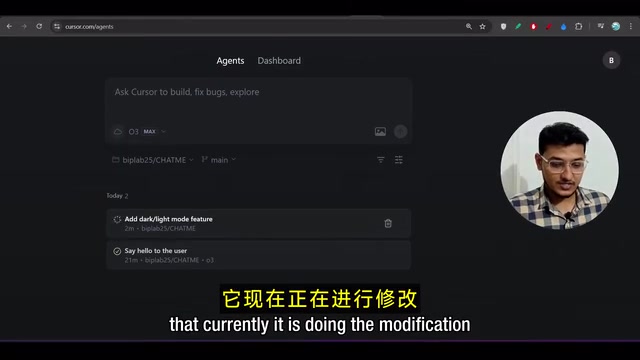
In a live demonstration, a chat interface project built on the MongoDB tech stack was selected, with Cursor tasked to add a dark/light mode toggle feature. After selecting the O3 model, the agent immediately began running in the background.
After task completion, you can clearly see the agent made modifications across multiple files, including the SRC/Component/Sidebar directory in the frontend folder, as well as newly created Theme.js and ThemeToggle.js files. The entire process required no manual intervention — the agent automatically completed everything from theme configuration to component creation.
Practical Implications for Developers
The launch of Cursor's web version marks AI coding tools evolving from "local assistance" to "cloud autonomy." This trend brings several important changes:
Lower Barrier to Entry: No need to download or install any software — just open a browser to get started. This is especially convenient for scenarios where you need to handle code on the fly.
Asynchronous Work Mode: Agents run independently in the cloud, developers can submit multiple tasks simultaneously and review results afterward, significantly improving productivity.
Cross-Device Collaboration: Submit tasks on your computer, review results and merge code on your phone — workflows are no longer limited by device.
However, cloud AI coding agents are still in their early stages. For complex architectural modifications and cross-module refactoring, developers still need to carefully review agent-generated code. It's recommended to use them as productivity tools rather than complete replacements, gradually exploring optimal usage patterns in real projects.
Key Takeaways
- Cursor officially launches web and mobile versions, supporting dozens of AI coding agents running simultaneously in the browser
- The web version offers three models — Claude Sonnet, O3, and Claude Opus — working similarly to Google Jules and OpenAI Codex, all using independent sandbox execution architecture
- The mobile version uses a PWA approach, supporting code review, PR creation, and code merging on phones
- Three major AI coding tools (Cursor, Google Jules, OpenAI Codex) are competing head-to-head in the cloud agent space, with features trending toward homogenization
- Cloud AI coding agents are driving development models from local assistance toward asynchronous, cross-device cloud-autonomous workflows
Related articles
 Product Reviews
Qoder vs Cursor Real-World Comparison: Which $20/Month AI IDE Is Better?
Hands-on comparison of Qoder vs Cursor AI IDEs: Agent autonomy, human interaction count, and architecture decisions. Qoder needed only 2 interactions vs Cursor's 8.
 Product Reviews
Cursor Cloud Agent Demo: Eliminating Bottlenecks Across the Entire Software Development Lifecycle
Deep analysis of Cursor's Cloud Agent demo showing how cloud VMs, automated test artifacts, and a full-chain control plane systematically eliminate human bottlenecks across the software development lifecycle.
 Product Reviews
Cursor 3.0 Deep Dive: Multi-Agent Parallelism, Design Mode, and Best-of-N Model Comparison
Cursor 3.0 evolves from an AI coding assistant into an Agent fleet command center. Explore multi-agent parallelism, Design Mode, and Best-of-N model comparison.