Deep Dive into Amazon Kiro: Breaking Down Its Three Core Features — Spec-Driven Development and Beyond
Deep Dive into Amazon Kiro: Breaking D…
Amazon launches AI IDE Kiro, exploring structured AI coding with Spec-driven development and more.
Amazon has launched its AI coding assistant Kiro amid Cursor's pricing controversies, featuring three core capabilities: Spec-driven development breaks the coding workflow into requirements, design, and task phases with full developer control; the Steering rules system ensures AI automatically follows team coding conventions; and Hooks automation enables event-driven quality control. Though still in its early stages, Kiro's structured development philosophy offers significant value for medium-to-large projects and team collaboration.
Introduction: A New Player Enters the AI IDE Arena
Against the backdrop of Cursor's frequent adjustments to its subscription pricing — sparking widespread user frustration — Amazon has quietly launched its own AI coding assistant: Kiro. As the world's largest cloud service provider, Amazon's timing for entering the AI IDE space is particularly noteworthy: Cursor's CEO even had to publicly apologize and offer compensation plans for existing users, and Kiro's arrival at this moment undoubtedly gives developers a compelling new option worth paying attention to.
The AI IDE (Intelligent Integrated Development Environment) space experienced explosive growth between 2023 and 2025. Cursor, as a first mover, deeply customized VS Code and rapidly amassed a large paying user base with its Tab completion and Composer multi-file editing features. GitHub Copilot, Windsurf (formerly Codeium), Replit Agent, and other products followed suit, pushing competition to a fever pitch. Amazon previously had CodeWhisperer (now integrated into Amazon Q Developer), but that was a code completion tool, not a full-fledged AI IDE. Kiro's launch marks Amazon's official entry into the "Agentic coding" domain — where AI doesn't just complete code snippets but can understand requirements, plan architecture, and autonomously execute multi-step development tasks. The core competitive dimension in this space has shifted from "code completion accuracy" to "autonomous completion of complex tasks" and "the degree of structure in the development workflow."
This article won't make sweeping conclusions like "Kiro makes Cursor obsolete." Instead, it objectively breaks down Kiro's three core features — Spec-driven development, the Steering rules system, and Hooks automation — to help you decide for yourself whether it's worth trying.
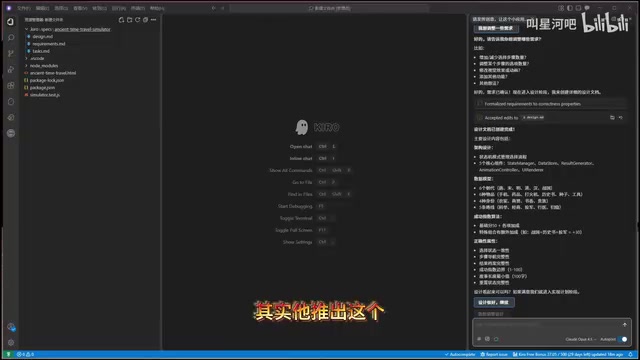
Spec-Driven Development: No More "Blind Box" Coding
What Is Spec-Driven Development?
Kiro's most distinctive feature is its Spec-driven development mode. When you open a project or chat window, Kiro offers two modes: on the left is a traditional chat mode similar to Cursor (Vibe mode), and on the right is the unique Spec mode.
Traditional AI coding assistants typically generate code directly through a few rounds of conversation — whether the results are good or not is largely a matter of luck, much like opening a blind box. Spec mode takes a fundamentally different approach: instead of having AI write code directly, it first generates structured requirements documentation.
This philosophy has deep roots in software engineering. In classic software development methodologies — whether the Waterfall model or RUP (Rational Unified Process) — there's a strong emphasis on completing a Software Requirements Specification (SRS) and system design documents before coding begins. The core logic is straightforward: fixing a bug discovered during the requirements phase costs far less than fixing the same bug during coding or testing. Research data from IBM and NASA shows this cost difference can range from 10x to 100x. However, traditional documentation is extremely time-consuming, which led many teams to swing to the opposite extreme after the rise of Agile development: writing almost no documentation and iterating directly on code. Kiro's Spec mode attempts to bridge the gap between these two extremes — preserving the value of structured documentation while using AI to dramatically reduce the time cost of generating it.
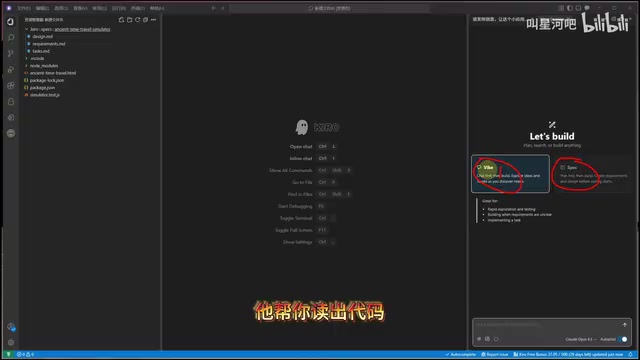
A Three-Step Development Workflow
Spec mode breaks the development process into three strict phases, executed sequentially rather than simultaneously:
-
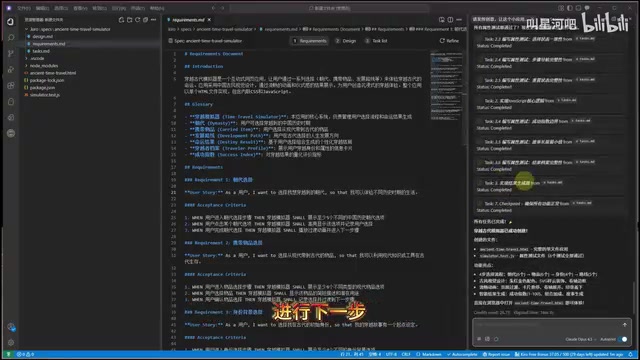
Requirements Document: Kiro automatically creates a
.kiro/specs/folder in the project directory and generates a detailed requirements document. After generation, you can make targeted edits to any section you're not satisfied with, or tell it through conversation what needs adjustment. Once confirmed, click "Accept" to proceed to the next step. -
Design Document: Based on the confirmed requirements, Kiro generates a system design plan. You can review and modify it throughout the entire process.
-
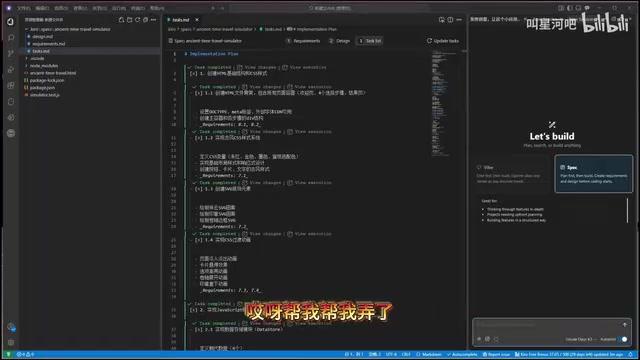
Task List: After the design is confirmed, Kiro breaks the entire project into multiple small tasks. Each task has a "Start Task" button next to it, allowing you to start, test, and verify them one by one.
Why Spec Mode Deserves Your Attention
The core value of this mode lies in end-to-end controllability. From requirements definition to architecture design to task breakdown, developers can intervene and make adjustments at every step. Compared to the traditional AI coding approach of "generating a massive chunk of code in one go and praying it works," Spec-driven development gives you a clear expectation of the final output before coding even begins, dramatically reducing the likelihood of rework.
This philosophy shares similarities with the "Waterfall model" in software engineering, but leverages AI to greatly simplify what was once a tedious documentation process. For developers accustomed to Agile's "lightweight documentation" style, Spec mode offers a middle ground: you don't need to manually write dozens of pages of specifications, but you also won't let AI generate code aimlessly without any plan.
Steering Rules System: Making AI Automatically Follow Team Coding Standards
More Than Just a Simple Rules File
Kiro's second major feature is the Steering rules system. It allows developers to define team standards and coding conventions, ensuring AI automatically follows these rules when generating code and maintaining consistency across the entire project's code style.
You might ask: Cursor also has Rules files — what's the difference? To understand this distinction, it helps to know the evolution of coding standards engineering. Traditional solutions include static analysis and formatting tools like ESLint and Prettier (JavaScript ecosystem) and Black (Python ecosystem), as well as cross-editor configuration standards like EditorConfig. However, these tools can only enforce syntax-level conventions and cannot cover higher-level agreements like architectural decisions, naming semantics, and comment styles. Cursor's Rules files (.cursorrules) were among the first attempts in the AI era to describe coding standards using natural language, but their scope is primarily limited to the code generation phase.
Kiro's Steering system extends further: rules influence not only code generation but also permeate the requirements analysis and design phases. This means the AI already "knows" whether the team prefers functional programming or object-oriented approaches, and which error handling patterns they favor, when it's still understanding requirements — avoiding large-scale refactoring later by catching misalignments at a much earlier stage.
Practical Usage Examples
In the .kiro/ directory, in addition to the specs folder for Spec files, you can also create rules files. You can write them manually or have AI generate them for you.
The rules cover a wide range of use cases, such as:
- Code comment standards: Requiring all code comments to be written in a specific language
- API request format: Standardizing on a specific HTTP request library and format
- Error handling standards: Defining unified patterns for exception catching and error handling
- Functional programming conventions: Specifying programming paradigms and code organization patterns
As a project grows in scale, the value of these rules files becomes fully apparent — AI automatically follows established conventions when working on any module, preventing style inconsistencies.
Hooks Automation: Event-Driven Development Workflows
Kiro's third core feature is the Hooks automation mechanism. It allows developers to set specific trigger conditions that automatically execute predefined actions when those conditions are met. Typical use cases include:
- On file save: Automatically run related test cases
- Before code commit: Automatically execute code quality checks
- On new file creation: Automatically apply templates and conventions
The Hooks mechanism reflects the "Shift Left" philosophy that has gained traction in software engineering in recent years. Shift Left refers to moving quality assurance, security checks, and test verification from the right side of the software delivery pipeline (deployment and operations phases) to the left side (development and coding phases) — the earlier a problem is found, the lower the cost to fix it. In traditional DevOps practices, CI/CD (Continuous Integration/Continuous Delivery) pipelines handle a large volume of automated quality checks, but these checks are typically triggered only after code is pushed to a remote repository, often requiring developers to wait several minutes or longer for feedback. Git Hooks (such as pre-commit and pre-push hooks) are a common approach to shifting some checks to the local environment, but they're complex to configure and difficult to synchronize across teams.
Kiro's Hooks mechanism natively integrates this capability at the IDE level and combines it with AI — for example, saving a file doesn't just run static checks but can also trigger AI to perform semantic-level convention reviews on newly added code, achieving intelligent quality control that traditional tools can't match. This means developers get instant quality feedback during the coding phase, rather than discovering issues only after pushing code to a remote repository.
Kiro's Current State and Growth Potential
It's important to be objective: Kiro is still in its early stages, and many features are still being continuously optimized and iterated. However, based on its design philosophy, its growth potential is considerable:
- Spec-driven development addresses the biggest pain point in AI coding — unpredictability
- Steering rules system provides standardization guarantees for team collaboration
- Hooks automation shifts quality control forward into the development phase
From a product positioning perspective, Kiro isn't trying to be a "better Cursor" — it's exploring an entirely new paradigm for AI-assisted development. It's better suited for projects and teams that have high standards for code quality and need structured development workflows.
Conclusion: What Kind of Developer Is Kiro For?
For individual developers, if your projects are relatively simple, traditional chat-based AI coding tools may already be sufficient. But if you're working on medium-to-large projects, or have high standards for code maintainability and consistency, Kiro's Spec-driven development mode is worth serious exploration.
Kiro currently offers free credits for users to try (approximately 550 credits for new accounts). Interested developers are encouraged to get hands-on experience — after all, the only way to know if a tool works for you is to try it yourself. In an era where AI IDEs are blooming in every direction, having one more option is never a bad thing.
Key Takeaways
- Kiro is Amazon's AI coding assistant, entering the market amid Cursor's pricing controversies and offering differentiated competition
- Spec-driven development is Kiro's most distinctive feature, breaking the coding workflow into three steps — requirements document → design document → task list — with developer control throughout
- The Steering rules system allows teams to define coding conventions that AI automatically follows during code generation, ensuring consistent code style across the project
- The Hooks automation mechanism supports event-driven workflows, such as auto-testing on save and auto-checking before commits
- Kiro is still in its early stages, but its structured development philosophy offers significant value for medium-to-large projects and team collaboration
Related articles
 Product Reviews
Qoder vs Cursor Real-World Comparison: Which $20/Month AI IDE Is Better?
Hands-on comparison of Qoder vs Cursor AI IDEs: Agent autonomy, human interaction count, and architecture decisions. Qoder needed only 2 interactions vs Cursor's 8.
 Product Reviews
Cursor Cloud Agent Demo: Eliminating Bottlenecks Across the Entire Software Development Lifecycle
Deep analysis of Cursor's Cloud Agent demo showing how cloud VMs, automated test artifacts, and a full-chain control plane systematically eliminate human bottlenecks across the software development lifecycle.
 Product Reviews
Cursor 3.0 Deep Dive: Multi-Agent Parallelism, Design Mode, and Best-of-N Model Comparison
Cursor 3.0 evolves from an AI coding assistant into an Agent fleet command center. Explore multi-agent parallelism, Design Mode, and Best-of-N model comparison.