FreeBuff: A Free AI Coding Agent Integrating Top Models Like DeepSeek V4
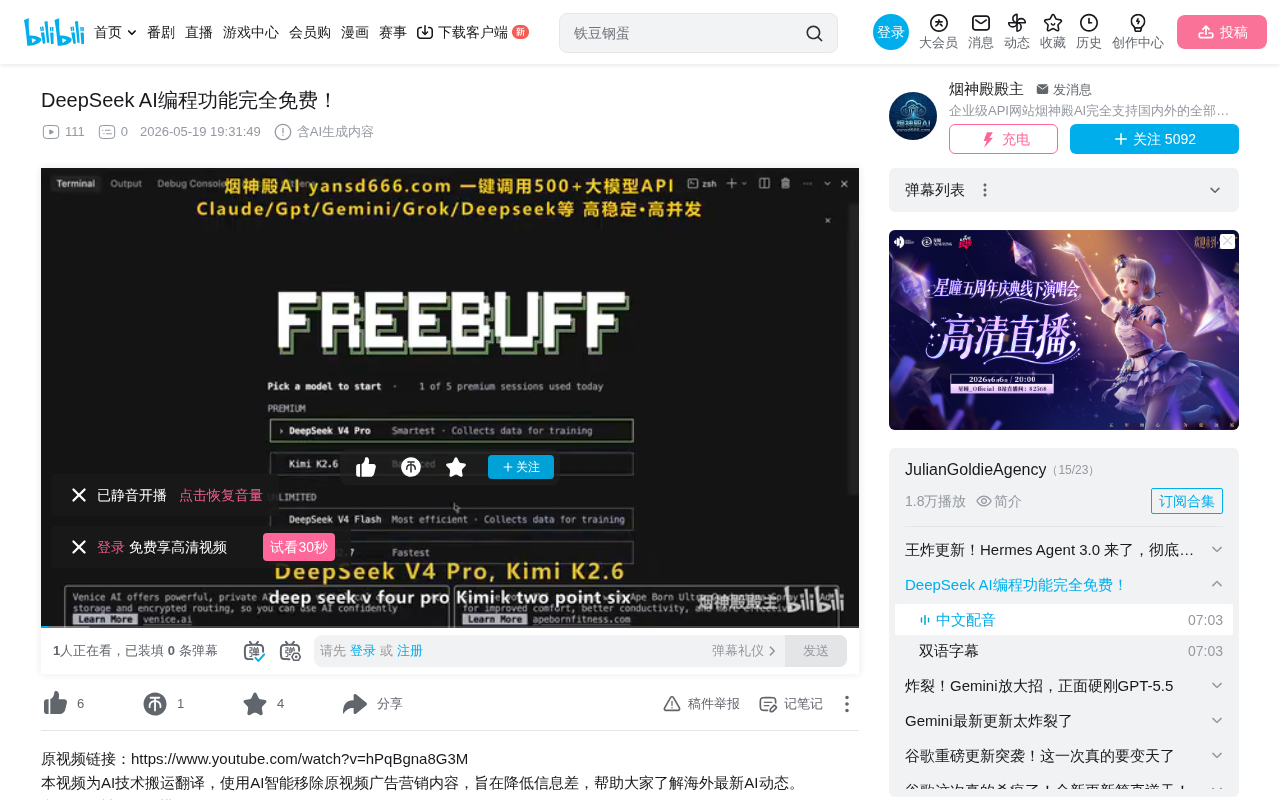
FreeBuff is a free AI coding agent integrating multiple top LLMs, supported by ads instead of subscriptions.
FreeBuff, from the CodeBuff team, integrates six top-tier models including DeepSeek V4 Pro, Kimi K2.6, and MiniMax M2.7, maintained completely free through terminal text ads. It employs a multi-agent architecture with nine specialized sub-agents covering file finding, planning, editing, and code review. Supporting use cases from building projects from scratch to debugging and technical research, it installs with a single npm command in 30 seconds — making it a zero-barrier, high-value AI coding tool.
Overview: A Truly Free AI Coding Agent
In an era where AI coding tools are proliferating, most quality tools require paid subscriptions or API top-ups. However, a coding agent called FreeBuff breaks this convention — it integrates top-tier large models including DeepSeek V4 Pro, Kimi K2.6, and MiniMax M2.7, all completely free to use. The only cost is the occasional small text ad that appears in your terminal.
FreeBuff comes from the CodeBuff team and serves as the free alternative to their paid CodeBuff product. It isn't locked to a single model — users can flexibly switch between multiple large models based on task requirements. Installation takes just 30 seconds, with no credit card required, no trial time limits, and no message usage caps.
This ad-supported free model is relatively rare in the AI tools space. Typically, the inference costs for large models are quite substantial — GPT-4-level models can cost several dollars per million input tokens, and coding tasks often require extensive context input. FreeBuff's ability to maintain a free service likely stems from special partnership agreements with model providers, or using ad revenue to cover API call costs. Essentially, users trade a small amount of attention for high-value AI coding services.
Model Lineup: Six Top Models with One-Click Switching
Core Coding Models
FreeBuff's current model lineup is quite impressive:
- DeepSeek V4 Pro: Performs on par with Claude Code in rigorous benchmarks, with faster processing for routine tasks
- Kimi K2.6: Has held the top position on the SWE-Bench leaderboard for consecutive weeks
- MiniMax M2.7: Excels at long-context processing
- DeepSeek V4 Flash: A lightweight, fast version for core coding tasks
It's worth explaining the SWE-Bench benchmark in particular. Developed by a Princeton University research team, SWE-Bench is specifically designed to evaluate AI models' ability to solve real GitHub Issues. It collects hundreds of real bug-fix tasks from 12 popular Python open-source projects, requiring AI models to independently locate code defects and generate correct patches after understanding the problem description. SWE-Bench has become the gold standard for measuring AI coding agents' practical engineering capabilities, because it tests not simple code completion, but the complete software engineering reasoning chain — from understanding requirements, locating files, and analyzing context to generating fix code. Kimi K2.6's sustained lead on this leaderboard demonstrates its outstanding problem-solving ability in real engineering scenarios.
MiniMax M2.7's long-context processing advantage is equally noteworthy. Long context capability refers to the upper limit of tokens a model can process in a single inference. In coding scenarios, a medium-sized project might contain dozens of files and tens of thousands of lines of code, and the model needs to simultaneously "see" enough context to understand inter-code dependencies and overall architecture. MiniMax M2.7's advantage in this area means it can load more code files for analysis at once, reducing information loss from context truncation, making it particularly suitable for large codebase refactoring or cross-file modification tasks.
Auxiliary Models
- Gemini 1.5 Flash: Handles background file searching and web research
- GPT-4 (optional): If you already have a ChatGPT subscription, you can connect it directly, and FreeBuff will route complex reasoning tasks to GPT-4
Normally, to use these top-tier models, you'd need to switch between subscriptions on various platforms or separately top up API credits. FreeBuff puts all options in a dropdown menu, ready to switch with one click.
Installation: Up and Running in 30 Seconds
The installation process is extremely simple:
- Ensure Node.js and NPM are installed
- Enter in terminal:
npm install -g freebuff - Navigate to your project folder and type
freebuffto launch
The -g flag in the npm install -g command indicates global installation, meaning the tool is installed to a system-level directory rather than the current project directory. After global installation, users can invoke the tool by name from any path without manually downloading binaries. NPM automatically handles all dependencies, and subsequent upgrades can be done with a single npm update -g freebuff command. Node.js and NPM have become one of the de facto standards for CLI tool distribution, with many well-known tools (such as ESLint, Prettier, Vercel CLI) distributed this way.
Once launched, the interface outputs text directly in the terminal — no browser, no login, no setup wizard needed. The entire process from installation to first use takes under one minute.
Core Architecture: Nine Sub-Agents Working in Concert
The fundamental difference between FreeBuff and ordinary AI chatbots lies in its sub-agent system. Nine sub-agents run in the background, each with a specific role:
- File Picker: Locates needed files within the codebase
- Planner: Develops execution steps
- Editor: Implements specific code changes
- Code Reviewer: Final quality gate for code
- Browser Action Sub-agent: Loads real pages to verify results
This sub-agent system originates from the multi-agent collaboration architecture in distributed artificial intelligence. Unlike a single large model directly answering questions, multi-agent systems decompose complex tasks into subtasks handled by specialized agents. The core advantages of this architecture are threefold: First, each sub-agent can use the model and prompting strategy best suited to its task (e.g., lightweight fast models for file searching, heavy reasoning models for code review). Second, task decomposition reduces context window pressure on individual inferences, preventing hallucinations from information overload. Third, it enables check-and-verify steps (such as the code reviewer double-checking the editor's output) to significantly improve final output quality. Similar architectural thinking appears in frameworks like Microsoft's AutoGen and CrewAI, but FreeBuff packages it into an out-of-the-box product where users can enjoy multi-agent collaboration benefits without understanding the underlying mechanisms.
Think of it as a small development team, with the main agent acting as a project manager coordinating task assignments. Moreover, after nearly every response, FreeBuff provides three follow-up action suggestions to guide your next step — this feature determines whether you're spinning your wheels or smoothly delivering your project.
Five Practical Use Cases
1. Building Projects from Scratch
Enter a single prompt describing your requirements, and FreeBuff will create files, handle layout, write HTML and CSS, and finally open a preview in the browser. From zero to live preview in about ten minutes.
2. Editing Existing Projects
Simply open a folder containing your code and specify particular files in your prompt with modification requests. For example, changing the color scheme from green to light blue, or adding a dark mode toggle — it will automatically grab the corresponding files and execute the changes.
3. Bug Finding and Debugging
When code is almost working but has runtime issues, point FreeBuff to the file and ask what's wrong. The code review sub-agent will examine it line by line, identifying problems and their causes.
4. Technical Research Assistance
Query anything without leaving the terminal — how to use a library's latest syntax, how others solved a specific problem, etc. Gemini 1.5 Flash immediately feeds information back to the terminal, eliminating the need to switch tabs and break your workflow. This approach of integrating information retrieval into the development environment effectively reduces the "context switching cost" of developers frequently alternating between coding and consulting documentation — research shows programmers need an average of 15-25 minutes to re-enter a deep work state after each interruption.
5. The Interview Command: Precisely Capturing Requirements
Type the interview command, and FreeBuff will pause to ask about your actual needs, confirming before writing any code. Even if you only have a vague idea, after answering a few questions, the generated code will closely match what you had in mind.
The design philosophy behind this feature stems from "Requirements Engineering" principles in software engineering. In traditional development, unclear requirements are the primary cause of project failure. The interview command essentially front-loads the critical step of requirements clarification, using structured Q&A to guide users in transforming vague ideas into clear technical specifications, dramatically reducing subsequent rework.
FreeBuff vs. Competitors
| Tool | Strengths | Weaknesses |
|---|---|---|
| Claude Code | Fast, excellent model | Locked to Anthropic ecosystem, requires paid subscription |
| Cursor | Powerful features | Full IDE has learning curve, Pro version costs money |
| Aider | Free and open source | Requires your own API keys, pay per request |
| FreeBuff | Install once, free forever | Displays ads in terminal |
Among all these tools, FreeBuff is the only option that's install-once, free-forever.
It's worth noting that these tools represent different philosophies of AI coding assistance: Claude Code and Cursor take the "deep integration" route, embedding AI capabilities into complete development environments; Aider takes the "open-source autonomy" route, giving users maximum flexibility but requiring more technical ability; FreeBuff takes the "zero-barrier accessibility" route, eliminating economic barriers through an ad model so any developer can immediately use top-tier AI models' coding capabilities.
Three Common Mistakes to Avoid with FreeBuff
Mistake 1: Choosing the Wrong Model
Many people hear that DeepSeek V4 Pro is the strongest and use it for everything — this is a misconception. The correct approach:
- Quick edits/minor changes: Use DeepSeek V4 Flash or MiniMax M2.7
- Complex tasks (authentication logic, database queries, refactoring large files): Use Kimi K2.6
- Comprehensive tasks: Use DeepSeek V4 Pro
The underlying logic of this model selection strategy is that more powerful models typically mean higher inference latency and computational cost. For simple variable renaming or CSS adjustments, using a heavyweight model not only wastes resources but also noticeably slows response times. Lightweight models handle these highly structured, low-complexity tasks with faster speed and equally high accuracy. Only when cross-file reasoning, understanding complex business logic, or processing large amounts of context is needed should you deploy models with more parameters and stronger reasoning capabilities.
Mistake 2: Skipping the Interview Command
Directly entering a one-line prompt and having FreeBuff write code often produces unsatisfactory results, and repeatedly revising is a pure waste of time. The correct approach is to first enter the interview command, answer four or five questions, and the first version will be close to correct.
Mistake 3: Not Using File References
Asking FreeBuff to make changes without specifying files causes it to scan the entire project trying to determine which files are relevant — time-consuming with messy results. The correct approach is to reference target files by name directly in your prompt, and the file picker will lock on immediately.
The principle behind this tip relates to large models' attention mechanisms. When a model needs to independently determine relevance across many files, it must consume large amounts of context window to load and analyze file structures. This not only increases response time but may also "dilute" key information due to excessive context length. Explicitly specifying files is equivalent to directly focusing the model's attention on the correct location, dramatically improving inference efficiency and accuracy.
Conclusion
As a completely free AI coding agent, FreeBuff integrates several of today's most powerful large models, combined with a collaborative mechanism of nine specialized sub-agents, providing developers with full-workflow support from project building to code review. While it maintains its free model through advertising, for individual developers and small teams, this is undoubtedly one of the most cost-effective AI coding tools available today. Master the three techniques of choosing the right model, leveraging the interview command, and precisely referencing files, and you'll unlock FreeBuff's full potential.
Related articles
 Product Reviews
Qoder vs Cursor Real-World Comparison: Which $20/Month AI IDE Is Better?
Hands-on comparison of Qoder vs Cursor AI IDEs: Agent autonomy, human interaction count, and architecture decisions. Qoder needed only 2 interactions vs Cursor's 8.
 Product Reviews
Cursor Cloud Agent Demo: Eliminating Bottlenecks Across the Entire Software Development Lifecycle
Deep analysis of Cursor's Cloud Agent demo showing how cloud VMs, automated test artifacts, and a full-chain control plane systematically eliminate human bottlenecks across the software development lifecycle.
 Product Reviews
Cursor 3.0 Deep Dive: Multi-Agent Parallelism, Design Mode, and Best-of-N Model Comparison
Cursor 3.0 evolves from an AI coding assistant into an Agent fleet command center. Explore multi-agent parallelism, Design Mode, and Best-of-N model comparison.