FreeBuff Free AI Coding Assistant In-Depth Review: 9 Sub-Agent Architecture & User Experience

FreeBuff is a free multi-agent AI coding assistant sustained by command-line text ads
FreeBuff is a free terminal AI coding assistant built on the CodeBuff platform, sustaining operations through command-line text ads. Its core feature is a 9 specialized sub-agent collaborative architecture supporting flexible switching between models like DeepSeek, Kimi, and Gemini, matching optimal models to different coding workflow stages. It offers zero-configuration installation and immediate use, but users should note privacy risks with some models collecting training data, along with limitations like regional restrictions and cloud dependency.
How Does FreeBuff Operate as a Free AI Coding Assistant?
When an AI coding tool claims to be completely free, most developers' first reaction is: what's the catch? FreeBuff offers a fairly honest answer—it sustains operations by displaying text ads in the command line. This business model isn't exactly groundbreaking, but in the AI coding assistant space, it's certainly an interesting experiment.
The model of supporting free software through advertising has a long history—from early internet browsers to Google's entire business empire, all fundamentally built on the "free service + advertising" foundation. However, advertising models are relatively rare in developer tools, because developers demand extremely high purity and focus from their tools, and any distraction can impact coding efficiency and flow state. Text ads in a command-line environment are far less intrusive than pop-ups or banner ads in graphical interfaces—they don't interrupt workflow and are more akin to sponsor information at the bottom of early BBS forums. That said, the revenue ceiling of this model is obvious: command-line ads have far lower display frequency and click-through conversion rates than web ads, and whether this can sustain continuous model API call costs (which are not cheap for large language models) is the core challenge FreeBuff faces for long-term operations.
FreeBuff is built on the CodeBuff platform and is an AI coding assistant that runs in the terminal. Unlike many tools on the market that try to handle everything with a single model, FreeBuff takes a multi-agent architecture approach—using different AI models for different workflow stages. This design philosophy gives it clear differentiation among similar free tools.
Multi-agent architecture has been an important trend in AI application development over the past two years. Traditional AI tools typically rely on a single large language model to handle all tasks, but this approach often falls short when facing complex workflows—a single model can hardly achieve optimal performance simultaneously across code generation, logical reasoning, file retrieval, browser operations, and other dimensions. The core idea of multi-agent architecture borrows from the "Single Responsibility Principle" in software engineering: decompose complex tasks into multiple subtasks, with each subtask handled by a specifically optimized agent, and agents collaborate through coordination mechanisms. Teams at OpenAI, LangChain, Microsoft AutoGen, and others are actively advancing this direction, and FreeBuff is a concrete implementation of this trend in the free tools space.

FreeBuff Core Features: Minimalist Design & Multi-Agent Collaboration
Zero-Configuration Installation, Ready to Use Out of the Box
Many coding tools nowadays are getting increasingly complex: various modes, providers, configuration files, model routing, custom rules—the list goes on. FreeBuff takes the opposite approach, emphasizing "no configuration needed, works out of the box."
The installation process is simple: open your terminal, run npm install -g freebuff, navigate to your project folder, and execute freebuff. The only prerequisite is having Node.js installed, with support for Mac, Linux, and Windows. You just describe your needs in natural language, and it can inspect your codebase, modify code, execute commands, and get the job done.
Here's a brief explanation of the installation mechanism: npm (Node Package Manager) is the default package manager for the JavaScript and Node.js ecosystem, and one of the world's largest software registries, hosting over 2 million open-source packages. The -g flag in the command indicates global installation, meaning the tool is installed to a system-level path and can be invoked directly from any directory. Node.js itself is a JavaScript runtime environment built on Chrome's V8 engine, originally designed for server-side development but now serving as the runtime foundation for a vast number of command-line tools and developer tools. FreeBuff's choice to distribute via npm means it targets users who already have a Node.js development environment—which has extremely broad coverage among frontend and full-stack developers.
9 Sub-Agents, Each with a Clear Role
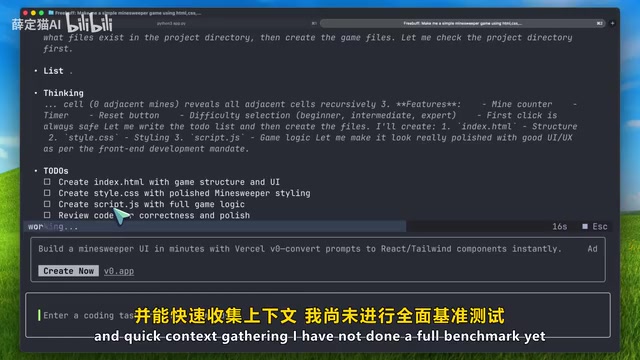
FreeBuff's core selling point is its sub-agent system. It comes equipped with 9 specialized sub-agents with clearly defined responsibilities:
- File Selector: Locates relevant files within the project
- Code Reviewer: Reviews code change results
- Browser Helper: Opens browsers for operations and application testing
- Thinker: Handles deep thinking and complex problem analysis
- Edit Agent: Specializes in code editing and modifications
The advantage of this multi-agent collaborative architecture is that each sub-agent can focus on its area of expertise, rather than forcing a general-purpose model to handle all scenarios. When dealing with complex projects, this design theoretically offers clear advantages in accuracy and efficiency. Another benefit of this architecture is the ability to select the most suitable underlying model for each agent—for example, using a model that excels at reasoning for planning, and one that excels at code generation for editing—thereby achieving better overall results than any single model could provide.
Flexible Multi-Model Switching
FreeBuff has also put thought into model selection. Users can choose different models for the main coding agent, including:
- DeepSeek V4 Pro
- Kimi K2.6
- DeepSeek V4 Flash
- MiniMax M2.7
- Gemini 3.1 Flash (for file search and research)
Connecting a ChatGPT subscription also unlocks GPT-5.4 for deep analysis. This strategy of matching different models to different workflow stages shows that the product team has put considerable thought into AI coding scenarios.
These models represent different schools of thought in the current AI large model landscape. DeepSeek is an open-source large model series from the Chinese company DeepSeek, renowned for its exceptional cost-effectiveness and strong performance in coding and mathematical reasoning, with its MoE (Mixture of Experts) architecture attracting widespread industry attention during 2024-2025. Kimi is developed by Moonshot AI, initially famous for its ultra-long context window capabilities, with subsequent versions continuously iterating on code generation and multi-turn dialogue. MiniMax is another Chinese AI company with deep investments in multimodal and language models. Gemini is Google DeepMind's flagship model series, with the Gemini Flash series specifically optimized for high-speed inference and low-latency scenarios, suitable for tasks requiring fast responses like file search. The GPT-5 series is OpenAI's latest generation of models, with significant improvements in complex reasoning and long-chain tasks. FreeBuff's combined use of these models with different strengths is essentially leveraging each model's comparative advantages.
FreeBuff Usage Guide: From Getting Started to Efficient Collaboration
Recommended Progressive Workflow
Developers new to FreeBuff should follow these steps progressively:
- Low-Risk Exploration: Start with simple questions, like "Look at this project and figure out how authentication is handled"
- Small Changes: Have it make a small modification, then carefully review the code diff yourself
- Complex Tasks: For large feature development, follow the complete Interview → Plan → Review workflow
FreeBuff also provides three clickable follow-up suggestions after each response. This feature may seem minor, but it's quite handy in practice—after AI completes a step, you might be unsure whether to run tests, review changes, or do cleanup next, and these suggestions effectively reduce decision fatigue.
Privacy & Data Security: A Must-Know
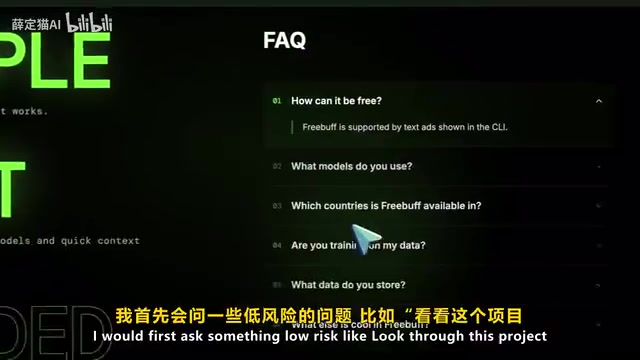
FreeBuff claims that user code belongs to the user, promises not to share data with third parties, and states it won't be used for third-party model training. However, there's one critical exception to note: if you select a model marked as "collects training data," your code data may be used for model training.
Some DeepSeek options in particular are explicitly marked as collecting training data. If you're working with proprietary company code or sensitive projects, make sure to read the privacy policy of your selected model carefully—don't just click confirm without thinking.
The issue of AI model training data collection has always been a sensitive topic in the developer community. When GitHub Copilot launched in 2021, it sparked massive controversy—developers questioned whether their open-source code hosted on GitHub was being used for training without explicit consent. Since then, multiple AI companies have gradually become more transparent about data usage policies, but actual implementation varies widely. For enterprise users, code leakage risks involve not only intellectual property but may also trigger compliance issues (such as GDPR, SOC 2, and other security certification requirements). FreeBuff's practice of labeling which models collect training data is a relatively transparent approach in the industry, but ultimate privacy guarantees still depend on the upstream model provider's actual data processing procedures. When using any cloud-based AI coding tool, developers should assess code sensitivity and, when necessary, choose solutions that support local deployment or explicitly commit to not collecting data.
Ads for Free: How Far Can FreeBuff's Business Model Go?
Pros and Cons of the Text Ad Model
FreeBuff's free model is built on command-line text ads. Compared to those "claiming unlimited free access only to reveal quota limits after subscribing" schemes, this approach is at least honest. For students, indie developers, and personal projects, if the tool actually works well, accepting text ads is a reasonable trade-off.
However, this model has clear boundaries of applicability. In professional development environments, ads popping up in the terminal can affect focus to some degree, and some enterprise environments don't even allow such tools to be connected.
Don't Want Ads? Consider These Paid Options
If you don't want to tolerate ads but want generous usage quotas, the Gemini Coding Plan is worth considering. It offers models like Gemini 5.1, supports mainstream tools like Claude Code, Cline, and OpenCode, with the lite version starting at approximately $18 per month, providing about 80 uses every 5 hours. Gemini 5.1 performs quite well in complex coding tasks, planning, and debugging.
FreeBuff vs. Competitors: How to Choose Between Free and Paid Options?
FreeBuff's positioning is very clear—a free terminal AI coding assistant. But in more professional scenarios, the gap between it and other tools is also apparent.
Take Verdant, for example—it's more like a professional coding workspace with a complete plan → code → verify workflow, integrated smart sub-agents, browser verification, code review, and Git workspace isolation features. Verdant's desktop version also supports custom API keys, connecting to providers like Anthropic, OpenAI, and OpenRouter.
Git workspace isolation is an important safety mechanism in professional AI coding tools. The core idea is: when AI agents modify code, they don't directly operate on the developer's main working branch but instead work in an independent Git branch or worktree. This way, even if the AI generates problematic code, it won't pollute the main branch's code state, and developers can merge changes after review and confirmation. This mechanism is particularly important for team collaboration environments—in codebases maintained by multiple people, any unreviewed automated modifications could trigger cascading issues. By comparison, AI tools that directly modify files in the current working directory (including FreeBuff's basic mode), while more convenient to operate, have gaps in safety and rollback capability.
Tool selection can follow these guidelines:
| Use Case | Recommended Tool |
|---|---|
| Zero budget, want to try AI coding for free | FreeBuff |
| Don't want ads, need stable high quotas | Gemini Coding Plan |
| Need complete planning-verification workflow and custom models | Verdant |
Current Limitations of FreeBuff
Before using FreeBuff, keep these limitations in mind:
- Regional Restrictions: Currently only available in certain countries and regions; users in some areas may need additional network configuration
- Cloud Dependency: All requests are processed through cloud backends, so network conditions directly affect the user experience—different from the feel of local coding tools
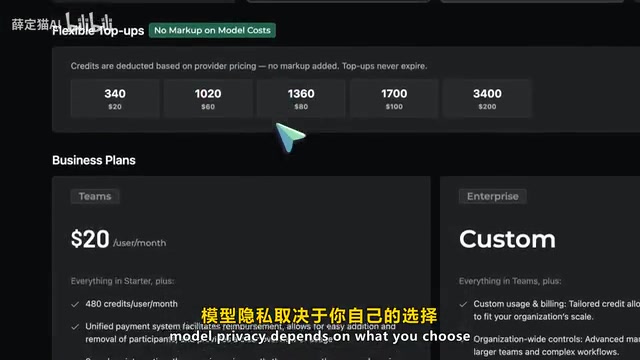
- Model Privacy Risks: The level of privacy protection depends on the model you choose; you need to make active judgments rather than passively trust
- Complex Task Performance Unverified: Actual performance in scenarios like large-scale application development, difficult bug fixes, project style consistency maintenance, and browser end-to-end testing still needs more community feedback for validation
Conclusion: Is FreeBuff Worth Using?
Despite its limitations, FreeBuff as a completely free terminal AI coding assistant delivers features that genuinely exceed expectations for the "free" label: a 9 sub-agent system, file mentions, Bash mode, web search, browsing history, knowledge base, plus optional chat and deep thinking capabilities—all without spending a dime.
If you want to give it a try, start with low-risk operations: have it explain project structure, locate where a feature is implemented, or make small code changes, then review the changes line by line yourself. Never let it refactor core production code and then walk away—this principle applies to all AI coding assistants, and FreeBuff is no exception.
Key Takeaways
- FreeBuff is a free terminal AI coding assistant built on the CodeBuff platform, sustaining its free model through command-line text ads
- Uses an architecture of 9 specialized sub-agents working collaboratively, supporting multiple models including DeepSeek, Kimi, and Gemini, selecting different models for different workflow stages
- Pay attention to model privacy issues when using it—some models (like DeepSeek) collect training data, so choose carefully when handling proprietary company code
- A progressive usage approach is recommended: start with low-risk exploration, then small changes, and use the Interview → Plan → Review workflow for complex tasks
- Current limitations include regional restrictions and cloud dependency; paid alternatives include Gemini Coding Plan and Verdant
Related articles
 Product Reviews
Qoder vs Cursor Real-World Comparison: Which $20/Month AI IDE Is Better?
Hands-on comparison of Qoder vs Cursor AI IDEs: Agent autonomy, human interaction count, and architecture decisions. Qoder needed only 2 interactions vs Cursor's 8.
 Product Reviews
Cursor Cloud Agent Demo: Eliminating Bottlenecks Across the Entire Software Development Lifecycle
Deep analysis of Cursor's Cloud Agent demo showing how cloud VMs, automated test artifacts, and a full-chain control plane systematically eliminate human bottlenecks across the software development lifecycle.
 Product Reviews
Cursor 3.0 Deep Dive: Multi-Agent Parallelism, Design Mode, and Best-of-N Model Comparison
Cursor 3.0 evolves from an AI coding assistant into an Agent fleet command center. Explore multi-agent parallelism, Design Mode, and Best-of-N model comparison.