Google Stitch 2.0 Deep Dive: The Transformation from UI Generator to AI-Native Design Canvas
Google Stitch 2.0 Deep Dive: The Trans…
Google Stitch gets a major upgrade, transforming from an AI UI generator into an AI-native design canvas.
Google has delivered a landmark upgrade to its design tool Stitch, transforming it from a simple AI UI generator into an AI-native software design canvas. Key changes include shifting from wireframe-first to design intent-first thinking, introducing an infinite canvas, launching a Design Agent to solve style consistency issues, releasing DesignMD for reusable design rules, supporting interactive prototyping with voice interaction, and connecting to developer workflows via MCP servers for integration with AI coding tools like Claude Code to enable end-to-end development.
Google recently rolled out a landmark upgrade to its design tool, Stitch. Originally known as Galileo before being acquired by Google, this update marks its official transformation from a simple "AI UI generator" into an "AI-native software design canvas." This isn't just a stack of new features—it represents a fundamental shift in design philosophy.
From "Prompt-Based Generation" to "Design Intent-Driven"
The previous version of Stitch operated more like a "prompt in, UI out" model—you'd type a description, it would generate a page, and the rest depended on whether you were satisfied. At its core, it was closer to an AI visual mockup generator than a true design environment.
The key philosophical shift in this upgrade is: moving away from wireframe-first thinking to design intent-first thinking. You simply describe your business goals, the feeling you want users to experience, the brand tone you're going for, or even provide inspirational references, and Stitch uses that as the starting point for design.
This is the smarter approach to AI-powered design. Most people don't think "I want a rectangle with three buttons and a sidebar"—they think "I want a premium-feeling landing page" or "a warm, friendly onboarding flow." When an AI tool can understand this deeper design intent, it far surpasses template generators that just follow rigid patterns.
Infinite Canvas: Reimagining the Design Workspace
The first major upgrade is a comprehensive interface overhaul, highlighted by the brand-new Infinite Canvas. This means Stitch is no longer limited to generating one isolated screen at a time.
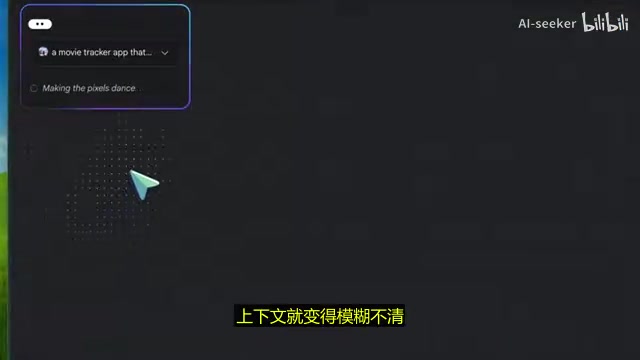
According to Google, users can import text, images, and even code directly onto the canvas as contextual references, arrange reference materials around their ideas, and compare different approaches side by side. The workspace expands as the project evolves.
This might seem like a simple UI improvement, but the implications run deep. Many AI tools confine users to narrow chat-based workflows where context gets muddled over time. The infinite canvas aligns Stitch with how designers actually think—brainstorming ideas, comparing options, gathering references, and synthesizing directions, all within a single space.
Design Agent: Finally Solving the Style Consistency Problem
In my view, this is one of the most significant upgrades in this release. Google's new Design Agent can understand the full evolution of a project holistically, rather than processing one instruction at a time.
This tackles the most frustrating problem with AI design tools—style inconsistency. Previously, you might generate a homepage in one style, only to get a pricing page in a completely different style, and a dashboard that looks like it came from another company entirely. If the agent can consider the entire project holistically, it can much better maintain consistency in visual tone, spacing, and overall feel.
The accompanying "Agent Manager" feature helps you track progress and stay organized even when exploring multiple creative directions simultaneously. This is exactly the capability AI design tools need most right now—generating a single page has long been easy; the real challenge is exploring five design directions at once while preserving the best of each without losing your bearings.
DesignMD: The Underrated Killer Feature
DesignMD is a design rules Markdown file specifically optimized for AI agents, and many people will likely underestimate its importance.
Consistency is precisely where many AI UI generation tools fall short—the initial output might be genuinely impressive, but performance becomes unstable when it comes to repeated output or reusing design rules. DesignMD allows you to:
- Export/import design rules for reuse across different projects
- Migrate to other design and development tools, breaking down tool silos
- Extract design systems directly from web links, eliminating the need to define design specs from scratch
Imagine you already have a company website or a product page with a visual style you're happy with—Stitch can use it directly as deep contextual reference. This is likely one of the most practical features available right now.
Prototyping and Voice Interaction: Moving Beyond Static Mockups
Stitch clearly doesn't want to stop at static mockup generation. Google says it can instantly transform designs into interactive prototypes—connect screens, hit play, and immediately preview the app's interaction flow.
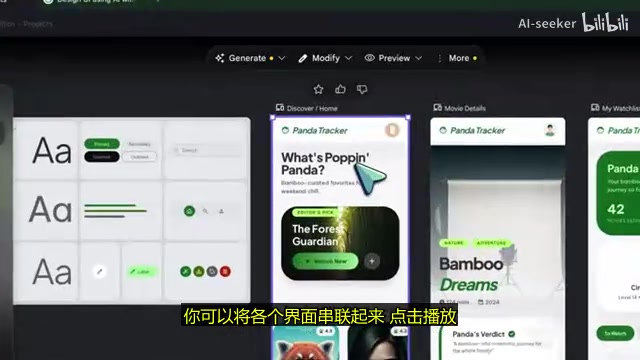
Even more impressive, Stitch can automatically generate click-based follow-up screens. For onboarding flows, checkout processes, or SaaS console workflows, you only need to provide one or two core screens—without manually building intermediate states, Stitch can infer the subsequent design path.
Additionally, the new voice feature supports giving voice commands directly to the agent—"Give me three different menu options," "Try a few different color schemes," "Make this screen feel more premium, less playful"—with real-time updates. During design work, sometimes you don't want to stop and agonize over prompt wording; voice interaction makes creative expression much more natural and fluid.
Bridging the Developer Workflow: From Design to Code
Google announced that Stitch now connects to a broader toolchain via MCP servers, includes SDK capabilities, and can export to tools like AI Studio. This is the most eye-catching part of the update.
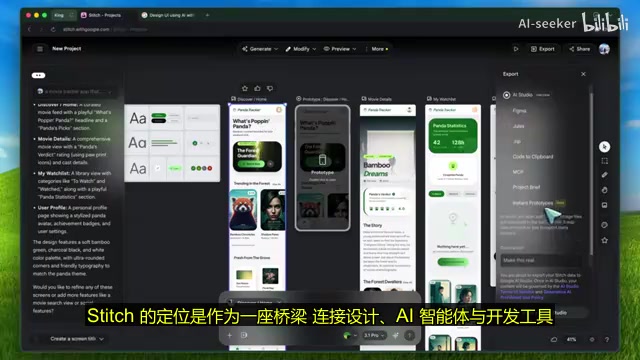
Many AI design tools hit the same bottleneck: they can generate cool designs, but the handoff process is severely broken—you end up with a pretty picture or a rough export file, and development still has to start from scratch. Google clearly wants to bridge this gap—through MCP, SDK integration, and export capabilities, Stitch positions itself as the bridge connecting design AI agents with development tools.
This is especially important for indie developers and startup teams. If you're a one-person team juggling design, prototyping, and developer handoff, the ideal tool shouldn't just give you a static mockup—it should help you seamlessly transform ideas into shippable products.
Stitch + Claude Code: Building an End-to-End AI Development Workflow
The most exciting possibility from this upgrade lies in its integration with AI coding tools. Imagine this workflow:
- Generate interaction flows and refine visual styles in Stitch
- Export designs, assets, and DesignMD rules
- Connect to AI coding tools like Claude Code or Codex
- Transform designs into actual React/Next.js projects while perfectly preserving the original visual style
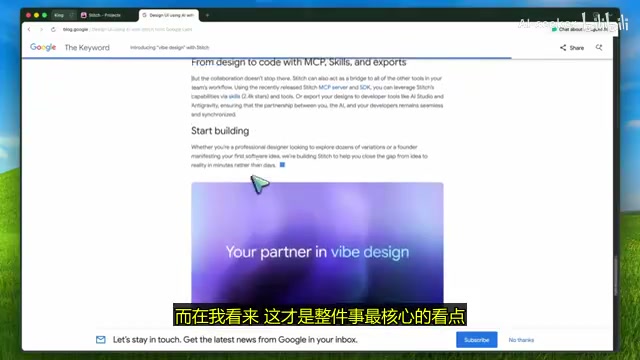
With this approach, Stitch is no longer just the endpoint of the process—it becomes the starting point for building real applications. Combined with Claude Code to build frontend pages screen by screen, polish components, and iterate continuously—all completed right in the terminal—this bridges the gap between "vibe design" and actual product delivery.
A Reality Check: The Gap Between Vision and Reality
Of course, we need to stay objective. Google isn't claiming that Stitch can overnight replace all design software and frontend tools. Some limitations remain:
- Real-world performance at scale still needs validation
- There's often a huge gap between "sounds great" and "actually works well"
- Healthy skepticism toward grand visions is still warranted
But make no mistake—this is the most significant Stitch update to date. The AI design space is flooded with tools that can generate cool single pages; the real challenges are maintaining design context and consistency, exploring multiple approaches while previewing interaction flows, and ensuring the final handoff doesn't fall apart. Stitch 2.0 is built to address exactly these pain points.
Google isn't just improving UI generation capabilities—they're seriously thinking about how to make AI truly permeate and empower the entire design workflow. If you previously dismissed Stitch as just another AI prototyping tool, it's time to take another look.
Related articles
 Product Reviews
Qoder vs Cursor Real-World Comparison: Which $20/Month AI IDE Is Better?
Hands-on comparison of Qoder vs Cursor AI IDEs: Agent autonomy, human interaction count, and architecture decisions. Qoder needed only 2 interactions vs Cursor's 8.
 Product Reviews
Cursor Cloud Agent Demo: Eliminating Bottlenecks Across the Entire Software Development Lifecycle
Deep analysis of Cursor's Cloud Agent demo showing how cloud VMs, automated test artifacts, and a full-chain control plane systematically eliminate human bottlenecks across the software development lifecycle.
 Product Reviews
Cursor 3.0 Deep Dive: Multi-Agent Parallelism, Design Mode, and Best-of-N Model Comparison
Cursor 3.0 evolves from an AI coding assistant into an Agent fleet command center. Explore multi-agent parallelism, Design Mode, and Best-of-N model comparison.