How to Choose an AI Coding Tool? Stop Chasing the Latest — Stable and Sufficient Is the Way to Go
How to Choose an AI Coding Tool? Stop …
Developers should stop chasing the latest AI models and pick cost-effective tools to focus on building products.
This article highlights the widespread "shiny object syndrome" among developers who rush to try every new AI model, wasting time and money. In reality, mid-tier models can handle over 70% of daily development tasks with less than 10% quality difference from top-tier models, at 5-10x lower cost. AI coding IDEs like Cursor and Kiro offer stable, efficient solutions through engineering optimizations. The author advises developers to define needs before choosing tools, beware of security risks from unofficial channels, focus on tool ecosystems rather than individual models, and concentrate energy on product development.
Shiny Object Syndrome: The Easiest Trap for Developers
From GPT-4.6 to GPT-4.7, then OPES and GPT-5.5 — the pace of AI model iterations is overwhelming. Many developers have developed "shiny object syndrome" — rushing to find access and pay for every new model release, only to end up spending a lot of money while barely moving the needle on their actual work.
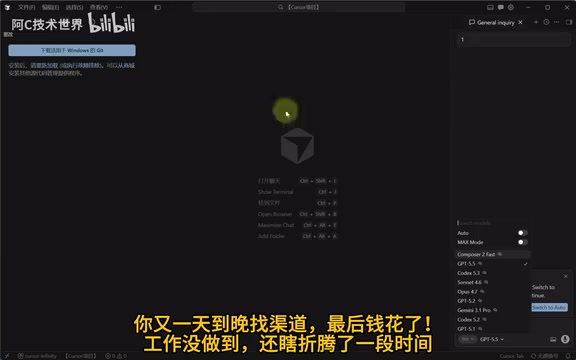
This phenomenon is especially common among programmers. AI model iteration speed has far outpaced the release cadence of traditional software products. Leading companies like OpenAI, Anthropic, and Google roll out new versions or capabilities almost every few weeks. This high-frequency release strategy creates a persistent FOMO (Fear of Missing Out) effect. Psychological research shows that tech professionals are far more sensitive to new tools than average users, making developers especially prone to the anxiety loop of "if I'm not using the latest, I'm falling behind." Review content on social media tends to focus on a model's peak capabilities rather than everyday use cases, further amplifying this cognitive bias and making it hard to stay level-headed. But the reality is, for most day-to-day development tasks, blindly chasing the newest and most powerful model is not the optimal approach.
Do Ordinary Projects Really Need Top-Tier AI Models?
Here's a thought worth considering: GPT-4.6 and 4.7-level models are massive overkill for developing ordinary projects — a pure waste of money.
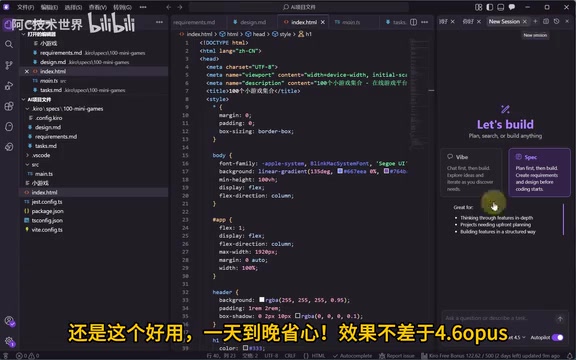
That's blunt, but it reflects reality. Current mainstream AI coding models can be roughly divided into three capability tiers: lightweight models (like GPT-3.5, Claude Haiku) are suitable for code completion and simple Q&A; mid-tier models (like Claude Sonnet, GPT-4o mini) can handle multi-file refactoring and business logic design; top-tier models (like GPT-4.5+, Claude Opus) have significant advantages in complex system architecture, cross-domain reasoning, and ultra-long context processing. Research shows that for CRUD development, API integration, styling adjustments, and other tasks that make up over 70% of daily work, the output quality gap between mid-tier and top-tier models is less than 10%, while the cost difference can be 5-10x.
Most development scenarios — writing CRUD endpoints, tweaking frontend styles, handling data format conversions, writing unit tests — these tasks can be handled perfectly well with mid-tier AI coding tools. Top-tier models shine mainly in complex reasoning, long-context understanding, and high-difficulty code architecture design, and these scenarios don't come up that often in daily work. A sensible task-to-model matching strategy is the core methodology for controlling AI usage costs.
Of course, if budget isn't a concern, using a more powerful model is perfectly fine. But for most independent developers and small teams, getting maximum value for minimum spend is what really matters.
The Practical Value of AI Coding IDEs Like Cursor and Kiro
Recently, the community has seen some "unlimited refill" approaches around AI coding tools like Kiro, with the core idea being to achieve a continuously stable AI-assisted coding experience at controlled costs through smart tool configuration.
Compared to constantly chasing the latest model APIs, the advantages of this approach are clear:
- Controlled costs: Avoids the ongoing drain of expensive API calls
- Stable experience: No need to constantly switch tools and adapt to new interaction patterns
- Good enough results: Output quality fully meets the needs of routine development tasks
AI coding IDEs like Cursor and Kiro have already undergone extensive engineering optimization. Their core value isn't just wrapping model API calls — it's the complete engineering optimization layer built on top of the models. This includes: codebase indexing and semantic retrieval (RAG, Retrieval-Augmented Generation), enabling models to understand the entire project context rather than a single file; intelligent context trimming, prioritizing the most relevant code snippets within the limited token window; multi-turn conversation state management, maintaining coherence across coding sessions; and deep integration with LSP (Language Server Protocol), enabling type-aware code generation. These engineering-level refinements can sometimes improve actual development efficiency more than upgrading the underlying model, which is fundamentally why the same model can deliver vastly different experiences across different IDEs.
Three Principles for Rationally Choosing AI Development Tools
When selecting AI coding tools, the following principles are worth keeping in mind:
Define Your Needs Before Choosing a Tool
Different projects have vastly different requirements for AI capabilities. Simple web application development and complex algorithm implementation require completely different levels of AI assistance. Evaluating the ROI of AI coding tools requires a systematic measurement framework, not just subjective impressions. Core metrics include: time saved (actual coding hours saved per week), error reduction rate (changes in bug introduction frequency with AI assistance), cognitive load reduction (whether it reduces time spent checking documentation and Stack Overflow), and tool switching costs (time consumed learning new tools and adapting to new workflows). A practical evaluation method is the "two-week trial": use the new tool in a real project for two weeks, track changes in the above metrics, then compare against the tool's cost to derive objective ROI data. Assess your actual needs first, then decide how much budget to allocate — avoid paying for capabilities you'll never use.
Be Wary of Unofficial "Channels" and "Proxies"
Accessing AI model APIs through unofficial proxies or third-party channels poses security risks at multiple levels. First, there's the man-in-the-middle attack risk: proxy services can fully log all requests and responses, meaning your code, business logic, database structures, and other sensitive information could be captured by third parties. Second, there are API Key security concerns: some proxies require users to provide their official API Keys for "forwarding," and once a key is leaked, billing risks and data risks fall entirely on the user. Additionally, the service stability of unofficial channels cannot be guaranteed — they could go offline or disappear at any time, seriously disrupting development continuity. For enterprise developers, using unaudited third-party AI services may also violate data compliance requirements (such as GDPR or domestic data security regulations), creating legal risks. Hunting for unofficial channels not only carries these security risks but also makes you vulnerable to scams, wasting time that should be spent on real work.
Focus on the Tool Ecosystem, Not a Single Model
In a good AI coding tool, the model is just one piece of the puzzle. Prompt engineering, context window management, deep IDE integration, team collaboration features — these holistic experiences are often more important than the model itself. This data-driven decision-making approach can effectively counter the marketing noise on social media and help developers find the tool combination that truly fits their work scenarios.
Conclusion: Spend Your Energy on the Product, Not Tinkering with Tools
Choosing an AI coding tool is fundamentally a question of return on investment. Rather than spending significant time and money chasing the latest models, it's better to find a stable, sufficient, and cost-effective solution and focus your energy on actual product development.
After all, tools exist to boost efficiency, not to become yet another thing you need to "tinker with." Choose the right tool, focus on output — that's what developers should really be doing.
Related articles
 Product Reviews
Qoder vs Cursor Real-World Comparison: Which $20/Month AI IDE Is Better?
Hands-on comparison of Qoder vs Cursor AI IDEs: Agent autonomy, human interaction count, and architecture decisions. Qoder needed only 2 interactions vs Cursor's 8.
 Product Reviews
Cursor Cloud Agent Demo: Eliminating Bottlenecks Across the Entire Software Development Lifecycle
Deep analysis of Cursor's Cloud Agent demo showing how cloud VMs, automated test artifacts, and a full-chain control plane systematically eliminate human bottlenecks across the software development lifecycle.
 Product Reviews
Cursor 3.0 Deep Dive: Multi-Agent Parallelism, Design Mode, and Best-of-N Model Comparison
Cursor 3.0 evolves from an AI coding assistant into an Agent fleet command center. Explore multi-agent parallelism, Design Mode, and Best-of-N model comparison.