HyperFrames: An Open-Source Tool for Batch Video Generation Using HTML Code

HyperFrames renders HTML/CSS code into MP4 videos, enabling automated batch video production with AI coding tools.
HyperFrames is an open-source project with 16K GitHub Stars that renders HTML/CSS animations into MP4 videos using headless browser frame-by-frame capture and video encoding. Combined with AI coding tools like Cursor and Claude Code, users can describe video effects in natural language, have AI generate the code, and batch-render videos—creating a zero-cost, fully controllable automated video pipeline ideal for product showcases, data visualizations, and other template-based short video production at scale.
Project Overview: A New Approach to Creating Videos with HTML
A GitHub open-source project called HyperFrames has recently skyrocketed in popularity, amassing 16,000 Stars in a short period. Its core concept is remarkably straightforward—render HTML/CSS animation code into MP4 video files.
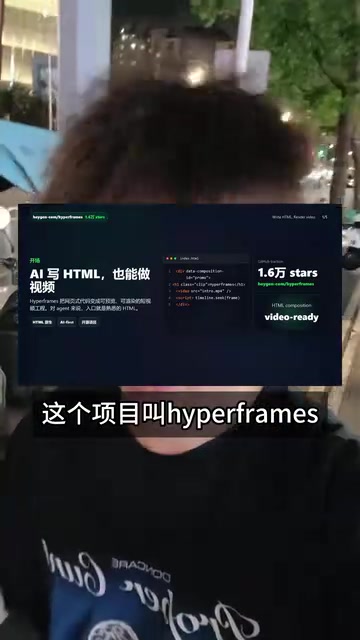
This means you no longer need to open traditional video editing software like Premiere or After Effects. You simply describe the visuals and motion effects in code, and you can batch-produce video content. For those familiar with front-end development or proficient with AI coding tools, this opens an entirely new door.
The technical approach of converting web animations into video files isn't an entirely new concept. Puppeteer (Google's headless browser control tool) has long supported page screenshots and recording, and FFmpeg as an open-source audio/video processing tool has been used to composite image sequences into video. HyperFrames' innovation lies in packaging these underlying capabilities into a complete workflow designed for creators—it launches a headless browser in the background to render HTML pages frame by frame, uses CSS animation timelines to precisely control the visual state of each frame, and ultimately compresses the frame sequence into an MP4 file through a video encoder. The elegance of this approach is that CSS animations are inherently declarative, time-based descriptions, making them naturally suited for frame-by-frame sampling.
HyperFrames Core Working Principles
The Complete Pipeline from Code to Video
The HyperFrames workflow can be summarized in three steps:
- Write HTML/CSS code: Use front-end technologies to describe video visuals, including layout, text, graphics, and CSS animation effects
- Preview the animation: Preview the animation in real-time in a browser
- Render to MP4: Capture the page animation frame by frame and output a standard MP4 video file

The concept isn't particularly complex, but its value lies in bridging front-end animation capabilities with video production, turning code into the "paintbrush" for video creation.
The Paradigm Difference Between CSS Animation and Traditional Video Production
Traditional video editing uses a "timeline + layers" operational model, where creators control element motion paths by dragging keyframes in Premiere or After Effects. CSS animation uses declarative syntax, defining animation start and end states through @keyframes rules while the browser automatically calculates intermediate frames (tweening). This declarative nature means animation logic can be parameterized—changing a single CSS variable can alter an entire animation's color, speed, or trajectory. This is precisely the technical foundation that enables HyperFrames to achieve batch production. Additionally, CSS supports Bézier curve easing functions, transform operations, filter effects, and other rich visual capabilities, sufficient to cover most 2D motion design needs.
Use Cases
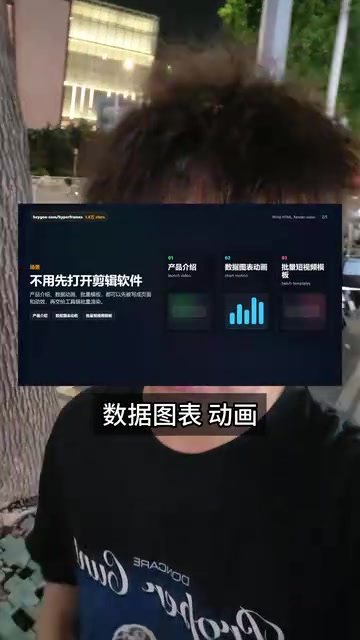
HyperFrames is particularly well-suited for batch production of the following types of video content:
- Product introduction videos: Standardized product showcase templates—swap text and images to batch-generate videos
- Data visualization animations: Dynamic displays of charts and data changes
- Animated short video templates: Motion-graphic short videos commonly seen on social media
- Tutorial demonstration videos: Code demos and step-by-step operation recordings
A Powerful Combination with AI Coding Tools
Let AI Write Your Video Code
HyperFrames' true killer feature is its seamless integration with AI coding tools. You can use AI programming assistants like Cursor or Claude Code to generate HTML/CSS animation code, then render it into video through HyperFrames.

Cursor is an AI-enhanced code editor based on VS Code with built-in large language models like GPT-4 and Claude, capable of generating, modifying, and debugging code based on natural language instructions. Claude Code is Anthropic's command-line AI programming assistant, excelling at understanding project context and generating complete code files. These tools perform exceptionally well at generating HTML/CSS code because front-end code training data is extremely abundant and visual results can be verified instantly. When working with HyperFrames, users can provide natural language descriptions like "create a 15-second animation where the product slides in from the left, the title appears letter by letter, and the background has a gradient transition"—the AI generates CSS animation code with precise timing control, dramatically lowering the technical barrier.
This means the entire video production workflow can be highly automated:
- Describe the video effect you want in natural language
- AI coding tools generate the corresponding HTML/CSS code
- HyperFrames renders the code into video
- Achieve batch production through scripting
Building an Automated Video Pipeline
For teams or individuals with batch video production needs, this combination delivers enormous value. Imagine: you have 100 products that need introduction videos. You only need to prepare one HTML template, use a script to replace variables like product names, images, and parameters, and render all 100 videos in one go.
In real-world batch video production scenarios, templatization is the core strategy. Engineering teams typically use template engines (such as Handlebars or Jinja2) to replace variable placeholders in HTML templates with specific data, combined with Shell scripts or Node.js scripts that loop through HyperFrames render commands. Data sources can be CSV files, database query results, or API responses. For example, in an e-commerce scenario, a JSON array containing product names, prices, hero images, and selling points can produce hundreds of stylistically consistent but content-unique product videos in minutes after template rendering. This pipeline model has tremendous commercial value in short-video marketing, programmatic ad delivery, and similar fields.
Compared to manual operations in traditional video editing software or calling expensive AI video generation APIs, this approach offers clear advantages in both cost and efficiency.
Technical Advantages and Limitations
Advantages
- Zero rendering cost: No GPU computing power or cloud APIs required—everything runs locally
- Complete control: Code determines everything, with 100% deterministic output
- Easy to scale: The template + variables model is naturally suited for mass production
- Open-source and free: Community-driven with continuous iteration
Comparison with Other Video Generation Solutions
Current automated video generation solutions on the market fall into three main categories: First, AI generative video tools represented by Runway and Pika, which generate video from text or images using diffusion models—their advantage is creating entirely new visuals, but they're expensive, offer poor controllability, and suffer from visual consistency issues. Second, code-driven solutions represented by Remotion (React framework for rendering video) and Motion Canvas—HyperFrames belongs to this category. Third, SaaS template tools represented by CapCut templates and Canva—simple to use but limited in flexibility. HyperFrames' unique positioning is that it uses the most fundamental HTML/CSS tech stack, has the lowest learning curve, and is completely open-source and free, incurring zero API call fees or subscription costs.
Limitations
- Not suitable for live-action or real-person videos
- Complex 3D animation effects are difficult to implement
- Requires some front-end development knowledge (though AI coding tools can bridge this gap)
Conclusion
HyperFrames represents a new "code as video" paradigm. With AI coding tools becoming increasingly mature, even those without front-end development skills can use natural language instructions to have AI generate video code and then batch-render finished products. For content creators, marketing teams, and indie developers, this is an efficiency tool worth paying attention to.
Related articles
 Product Reviews
Qoder vs Cursor Real-World Comparison: Which $20/Month AI IDE Is Better?
Hands-on comparison of Qoder vs Cursor AI IDEs: Agent autonomy, human interaction count, and architecture decisions. Qoder needed only 2 interactions vs Cursor's 8.
 Product Reviews
Cursor Cloud Agent Demo: Eliminating Bottlenecks Across the Entire Software Development Lifecycle
Deep analysis of Cursor's Cloud Agent demo showing how cloud VMs, automated test artifacts, and a full-chain control plane systematically eliminate human bottlenecks across the software development lifecycle.
 Product Reviews
Cursor 3.0 Deep Dive: Multi-Agent Parallelism, Design Mode, and Best-of-N Model Comparison
Cursor 3.0 evolves from an AI coding assistant into an Agent fleet command center. Explore multi-agent parallelism, Design Mode, and Best-of-N model comparison.