In-Depth Comparison of 8 AI Coding Tools: How to Choose Between Cursor, Claude Code, and Augment Code

A multi-dimensional comparison of 8 mainstream AI coding tools to help you choose the right one.
This article systematically compares 8 AI coding tools—Cursor, Augment Code, Claude Code, Trae, Windsurf, and more—across model support, pricing, code quality, and learning curve. Claude Code leads in code generation quality but is costly with account ban risks; Cursor offers the most mature experience but has recently declined; Augment Code excels in memory and planning. Small projects should use free tools, while medium to large projects benefit from combining multiple tools. The article emphasizes that prompting, documentation planning, and architecture skills matter more than tool selection.
The explosive growth of AI coding tools has left developers overwhelmed with choices. Cursor, Augment Code, Trae, Claude Code, Windsurf… each has its loyal fans, but which one is truly right for you?
This article is based on an independent developer's hands-on experience with 8 mainstream AI coding tools, systematically comparing them across dimensions including model support, pricing, code quality, and learning curve to help you find your best fit.
The Core Logic of AI Coding Tools: The Model Determines the Ceiling
AI coding tools essentially generate code through conversation + large models, a fundamentally different paradigm from traditional manual coding. This means two factors determine a tool's ceiling: the quality of your conversations (prompting ability) and the underlying large model's coding capability.
The capability differences among Large Language Models (LLMs) on coding tasks stem from training data quality and scale, reinforcement learning alignment strategies (RLHF/RLAIF), and model parameter count. The currently recognized strongest coding model is Anthropic's Claude series. Claude's widespread recognition in the coding domain is closely tied to its deep training on code corpora and its Constitutional AI alignment approach—it excels at understanding complex requirements and maintaining long-context consistency. Therefore, which models are supported becomes a key consideration when choosing an AI coding tool. From a model support perspective:
- Cursor, Trae (International version): Support Claude, Gemini, OpenAI, DeepSeek, and other models—the richest selection
- Augment Code: Uses Claude 4 Sonnet but offers no model selection (black-box mode)
- Claude Code: Only supports the Claude series, but as the official tool, it connects directly with no intermediate layer
- Windsurf: Supports OpenAI, Gemini, DeepSeek, but coding capability has declined due to Claude licensing issues
- Tongyi Lingma, Trae China version, CodeBuddy: Primarily use domestic models (Qwen, Doubao, Hunyuan) + DeepSeek
Pricing Models and Usage Modes Compared
Pricing Differences at a Glance
Billing methods vary significantly across tools, directly impacting usage costs:
| Tool | Monthly Fee | Billing Method | Notes |
|---|---|---|---|
| Cursor | $20/$60/$200 | Per Token consumption | $20 ≈ 200+ Claude 4 requests |
| Augment Code | $50 | Fixed request count | 600 requests/month |
| Claude Code | $20/$100/$200 | Per Token consumption | $20 only suitable for small projects |
| Windsurf | $15 | Fixed request count | 500 requests/month |
| Trae (International) | $10 | Fixed request count | 604 requests/month |
| Tongyi Lingma/Trae China/CodeBuddy | Free | — | Free for individual use |
Understanding the underlying logic of Token-based billing helps control costs: a Token is the basic unit by which LLMs process text—roughly every 750 English words or 500 Chinese characters equals about 1000 Tokens. With Token-based billing, both input (your question + project context) and output (model-generated code) consume Tokens. This means the larger the project, the longer the context, and the vaguer the requirement description, the faster Tokens are consumed.
Since Cursor recently switched to Token-based billing, costs have become less predictable. If conversation quality is low or requirements are vaguely described, Token consumption increases dramatically. By comparison, the fixed request count models of Augment Code and Trae make budget management much easier.
Three Usage Paradigms
These 8 tools fall into three categories by usage paradigm:
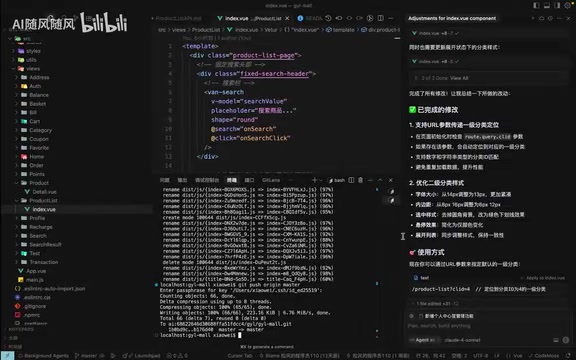
- Standalone IDE: Cursor, Trae, Windsurf, Tongyi Lingma, CodeBuddy—all built on top of VS Code, with similar interface layouts. These tools are all built on the open-source version of VS Code (Visual Studio Code)—namely VSCodium or Code-OSS. VS Code's core is open-sourced under the MIT license, allowing third parties to build customized IDEs. Developers don't need to relearn editor operations, and existing plugin ecosystems can be directly reused—which is why these tools look so similar.
- Plugin-based: Augment Code—installed as a plugin running within VS Code
- Command-line: Claude Code—installed via Node.js, interacting through the terminal command line
In-Depth Core Capability Comparison
Code Generation Quality: Claude Code Takes the Lead
Code generation quality is the most critical evaluation dimension. Assuming equal conversation quality and each tool using its strongest available model:
Claude Code (A+): Currently the best experience. It proactively reads project code during initialization, learns the code framework and coding habits, and automatically follows existing code conventions without needing additional Rules configuration. Task decomposition is precise, and code quality is the highest.
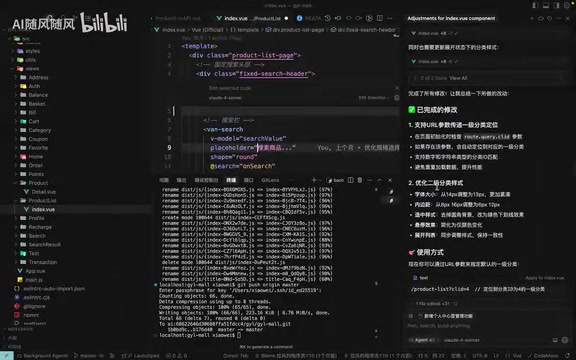
Cursor (A-): Overall excellent but has declined recently. Whether using Claude 4 Sonnet or Thinking mode, it occasionally writes TODOs directly or oversimplifies code. However, when requirements are clearly described, it remains reliable.
Augment Code (A): Outstanding planning capability—it breaks requirements into clear TODO Lists and executes step by step. No serious issues encountered in current usage.
Windsurf/Trae (B): Windsurf's capability has declined after losing Claude model support; Trae's retrieval speed drops severely as projects grow larger, becoming extremely slow when files exceed forty or fifty.
Context Understanding and Memory
Context understanding across multi-turn conversations directly impacts development efficiency. There are two distinctly different technical approaches worth understanding:
Context Window refers to the maximum number of Tokens a model can process in a single conversation. The Claude 3.5/4 series supports context windows up to 200K Tokens, enabling Claude Code to read large amounts of project code at once while maintaining coherent understanding. Vector database-based persistent memory is an alternative approach—by vectorizing and storing development habits, project specifications, and other information, relevant memories are retrieved and injected into new conversations, breaking through the single context window limitation to achieve cross-session "long-term memory."
- Claude Code performs best, accepting longer contexts with extremely fast project comprehension
- Augment Code's Memory feature is highly responsive, employing a persistent memory mechanism that automatically extracts development habits from conversations to form memories
- Cursor's memory function is relatively passive, sometimes failing to automatically identify what needs to be remembered
- Trae tends to forget earlier content after long conversations, affecting code generation quality
Interface Experience and Learning Curve
Cursor offers the most mature operational experience: @ symbol file references, file drag-and-drop, inline shortcut editing, multiple conversation modes (Ask/Menu, etc.), conversation branch switching, and code rollback. These detailed features have been refined through long-term iteration, delivering a very smooth experience.
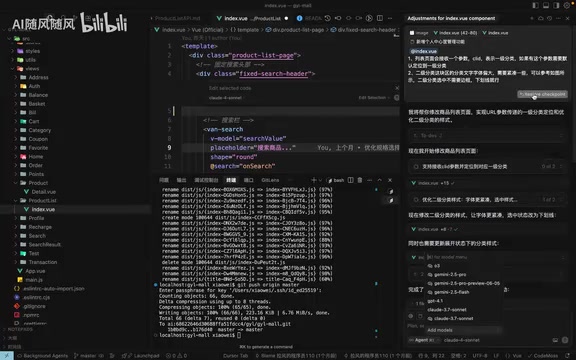
For beginners, Augment Code has the lowest barrier to entry—no Rules configuration needed, the Memory feature automatically learns your habits, and you can start developing immediately. Claude Code, being command-line based with account ban risks (especially severe for China-based registrations), is the least beginner-friendly.
Recommendations: Match by Needs and Experience
Choosing by Project Scale
Small projects/scripts/practice: Prioritize Trae (International), Windsurf, Trae China version, Tongyi Lingma, or CodeBuddy. The reasoning is simple—low cost or even free, and all LLMs perform well enough on simple tasks.
Medium to large projects (with coding background):
- Limited budget: Use a combination of Cursor + Augment Code + Trae. For example, switch to Augment Code when Cursor's quota runs out, use Trae for simple frontend modules—the three together yield impressive monthly output
- Generous budget: Prioritize Claude Code (need to resolve account ban issues), paired with Cursor's premium plan
Medium to large projects (no coding background): Not recommended. No matter how powerful AI coding tools are, attempting complex projects without coding fundamentals leads to a death spiral—you can't fix bugs yourself, asking AI to fix them introduces new bugs, and the project ultimately fails.
Choosing by Coding Experience
- Complete beginners: Trae China version, Tongyi Lingma, CodeBuddy—free, Chinese-friendly, suitable for getting familiar with AI coding's conversational approach
- Some experience, primarily learning: Cursor, Augment Code, Trae International
- Independent developers: Claude Code + Cursor + Augment Code (the author's own primary combination)
- Company developers: Use whatever your company provides
Beyond Tools: Three Core Skills That Truly Matter
AI coding tools will only multiply, but three core skills are universal and worth continuously developing:
-
Prompting ability: Prompt Engineering isn't simply a "communication trick"—it's a systematic methodology for expressing requirements. Effective coding prompts typically include: clear task objectives, tech stack constraints (e.g., "use React 18 + TypeScript"), input/output examples, boundary condition specifications, and code style expectations. Research shows that structured prompts can improve first-attempt code generation success rates by over 40% compared to vague descriptions. The same requirement—some people complete a project in a few conversation rounds while others fail after repeated revisions—the difference lies here.
-
Documentation and planning ability: AI can't read your mind. Clear requirement documents and project planning dramatically improve code generation quality.
-
Project architecture ability: The stronger the model, the higher the demand on the user's architectural thinking.
One final piece of advice: Don't dismiss any tool—the best one is the one that fits your needs. There's no need to spend big on Claude Code for small scripts. Using multiple tools in combination is often the most pragmatic strategy.
Key Takeaways
- Claude Code currently delivers the best code generation quality, automatically learning project code conventions, but costs are high and account bans are a risk
- Cursor offers the most mature experience but has recently declined in quality; Augment Code excels in Memory and task planning—the two work well together
- For small projects, use free tools (Trae China/CodeBuddy); for medium to large projects, combine Cursor + Augment Code + Trae to control costs
- Users without coding fundamentals should avoid using AI coding tools for medium to large projects—it easily leads to an endless bug-fixing loop
- Prompting ability, documentation planning, and project architecture skills are more important competitive advantages than tool selection
Related articles
 Product Reviews
Qoder vs Cursor Real-World Comparison: Which $20/Month AI IDE Is Better?
Hands-on comparison of Qoder vs Cursor AI IDEs: Agent autonomy, human interaction count, and architecture decisions. Qoder needed only 2 interactions vs Cursor's 8.
 Product Reviews
Cursor Cloud Agent Demo: Eliminating Bottlenecks Across the Entire Software Development Lifecycle
Deep analysis of Cursor's Cloud Agent demo showing how cloud VMs, automated test artifacts, and a full-chain control plane systematically eliminate human bottlenecks across the software development lifecycle.
 Product Reviews
Cursor 3.0 Deep Dive: Multi-Agent Parallelism, Design Mode, and Best-of-N Model Comparison
Cursor 3.0 evolves from an AI coding assistant into an Agent fleet command center. Explore multi-agent parallelism, Design Mode, and Best-of-N model comparison.