Knox Studio: A Rust-Powered All-in-One Tool for AI Video Generation and Editing

Knox Studio is a macOS-native app integrating screen recording, AI Agent-driven multimedia generation, and editing.
Knox Studio is a macOS-native application built with Rust that integrates screen recording, AI image/video/audio generation, and timeline editing. Its core highlight is natural language-driven creation through an AI Agent, employing a CEO Model multi-agent architecture for task decomposition and parallel execution, while supporting context-consistent video generation based on reference images—providing individual creators with an all-in-one workflow from concept to finished product.
Overview
Knox Studio is a macOS-native application built with Rust that integrates screen recording, an AI Agent assistant, and video/image/audio generation into a single platform. Through its built-in AI Agent workflow, users can complete the entire process from image generation to video editing using natural language commands—making it a true "all-in-one media workstation" for individual creators.
Rust is a systems-level programming language originally developed by Mozilla Research, renowned for its memory safety, zero-cost abstractions, and lack of garbage collection. In desktop application development, Rust's advantage lies in its ability to directly call system-level APIs, achieving performance close to C/C++ while eliminating memory leaks and data races at compile time through its ownership system. For applications like video editing and screen recording that demand real-time performance and precise memory management, Rust is an ideal technology choice. Being a macOS-native application means Knox Studio likely calls Apple's AVFoundation, Metal, and other frameworks directly through Rust's FFI (Foreign Function Interface), gaining hardware acceleration and system-level screen capture capabilities.
Core Features
Screen Recording: Basic but Practical
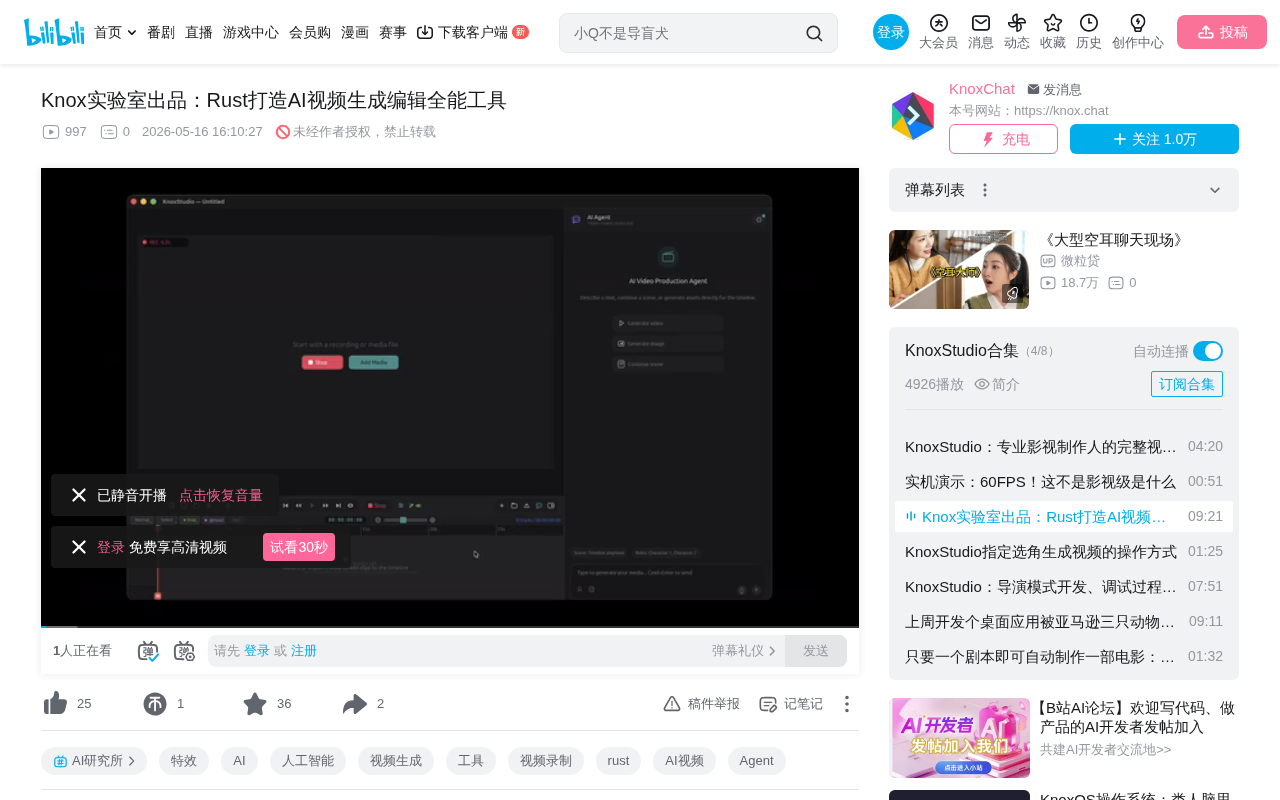
Knox Studio is first and foremost a screen recording tool, supporting native-quality screen capture. In the demo video, the developer uses Knox Studio itself for screen recording—the pulsing recording indicator visible in the interface confirms that the recording functionality is already quite stable and reliable.
AI Agent Assistant: Natural Language-Driven Creation
This is Knox Studio's most distinctive differentiating feature. Users can input natural language commands directly through a dialog box, and the AI Agent understands the requirements and automatically executes tasks.
AI Agents represent the cutting-edge paradigm of large language model applications. Unlike simple Q&A-style AI, Agents possess the ability to perceive their environment, formulate plans, invoke tools, and execute actions. In Knox Studio's context, the AI Agent needs to understand users' natural language instructions and translate them into specific API call sequences—such as calling image generation models (like DALL-E, Stable Diffusion, or Flux), video generation models (like Runway, Kling, or Sora), and more. The Agent's core capabilities include intent recognition, task planning, tool selection, and result verification, enabling users to describe their creative intent in natural language without needing to understand the underlying models' specific parameters or invocation methods.
Image Generation Example:
When a user inputs "Generate an image with Rabbit and Fox rapping in Amazon Jungle," the Agent thinks, accepts the task, then generates the image and automatically places it on the timeline track. Each image defaults to a 5-second duration and can be previewed directly like a video.
Video Generation Example:
Even more powerful is the ability to generate videos using previously generated images as context. In the demo, the developer uses the previously generated jungle rap image as a basis and requests three 15-second rap video segments:
- Segment 1: Rabbit rapping for 15 seconds
- Segment 2: Fox rapping for 15 seconds
- Segment 3: Tiger walks onto the stage and starts rapping between the rabbit and fox for 15 seconds
After receiving the instructions, the Agent submits three Clip tasks simultaneously for parallel generation, with each task tracked by an independent Job ID.
Context Consistency: Maintaining Visual Style Unity
The demo particularly emphasizes an important feature—context consistency. Multiple video segments generated from the same image maintain a consistent scene style. This means users can derive a series of stylistically unified video content from a single concept image, which is crucial for storytelling and continuous creative work.
In the AI video generation field, maintaining visual consistency across multiple video segments is a core technical challenge. Traditional text-to-video models treat each generation as an independent random process, potentially causing deviations in character appearance, scene lighting, and visual style. Common technical approaches to solving this problem include: using reference images as conditional input (Image-to-Video), injecting character features through techniques like IP-Adapter, controlling composition via ControlNet, and sharing initial noise seeds in Latent Space. Knox Studio passes previously generated images as context to the video generation model, essentially leveraging Image-to-Video conditional generation capabilities to let the model generate dynamic content constrained by existing visual information.
In another demo, the developer selects an image of a woman walking and requests a video where she continues walking forward and dances, while specifying she wears a blue T-shirt. The generated result maintains excellent visual consistency with the original image.
CEO Model Architecture: Intelligent Task Scheduling
Knox Studio employs an architecture design called the CEO Model. This is a management-execution model where a "CEO"-level AI coordinates and manages all media generation models, forming a pipeline-style workflow.
The CEO Model is essentially a variant of Multi-Agent Architecture. In this architecture, the top-level CEO Agent functions as an Orchestrator, responsible for understanding global objectives, decomposing tasks, allocating resources, and monitoring progress. Lower-level execution Agents each focus on specific domains—image generation, video synthesis, audio processing, etc. This layered design draws from hierarchical structures in enterprise management and shares conceptual similarities with LangChain's Agent Executor, AutoGen's multi-agent conversations, and similar frameworks. Its core advantage lies in decoupling the decision layer from the execution layer: the CEO Agent can dynamically adjust execution strategies based on task complexity, while individual execution models can be independently upgraded or replaced without affecting the overall workflow.
The advantages of this design include:
- Task Decomposition: Complex creative requirements are automatically broken down into multiple subtasks
- Parallel Execution: Multiple video segments can be generated simultaneously, improving efficiency
- Coherence Management: Ensures logical connections and style consistency across multiple content segments
Users can even add character profiles and scripts, letting the AI generate complete film content according to the screenplay.
Media Library Management: Centralized Asset Storage
Knox Studio includes a built-in Nox Media library where all generated content is stored and managed centrally, including:
- Audio files
- Image assets
- Video clips
- Character profiles
- Script documents
Users can retrieve assets from the media library at any time, place them on the timeline for editing, and perform basic editing operations like trimming, transitions, and fade-outs.
The timeline editor is the core component of Non-Linear Editing (NLE) systems, originating from professional video editing software like Adobe Premiere Pro, Final Cut Pro, and DaVinci Resolve. The core concept of non-linear editing is allowing users to insert, delete, and modify at any point in time without affecting other segments—a stark contrast to early linear editing (which required sequential recording). Knox Studio's placement of AI-generated content directly onto timeline tracks means users can apply precise time control, multi-track layering, and transition processing to AI-generated assets just as they would in professional editing software, bridging the gap between AI generation and professional post-production.
Current Limitations and Considerations
The following limitations should be noted during use:
-
Content Moderation Restrictions: The third segment featuring the tiger rapping failed to generate because the audio might contain sensitive information. This isn't a bug in the application itself but rather a limitation of the underlying model's terms of use—when users don't explicitly specify rap content, the model may refuse generation due to safety policies. Current mainstream AI generation models universally incorporate Content Safety Filters that use classifiers to review generated content in real-time across multiple dimensions including violence, pornography, and hate speech. For audio and music generation, rap content is a high-sensitivity area for moderation due to its lyrics potentially involving controversial topics.
-
Platform Limitations: Currently only macOS is supported. While being built with Rust ensures excellent performance, cross-platform support has not been explicitly confirmed. It's worth noting that Rust itself has excellent cross-platform compilation capabilities and could theoretically extend to Windows and Linux through frameworks like Tauri, but macOS-specific system API calls (such as ScreenCaptureKit) would require additional platform adaptation work.
Conclusion: A New Paradigm for AI Creative Tools
Knox Studio represents an important direction for AI creative tools: integrating multiple AI capabilities (image generation, video generation, audio generation) into a unified editing environment, lowering the barrier to entry through natural language interaction while retaining professional timeline editing capabilities.
This integrated design philosophy aligns closely with current industry trends. Over the past year, from Runway's Gen-3 to Pika's video generation, from Suno's music creation to ElevenLabs' voice synthesis, various AI generation capabilities have become fragmented across platforms. Creators often need to switch between multiple platforms, manually managing assets and workflows. Knox Studio attempts to unify these scattered capabilities through an Agent architecture, letting creators focus on creativity itself rather than tool operations.
For individual creators and small teams, this "conversation as creation" model dramatically simplifies the process from concept to finished product. The Rust technology choice also ensures application performance and stability. If you're a macOS user with video creation needs, Knox Studio is worth watching and trying out.
Related articles
 Product Reviews
Qoder vs Cursor Real-World Comparison: Which $20/Month AI IDE Is Better?
Hands-on comparison of Qoder vs Cursor AI IDEs: Agent autonomy, human interaction count, and architecture decisions. Qoder needed only 2 interactions vs Cursor's 8.
 Product Reviews
Cursor Cloud Agent Demo: Eliminating Bottlenecks Across the Entire Software Development Lifecycle
Deep analysis of Cursor's Cloud Agent demo showing how cloud VMs, automated test artifacts, and a full-chain control plane systematically eliminate human bottlenecks across the software development lifecycle.
 Product Reviews
Cursor 3.0 Deep Dive: Multi-Agent Parallelism, Design Mode, and Best-of-N Model Comparison
Cursor 3.0 evolves from an AI coding assistant into an Agent fleet command center. Explore multi-agent parallelism, Design Mode, and Best-of-N model comparison.