Link CC MCP Plugin: 78 Tools That Let AI Directly Control Cocos Creator to Build Games
Link CC MCP Plugin: 78 Tools That Let …
Link CC MCP plugin lets AI directly control Cocos Creator editor to build games via MCP protocol
Link CC MCP is a plugin that deeply integrates AI with the Cocos Creator editor, providing 78 automation tools through the MCP protocol that let AI directly create scenes, build nodes, mount scripts, and more. In a live demo, AI successfully built a runnable match-3 game from scratch, validating the paradigm shift from "writing code" to "controlling the editor." However, limitations remain, including strong dependency on advanced models and a ceiling on achievable complexity.
When AI goes beyond just writing code for you and starts directly controlling a game engine editor—creating scenes, building node trees, mounting scripts, binding components, and even building a match-3 game from scratch—all of this is becoming reality through a plugin called Link CC MCP.
What Is Link CC MCP?
Link CC MCP is a plugin tool that deeply integrates AI with the Cocos Creator editor. Through the MCP (Model Context Protocol), it enables AI models to directly invoke Cocos Creator's editor capabilities, achieving automated control over game projects.
About the MCP Protocol: MCP is a standardized protocol proposed and open-sourced by Anthropic in late 2024, designed to solve the fragmentation problem of integrating AI models with external tools. Before MCP, every AI application needed a custom adapter layer for each tool, making maintenance costs extremely high. MCP defines a unified client-server communication specification that allows AI models to invoke any external capability through standard interfaces—whether it's a file system, database, or editor API. This design is analogous to how the USB interface unified the hardware ecosystem, dramatically lowering the barrier for integrating AI with various tools.
About Cocos Creator: Cocos Creator is a cross-platform game development engine developed by Xiamen Yaji Software (Cocos). It holds an extremely high market share among small-to-medium game teams and indie developers in China, particularly dominating the WeChat Mini Games and H5 game sectors. Its editor is built on Electron and provides complete visual scene editing, node tree management, component systems, and more. Cocos Creator's plugin system allows developers to extend editor capabilities through JavaScript/TypeScript, which provides the technical foundation for deep integration tools like Link CC MCP.

The plugin provides 78 automation tools covering core game development operations: scene creation, node management, component binding, prefab operations, script mounting, project publishing, and more. Installation is straightforward—copy the plugin into your project directory, open the panel, and it's ready to use. Once configured, you can see all tools are ready in the MCP panel.
Technical Implementation: The core technical approach of Link CC MCP is wrapping Cocos Creator editor operation APIs as MCP Tools, which AI models select and invoke through the Function Calling mechanism. When a user inputs a natural language instruction, the AI model performs intent understanding and task decomposition, breaking complex instructions into a series of atomic operations (such as "create node," "set position," "mount script"), then sequentially calls the corresponding MCP tool interfaces. The plugin translates these calls into Cocos Creator editor's internal API calls. This "natural language → AI reasoning → tool calling → editor operation" pipeline is one of the most representative deployment patterns in the current AI Agent field.
Live Demo: From a Single Sentence to a Runnable Game
Basic Functionality Test: Lower-Tier Model Performance
The demonstrator first tested with a lower-tier model. With just a single natural language instruction, the AI began automatically executing the following workflow:
- Reading project structure: AI first gains an overall understanding of the project
- Creating script folders: Automatically establishes code organization structure
- Creating scenes: Generates new game scene files
- Building nodes: Places game objects in the scene
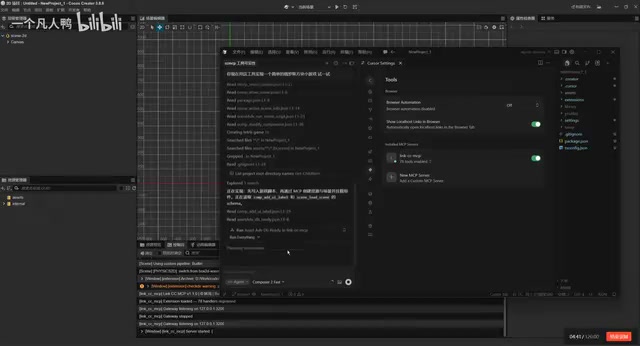
However, the lower-tier model revealed obvious shortcomings during execution—slow response times, lengthy file reading, and an overall experience that wasn't smooth enough. The demonstrator recommended using a more advanced model (such as Claude) for better results.
Advanced Model Full-Feature Test: Verifying All 78 Tools
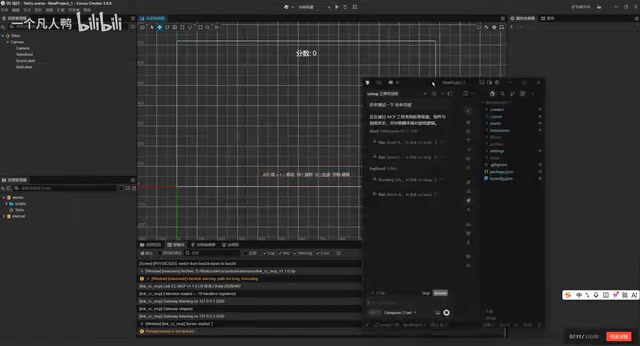
After switching to an advanced model, the results improved dramatically. The demonstrator had the AI run a full-feature test, and the AI rapidly completed:
- Node transform operations
- Color modifications
- Prefab cloning
- Scene saving
- Build testing
- Asset cleanup
Why Claude performs better: The Claude model recommended in the demo is a large language model series developed by Anthropic, particularly excelling in Tool Use and long-context processing—critical for game development scenarios that require continuously calling dozens of tools while maintaining complex task states. Compared to some competing models, Claude has clear advantages in following structured instructions and reducing hallucination output, directly impacting the accuracy and stability of AI-controlled editor operations. However, top-tier models like Claude have high API call costs and consume enormous amounts of tokens in long task chains, which is the root cause of the "model usage exceeded" warning that appeared during the demo.
Test results showed that most features passed successfully, validating the usability of all 78 tools. The advanced model was not only faster but also significantly more accurate in understanding instructions and executing operations.
Ultimate Challenge: AI Builds a Match-3 Game from Scratch
The most compelling demonstration was having AI build a match-3 game from scratch. The AI autonomously completed the following steps:
- Thinking and planning: AI first analyzes game requirements and formulates an implementation plan
- Writing scripts: Automatically generates game logic code
- Creating scenes: Establishes a new game scene
- Batch creating nodes: Rapidly builds game interface elements
- Mounting scripts: Binds logic code to corresponding nodes
- Binding components: Completes component parameter configuration
- Reading and verification: AI even takes screenshots to verify its own work
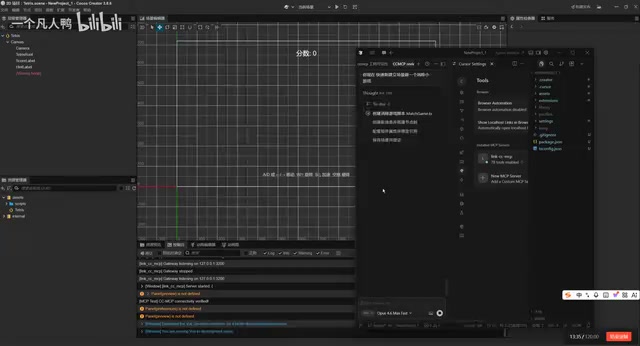
The final result was impressive—the basic gameplay of the match-3 game was implemented, including block positioning, component mounting, and interaction logic, all functioning correctly. While it's a simple prototype, the entire process from "one sentence" to "a runnable game" was completed entirely by AI, with virtually no human developer intervention.
Technical Significance and Limitations of Link CC MCP
A New Direction for AI-Assisted Game Development
The emergence of Link CC MCP represents an important direction in AI-assisted game development—evolving from "AI helps you write code" to "AI directly controls the editor." This paradigm brings several significant advantages:
- Lowering the entry barrier: Developers unfamiliar with Cocos Creator can quickly build prototypes through natural language
- Boosting efficiency for repetitive work: Mechanical operations like batch node creation and component configuration can be entirely delegated to AI
- Rapid idea validation: The time from concept to runnable prototype is dramatically shortened
Industry Context: Link CC MCP is not an isolated product but a microcosm of the broader industry trend of AI penetrating game development toolchains. Unity has launched AI-assisted features with Unity Muse, Epic Games has integrated AI code generation capabilities into Unreal Engine, and Microsoft's GitHub Copilot is evolving toward deeper IDE integration. Unlike these big-company solutions, Link CC MCP uses the open MCP protocol, theoretically allowing connection to any AI model that supports the protocol, offering greater flexibility. This "protocol standardization + tool ecosystem" approach may become the mainstream paradigm for future AI development tool integration, rather than each engine building its own closed solution.
Current-Stage Limitations
The demo also revealed some shortcomings at this stage:
- Strong model dependency: Lower-tier models deliver a poor experience, while advanced models are more expensive and have usage limits (the demo showed a "model usage exceeded" warning)
- Complexity ceiling: Currently achievable results are limited to basic features and simple games; complex game logic and refined art effects still require human intervention
- Stability to be verified: As a new tool, its stability and compatibility in large-scale projects still needs more real-world validation
Final Thoughts
AI controlling game editors isn't a distant future—it's happening now. Link CC MCP proves one thing with its 78 tools: when AI can directly communicate with development tools, the game development workflow will be fundamentally reshaped. For Cocos Creator developers, this plugin is worth watching and trying—even if it's not perfect yet, the direction it points toward is already clear enough.
Related articles
 Product Reviews
Qoder vs Cursor Real-World Comparison: Which $20/Month AI IDE Is Better?
Hands-on comparison of Qoder vs Cursor AI IDEs: Agent autonomy, human interaction count, and architecture decisions. Qoder needed only 2 interactions vs Cursor's 8.
 Product Reviews
Cursor Cloud Agent Demo: Eliminating Bottlenecks Across the Entire Software Development Lifecycle
Deep analysis of Cursor's Cloud Agent demo showing how cloud VMs, automated test artifacts, and a full-chain control plane systematically eliminate human bottlenecks across the software development lifecycle.
 Product Reviews
Cursor 3.0 Deep Dive: Multi-Agent Parallelism, Design Mode, and Best-of-N Model Comparison
Cursor 3.0 evolves from an AI coding assistant into an Agent fleet command center. Explore multi-agent parallelism, Design Mode, and Best-of-N model comparison.