OpenClaw v2026.5.14 Deep Dive: Real-Time Voice Calls and Gateway Freeze Fix

OpenClaw v2026.5.14 urgently released with 22 new features and 100+ bug fixes
OpenClaw v2026.5.14 was urgently released hours after the previous version, fixing two major pain points—gateway freezes and Telegram message congestion—while adding three core features: TelLinks real-time voice calls, Telegram MiniApp support, and WhatsApp status reactions. It also enhances Agent capabilities (subtask transparency, conversation steering, retry mechanisms) and improves developer experience (DeepSeek V4 Flash configuration, startup performance tracing, and more).
Overview
Just hours after releasing v2026.5.12, OpenClaw urgently pushed out v2026.5.14. This is no simple hotfix patch—it contains 22 new feature improvements and over 100 bug fixes, making it a substantial major update. This article, based on the detailed breakdown by Bilibili creator "Dashu" (大叔), covers the core highlights of this release.
Two Major Pain Points Finally Resolved
Gateway Freeze Issue Completely Fixed
Many developers have encountered this scenario: after configuring the Gateway and executing Restart, the system reports success, but the port remains occupied. After several restart attempts, the gateway completely freezes, making you wonder if you need to reinstall the entire environment.
The Gateway plays the role of traffic entry point in a microservices architecture, handling request routing, load balancing, and protocol translation. A "freeze" refers to a state where the process still exists but no longer responds to requests, typically caused by port occupation conflicts, file descriptor leaks, or improper signal handling. In macOS's Launch Agent mechanism, the system manages background service lifecycles through launchd. If stop signals aren't properly delivered to child processes, a deadlock occurs where old processes occupy ports while new processes can't bind. This fix specifically addresses the stop and restart logic defects in macOS Launch Agent.
Telegram Message Queue Congestion No Longer Occurs
Another common issue was Telegram messages disappearing into the void—commands getting no response for ages, sometimes delayed by minutes, sometimes never receiving a reply. Meanwhile, other channels worked perfectly fine, easily leading users to think their account was banned.
The Telegram Bot API uses a Long Polling mechanism to fetch message updates: the client sends a request to the server and maintains the connection until new messages arrive or a timeout occurs. When multiple polling threads aren't properly isolated, messages from different session types (group topics, private DMs, status control commands) can block each other in the same queue. This fix isolates polling threads, giving each message type its own independent processing pipeline, fundamentally eliminating the possibility of message congestion. This is similar to the QoS (Quality of Service) approach in network switches—allocating independent channels for traffic of different priorities.
The good news is that both issues have been completely fixed in v2026.5.14.
Three Major Core Feature Upgrades
TelLinks Real-Time Voice Calls
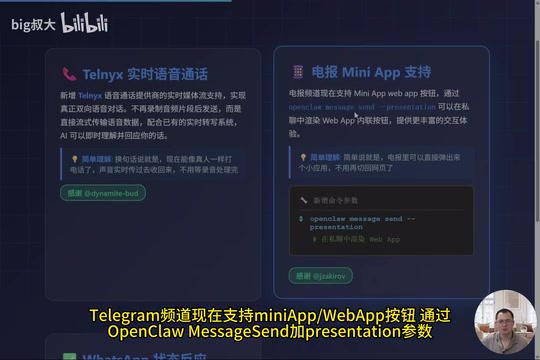
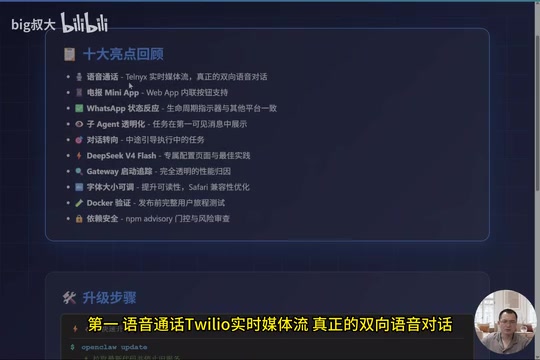
This is the biggest highlight of this update. Previously, voice interaction with AI could only be done by recording audio clips and sending them, resulting in noticeable latency. The new version adds real-time media streaming support for the TelLinks voice call provider, enabling true bidirectional voice conversation.
On the technical level, the system no longer records audio clips before sending—instead, it streams voice data directly. Traditional voice interaction uses a "record-send-wait" half-duplex mode: after the user finishes speaking, the system uploads the audio file to the server for automatic speech recognition (ASR), sends the text to the large language model for response generation, and finally returns audio via text-to-speech (TTS). The entire pipeline typically has 3-8 seconds of latency. Real-time Media Streaming uses WebRTC or similar protocols to establish full-duplex audio channels, with voice data continuously transmitted in tiny packets (typically 20ms per frame). Combined with streaming ASR and streaming TTS, end-to-end latency can be compressed to the hundreds-of-milliseconds level. Paired with the existing real-time transcription system, the AI can instantly understand and respond to the user's speech. In simple terms, you can now talk to AI like a real phone call—voice transmitted in real-time, no waiting for recording processing.
Telegram MiniApp Support
The Telegram channel now supports MiniApp WebApp buttons. Through OpenCloud Message Send with the Presentation parameter, you can render WebApp inline buttons in private chats, providing a richer interactive experience. Users don't need to switch back to a web page—they can pop up a mini application directly within Telegram to complete operations.
Telegram MiniApp (formerly WebApp) is a lightweight application framework launched by Telegram in 2022, allowing developers to embed HTML5-based interactive applications within the chat interface. It's triggered through the web_app field in InlineKeyboardButton via the Telegram Bot API. When users click the button, a restricted browser view pops up within the chat window. MiniApps can access the user's basic information, theme colors, and other contextual data, communicating with the Bot backend through the postMessage mechanism. This mechanism enables complex interactions like payments, form filling, and data visualization without redirecting to an external browser.
WhatsApp Status Reaction System
The WhatsApp message flow now integrates with the status reaction system, maintaining lifecycle indicators consistent with platforms like Telegram. The system uses self-explanatory emoji to represent different states: thinking, tool calling, coding, network requests, waiting, completed, error—each step has a corresponding emoji, letting users clearly know what the AI is currently doing.
The Status Reaction System is essentially an observability solution for asynchronous tasks. When an AI Agent executes complex tasks, the backend may involve multiple tool calls, code execution, and network requests, with the entire process potentially lasting tens of seconds. If users see no feedback during this time, they experience anxiety about whether the system has frozen. By attaching self-explanatory emoji to messages (such as 🤔 for thinking, 🔧 for tool calling, 💻 for coding), the system maps internal state machine transitions to user-perceivable visual signals in real-time. This design draws from the step status indicator concept in CI/CD tools like GitHub Actions, providing sufficient process visibility without adding message noise.
Agent Capability Enhancements
SubAgent Task Transparency
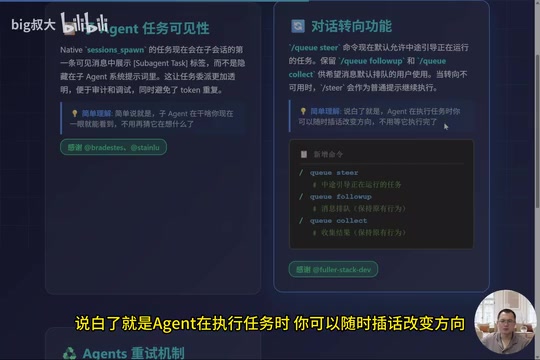
Previously, after assigning tasks to an Agent, users could only guess what it was doing. Now, Native Session Spawn tasks display the SubAgent Task label in the first visible message of the orchestration view, rather than being hidden in system prompts. This makes task delegation more transparent, easier to audit and debug, while avoiding Token waste.
In multi-Agent collaboration architectures, the primary Agent typically decomposes complex tasks and delegates them to SubAgents for execution. The traditional approach embeds task descriptions in the System Prompt, which not only consumes additional Token quota (since system prompts are repeatedly sent in every conversation turn) but also prevents users and developers from intuitively understanding task allocation. Promoting the SubAgent Task label to a visible message in the session is essentially exposing "control plane" information to the "data plane"—an important design principle in observability engineering: making system behavior transparent to operators.
Conversation Steering
The Steer command now allows mid-task guidance of executing tasks by default. When an Agent is executing a task, users can insert new instructions at any time to change direction without waiting for the current task to complete. QFollowup and QCollect are retained for users who prefer messages to queue by default.
The Steer feature involves a core concurrency control question: when an Agent is executing a long-running task, how should newly arriving user instructions be handled? There are three common strategies: queue and wait (Queue), interrupt and replace (Interrupt), and parallel execution (Parallel). The Steer command adopts the interrupt-and-replace strategy, allowing users to change the Agent's execution direction at any time. QFollowup and QCollect provide the queuing strategy, suitable for scenarios where users want to execute multiple instructions sequentially. This flexible concurrency control model ensures users with different habits can find workflows that suit them.
Agent Retry Mechanism
New agents.defaults.runretreats and agents.list[].runretreats configuration options allow setting retry loop limits for embedded Runners. Tasks automatically retry after failure, with user-controllable retry counts, significantly improving fault tolerance in task execution.
Developer Experience Improvements
DeepSeek V4 Flash Dedicated Configuration
A new dedicated DS4 Provider configuration page has been added, including a local DeepSeek V4 Flash configuration guide, on-demand startup instructions, context size recommendations, and real-time validation steps. Just follow the configuration to get started, saving time on trial and error.
DeepSeek is a leading Chinese large language model research team. Their V4 Flash series is positioned as a high cost-performance inference model, significantly reducing inference cost and latency while maintaining strong capabilities. "Flash" typically means the model has been optimized through distillation or quantization, suitable for real-time application scenarios sensitive to response speed. Local deployment of DeepSeek V4 Flash requires considering VRAM usage, context window size, and batching strategies. The dedicated configuration page provides users with verified best-practice parameter combinations, avoiding performance loss or memory overflow due to improper configuration.
Gateway Startup Performance Tracing
New owner-level startup trace attribution records time costs for authentication loading, plugin loading, query techniques, and plugin auxiliary services. Whether the gateway starts slowly and where it gets stuck can now be clearly seen, which is very useful for diagnosing performance bottlenecks.
Browser Font Size Settings
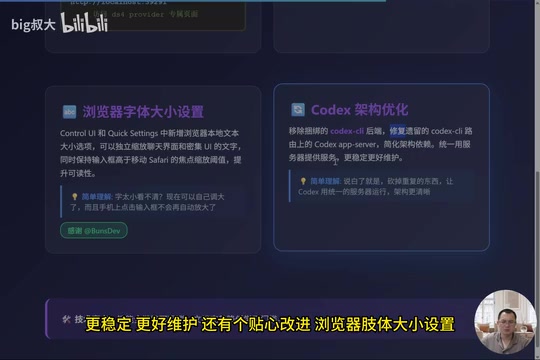
New browser-local text size options have been added to Control UI and Quick Settings, allowing independent scaling of chat interface and dense UI text. The issue of automatic zoom when tapping input fields on mobile has also been fixed.
Key Bug Fix Summary
Among the 120+ fixes in this release, the most critical ones include:
- MacOS Launch Agent: Fixed stop and restart issues, preventing gateway freeze states
- Network Connectivity: Kept the Undaity dispatcher on HTTP/1.1 to prevent network interruption crashes (fix #81627). While HTTP/2 and HTTP/3 outperform HTTP/1.1 in terms of performance (multiplexing, header compression, 0-RTT handshake, etc.), they can actually cause problems in certain network environments. Particularly when intermediate proxies, firewalls, or CDN nodes don't fully support newer protocols, connections may be unexpectedly reset mid-transmission. Pinning the dispatcher to HTTP/1.1 is a defensive programming strategy, sacrificing minor performance for connection stability.
- Telegram Concurrency Handling: Isolated polling threads now independently handle different topics, DMs, and status control commands, completely resolving message queue congestion
- TTS Audio Playback: Replies now render as playable audio attachments, compatible with legacy live payloads
- iOS Full Restoration: Fixed ten full-line prompt missing issues for first-time contacts, calendar, and reminders
Upgrade Guide
The upgrade process is very simple—just four commands:
# 1. Pull latest code and stop old services
open-cloud update

# 2. Automatically fix configuration issues
open-cloud doctor --fix

# 3. Restart gateway to apply changes
open-cloud gateway restart

# 4. Verify upgrade success
open-cloud health
Conclusion
OpenClaw v2026.5.14 is a comprehensive quality improvement across the board. From the breakthrough real-time voice calling feature, to the complete resolution of long-standing issues like gateway freezes and Telegram message congestion, to developer experience optimizations like Agent transparency and DeepSeek V4 Flash configuration—every improvement reflects the team's attention to user feedback. It's particularly worth noting that many features came from community contributors, demonstrating that OpenClaw's open-source ecosystem is developing healthily.
Related articles
 Product Reviews
Qoder vs Cursor Real-World Comparison: Which $20/Month AI IDE Is Better?
Hands-on comparison of Qoder vs Cursor AI IDEs: Agent autonomy, human interaction count, and architecture decisions. Qoder needed only 2 interactions vs Cursor's 8.
 Product Reviews
Cursor Cloud Agent Demo: Eliminating Bottlenecks Across the Entire Software Development Lifecycle
Deep analysis of Cursor's Cloud Agent demo showing how cloud VMs, automated test artifacts, and a full-chain control plane systematically eliminate human bottlenecks across the software development lifecycle.
 Product Reviews
Cursor 3.0 Deep Dive: Multi-Agent Parallelism, Design Mode, and Best-of-N Model Comparison
Cursor 3.0 evolves from an AI coding assistant into an Agent fleet command center. Explore multi-agent parallelism, Design Mode, and Best-of-N model comparison.