OpenDesign Hands-On Review: Complete Local Deployment Guide for the Open-Source Alternative to Claude Design
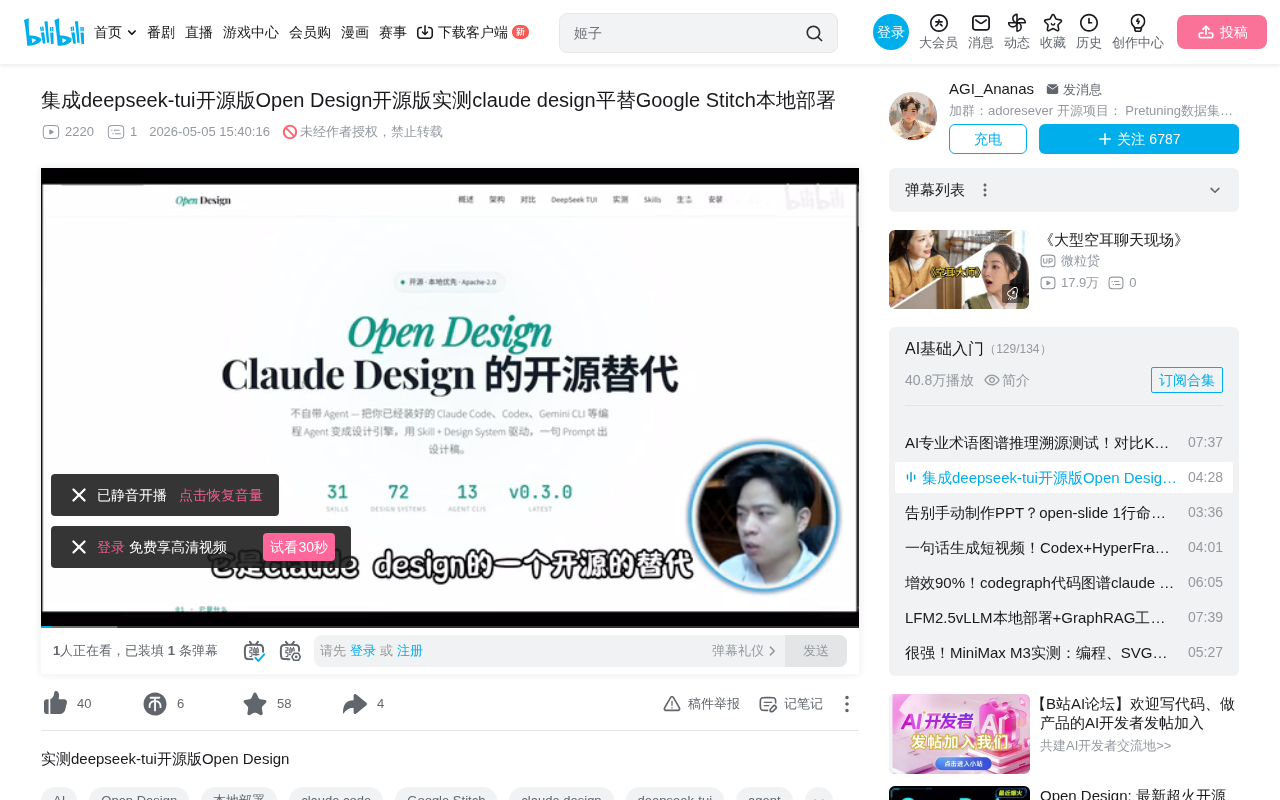
OpenDesign is an open-source alternative to Claude Design that turns AI programming Agents into local design tools.
OpenDesign is an open-source project that uses local programming Agents (like Claude Code) as a design engine, combined with a modular Skills system to enable AI-driven design generation. Licensed under Apache for commercial use, it supports fully local deployment, making it ideal for enterprises with data security requirements. It currently supports PPT generation and real-time rendering, though editing capabilities and DeepSeek integration are still being refined.
What is OpenDesign?
OpenDesign is an open-source alternative to Claude Design. Its core concept is to use locally installed programming Agents (such as Claude Code, Codex, Gemini CLI, etc.) as the design engine, driven by open-source Skills modules to generate design drafts. In simple terms, it transforms AI programming capabilities into design productivity.
Here, Skills (skill modules) are a modular capability abstraction layer, similar to a plugin system. Each Skill defines a specific design capability, such as PPT generation, UI component layout, color scheme recommendations, etc. This architecture draws from the Agent Tool Use design paradigm — the AI Agent selects the appropriate Skill based on user intent, converting natural language instructions into concrete design operations. This design allows community developers to independently develop and share new Skill modules, greatly expanding the system's capability boundaries without needing to modify the core code.
This project was proposed by Azure Big on April 14th and has already implemented features including a local Agent frontend, Skills-driven workflow, real-time rendering, and multi-format export. Some features like editing and drawing are still under development, but community activity is quite strong.
OpenDesign Installation and Local Deployment Steps
Environment Setup
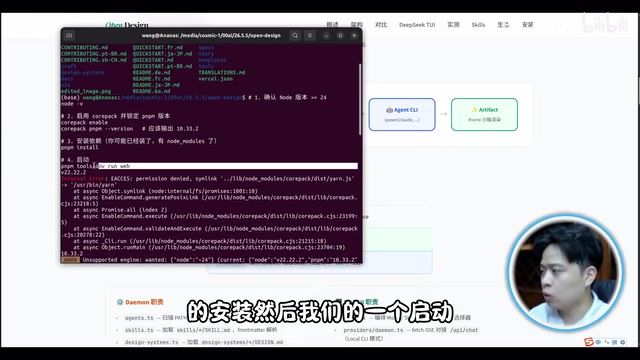
The installation process for OpenDesign is relatively straightforward. The main steps are:
- Clone the repository locally
- Navigate to the project directory
- Run
pnpm installto install dependencies - Start the service
After startup, you'll see two links — open the Web UI to enter the design interface. The entire process is very friendly for users with frontend development experience. The project uses pnpm as its package manager, an efficient Node.js dependency management tool that saves disk space through hard links and content-addressable storage, making it particularly suitable for monorepo-structured projects.
License and Commercial Use
OpenDesign uses the Apache License, which means it can be used commercially and supports local private deployment. Apache License 2.0 is one of the most permissive licenses in the open-source world. Unlike GPL, it doesn't require derivative works to also be open-sourced (no Copyleft constraint). This means enterprises can build upon OpenDesign for secondary development, integrate it into commercial products, or even modify and release it as closed-source — they only need to retain the original copyright notice and a copy of the license. For enterprise users, this eliminates legal compliance concerns and is a key factor in driving commercial adoption.
It inherits the complete Claude Code community ecosystem, including features like PPT generation, all implemented under open-source licenses. Claude Code is Anthropic's AI programming assistant that runs in a terminal environment, capable of understanding project context, reading/writing files, and executing commands. Its ecosystem includes numerous community-contributed prompt templates, workflow configurations, and automation scripts. OpenDesign can share this ecosystem because it essentially uses Claude Code as its underlying execution engine — design tasks are converted into code generation tasks, with Claude Code handling the writing of HTML/CSS/SVG design code, which is then rendered in real-time as visual design drafts through the frontend rendering engine.
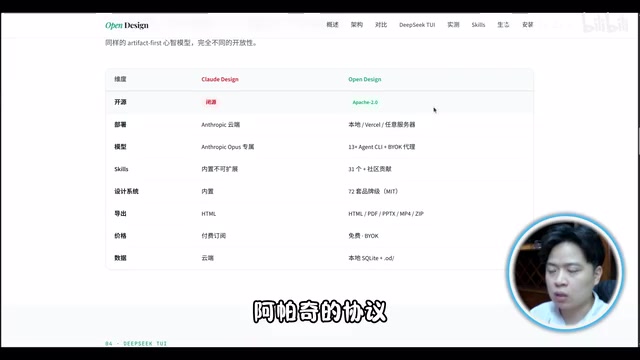
Claude Design vs. OpenDesign Feature Comparison
From an interface perspective, OpenDesign looks very similar to the original Claude Design. The core differences between the two are:
| Comparison | Claude Design | OpenDesign |
|---|---|---|
| Deployment | Cloud service | Fully local deployment |
| License | Closed-source | Apache, commercially usable |
| Ecosystem | Official ecosystem | Shares complete Claude Code ecosystem |
| Editing | Supports post-generation editing | Still under development |
Fully local deployment means all design data, prompts, and generated results never leave the user's device or intranet environment. This is particularly important for enterprises handling confidential design assets (such as unreleased product UIs or internal presentations). In contrast, cloud-based AI design services typically need to send user input to remote servers for processing, posing data leakage risks. Of course, if the underlying model API is still cloud-based (e.g., calling the Claude API), prompts and generation instructions will still travel over the network — truly complete offline operation requires pairing with locally deployed models.
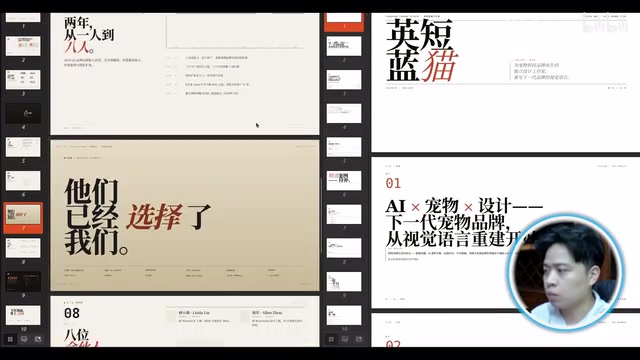
Through actual testing, using the 4.7 model driven by Claude Code, the generated PPT designs showed quite high completion quality, basically meeting everyday design needs.
DeepSeek-TUI Integration Experience
What is DeepSeek-TUI?
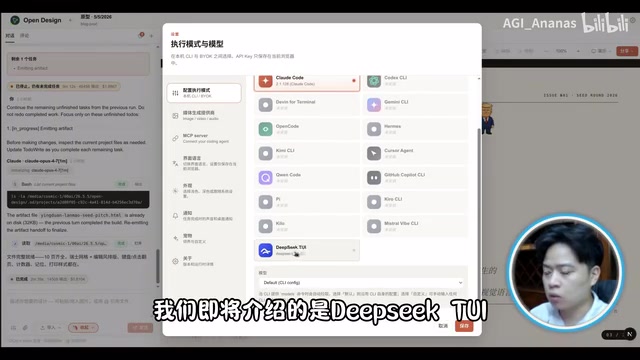
DeepSeek-TUI is a binary distribution tool written in Rust that provides a CLI interface to drive DeepSeek models. Its system architecture is: User Input → CLI Parsing → Model Driving → Result Output.
The choice to develop in Rust and distribute as a binary has clear engineering rationale. Rust-compiled binaries require no runtime dependencies (unlike Python, which needs an interpreter and package management), allowing users to download and run immediately, greatly lowering the installation barrier. Meanwhile, Rust's memory safety features and zero-cost abstractions ensure high performance and stability for the CLI tool. TUI (Terminal User Interface) means it provides a richer terminal interaction interface than pure command-line, supporting syntax highlighting, progress display, and other features that enhance user experience while remaining lightweight.
After installation, simply enter the deepseek command to start, then input your API Key to begin using it.
Test Results
When integrating DeepSeek-TUI for testing within OpenDesign, the current experience is not yet polished. Errors occurred during testing, indicating that this integration is still in its early stages.
In comparative testing, the left side used the DeepSeek 4.7 model while the right side used the same version model driven by Claude Code — Claude Code's design completion quality was noticeably higher. This difference primarily stems from the gap in code generation capabilities between different models — design tasks are essentially about generating structured frontend code (HTML/CSS/SVG), which places high demands on a model's instruction-following ability, layout comprehension, and aesthetic judgment. For complex tasks, DeepSeek-TUI currently falls short, and we look forward to community optimizations going forward.
Summary: Who is OpenDesign For?
Recommended Use Cases
- Rapid Prototyping: Generate PPTs or UI design drafts with a single sentence — particularly suitable for product managers and designers quickly validating ideas during the creative exploration phase
- Local Deployment Needs: Teams with data security requirements, especially industries with strict data compliance demands such as finance, healthcare, and government
- Commercial Projects: Apache License has no commercial restrictions, allowing free integration into enterprise internal toolchains
Current Limitations
- Editing functionality is not yet complete, with limited post-generation modification capabilities
- DeepSeek-TUI integration is not stable enough
- Completion quality for complex design tasks needs improvement
Overall, OpenDesign as an open-source alternative to Claude Design already has basic usable capabilities. For developers and designers who want to use AI design tools in a local environment, this is a project worth watching and trying. As the community continues to grow, its feature completeness will keep improving. From a broader perspective, OpenDesign represents a trend: extending AI programming Agent capabilities from pure code domains into design, documentation, and other creative scenarios. This "code as design" paradigm may reshape future design workflows.
Related articles
 Product Reviews
Qoder vs Cursor Real-World Comparison: Which $20/Month AI IDE Is Better?
Hands-on comparison of Qoder vs Cursor AI IDEs: Agent autonomy, human interaction count, and architecture decisions. Qoder needed only 2 interactions vs Cursor's 8.
 Product Reviews
Cursor Cloud Agent Demo: Eliminating Bottlenecks Across the Entire Software Development Lifecycle
Deep analysis of Cursor's Cloud Agent demo showing how cloud VMs, automated test artifacts, and a full-chain control plane systematically eliminate human bottlenecks across the software development lifecycle.
 Product Reviews
Cursor 3.0 Deep Dive: Multi-Agent Parallelism, Design Mode, and Best-of-N Model Comparison
Cursor 3.0 evolves from an AI coding assistant into an Agent fleet command center. Explore multi-agent parallelism, Design Mode, and Best-of-N model comparison.