Picaboo: An Open-Source AI Desktop Automation Tool That Directly Controls Your Computer
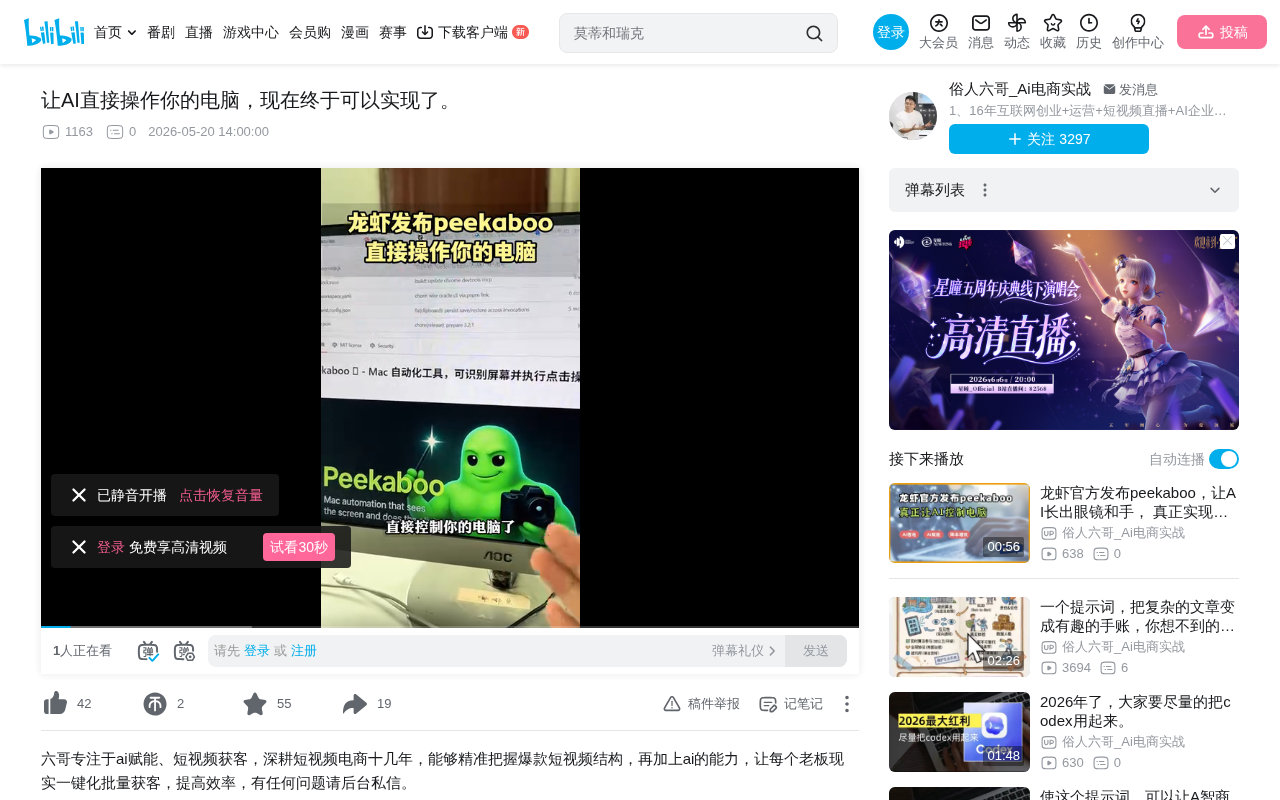
Open-source project Picaboo enables AI desktop automation through screenshot recognition and simulated operations.
Picaboo is an open-source AI desktop automation project that enables AI to control computers like a human through three steps: screenshot capture, multimodal vision model analysis, and simulated mouse/keyboard operations. Compared to traditional RPA, it requires no pre-recorded workflows and can autonomously plan operations based on natural language instructions, offering greater adaptability. However, security concerns such as privacy leaks and prompt injection attacks still need attention, and the project remains in its early stages.
When AI Learns to "See the Screen and Move the Mouse"
For a long time, AI assistants have interacted with us solely at the "conversation" level — you ask, it answers, generating text or code, but the actual execution still requires you to do it yourself. Now, an open-source project called Picaboo is changing all that: it enables AI to directly "see" your computer screen and operate the mouse and keyboard like a real person, completing various desktop automation tasks.
To put it in a vivid metaphor, your AI assistant has finally grown "eyes" and "hands."
What Is Picaboo? How Does It Work?
Core Principle: Screenshot Recognition + Intelligent Operation
Picaboo's working principle isn't complicated, but it's remarkably clever. Its core workflow can be summarized in three steps:
- Screenshot Capture: Picaboo takes real-time screenshots of the current computer screen
- Visual Analysis: An AI vision model performs deep analysis of the screenshot, identifying buttons, text, input fields, menus, and other UI elements on the screen
- Task Execution: Based on your natural language instructions, the AI understands the task objective, automatically plans the sequence of operations, and executes clicks, inputs, drags, and other actions in order
The key point is that this isn't achieved through API calls or writing code — it truly simulates how humans operate computers: looking at the screen, moving the mouse, and typing on the keyboard. This means that theoretically, anything you can accomplish with a mouse and keyboard, Picaboo can accomplish too.
The Multimodal AI Technology Behind Visual Analysis
Picaboo's visual analysis capability relies on Multimodal Large Language Models (Multimodal LLMs). Traditional large language models (like early GPT) could only process text input, while multimodal models possess the ability to understand both images and text simultaneously. These models are trained on massive amounts of image-text paired data, learning to associate visual information (pixels, layouts, icon shapes) with semantic information (button functions, text meanings).
Specifically in the desktop control scenario, the visual understanding tasks the model needs to complete include: UI element detection (identifying the positions and boundaries of buttons, input fields, and dropdown menus), OCR text recognition (reading text content on the screen), and spatial relationship reasoning (understanding which button belongs to which dialog box). The combined application of these capabilities enables AI to "read" a software interface it has never seen before, just like a human would.
AI Agent's Task Planning Capability
Picaboo's ability to autonomously plan operation steps based on natural language instructions involves the core technology of AI Agents — task decomposition and planning. When a user says "Help me send a birthday greeting to Zhang San via WeChat," the AI needs to break down this high-level goal into a series of atomic operations: find the WeChat icon → double-click to open → type "Zhang San" in the search box → click the search result → type the greeting in the chat input box → click the send button.
This process involves Chain-of-Thought reasoning and the ReAct (Reasoning + Acting) framework, where the model observes the current screen state at each step, thinks about what to do next, executes the action, and then observes the result, forming a perception-thinking-action loop. If a step fails (for example, the search doesn't find the contact), the AI also needs error recovery capabilities to try alternative paths to complete the task.
What Operation Types Does Picaboo Support?
Picaboo currently supports a rich variety of operation types, covering the vast majority of daily computer usage scenarios:
- Click Operations: Single click, double click, right click
- Text Input: Typing text in any input field
- Screen Scrolling: Scrolling page content up and down
- Keyboard Operations: Simulating various shortcuts and key combinations
- Drag Operations: Dragging files, resizing windows, etc.
- Menu Operations: Opening and selecting menu items
- Window Management: Switching, minimizing, and maximizing windows
- Content Recognition: Reading and extracting text information from the screen
Practical Use Cases for Picaboo
This "screen-level" AI desktop automation capability opens the door to many practical scenarios:
- Social Communication: Have AI send messages or reply to friends via WeChat
- Entertainment Control: Use voice commands to open a music player, search for and play specific songs
- Office Automation: Batch process files, fill out forms, organize data
- Repetitive Tasks: Any mechanical work requiring repeated clicking and typing can be delegated to it
Comparison with Traditional RPA
Compared to traditional RPA (Robotic Process Automation) tools, Picaboo's advantage is that it doesn't require pre-recording operation workflows. Traditional RPA is an automation technology already widely used in the enterprise market, with representative vendors including UiPath, Automation Anywhere, and Blue Prism. Their typical workflow is: a human operator first manually executes the task process, the RPA tool records each step (click coordinates, input content, wait conditions, etc.), and then compiles it into a repeatable automation script.
The limitation of this approach is: once the interface layout changes (such as button positions moving or new pop-ups appearing), the script may fail and require manual maintenance. Additionally, recording-based RPA cannot handle unforeseen exceptions. Picaboo and similar AI vision-based solutions, because they "look at the screen in real-time and make decisions in real-time" every time, naturally possess stronger adaptability and fault tolerance. AI can autonomously understand and plan operation steps based on natural language instructions, greatly improving flexibility — making it a next-generation RPA alternative.
Picaboo Installation and Deployment Guide
Official Installation Method
Picaboo is an open-source project with a complete installation process and usage guide provided officially. However, to be frank, the official documentation's installation steps still present a certain barrier for non-technical users, involving environment configuration, dependency installation, and multiple other steps.
Simplified Installation Recommendations
For users who want to quickly try it out, community members have already compiled simplified installation workflows, organizing the official project content into clearer step-by-step documentation, and even providing one-click installation packages that can be installed with a double-click after downloading, significantly lowering the barrier to entry.
Before installation, it's recommended to confirm the following:
- Ensure your computer's performance meets basic requirements (running a visual AI model requires it; multimodal models have certain GPU VRAM requirements, though using a cloud API reduces local hardware demands)
- Understand the configuration method for the connected AI model (whether a local large model or cloud API)
- Pay attention to security: AI controlling your computer means it has elevated privileges — it's recommended to use it in a controlled environment
Security and Privacy Considerations
Letting AI directly control your computer is a double-edged sword. While enjoying the convenience, we need to pay attention to several important issues:
Permission Boundaries: AI can see your screen, which means it may come into contact with sensitive information — passwords, private chats, banking pages, etc. Always be mindful of controlling the scope of tasks when using it.
Operation Controllability: These tools are still in their early stages, and AI may misjudge screen elements or execute incorrect operations. It's recommended to test in non-critical scenarios first — don't immediately let it handle important files.
Deeper Technical Security Risks: The security risks of AI controlling computers go beyond privacy leaks and involve deeper technical security issues. First is the risk of "Prompt Injection" attacks: if the screen displays maliciously crafted text (such as hidden instructions in a webpage), the AI could be misled into performing unintended operations. Second is the "privilege escalation" problem: AI has the same system permissions as the current user and can theoretically access the file system, modify system settings, or even execute terminal commands. Security mechanisms currently being explored in the industry include: operation sandboxes (restricting AI to operate only within specific applications), operation confirmation mechanisms (requiring manual user confirmation before critical operations), and sensitive area masking (automatically blurring screenshot content of sensitive areas like password input fields). The maturity of these security measures will directly determine whether such tools can enter mainstream usage scenarios.
Industry Development Trends: From Anthropic's Computer Use to OpenAI's Operator, to the open-source community's Picaboo, AI controlling computers is becoming an industry consensus. In October 2024, Anthropic was the first to release Claude's Computer Use feature, allowing AI models to understand screen content through screenshots and generate mouse and keyboard operation instructions — this was the first time a mainstream AI company officially launched such a capability. Subsequently, OpenAI launched the Operator product, focusing on automatically completing web tasks in browser environments (such as online shopping and restaurant reservations). Google DeepMind is also researching similar Agent technology. The open-source community's Picaboo provides ordinary developers and tech enthusiasts with a locally deployable, freely customizable alternative, free from commercial API restrictions. The stability and security of such desktop automation tools will continue to improve in the future.
Conclusion: AI Interaction Evolves from Conversation to Operation
Picaboo represents an important evolution in AI interaction — from "conversational" to "operational." Although it's still in its early stages with room for improvement in both functionality and stability, the possibilities it demonstrates are exciting. When AI can truly operate a computer like a human, our relationship with computers will be fundamentally redefined.
For tech enthusiasts, now is a great time to give it a try. For general users, it's worth keeping an eye on and waiting for more mature versions to arrive.
Related articles
 Product Reviews
Qoder vs Cursor Real-World Comparison: Which $20/Month AI IDE Is Better?
Hands-on comparison of Qoder vs Cursor AI IDEs: Agent autonomy, human interaction count, and architecture decisions. Qoder needed only 2 interactions vs Cursor's 8.
 Product Reviews
Cursor Cloud Agent Demo: Eliminating Bottlenecks Across the Entire Software Development Lifecycle
Deep analysis of Cursor's Cloud Agent demo showing how cloud VMs, automated test artifacts, and a full-chain control plane systematically eliminate human bottlenecks across the software development lifecycle.
 Product Reviews
Cursor 3.0 Deep Dive: Multi-Agent Parallelism, Design Mode, and Best-of-N Model Comparison
Cursor 3.0 evolves from an AI coding assistant into an Agent fleet command center. Explore multi-agent parallelism, Design Mode, and Best-of-N model comparison.