Trae Refresh Mode Commands Not Working? A Complete Guide to the Missing Environment Variables Issue
Trae Refresh Mode Commands Not Working…
Trae's refresh mode loses terminal environment variables, causing mass system command failures with no fix
ByteDance's AI programming tool Trae suffers from PATH environment variable inheritance failure after enabling refresh mode, making installed commands like GCC unrecognizable. The AI assistant forces execution even when commands are unavailable, lacking pre-flight validation. With no user-side configuration options available, this creates a stark contrast with VS Code's mature terminal environment management, severely impacting the development experience.
Problem Overview: Trae Refresh Mode Causes Mass Command Failures
Trae, the AI programming tool launched by ByteDance, has recently drawn complaints from developers due to its "Refresh Mode." Users have reported that after enabling Trae's refresh mode, numerous system commands can no longer be recognized or executed, severely impacting their daily development workflow. This article analyzes the command failure issue under Trae's refresh mode, explores the underlying causes, and discusses potential solutions.
Command Recognition Failures in Refresh Mode
Based on actual user feedback, Trae exhibits a particularly frustrating problem after enabling refresh mode: tools and commands that are properly installed on the system become completely invisible to Trae's terminal environment.
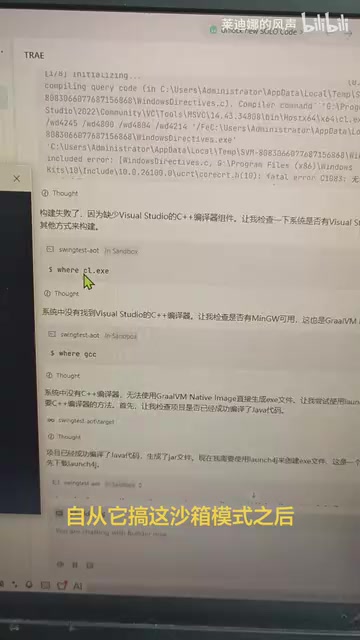
Specifically, users have VS Code, GCC, and other common development tools correctly installed on their systems—tools that work perfectly fine in the system terminal—but in Trae's integrated terminal, all these commands are in an "unavailable" state. This means basic operations like compiling and debugging cannot be completed within Trae, drastically reducing development efficiency.
To understand the root cause of this issue, you need to understand how the PATH environment variable works. PATH is the operating system's core mechanism for locating executable files—when a user types a command in the terminal (such as gcc), the system searches through the directories listed in PATH sequentially to find the corresponding executable. If a tool's installation directory isn't in PATH, the system reports a "command not found" error. When an IDE launches its built-in terminal, it typically needs to "inherit" the host system's environment variables, and this process is implemented differently across operating systems: on macOS, it needs to read /etc/paths and the user's shell configuration files, while Windows relies on system environment variables stored in the registry. VS Code, after years of iteration, has done extensive adaptation work specifically for this issue, correctly merging system-level and user-level environment variables when launching its terminal. Newer tools that don't handle this step properly will exhibit the classic "it's clearly installed on the system, but the IDE can't find it" problem.
Chain Reaction Problems from AI Forced Execution
What's even more frustrating is that Trae's AI assistant, when unable to find these commands, still attempts to force execution, as if it "believes" these tools exist in the current environment.
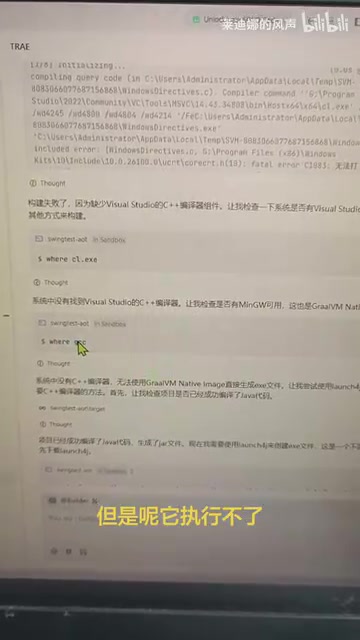
This behavior pattern leads to a series of cascading problems:
- Repeated errors: The AI assistant continuously tries to invoke non-existent commands, generating a flood of error messages
- Workflow interruption: Developers are forced to manually intervene, switching to the system terminal to complete operations that should have been automated
- Debugging difficulties: Since environment variables and PATH paths fail to load correctly in refresh mode, troubleshooting becomes significantly harder
From an AI system design perspective, this exposes the absence of a Pre-flight Check mechanism in the tool invocation chain. In mature AI Agent frameworks, the AI model should perform an "environment detection" step before deciding to call a system command—verifying whether the target command is actually available in the current runtime environment. This is similar to the "defensive programming" principle in software engineering. Mature frameworks (such as LangChain's Agent executor) typically validate tool availability during the tool registration phase and trigger fallback strategies upon call failure, rather than retrying indefinitely. Trae's AI assistant repeatedly attempting execution when it clearly knows commands are unavailable not only wastes computational resources but also generates massive noise errors that seriously interfere with developer judgment.
Environment Configuration Cannot Be Adjusted: Virtually No User-Side Solution
Facing this problem, users naturally think about adjusting Trae's environment configuration to make it correctly recognize installed system tools. However, the reality is that there's virtually no user-side solution to this problem.
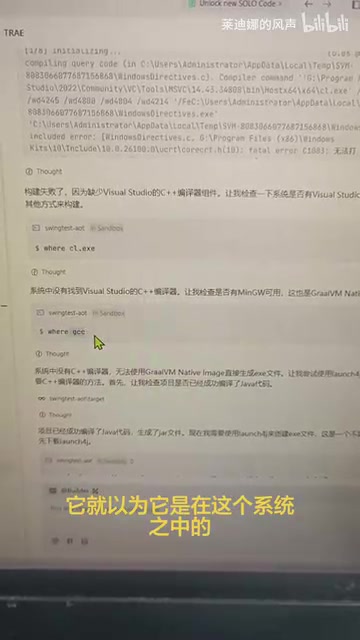
Users explicitly state "there's no way to adjust this," indicating that Trae's environment isolation mechanism in refresh mode is overly restrictive, providing insufficient configuration interfaces for users to customize PATH paths or environment variables.
This touches on a fundamental design trade-off in IDE integrated terminals: the choice between strong isolation mode and transparent inheritance mode. Strong isolation mode runs the terminal in a controlled sandbox environment, helping ensure AI behavior predictability and security; transparent inheritance mode restores the user's actual system environment as faithfully as possible, making developers feel no difference between the IDE terminal and the system terminal. VS Code adopts the latter approach and provides rich configuration options like terminal.integrated.env.*, allowing users to fine-tune terminal environment variables. For AI programming tools, strong isolation has its merits, but if it doesn't provide sufficient "escape hatches" (such as allowing users to customize PATH or inject environment variables), it severely undermines the tool's practicality. Trae's lack of adjustable configuration interfaces in refresh mode is precisely a manifestation of this design trade-off gone wrong—a fairly serious design flaw for an AI programming tool aimed at developers.
Comparison with VS Code Terminal Capabilities
You might not have noticed, but users specifically mentioned VS Code as a reference comparison. On the same machine, VS Code can correctly recognize and invoke toolchains like GCC, while Trae cannot.
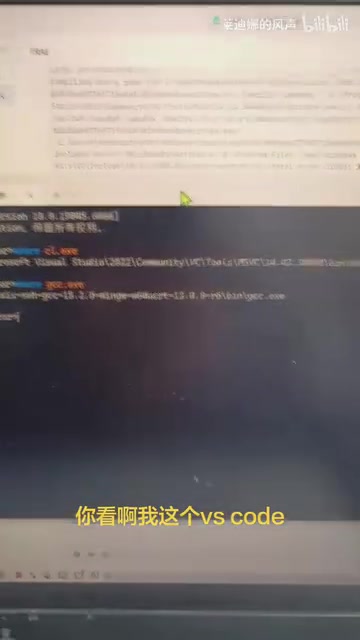
This demonstrates that the problem isn't with the user's system environment configuration, but rather with Trae's own terminal environment initialization in refresh mode. VS Code's integrated terminal has been refined over many years and handles system environment variable and PATH configuration inheritance very well. As a newcomer, Trae still has a noticeable gap in this fundamental capability.
Root Cause Analysis
Taking everything into account, the root causes of Trae's refresh mode command failures likely include:
-
Incomplete environment variable inheritance mechanism: Refresh mode may reset the terminal's environment variables, causing the system PATH to be lost, which naturally makes installed commands unfindable
-
Abnormal shell initialization process: Shell initialization files (such as
.bashrc,.zshrc,.bash_profile) are the core carriers of user-customized terminal environments. Each time a new interactive shell session starts, the system automatically executes these files to complete critical operations like PATH appending, alias definitions, and environment variable injection. For example, tools installed via Homebrew, Node.js versions managed throughnvm, or Python environments managed throughcondaall depend on these initialization files to function properly in the terminal. If Trae's refresh mode launches the shell in a non-standard way (e.g., in non-interactive or non-login mode), it skips these critical initialization steps, causing mass tool failures. -
AI decision-making disconnected from the actual environment: The AI assistant's tool invocation logic doesn't verify command availability before attempting execution, lacking necessary pre-flight checks
Final Thoughts
As ByteDance's important play in the AI programming space, Trae's development potential cannot be ignored. However, based on current user feedback, fundamental terminal environment management capabilities still need improvement. If an AI programming tool can't even guarantee basic command execution, no amount of AI power can be effectively utilized. We hope the Trae team will quickly fix the environment variable inheritance issue in refresh mode, reference VS Code's mature practices with terminal.integrated.env.* configuration options, provide developers with adjustable environment configuration interfaces, and add comprehensive pre-flight validation mechanisms to the AI tool invocation chain—ultimately delivering a more stable and reliable user experience.
Key Takeaways
- Trae's refresh mode causes installed system commands (like GCC, VS Code) to become unrecognizable and uncallable, fundamentally due to PATH environment variable inheritance mechanism failure
- If shell initialization files (
.bashrc/.zshrc, etc.) are not properly executed, all toolchains depending on these configurations will collectively fail - The AI assistant forcing execution when commands are unavailable exposes the lack of a Pre-flight Check mechanism in the tool invocation chain
- The absence of user-adjustable configuration interfaces reflects insufficient "escape hatches" in the strong isolation design pattern
- VS Code working normally on the same system proves the problem lies in Trae's own terminal environment initialization mechanism, not the user's system configuration
Related articles
 Product Reviews
Qoder vs Cursor Real-World Comparison: Which $20/Month AI IDE Is Better?
Hands-on comparison of Qoder vs Cursor AI IDEs: Agent autonomy, human interaction count, and architecture decisions. Qoder needed only 2 interactions vs Cursor's 8.
 Product Reviews
Cursor Cloud Agent Demo: Eliminating Bottlenecks Across the Entire Software Development Lifecycle
Deep analysis of Cursor's Cloud Agent demo showing how cloud VMs, automated test artifacts, and a full-chain control plane systematically eliminate human bottlenecks across the software development lifecycle.
 Product Reviews
Cursor 3.0 Deep Dive: Multi-Agent Parallelism, Design Mode, and Best-of-N Model Comparison
Cursor 3.0 evolves from an AI coding assistant into an Agent fleet command center. Explore multi-agent parallelism, Design Mode, and Best-of-N model comparison.