Voice-Controlled Claude Code: A New AI Programming Experience Without Typing
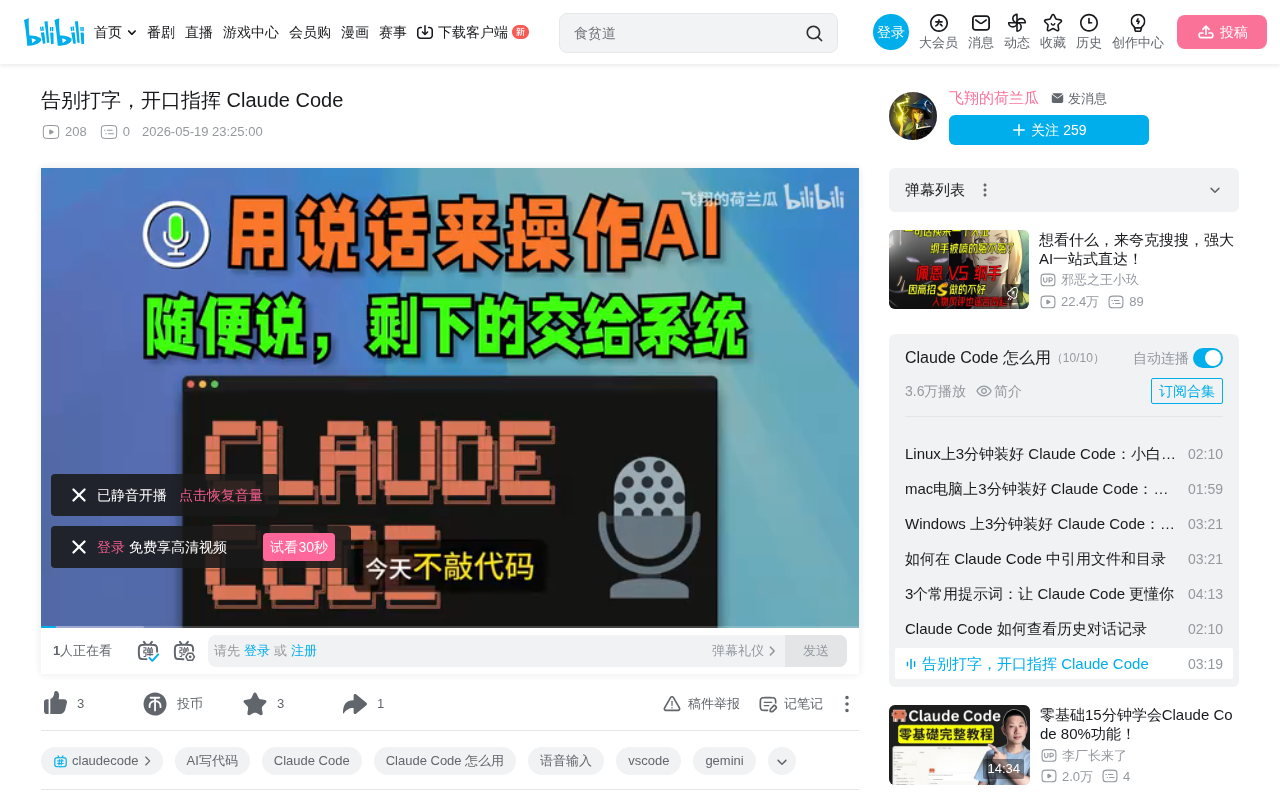
Cloud Code Launcher enables voice-controlled AI programming by intelligently translating speech into precise code instructions.
Cloud Code Launcher's voice input feature breaks through the limitations of traditional speech-to-text by intelligently translating conversational expressions into precise, executable programming instructions for AI. It automatically filters filler words, handles mid-sentence corrections, converts vague descriptions into exact parameters, supports 5-minute continuous recording, and requires no installation — freeing developers from keyboard constraints to drive AI programming through natural speech.
The Pain Point: AI Is Powerful, But Communication Is Still Stuck in the Typing Era
When AI is already powerful enough to help you build entire projects, your way of communicating with it is still typing one character at a time — your typing speed can never keep up with your thinking speed. Many developers know this frustrating disconnect all too well.
Some might say, "What about voice input?" Sure, various voice input tools like WeChat and Doubao have been tried, but here's the problem: they were designed for casual chatting, not for commanding AI to do work.
When you say to a voice input tool, "Change that, you know, that thing, the title on the homepage, make it bigger," it faithfully transcribes all that conversational mess into text and sends it to the AI. The AI gets confused and responds with, "Which file's title would you like to modify?" — and then you have to explain all over again.
This touches on a fundamental technical issue: current mainstream Speech-to-Text (STT) engines, such as OpenAI's Whisper and Google Speech-to-Text, have achieved recognition accuracy above 95%, but they essentially only complete the mapping from "acoustic signals → text sequences" without understanding semantics. Redundant information in spoken language — filler words, self-corrections, and hesitations — are preserved as-is. For AI programming scenarios that require precise instructions, this "faithful transcription" actually becomes an obstacle.
The core problem is: we don't need a stenographer — we need an assistant that understands intent.
Cloud Code Launcher Voice Input: A Quantum Leap from "Dictation" to "Translation"
According to Bilibili creator 荷兰瓜 (Holland Melon), the Cloud Code Launcher's voice input feature solves this pain point. It's not simple speech-to-text (STT) — it directly translates users' conversational expressions into precise instructions that AI can execute.
The technical logic behind this involves intent recognition in Natural Language Understanding (NLU). Traditional NLU systems rely on predefined intent templates and Slot Filling, while the new generation of LLM-based NLU can handle more open-ended and ambiguous expressions. The system needs to perform three levels of work: intent classification (determining what the user wants to do), entity extraction (identifying key parameters like file names, color values, etc.), and contextual disambiguation (understanding that "the one on the homepage" refers to a specific file based on project structure).
An Intuitive Usage Example
Suppose you want to change the color of a button on a webpage. A normal person would say something like:
"Um, that button, the one that turns blue when you click it, yeah, the one on the homepage, change the color, change it to... never mind that's ugly, make it orange instead, like a warm orange."
You changed your mind halfway through, used tons of filler words like "um" and "that" — this is what real spoken language looks like.
Linguistic research shows that spoken and written language differ enormously in information density. Spoken language averages about 40%-60% of the information density of written language, with the remainder consisting of filler words ("um," "like"), repetitions, false starts, filled pauses ("uh," "ah"), etc. These serve to maintain conversational rhythm and express hesitation in human interaction, but for machine execution, they're pure noise.
A regular voice input tool would record all this "noise" and send it to the AI. But after Cloud Code Launcher processes it, the instruction sent to AI becomes:
Change the button color in the homepage index.html to warm orange #FFF50
Note several key transformations:
- Automatic file identification: Inferred "index.html" from "the one on the homepage"
- Automatic filtering of changed decisions: The indecisive middle part was intelligently ignored — the system recognized that the user first said "blue" then corrected to "orange," and "orange" is the true intent
- Vague descriptions converted to precise parameters: "Warm orange" was mapped to a standard color code
This process is academically known as "Spoken Language Normalization" or "Dialogue Act Extraction," requiring the model to not only identify valid information but also determine the speaker's final decision.
Core Advantages: Letting Developers Talk Like Normal People
Extremely High Fault Tolerance — It Understands No Matter How You Say It
The core appeal of this tool boils down to one thing: say whatever you want, and it's fine if you misspeak.
- Stream of consciousness is perfectly fine
- Change your mind mid-sentence? Just correct yourself
- Pause to think? It won't interrupt you
- Filler words like "um," "that thing," "you know" are all automatically filtered out
The final output is a clean, logically coherent programming instruction.
5-Minute Recording Length — Control Your Own Pace
WeChat voice messages max out at one minute, creating pressure the moment you start recording, like someone hit a stopwatch. Cloud Code Launcher allows 5 minutes per recording, and you can append content repeatedly.
You can sip your bubble tea while thinking slowly — the pace is entirely in your hands.
No Installation Required — Ready Out of the Box
According to the introduction, this launcher requires no installation — just download it from the official website and start using it immediately, lowering the barrier to entry.
Real-World Usage Experience and Applicable Scenarios
As the content creator describes, the current workflow looks like:
- Slouch back in your chair
- Hit record, start describing your requirements
- When done, hit send
- Your hands don't touch the keyboard — just the mouse
This voice-based programming interaction is particularly suited for:
- Requirements brainstorming: Think and speak simultaneously without needing to organize rigorous text
- Rapid iteration: Change a color, adjust a layout — done in one sentence
- When your hands are occupied: Push work forward while eating or resting
It's worth noting that Claude Code is a command-line AI programming tool from Anthropic that allows developers to directly manipulate codebases through natural language instructions — including reading files, writing code, executing commands, performing Git operations, and more. Unlike GitHub Copilot, which primarily offers code completion, Claude Code is more like an "AI programmer" that understands entire project contexts and executes complex multi-step tasks. Similar tools include Cursor, Aider, Devin, etc. The common bottleneck for these tools is on the input side — users need to precisely describe requirements in text. Voice input is introduced precisely to break through this bottleneck, matching the speed of requirement expression to AI's execution speed.
Conclusion: Voice Interaction Is the Future Direction of AI Programming
The combination of voice input + AI programming fundamentally solves the problem of human-machine communication efficiency. Traditional speech-to-text only completes the "hearing" part, but the real value lies in "understanding" — transforming humans' loose, jumping, highly redundant spoken expressions into precise instructions that machines can execute.
Looking at the history of computing, human-computer interaction has evolved through Command Line Interface (CLI) → Graphical User Interface (GUI) → Touch → Voice. Each paradigm shift essentially reduces the user's cognitive burden, allowing people to express intent in more natural ways. The AI programming field is currently transitioning from "text prompts" to "multimodal interaction." Voice is just the first step — the future may combine gestures (pointing at the screen saying "move this over there"), visual input (annotated screenshots), or even brain-computer interfaces. Industry predictions suggest that by 2026, over 30% of developer interactions with AI tools will be completed through non-keyboard methods.
This approach isn't limited to programming scenarios. In the future, whether it's design, writing, or data analysis, "voice-commanding AI" could become the mainstream interaction method. After all, speaking is humanity's most natural form of expression — making tools adapt to people, rather than people adapting to tools, is the right direction. The underlying logic of this trend is: when AI's comprehension ability is strong enough, humans no longer need to "translate" their thoughts — they can simply express them directly.
Related articles
 Product Reviews
Qoder vs Cursor Real-World Comparison: Which $20/Month AI IDE Is Better?
Hands-on comparison of Qoder vs Cursor AI IDEs: Agent autonomy, human interaction count, and architecture decisions. Qoder needed only 2 interactions vs Cursor's 8.
 Product Reviews
Cursor Cloud Agent Demo: Eliminating Bottlenecks Across the Entire Software Development Lifecycle
Deep analysis of Cursor's Cloud Agent demo showing how cloud VMs, automated test artifacts, and a full-chain control plane systematically eliminate human bottlenecks across the software development lifecycle.
 Product Reviews
Cursor 3.0 Deep Dive: Multi-Agent Parallelism, Design Mode, and Best-of-N Model Comparison
Cursor 3.0 evolves from an AI coding assistant into an Agent fleet command center. Explore multi-agent parallelism, Design Mode, and Best-of-N model comparison.