Warp Terminal Deep Dive: A Smart Command-Line Tool with Built-in AI Agent
Warp Terminal Deep Dive: A Smart Comma…
Warp is a Rust-built AI-powered terminal that reimagines command-line interaction with natural language.
Warp is a high-performance AI-powered terminal built with Rust that upgrades terminal interaction from "memorizing commands" to "describing intent" through innovations like an IDE-like editor, block-based navigation, and Agent Mode. Its core Agent Mode supports natural language-driven multi-step command execution and intelligent debugging, with a Human in the Loop mechanism ensuring operational safety. Warp Drive provides teams with a private knowledge base to reduce collaboration friction. Core features are free, positioning Warp as the missing command-line piece in the AI programming toolchain.
Can a Terminal Have an AI Brain?
When we talk about AI programming tools, names like Cursor, V0, and Bolt are already well-known. But have you ever considered that the most fundamental development tool—the terminal—could also be completely reimagined by AI?
Warp is exactly that kind of product. It's a high-performance intelligent terminal built with Rust, deeply integrating AI capabilities into command-line interactions. The choice of Rust is no accident—this systems-level language released by Mozilla is renowned for "memory safety without garbage collection." Its ownership model eliminates memory leaks and rendering stutters common in traditional C/C++ terminals at compile time, while its zero-cost abstractions ensure smooth performance even when processing massive log outputs. You can issue instructions in natural language, letting AI help you execute complex commands, debug errors, and even autonomously set up entire projects. Best of all, its core features are completely free.
A Modern Terminal Experience
IDE-Like Editor
Warp's most intuitive change is the input experience. The traditional terminal's single-line input is replaced with a modern IDE-like editor—you can select text with your mouse, auto-complete commands, and edit multiple lines simultaneously. This "Block-based Navigation" is a fundamental restructuring of the traditional terminal interaction model: traditional terminals treat all input and output as a continuous character stream where commands and output are mixed and hard to distinguish; Warp encapsulates each command execution and its corresponding output as independent "blocks," each with clear boundaries, timestamps, and exit status codes. This design borrows from Jupyter Notebook's Cell concept, making command review and editing seamlessly smooth, and also lays the technical foundation for precisely attaching error output as AI context later on.
Intelligent Command Suggestions
Warp comes with built-in support for over 400 CLI tools, providing context-aware intelligent suggestions based on your current working directory, shell environment, and input history. This isn't simple history command matching—it's semantic understanding of your entire codebase to recommend the most relevant commands.
Highly Customizable
From fonts and themes (supporting Starship and others) to keybindings, every detail of Warp can be customized to your preferences. It's compatible with mainstream shells like Bash, Fish, and PowerShell, requiring virtually no changes to your existing workflow.
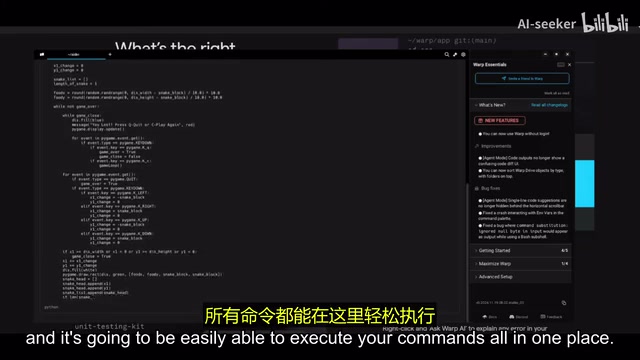
Agent Mode: An AI Agent Inside Your Terminal
Natural Language-Driven Command Execution
Agent Mode is Warp's most core differentiating feature. Behind it lies the rapidly evolving "AI Agent" technology paradigm—unlike traditional single-turn Q&A AI, Agent Mode gives AI the ability to plan, act, observe, and reflect in a continuous loop (Plan-Act-Observe-Reflect). In the terminal context, AI doesn't just translate a single command; it can decompose complex tasks, execute multi-step operations sequentially, and dynamically adjust subsequent steps based on intermediate results. This is closely related to underlying capabilities like OpenAI's Function Calling and Anthropic's Tool Use—the execution result of each command is fed back to the model as the basis for the next decision, forming a complete feedback loop.
When the terminal detects that your input is natural language rather than a command, it automatically activates AI agent mode. Press Ctrl + I to enter Agent Mode. For example, you can directly type "clone a certain repository from GitHub and install dependencies," and the AI will automatically execute git clone, enter the directory, create a virtual environment, install requirements, and perform a series of other operations.
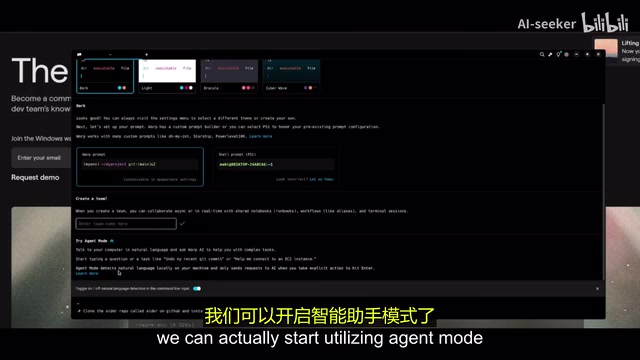
Human-AI Collaboration Safety Mechanism
You might not have noticed, but Warp retains a "Human in the Loop" mechanism in Agent Mode—this is one of the core design principles in AI safety, becoming increasingly critical in highly automated systems. In the terminal context, a single erroneous rm -rf command could cause irreversible data loss, and a mistaken sudo operation could compromise system security. The HITL mechanism requires AI to pause and wait for human confirmation before executing any operation with side effects, constraining AI's "autonomy" within the boundaries of human oversight. Every command generated by AI requires your confirmation before execution. You can review the AI's execution plan step by step, ensuring each step meets expectations—this is especially important for system-level operations, and represents the pragmatic balance Warp has found between automation efficiency and operational safety.
Intelligent Debugging Capabilities
When a command execution fails, you can right-click on the error output block and "attach it to Agent Mode as context." Thanks to block-based navigation's precise identification of command boundaries, the system can accurately locate which output belongs to which command, avoiding context confusion. Then simply tell the AI "I encountered this problem, help me fix it," and it can analyze the error cause and provide a fix. In testing, a file path error was located and fixed by AI within seconds.
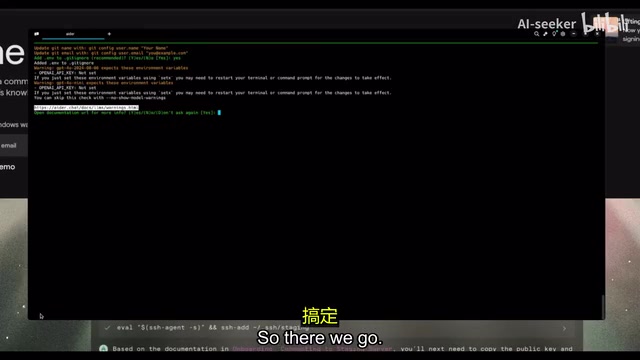
Warp Drive: A Knowledge Base for Team Collaboration
Warp Drive is a built-in private secure knowledge base designed specifically for team collaboration. Developers can upload and share Runbooks, commonly used command sets, workflow documentation, and other resources, allowing team members to access this knowledge directly within the terminal.
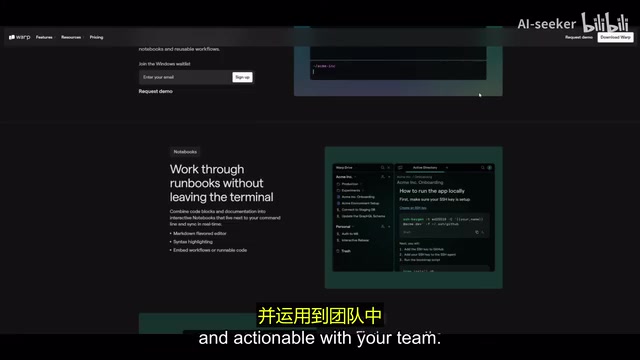
Runbooks are standard practice documents in DevOps and SRE (Site Reliability Engineering), recording step-by-step guides for service deployment, database migration, incident response, and other operations. Traditional Runbooks exist as Confluence pages or Markdown files, completely separated from the actual execution environment, requiring engineers to constantly switch between documentation and terminal. Warp Drive integrates Runbooks with executable commands in the same interface, implementing the philosophy of "Docs as Code" and "executable documentation"—allowing narrative text and runnable commands to coexist, eliminating the two major pain points of "outdated documentation" and "lost execution context."
This feature solves a long-standing pain point: new team members need significant time to familiarize themselves with the team's command-line workflows. Through Warp Drive, documentation and executable commands are integrated in the same environment, dramatically reducing the friction cost of knowledge transfer.
Three Shortcuts Cover 90% of Terminal Operations
Warp condenses its most commonly used features into three shortcuts:
| Shortcut | Function | Description |
|---|---|---|
Ctrl + I | Agent Mode | Natural language queries, AI autonomously executes commands |
Ctrl + R | Command Search | Search history commands, workflows, AI suggestions |
Ctrl + Shift + P | Command Palette | Quick access to workflows and system commands |
These three entry points cover over 90% of terminal operation scenarios in daily development, with an extremely low learning curve.
Installation and Platform Support
Warp currently natively supports macOS and Linux. Windows users can use it through WSL (Windows Subsystem for Linux). WSL2 is not a simple system call translation layer—it runs a real Linux kernel in a Hyper-V lightweight virtual machine, allowing Linux binaries to run at near-native performance—this is the technical foundation that enables Warp to run fully on Windows. However, forwarding the graphical interface through WSLg introduces some latency overhead, which is why the official team lists macOS and Linux as "natively supported" platforms.
- Run
wsl --installin PowerShell to install WSL - Install an Ubuntu distribution
- Install Warp's deb package in WSL via
sudo apt install - Run the Warp terminal command to launch the application
On first launch, you'll need to register a free account, after which you can choose a theme (dark/light), configure prompt styles, and create a team to invite collaborators.
How Warp Differs from Cursor and Other AI Programming Tools
Comparing Warp with Cursor, V0, and Bolt, they actually solve problems at different levels. Cursor is an AI-enhanced code editor, V0 and Bolt focus on UI/full-stack application generation, while Warp focuses specifically on command-line interaction—a long-neglected area.
In actual development, terminal operations consume a significant amount of time—environment configuration, dependency installation, service deployment, log debugging. Warp's value lies in making these operations that originally required precise syntax as simple as having a conversation. It's not meant to replace Cursor, but rather to complete the missing piece in the AI programming toolchain.
Conclusion
Warp represents an important direction in terminal tool evolution: from "memorizing commands" to "describing intent." The high-performance foundation provided by Rust, the interaction innovation of block-based navigation, Agent Mode's AI agent capabilities, the safety guarantees of the HITL mechanism, and Warp Drive's team knowledge management—these designs together constitute a new terminal paradigm for the AI era. For developers who frequently work with the command line, its Agent Mode, intelligent suggestions, and team collaboration features can indeed bring significant efficiency improvements. The free pricing strategy also lowers the barrier to trying it out. If you're still using a traditional terminal, Warp is worth a try.
Related articles
 Product Reviews
Qoder vs Cursor Real-World Comparison: Which $20/Month AI IDE Is Better?
Hands-on comparison of Qoder vs Cursor AI IDEs: Agent autonomy, human interaction count, and architecture decisions. Qoder needed only 2 interactions vs Cursor's 8.
 Product Reviews
Cursor Cloud Agent Demo: Eliminating Bottlenecks Across the Entire Software Development Lifecycle
Deep analysis of Cursor's Cloud Agent demo showing how cloud VMs, automated test artifacts, and a full-chain control plane systematically eliminate human bottlenecks across the software development lifecycle.
 Product Reviews
Cursor 3.0 Deep Dive: Multi-Agent Parallelism, Design Mode, and Best-of-N Model Comparison
Cursor 3.0 evolves from an AI coding assistant into an Agent fleet command center. Explore multi-agent parallelism, Design Mode, and Best-of-N model comparison.