Windsurf AI Game Development Test: Worst Performer Among Four Tools
Windsurf AI Game Development Test: Wor…
Windsurf AI ranks last among four tools tested for game development, plagued by timeouts and poor code quality.
In the fourth episode of Tang Laoshi's AI game development series, Windsurf was tested for building a 2D Super Mario game. The results were disappointing: frequent response timeouts, poor code quality, extensive manual work required, and nearly 50 minutes to produce a barely functional build still plagued by movement stuttering and collision issues. Compared horizontally with ChatGPT Codex, GitHub Copilot, and DeepSeek, Windsurf ranked last in speed, quality, and results. The article concludes that AI cannot yet replace programmers and should be positioned as an assistive tool rather than a replacement.
Introduction: The Fourth Episode of the AI Game Development Series
Tang Laoshi's "Game Development with AI" live stream series has reached its fourth episode. Previous episodes used DeepSeek, ChatGPT Codex, and GitHub Copilot to build a 2D Super Mario game. This time, the spotlight is on Windsurf—a development tool that claims to specialize in AI programming. However, the results were shockingly disappointing.
What Is Windsurf? How Does It Differ from Other AI Coding Tools?
Company Background
Windsurf was developed by a US company founded in 2021, focusing on AI programming and AI development tools. Unlike the previously tested DeepSeek (a pure language model), ChatGPT (a comprehensive AI platform), and GitHub (code hosting + AI assistant), Windsurf is the only tool in this series that specializes exclusively in AI programming.
In fact, Windsurf's predecessor was Codeium—an AI company that originally started as a code completion tool. Founded in 2021, Codeium's early product was positioned as a free alternative to GitHub Copilot, offering basic code auto-completion. In late 2024, Codeium rebranded its product as Windsurf, upgrading from a simple code completion tool to a full-featured AI programming IDE, aiming to compete directly with popular rivals like Cursor. Notably, in early 2025, OpenAI announced the acquisition of Windsurf/Codeium for approximately $3 billion—a deal that reflects AI giants' emphasis on the programming tools space and sparked widespread industry discussion about consolidation trends in AI coding tools. Windsurf's core selling point is its "Cascade" agent mode, which claims to deeply understand project context and autonomously execute multi-step programming tasks.
Two Ways to Use It
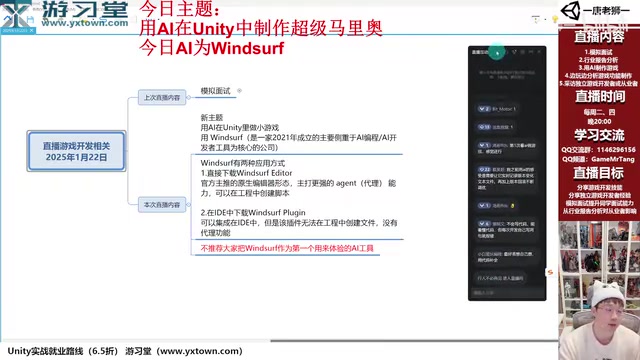
Windsurf offers two usage modes:
- Standalone Client: Requires downloading an installer. Once installed, it resembles a VS Code editor and supports agent functionality (can automatically create files)
- VS Code Plugin: Integrated into the IDE, but functions only as a pure chat tool without agent capabilities
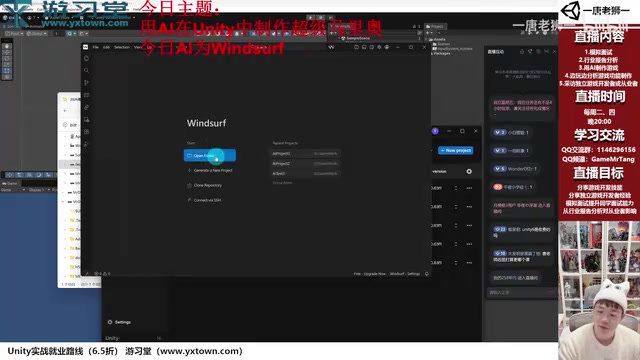
The "agent functionality" mentioned here is the core differentiating capability of current AI programming tools, and the key dividing line between a "chat assistant" and an "AI programming partner." Traditional AI coding assistants can only generate code snippets in a dialog box, requiring users to manually copy and paste them into their projects. In agent mode, the AI can directly manipulate the file system—creating, modifying, and deleting files, executing terminal commands, and even running tests and automatically fixing issues based on results. This capability relies on deep integration with the IDE, requiring file read/write permissions and terminal execution permissions. Cursor, Windsurf, and GitHub Copilot's Agent mode all fall into this category. The advantage of agent mode is dramatically reducing manual operations; the downside is that if the AI makes a wrong judgment, it can cause destructive modifications to the project, which is why diff previews and undo mechanisms are typically provided.
To use the full agent functionality (automatically creating script files), you must download the standalone client. This adds an extra installation step compared to ChatGPT and GitHub's solutions, raising the barrier to entry slightly.
The Testing Process: An Hour of Pain
Getting Started: Frequent Timeouts and Errors
After creating an empty Unity project and linking the project folder to the Windsurf client, I began conversational development. The initial prompt was simple: "My project is a Unity project. I'd like you to help me create a 2D Super Mario game, using Unity's 2D shapes to represent game objects."
Windsurf started creating scripts, including a player controller, ground generator, enemy controller, game manager, camera controller, and level generator—6 scripts total. But problems appeared immediately:
- Slow response times: Multiple timeouts requiring clicks on "Continue"
- Namespace errors: Generated code missing necessary using references
- Extensive manual work required: Generated a readme document asking users to manually create objects and attach scripts in Unity
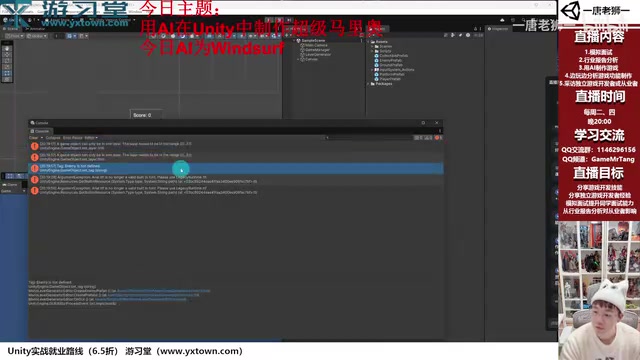
The timeout issues likely relate to Windsurf's backend architecture. When AI programming tools execute agent tasks, they need multiple rounds of inference on the server side: first analyzing project structure, then planning task steps, then progressively generating code and verifying consistency. This process consumes far more computational resources than simple single-turn conversations. For startups experiencing rapid user growth but insufficient computing reserves, service stability is often the first weakness to be exposed.
Mid-Stage: Repeated Struggles with Editor Tools
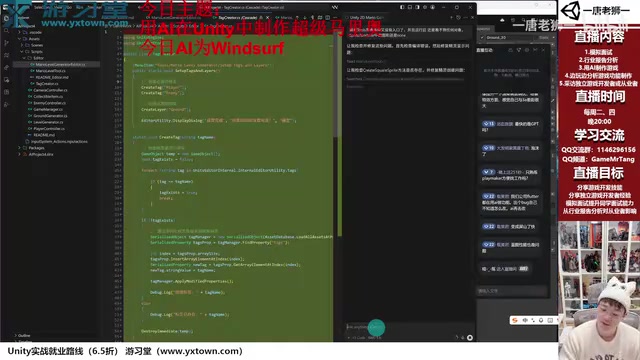
To reduce manual operations, I asked Windsurf to create an editor tool for one-click level generation. It did create an editor script, but:
- The editor tool disappeared after generating errors
- Fixing one problem introduced new ones
- Tag and Layer creation functionality repeatedly failed
- It took nearly 40 minutes of back-and-forth before producing a runnable version
Notably, Windsurf was the first AI in this series to attempt dynamically creating Tags and Layers through code (previous tools all asked users to create them manually). This counts as a highlight, but the execution quality was poor.
Here's why dynamic Tag and Layer creation is so difficult. Unity's Tag and Layer system is stored in the project's serialized configuration file (TagManager.asset), not in data that can be freely modified at runtime. Dynamically creating Tags and Layers through code requires using Unity Editor's SerializedObject API to modify this configuration file, which involves deep understanding of Unity's internal serialization mechanism. Specifically, you need to load the TagManager through AssetDatabase, then manipulate SerializedProperty to add new entries. This operation can only be executed in editor mode, and the internal data structure may vary across Unity versions. The AI has limited exposure to relevant code samples in its training data, and combined with version compatibility issues, this explains why generated code tends to repeatedly fail at this step. Windsurf's willingness to attempt this approach shows its planning capability has some merit, but the code quality at the execution level couldn't keep up.
Final Result: Barely Runnable with Many Issues
After nearly 50 minutes of repeated modifications, the game finally displayed something on screen. But obvious problems remained after running:
- Movement stuttering: The player couldn't advance after moving right a certain distance, seemingly getting stuck on the ground
- Collision detection anomalies: Horizontal collision with enemies didn't trigger death
- No reset after death: The game didn't properly restart after falling off the platform
- Physics material issues: Even after providing the hint "check physics materials," the fix was still unsatisfactory
Most of these problems relate to details of Unity's 2D physics system. "Getting stuck on the ground" typically occurs because when multiple BoxCollider2D components are joined together, the character's collider gets caught at the seams—the industry-standard solution is to use CompositeCollider2D to merge ground colliders, or use CircleCollider2D/CapsuleCollider2D as the character's bottom collider. Collision detection anomalies likely stem from incorrect collision direction judgment logic; the correct approach is to use the normal direction of collision points to distinguish between "stomping" and "horizontal collision." These are classic problems in Unity 2D platformer development that experienced developers can quickly identify, but AI struggles to discover autonomously without specific runtime feedback.
Horizontal Comparison: Performance Summary of Four AI Coding Tools
| AI Tool | Generation Speed | Code Quality | Final Result | Barrier to Entry | Cost |
|---|---|---|---|---|---|
| DeepSeek | Fast | Good | Runnable | Requires copy-paste | Free |
| ChatGPT Codex | Fastest | Good | Best | Low | Paid + VPN required |
| GitHub Copilot | Fast | Good | Good | Low | Partially free |
| Windsurf | Slow | Poor | Barely works | Medium | Free for individuals |
Understanding this difference from a technical architecture perspective: ChatGPT Codex is powered by OpenAI's latest models, with massive code training data and powerful reasoning capabilities; GitHub Copilot is also based on OpenAI's models and has billions of lines of open-source code from GitHub as training corpus; DeepSeek, while a Chinese-developed model, performs excellently in code capabilities across multiple benchmarks. Windsurf, as an IDE-level product, has a generational gap in underlying model capability and training data scale compared to these giants—a gap that gets fully amplified in complex game development tasks.
Deeper Reflections: The Current State and Limitations of AI Coding Tools
AI Cannot Replace Programmers
After four episodes of testing, one conclusion is crystal clear: AI currently cannot replace game programmers. Even the best-performing ChatGPT Codex requires developers with professional knowledge to guide and correct it. For example, the issue in this episode where "SpriteRenderer has no default shape associated"—only someone who understands Unity development can accurately identify and describe this to the AI.
The technical essence of this problem is: the SpriteRenderer component is responsible for rendering 2D sprites on screen, but it doesn't contain any default graphics—a Sprite resource must be manually specified. When AI tries to create visual objects through pure code without assigning a value to the sprite property, the object will be completely invisible in the scene (though it logically exists). Solutions typically involve using Unity's built-in default sprites (such as "Knob" or "Background," loadable via Resources), or dynamically generating solid-color sprites through Texture2D.SetPixels and converting them to Sprites. These engine-specific implicit constraints are where AI programming most easily makes mistakes, because they're usually not prominently documented in official documentation but scattered across community forums and developers' accumulated experience.
The Importance of "Feeding Data"
Letting AI freestyle from scratch generally yields poor results. AI needs project context—your framework code, coding standards, existing logic—to produce code that meets requirements. Not feeding data is like asking a new employee to start working without any documentation or guidance.
The technical root of this problem lies in the context window limitations of large language models. Current mainstream models have context windows ranging from 128K to 200K tokens, which seems large, but a medium-sized Unity project might contain hundreds of script files with total code volume far exceeding this limit. AI programming tools solve this through RAG (Retrieval-Augmented Generation) technology—they build vector indexes of project files and retrieve the most relevant code snippets to place in the context window when users ask questions. Different tools vary enormously in index quality, retrieval strategies, and context organization methods, directly affecting the AI's depth of understanding of overall project structure. When a project starts from zero with no existing code, the AI loses its most important reference anchor and can only rely on generic patterns from training data, naturally producing code that lacks specificity.
The AI Tools Market Under a Capital Bubble
The current AI landscape resembles the metaverse and new energy hype of previous years, with massive numbers of companies flooding the market. Many startups enter quickly through funding and acquisitions, but product quality varies wildly. Windsurf, as a company founded in 2021 that pivoted to AI programming from other areas, lacks deep data accumulation and computing power support, which ultimately manifests in the product experience gap.
Looking at industry data, between 2023-2025, over 50 startups entered the AI coding tools space with total funding exceeding tens of billions of dollars. But products that can truly provide differentiated value are few and far between. The core reason is that an AI coding tool's competitiveness depends on three elements: underlying model capability (requiring billions of dollars in training investment), quality and scale of code training data (GitHub has a natural monopoly advantage), and engineering implementation details (requiring extensive real user feedback iteration). Small companies face enormous disadvantages across all three dimensions, and many products are essentially thin wrappers on top of large model APIs without genuine technical moats. OpenAI's acquisition of Windsurf also suggests from the sidelines that the long-term survival space for independent AI coding tool companies is being squeezed by tech giants.
Conclusions and Recommendations
Windsurf is not recommended as a primary AI coding tool. Under equivalent "beginner-friendly" usage conditions, its performance clearly lags behind ChatGPT Codex, GitHub Copilot, and even the free DeepSeek.
If you want to experience AI-assisted game development, here's the recommended priority:
- ChatGPT Codex (Best results, but requires payment + VPN)
- GitHub Copilot (VS Code/VS 2026 integration, partially free)
- DeepSeek (Free, but requires manual copy-paste)
The most important point: AI is a tool for improving efficiency, not a worker that replaces labor. During the learning phase, write code yourself. Consider using AI for efficiency gains during the working phase—provided you've already fully mastered the development workflow.
For game developers, the most suitable use case for AI coding tools isn't generating complete projects from scratch, but rather implementing localized features on an existing codebase, code refactoring, bug fixing, and boilerplate code generation. Positioning AI as an "advanced auto-complete + code review assistant" rather than an "automatic programming machine" will yield the best return on investment.
Related articles
 Product Reviews
Qoder vs Cursor Real-World Comparison: Which $20/Month AI IDE Is Better?
Hands-on comparison of Qoder vs Cursor AI IDEs: Agent autonomy, human interaction count, and architecture decisions. Qoder needed only 2 interactions vs Cursor's 8.
 Product Reviews
Cursor Cloud Agent Demo: Eliminating Bottlenecks Across the Entire Software Development Lifecycle
Deep analysis of Cursor's Cloud Agent demo showing how cloud VMs, automated test artifacts, and a full-chain control plane systematically eliminate human bottlenecks across the software development lifecycle.
 Product Reviews
Cursor 3.0 Deep Dive: Multi-Agent Parallelism, Design Mode, and Best-of-N Model Comparison
Cursor 3.0 evolves from an AI coding assistant into an Agent fleet command center. Explore multi-agent parallelism, Design Mode, and Best-of-N model comparison.