Zed Editor Lands on Windows: An In-Depth Look at This Free AI Code Editor
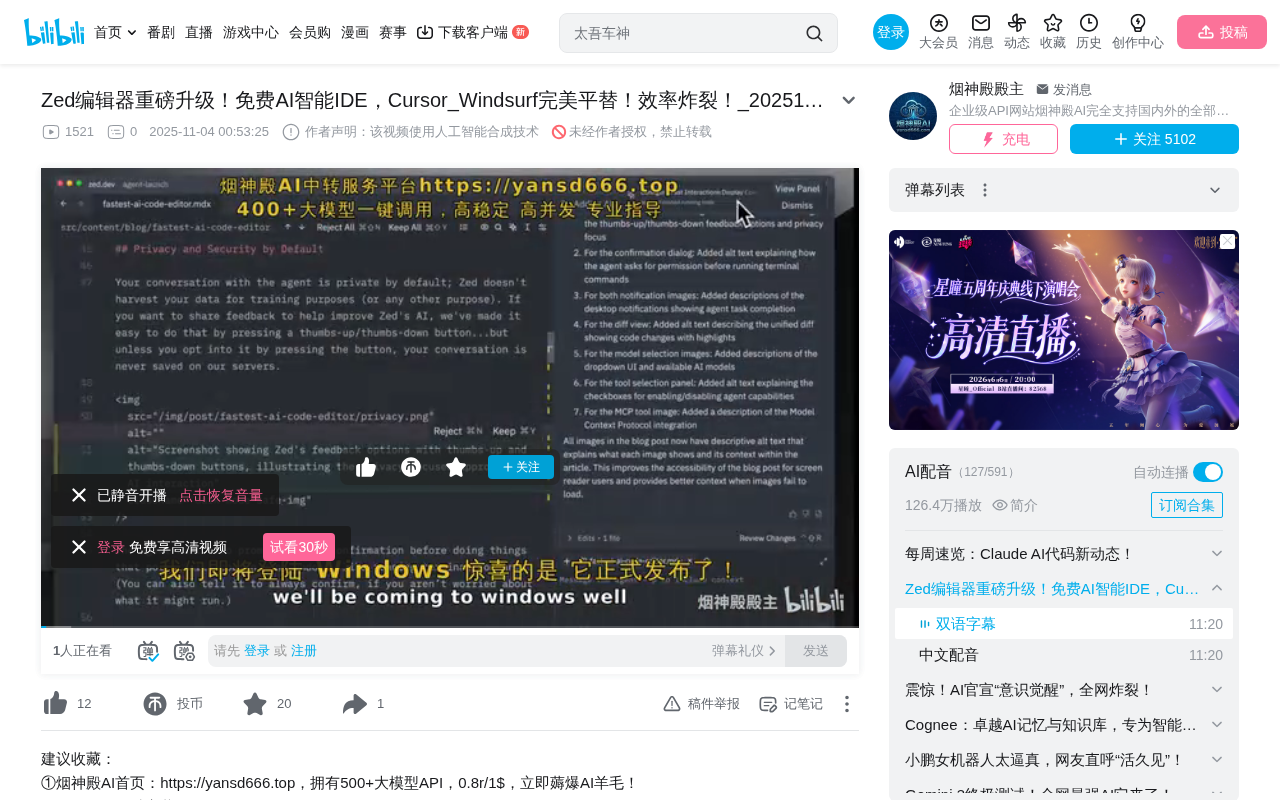
Rust-built AI code editor Zed officially launches on Windows with free AI programming features
Zed is a high-performance AI code editor built from scratch in Rust, now officially supporting Windows. It achieves extreme rendering performance through its custom GPU-accelerated GPUI framework and deeply integrates three major AI Agents—Cloud Code (Claude Code), Gemini CLI, and Codex—providing a free intelligent programming environment. Compared to Cursor and Windsurf, Zed also offers a native debugger, CRDT real-time collaboration, and open ACP/MCP protocol support, making it ideal for developers seeking performance and zero-cost AI programming.
Zed Finally Arrives on Windows
Zed, the next-generation AI code editor built with Rust, has officially landed on Windows. Known for its extreme performance as a lightweight IDE, Zed not only delivers lightning-fast responsiveness but also comes with built-in integrations for Cloud Code, Gemini CLI, and Codex—providing developers with a completely free intelligent programming environment.
For developers who have been searching for alternatives to Cursor or Windsurf, this update from Zed is definitely worth paying attention to. Cursor is an AI editor built on a VS Code fork, renowned for its powerful code completion and conversational programming capabilities, but it uses a subscription pricing model ($20/month for Pro). Windsurf (formerly Codeium) positions itself as an "AI Flow" editor, emphasizing continuous AI-assisted workflows. In contrast, Zed has taken a completely different technical approach—built from scratch in Rust with a free AI functionality tier—carving out a unique niche in the increasingly crowded AI editor space.
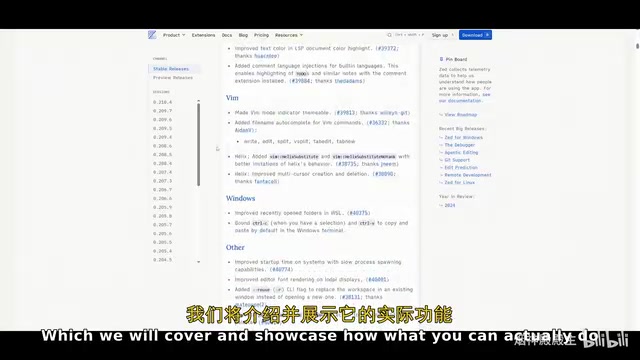
Zed's Core Strengths: Performance Meets Deep AI Integration
Extreme Performance Through Rust
Built from the ground up in Rust, Zed has an inherent advantage in performance and responsiveness. Rust is a systems-level programming language developed by Mozilla, with a core design philosophy of "zero-cost abstractions"—meaning high-level language features incur no runtime performance overhead. Unlike C/C++, Rust eliminates memory safety issues at compile time through its Ownership System and Borrow Checker, without requiring a garbage collector (GC). This means Zed won't experience the micro-stutters caused by GC pauses that plague Electron-based editors like VS Code.
More specifically, the Zed team developed a custom GPU-accelerated UI framework called GPUI that renders the interface directly on the GPU rather than relying on traditional CPU rasterization paths. Official figures show rendering speeds of 1 million pixels per millisecond—virtually unmatched in the code editor space. For comparison, VS Code's Chromium-based rendering pipeline, while feature-rich, often underperforms during large file scrolling and on high-refresh-rate displays. In practice, whether it's file opening speed, code scrolling smoothness, or large project loading efficiency, Zed noticeably outperforms mainstream IDEs like VS Code.
Built-in AI Agent Ecosystem
Zed's most compelling feature is its deeply integrated AI capabilities:
-
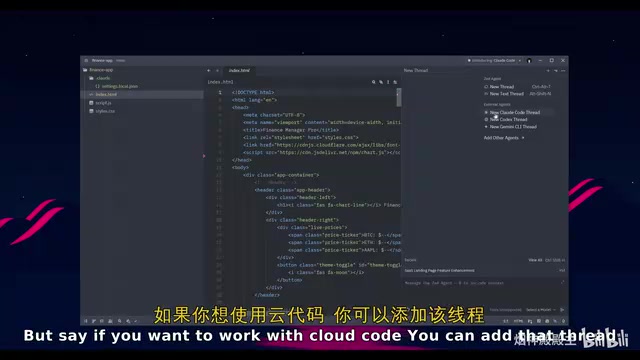
Cloud Code Integration: Cloud Code is essentially the cloud-hosted version of Anthropic's Claude Code—a programming Agent based on the Claude large language model that can understand the context of an entire codebase. Within Zed, developers can generate, refactor, and review code directly in the editor without switching windows. Claude Code has earned extremely high praise in the developer community for its excellent code comprehension and multi-step reasoning abilities.
-
Gemini CLI Integration: Gemini CLI is Google's command-line AI tool based on the Gemini 2.5 series models. It can not only code but also orchestrate workflows, run tools, pull extensions, and provide real-time documentation context. Gemini CLI's unique advantage is its 1-million-token ultra-long context window, enabling it to understand the full picture of large codebases at once—performing particularly well on complex tasks like cross-file refactoring.
-
Codex Integration: The Codex here refers to OpenAI's new-generation programming Agent launched in 2025 (based on the codex-mini model, distinct from the earlier Codex code completion model). As the most requested Agent, it has been fully integrated into Zed. Thanks to Zed's lightweight runtime environment, Codex's response latency and resource usage are kept extremely low, delivering remarkably smooth performance.
Notably, Gemini CLI offers a free tier (60 requests per minute, 1,000 requests per day), allowing users to experience full AI-assisted programming at zero cost. This is extremely attractive for individual developers and students.
Installation and Basic Configuration Guide
Cross-Platform Support
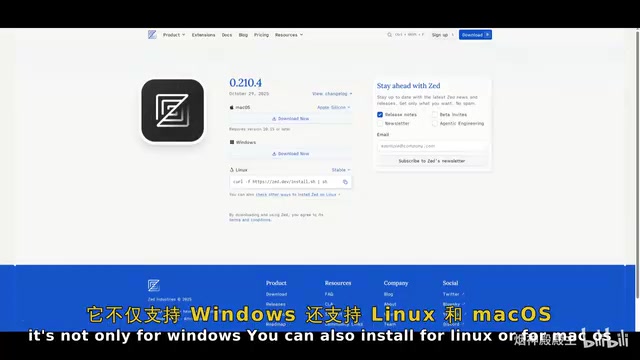
Zed currently supports three major operating systems:
- Windows (newly supported)
- Linux
- macOS
Zed was initially open-sourced on macOS in January 2024, then expanded to Linux. The absence of a Windows version had been one of the community's biggest requests, since Windows remains the most widely used operating system among developers globally (according to Stack Overflow's 2024 Developer Survey, approximately 62% of developers use Windows as their primary development environment). The official release of the Windows version means Zed can finally reach its largest potential user base.
The installation process is very straightforward—Windows users simply need to download the .exe installer to complete deployment. On first launch, Zed supports importing settings from VS Code (including themes, keybindings, and installed extension mappings), significantly reducing migration costs.
Interface Layout Overview
The left side of the editor consolidates project management features:
- Project Panel: Supports cloning projects directly from GitHub
- Git Panel: Manages all Git repositories and tracks file changes
- Code Outline: Quickly browse overall code structure
- Collaboration Panel: Supports real-time collaborative editing, voice calls, and shared notes. Zed's real-time collaboration uses the CRDT (Conflict-free Replicated Data Type) algorithm—a distributed data structure that automatically resolves conflicts when multiple people edit the same file simultaneously without requiring central server coordination. The experience is similar to Google Docs but optimized specifically for code editing.
- Global Search: Supports path filtering, find-and-replace, and other advanced features
The right side houses the AI functionality area, including the Agent panel and entry points for various AI tools.
AI Agent in Action: Building a Data Dashboard in Two Minutes
From Prompt to Complete Project
In a practical demonstration, by issuing an instruction to the Cloud Code Agent—"Create an interactive data dashboard that visualizes and summarizes uploaded Excel spreadsheet content, including key metrics, charts, and filters"—the Agent completed the entire project build in approximately two minutes.
This process showcases the "agentic coding" capability of modern AI Agents—the Agent doesn't just generate code snippets but completes the entire workflow from project initialization, dependency installation, file creation, to code writing, much like a junior developer would. It autonomously decides which libraries to use (such as pandas for data processing, plotly for chart generation), how to organize the file structure, and how to handle edge cases.
The final deliverable includes:
- Data loading functionality (supporting both sample data and custom Excel files)
- Data overview (total rows, total columns, numeric columns, text columns)
- Multi-dimensional filtering (filter by ID, name, category, and other columns)
- Multiple visualization charts (bar charts, line charts, pie charts)
A particularly useful feature is the "Follow Agent" button—clicking it lets you track the Agent's read and edit operations across files in real time, giving developers complete visibility into the AI's work process. This transparency design is crucial for building developer trust in AI-generated code—you can see every decision the Agent makes rather than facing a black-box output.
Agent Client Protocol and Extensibility
Zed is built on the Agent Client Protocol (ACP) and supports connecting external Agents. ACP is an open protocol standard proposed by the Zed team, designed to define communication specifications between AI Agents and code editors. Similar to how LSP (Language Server Protocol) defined a unified interface for language servers, ACP aims to establish a universal interaction layer for AI Agents. This means any AI Agent that follows the ACP specification can seamlessly integrate with Zed, regardless of the specific model provider.
Users can add custom MCP servers through JSON configuration files. MCP (Model Context Protocol) is an open protocol launched by Anthropic in late 2024 that defines a standard way for AI models to interact with external tools and data sources. Through MCP, AI Agents can access databases, call APIs, read file systems, and more—greatly expanding their capability boundaries. For example, you could configure an MCP server connected to Jira, allowing the AI Agent to directly read and update task statuses while coding.
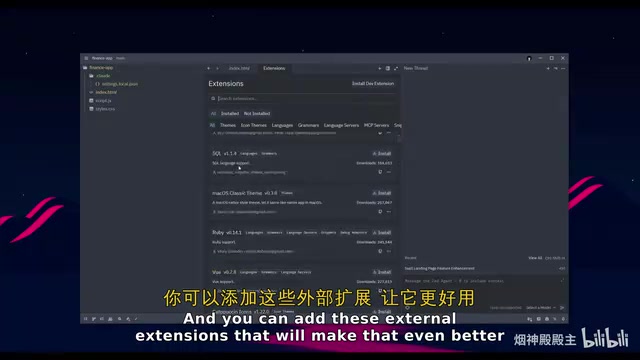
Users can also install various enhancement plugins through the extension store to further expand the editor's capabilities.
Native Debugger: Zed's Differentiating Competitive Edge
Unlike competitors such as Cursor and Windsurf, Zed includes a native debugger—one of its most significant differentiating features. Most AI editors (including Cursor and Windsurf) rely on VS Code's debugging extension ecosystem, while Zed chose to implement its own debugger frontend from scratch based on DAP (Debug Adapter Protocol). DAP is an abstract protocol defined by Microsoft that decouples the debugger's frontend UI from its backend implementation, allowing a single debugger frontend to support debugging backends for multiple languages. Zed's native implementation means the debugging experience can be deeply integrated with the editor's GPU-accelerated rendering pipeline, providing smoother breakpoint-hit animations and variable displays.
The debugger supports:
- Breakpoint Setting: Add breakpoints directly at suspicious code locations
- Step Execution: Trace code logic line by line (Step Over, Step Into, Step Out)
- Variable Inspection: View variable states in real time, with support for expanding complex data structures
- Execution Flow Tracing: Track code execution paths, including complete call stack views
- Multi-language Support: Covers multiple mainstream programming languages (Python, JavaScript/TypeScript, Rust, Go, C/C++, etc.)
More critically, the debugger works in deep coordination with AI Agents—when errors are found, breakpoint information, variable states, and call stacks can be passed to the AI Agent for automatic analysis and fixes. This "debug-diagnose-fix" closed-loop workflow typically requires manual copy-pasting of error messages in other AI editors, but Zed automates it. Additionally, the new remote browser debugger supports debugging web applications in SSH or WSL (Windows Subsystem for Linux) environments, launching Chrome directly on the local machine for remote debugging—particularly useful for developers using containerized development environments or remote servers.
Other Notable Feature Updates
- Stash Viewing: Support for viewing stashed work content (Git stash is a mechanism for temporarily saving unfinished work), making version control smoother
- Markdown Table Enhancements: Support for HTML table colspan and rowspan preview
- Edit Predictions: Machine learning-based intelligent prediction of next editing operations (similar to GitHub Copilot's inline completions but extended to the editing action level), boosting coding efficiency
- Multi-buffer Editing: Edit multiple file fragments simultaneously, similar to aggregating related code segments from multiple files into a single view for batch modifications
- Interactive Programming Environment: Built-in REPL (Read-Eval-Print Loop) interactive programming support, allowing developers to execute code snippets and view results directly within the editor—particularly suited for data science and rapid prototyping scenarios
Conclusion: Who Is Zed Best Suited For?
As a free AI code editor, Zed demonstrates strong competitiveness in performance, AI integration depth, and development experience. For developers currently using Cursor or Windsurf, Zed offers a zero-cost alternative, particularly well-suited for the following scenarios:
- Performance Enthusiasts: Developers with extremely high demands for editor responsiveness, especially those working with large codebases (hundreds of thousands of lines or more) or using high-refresh-rate displays
- Team Collaboration: Project teams requiring real-time collaborative editing—Zed's CRDT collaboration engine provides near-local-editing low-latency experiences
- Zero-Cost AI Programming: Individual developers who want to experience AI-assisted programming for free—full Agent capabilities are available through Gemini CLI's free tier
- Full-Stack Debugging Needs: Full-stack developers who need native debugging support, particularly those tired of switching back and forth between their editor and external debugging tools
As a relatively young editor (only open-sourced in January 2024), Zed's plugin ecosystem and community size are still growing—its extension store currently has far fewer plugins than VS Code Marketplace's tens of thousands of extensions. However, its technical direction and momentum are worth continued attention, especially the Zed team's relentless pursuit of performance and embrace of open protocols (ACP, MCP), which give it the potential to become an important player in next-generation development tools. If you have high standards for editor performance and AI programming experience, it's well worth downloading and giving it a try.
Related articles
 Product Reviews
Qoder vs Cursor Real-World Comparison: Which $20/Month AI IDE Is Better?
Hands-on comparison of Qoder vs Cursor AI IDEs: Agent autonomy, human interaction count, and architecture decisions. Qoder needed only 2 interactions vs Cursor's 8.
 Product Reviews
Cursor Cloud Agent Demo: Eliminating Bottlenecks Across the Entire Software Development Lifecycle
Deep analysis of Cursor's Cloud Agent demo showing how cloud VMs, automated test artifacts, and a full-chain control plane systematically eliminate human bottlenecks across the software development lifecycle.
 Product Reviews
Cursor 3.0 Deep Dive: Multi-Agent Parallelism, Design Mode, and Best-of-N Model Comparison
Cursor 3.0 evolves from an AI coding assistant into an Agent fleet command center. Explore multi-agent parallelism, Design Mode, and Best-of-N model comparison.