Zed Editor Officially Lands on Windows: A Free, Open-Source AI IDE Alternative

Zed launches on Windows, challenging paid IDEs like Cursor with Rust performance and free AI integration
Zed is a free, open-source AI code editor built in Rust that has officially released its Windows version for full cross-platform coverage. Using its custom GPUI framework for direct GPU rendering, it far outperforms Electron-based competitors like Cursor and Windsurf. Zed deeply integrates Cloud Code, Gemini CLI, and Codex AI agents, includes a native debugger, and supports ACP and MCP protocols for connecting external tools—offering a differentiated competitive edge through zero cost and extreme performance.
What Is Zed Editor and Why Should You Care?
Zed is a next-generation AI code editor built from the ground up in Rust, designed for high-performance collaboration between humans and artificial intelligence. Its core selling points are lightning-fast responsiveness and lightweight operation, delivering performance that far exceeds comparable products. Recently, Zed officially released its Windows version, meaning more developers can now experience this free, open-source IDE that's being viewed as an alternative to Cursor and Windsurf.

For developers who have been following the AI programming tools space, Zed's Windows release marks a significant milestone. Previously limited to macOS and Linux, it was inaccessible to a large number of Windows users. Now with full cross-platform coverage and a completely free pricing model, it holds a unique competitive advantage in the fiercely contested AI IDE market.
The current AI code editor market is essentially a three-way race: Cursor, developed by Anysphere, is built on a VS Code fork and offers Pro ($20/month) and Business ($40/month) tiers, known for its Tab completion and Composer multi-file editing features; Windsurf (formerly Codeium) is also based on VS Code, emphasizing its Cascade agent's autonomous programming capabilities, with pricing similar to Cursor. Both share a common trait—they rely on VS Code's Electron architecture and inherit its performance bottlenecks. Zed's strategy of building entirely from scratch means a thinner plugin ecosystem initially, but it has a structural advantage in performance ceiling. Its free and open-source positioning is also extremely attractive to price-sensitive independent developers and students.
Core Highlights: Ultimate Performance and Deep AI Integration
Rust-Powered Extreme Performance
Zed is built from the ground up in Rust, giving it exceptionally fast execution speed. Rust is a systems-level programming language initiated by Mozilla in 2010, with its core feature being memory safety without garbage collection. Traditional code editors like VS Code are based on the Electron framework (essentially a web application running inside a Chromium browser), meaning each window needs to load a complete browser runtime, with memory usage typically in the hundreds of MB or even GB range. Native applications written in Rust can interact directly with the operating system's GPU rendering pipeline, eliminating the overhead of JavaScript interpretation and DOM rendering. Zed uses its custom-built GPUI framework, which rasterizes UI elements directly through the GPU—this is the technical foundation behind its ability to achieve rendering speeds of one million pixels per millisecond.
Official data shows its rendering speed reaches 1 million pixels per millisecond, and in actual use it does feel significantly smoother than VS Code, Cursor, and similar IDEs. For developers working with large codebases, this performance difference becomes very noticeable in daily coding—file switching has virtually no delay, and search and navigation complete instantly.
Comprehensive AI Integration
What's most impressive about Zed is the depth of its AI integration:
- Cloud Code and Gemini CLI are built directly into the editor—no need to leave the editor to complete code generation and review
- Intelligent auto-completion and an AI chat panel are provided as standard features
- Codex integration is now officially live—one of the most requested AI agents
- Support for connecting external agents and MCP servers via Agent Client Protocol
Cloud Code is a cloud-based AI programming service from Google, providing code generation, explanation, and refactoring capabilities based on its Gemini large language model family. Gemini CLI is Google's command-line AI programming tool launched in 2025, allowing developers to interact with Gemini models directly in the terminal. Its free tier provides 60 requests per minute and 1,000 requests per day—quite generous for individual developers' daily use. Codex is OpenAI's code-specialized AI agent capable of autonomously executing multi-step programming tasks. The integration of all three makes Zed one of the few editors that simultaneously supports both Google and OpenAI's AI ecosystems.
You might not have noticed, but Gemini CLI offers a free tier, meaning users can experience full AI programming assistance at zero cost without paying a monthly fee like Cursor requires.
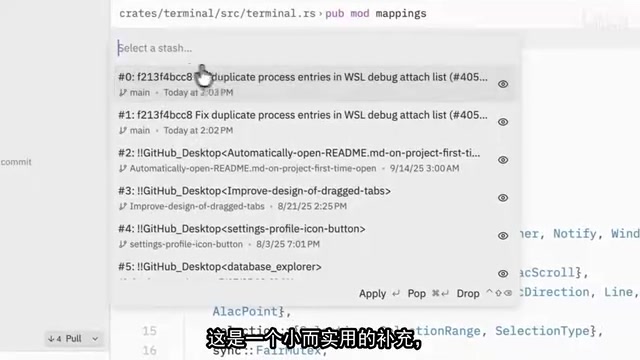
Feature Deep Dive: Far More Than Just a Code Editor
Native Debugger Support
Unlike many AI IDEs, Zed includes a native debugger with multi-language debugging support. Developers can set breakpoints, inspect variables, and trace code execution flow directly within the editor. Even more cleverly, when a bug is found, breakpoint information can be fed directly to the AI agent, letting it automatically analyze and resolve the issue.
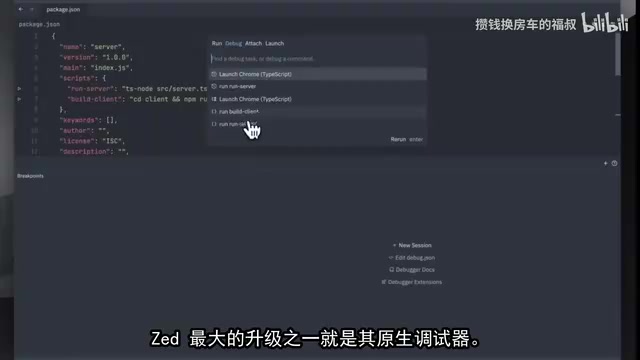
This combination of debugging and AI is uncommon among editors on the market today. It upgrades the debugging workflow from the traditional "find problem → manually fix" to "find problem → AI-assisted fix," significantly boosting development efficiency.
Team Collaboration and Version Control
Zed provides a complete collaboration feature set:
- Git Panel: Manage all Git repositories and view diffs for staged work
- Collaboration Panel: Log in via GitHub for real-time collaborative editing, voice communication, and shared notes
- Project Panel: Clone projects directly from GitHub and import them into your workspace with one click
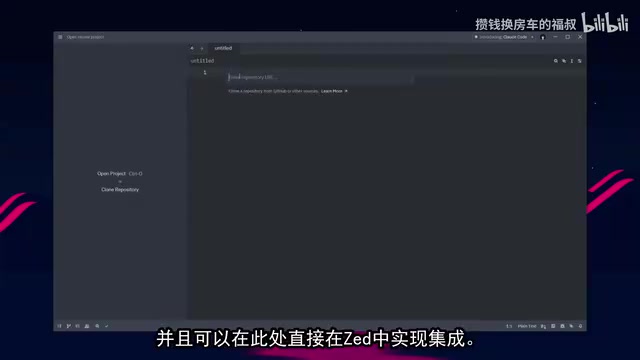
Remote Development Support
The new version adds a remote browser debugger that can debug web applications running in SSH or WSL directly through Chrome on your local machine, making remote development and deployment much smoother.
WSL (Windows Subsystem for Linux) is a Linux compatibility layer built into Windows 10/11 that allows developers to run Linux binaries directly in a Windows environment. Since many web applications run on Linux servers in production, developers frequently need to develop and debug in WSL or on remote SSH servers. Traditional approaches require configuring debugging tools separately in the remote environment or mapping remote services to localhost via port forwarding. Zed's remote browser debugger simplifies this workflow by connecting directly to web applications running in remote environments via the Chrome DevTools Protocol, eliminating the need for developers to manually configure complex network forwarding rules.
Live Demo: How the AI Agent Works
In a live demonstration, Zed's AI agent was given a task: generate an interactive data dashboard to visualize and summarize uploaded Excel spreadsheet content, including key metrics, charts, and filters.
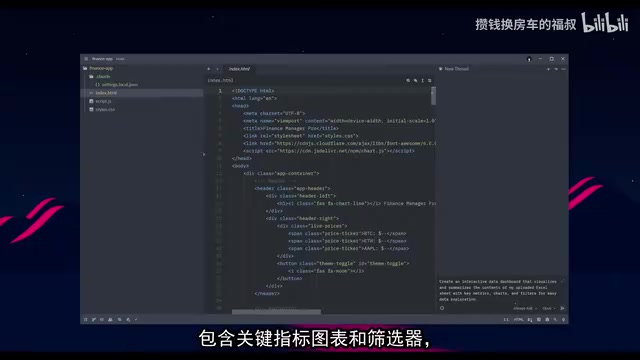
The entire process took about two minutes. The AI agent automatically executed terminal commands, created files, and wrote code. The resulting data dashboard supports:
- Data overview (total rows, total columns, numeric columns, text columns)
- Multi-dimensional filtering (by name, category, numeric values, etc.)
- Multiple chart types (bar charts, line charts, pie charts)
Developers can watch in real-time where the agent is reading and editing files, along with a live preview of the code being written—the entire process is transparent and controllable.
Extension Ecosystem and Customization
Zed supports installing third-party extensions through its extension store and allows configuring custom MCP servers via JSON files. Agent Client Protocol (ACP) is a protocol that enables standardized communication between external AI agents and the editor, defining interface specifications for how agents read files, execute commands, modify code, and more. MCP (Model Context Protocol) is an open standard introduced by Anthropic in late 2024, designed to provide AI models with a unified way to connect to external data sources and tools. MCP uses a client-server architecture where AI applications connect as clients to MCP servers, which provide access to databases, APIs, file systems, and other resources. Zed's support for both protocols means developers can integrate virtually any external tool or data source into the editor's AI workflow.
This open architectural design means developers can flexibly customize their development environment according to their own workflows.
Additionally, Markdown preview now supports rendering HTML-formatted tables and code blocks—a practical improvement for technical documentation writers.
Zed vs Cursor vs Windsurf: How to Choose
Zed's Windows release marks the editor's official entry into full cross-platform competition. Compared to paid products like Cursor and Windsurf, Zed's core competitive advantages are:
- Completely free and open-source—full functionality at zero cost
- Extreme performance built with Rust—especially suited for large-scale project development
- Native debugger—an important feature missing from many competitors
- Multi-agent integration—supporting mainstream AI models including Cloud Code, Gemini CLI, and Codex
Of course, as a relatively young product, Zed still needs time to build up its plugin ecosystem richness and community size. VS Code has over 40,000 extensions, while Zed's extension store currently has only a few hundred, with incomplete language and framework coverage. But for developers seeking performance and a free AI programming experience, Zed is undoubtedly one of the most worthwhile options to try right now.
Key Takeaways
- Zed Editor officially releases its Windows version, achieving full cross-platform coverage (Windows/macOS/Linux)
- Built with Rust using a custom GPUI framework that renders UI directly through the GPU at 1 million pixels per millisecond—far outperforming Electron-based IDEs
- Deeply integrates Cloud Code, Gemini CLI, and Codex AI agents, supporting both Google and OpenAI ecosystems simultaneously, with Gemini CLI offering a free tier
- Includes a native multi-language debugger with breakpoint support and AI-powered automatic error fixing
- Supports Agent Client Protocol and MCP servers for flexible integration of external agents and extensions
Related articles
 Product Reviews
Qoder vs Cursor Real-World Comparison: Which $20/Month AI IDE Is Better?
Hands-on comparison of Qoder vs Cursor AI IDEs: Agent autonomy, human interaction count, and architecture decisions. Qoder needed only 2 interactions vs Cursor's 8.
 Product Reviews
Cursor Cloud Agent Demo: Eliminating Bottlenecks Across the Entire Software Development Lifecycle
Deep analysis of Cursor's Cloud Agent demo showing how cloud VMs, automated test artifacts, and a full-chain control plane systematically eliminate human bottlenecks across the software development lifecycle.
 Product Reviews
Cursor 3.0 Deep Dive: Multi-Agent Parallelism, Design Mode, and Best-of-N Model Comparison
Cursor 3.0 evolves from an AI coding assistant into an Agent fleet command center. Explore multi-agent parallelism, Design Mode, and Best-of-N model comparison.