Zicoder Copilot: A Complete Guide to the Terminal AI Coding Assistant
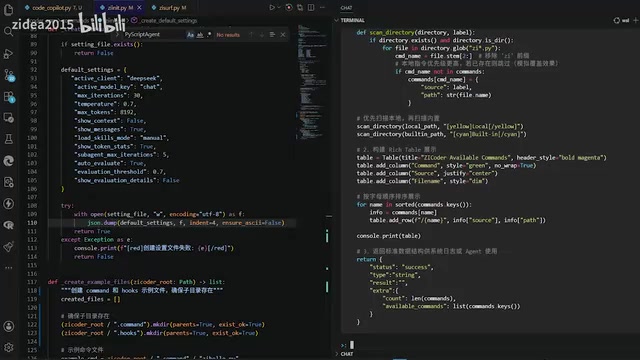
Zicoder Copilot is an open-source terminal agentic coding tool where AI leads coding and developers make decisions.
Zicoder Copilot is an open-source terminal AI coding tool inspired by L2 autonomous driving concepts, where AI handles primary coding operations while developers serve as supervisors and decision-makers. It manages code and context in the terminal through slash commands and shortcuts, aiming to deliver a Cursor-like programming experience for developers who prefer command-line workflows. The tool also features a bootstrapping characteristic — using itself to develop itself, creating a positive iterative cycle.
Overview
Zicoder is an open-source tool designed for next-generation agentic coding, and one of its core modules is Copilot. This module borrows the "co-pilot" concept from autonomous driving — AI handles the primary coding operations while the developer plays the role of decision-maker and supervisor. This article provides a detailed look at the feature design and practical usage experience of the Zicoder Copilot module.
What is Agentic Coding? Agentic Coding is a new programming paradigm that has emerged alongside the growing capabilities of large language models (LLMs). Unlike traditional AI code completion (such as early GitHub Copilot's single/multi-line completions), Agentic Coding emphasizes AI acting as an autonomous agent to accomplish multi-step, cross-file complex programming tasks. Its core characteristics include: Tool Use, Multi-step Planning, Self-correction, and Environment Awareness. Representative tools include Anthropic's Claude Code, OpenAI's Codex Agent, Devin, and others. The rise of this paradigm marks the transition of AI-assisted programming from "completion" to "execution," with the developer's role shifting from writer to reviewer and decision-maker.
Design Philosophy of Zicoder Copilot
From Autonomous Driving to Autonomous Coding
The word "Copilot" originates from the autonomous driving domain. In L2 autonomous driving, the driver cannot take their hands off the steering wheel, but the primary driving operations are handled by the intelligent system — the driver only needs to make judgments and decisions in special situations.
Autonomous Driving L2 Level Explained The autonomous driving classification standard was developed by the Society of Automotive Engineers (SAE), ranging from L0 to L5 across six levels. L2 (Partial Automation) is the most common level in production vehicles today, meaning the system can simultaneously control steering and acceleration/deceleration, but the driver must continuously monitor road conditions and be ready to take over at any time. Tesla Autopilot, XPeng NGP, and similar systems fall into this category. Comparing Zicoder Copilot to L2 autonomous driving illustrates that: AI handles the primary "operational layer" work (writing code, modifying files), but human developers must remain "cognitively engaged," reviewing and confirming each modification rather than completely letting go. This design ensures efficiency while avoiding the uncontrollable risks that fully autonomous AI operations might introduce.
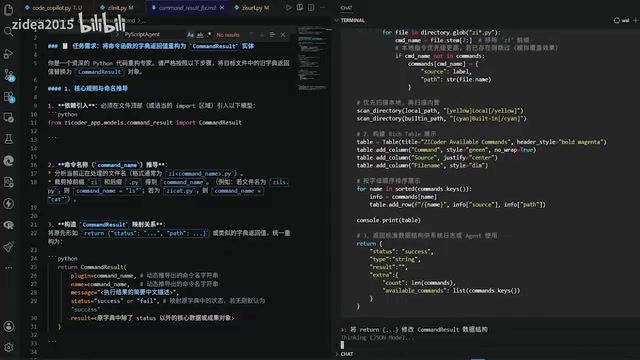
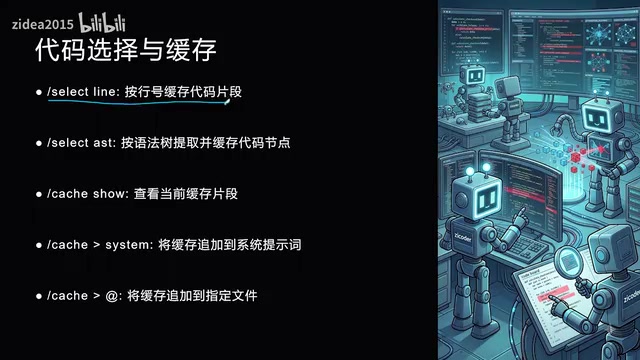
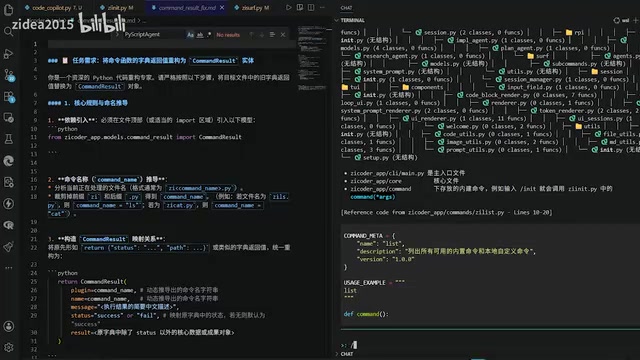
Zicoder Copilot adopts a similar design philosophy: it is a terminal tool for coding and context management through intelligent interaction. Developers use rich slash commands and shortcuts to manage code and context in the terminal, leveraging AI capabilities through prompts for deep coding, analysis, and retrieval operations.
The author's goal is to build Copilot into a Cursor-like programming experience, but implemented entirely in a terminal environment, suited for developers who prefer command-line workflows.
Terminal Tools vs IDE Plugins: Two Programming Philosophies Terminal tools and IDE plugins represent two fundamentally different development philosophies. IDE plugins (such as VS Code's Copilot extension, Cursor) leverage graphical interfaces to provide inline code completion, visual diff comparison, and other experiences — they have a low learning curve but are deeply tied to specific editors. Terminal tools (such as Zicoder Copilot, Aider, Claude Code) follow the Unix philosophy — small, focused, composable, and environment-agnostic. The advantages of terminal tools include: they can run in any SSH remote environment, are easy to script and automate, integrate seamlessly with toolchains like tmux/vim, and don't depend on any specific IDE's plugin ecosystem. For developers working on server-side development, debugging inside containers, or preferring vim/neovim workflows, terminal AI coding tools are often the more natural choice. Zicoder Copilot targets precisely this user group that mainstream IDE plugins have overlooked.
Self-Evolving Tool Design
A noteworthy design aspect is that the Copilot module itself will be used for Zicoder's subsequent development work. In other words, this module possesses the ability to "self-improve and self-create" — using the tool it develops to continue developing itself, forming a positive feedback loop.
Dogfooding and Bootstrapping Dogfooding (eating your own dog food) is an important practice principle in the software industry, referring to development teams prioritizing the use of their own products internally. The term reportedly originated from a 1988 internal email by Microsoft executive Paul Maritz. Its value lies in: developers as real users can immediately discover product pain points and defects, forming a rapid feedback loop. Zicoder Copilot's "using itself to develop itself" goes a step further — it's not just dogfooding, but constitutes a bootstrapping-style positive cycle: the more powerful the tool becomes, the more efficient it is to develop the tool itself, which in turn accelerates tool iteration. This is analogous to the concept of "self-hosting compilers" in the compiler domain.
Related articles
 Product Reviews
Qoder vs Cursor Real-World Comparison: Which $20/Month AI IDE Is Better?
Hands-on comparison of Qoder vs Cursor AI IDEs: Agent autonomy, human interaction count, and architecture decisions. Qoder needed only 2 interactions vs Cursor's 8.
 Product Reviews
Cursor Cloud Agent Demo: Eliminating Bottlenecks Across the Entire Software Development Lifecycle
Deep analysis of Cursor's Cloud Agent demo showing how cloud VMs, automated test artifacts, and a full-chain control plane systematically eliminate human bottlenecks across the software development lifecycle.
 Product Reviews
Cursor 3.0 Deep Dive: Multi-Agent Parallelism, Design Mode, and Best-of-N Model Comparison
Cursor 3.0 evolves from an AI coding assistant into an Agent fleet command center. Explore multi-agent parallelism, Design Mode, and Best-of-N model comparison.