10 Free Cursor Features Reviewed: Double Your AI Coding Efficiency
Cursor's ten free features combine to break coding into a collaborative workflow of planning, generation, retrieval, correction, and memory.
The article reviews ten completely free features in the Cursor editor and groups them by function: Composer and Agent Mode handle larger cross-file, end-to-end changes, while InlineEdit and TabAutocomplete handle fine-grained select-and-edit and multi-line prediction; CodeBase offers semantic project search, DotCursorRules constrains AI output style, MCPTools connects external tools, and TerminalAI auto-fixes errors; Notepads provides persistent memory and Custom Modes enables task-specific agents. The author argues these features, though not revolutionary individually, together advance AI from assisted completion to collaborative execution that can be delegated, constrained, and checked, and suggests beginners start with completion and select-and-edit.
Cursor is redefining the boundaries of AI programming. This VS Code-based editor comes with a set of built-in features that developers describe as "absurd." A YouTube channel recently reviewed 10 of these features—all completely free—ranging from multi-file editing to autonomous Agents, covering the entire coding workflow.
What makes this list worth a closer look isn't the number of features, but how they interlock. Individually, none of them is revolutionary, but together, Cursor is effectively breaking "writing code" down into several stages—planning, generation, retrieval, correction, and memory—with a corresponding tool for each stage.
Core Editing Capabilities: From Multi-File to Precise Modification
Composer: Cross-File Batch Editing
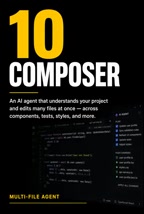
Ranked 10th, Composer is an AI agent that can edit multiple files in a project simultaneously. Traditional completion tools handle only the code near the cursor at a time, while Composer lets you describe a change that spans multiple files and executes it uniformly. For tasks like refactoring or cross-module adjustments, this saves a great deal of time otherwise spent manually switching between files.
InlineEdit: Command-K Precise Modification
Ranked 6th, InlineEdit takes the opposite approach—select any code snippet, press Command-K, and get a targeted modification directly. It's suited for small-scale, high-precision changes without having to hand the entire file to the AI for a rewrite. This "select-and-edit" interaction is far more efficient than repeatedly describing locations in a chat box.
TabAutocomplete: Multi-Line Predictive Completion
Ranked 5th, TabAutocomplete extends the dimension of completion. Ordinary autocomplete predicts only the next word or line, whereas this supports multi-line prediction, inferring the direction of the next several lines based on current context. As the screenshot shows, its prediction scope clearly goes beyond single-line completion. For boilerplate code and repetitive patterns, the hit rate of this kind of completion is quite impressive.

Autonomous Execution and Intelligent Retrieval
Agent Mode: End-to-End Feature Building
Ranked 9th, Agent Mode raises the level of automation. It's an AI that can autonomously plan, code, and build features end-to-end. Compared with Composer's "multi-file editing," Agent Mode goes further—it doesn't just execute editing instructions but plans the steps before acting. The screenshot shows its positioning at the task-planning level.

CodeBase: Semantic-Level Project Search
Ranked 8th, AtCodeBase provides semantic search capabilities, understanding the meaning of the entire project rather than just matching keywords. This means you can describe the logic you're looking for in natural language without having to remember specific function or variable names. For developers taking over an unfamiliar codebase, the value of this kind of retrieval tool is almost immediate.
Semantic search relies on code embedding: first, functions, classes, and code blocks in the project are split into fragments, converted into vectors by a model and stored in an index; at query time, the natural-language question is also converted into a vector, and the most relevant fragments are recalled by similarity. Compared with symbol- or regex-based text matching, it can still find the target logic when you can't name the function, but the recalled results need human verification, and the index must be updated as the code changes. For large repositories, index build time and storage overhead are factors that need to be weighed in actual use.
Rules, Tools, and the Automation Loop
DotCursorRules: Constraining AI Behavior
Ranked 7th, DotCursorRules constrains how the AI behaves through a project rules file. You can write your team's coding standards, tech stack preferences, and prohibited patterns into the rules, so the AI automatically follows them during generation. This solves a common pain point: AI-generated code style being inconsistent with existing project conventions. The screenshot shows the entry point for rule configuration.
Project rules files are typically named .cursorrules and placed in the repository root. The content is plain text—either natural-language descriptions or example code. Cursor injects the file's content into the context every time it calls the model, so the rules apply to everyone involved and are distributed under the repository's version control. The rules file should not be too long, or it will eat into the context window; in practice, writing "required framework versions," "prohibited dependencies," and "naming and comment style" as short sentences or code snippets works better than lengthy explanations. Teams can also maintain multiple rule files and switch between them by directory or task type.
MCPTools: Connecting External Tools
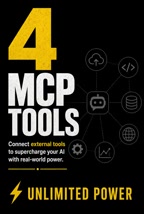
Ranked 4th, MCPTools lets Cursor connect to external tools, extending the boundaries of what the AI can do. Through MCP (Model Context Protocol), the AI is no longer confined to the editor but can call external services or data sources. This layer of openness is key to what distinguishes Cursor from closed programming assistants.
MCP stands for Model Context Protocol, an open protocol for letting AI applications connect to external data sources and tools in a unified way. It abstracts "capability providers" as servers; a server declares the tools, resources, and prompt templates it supports, and clients (such as Cursor) discover and call them according to the protocol. Compared with writing a separate integration for each service, MCP allows one integration to be reused, and makes it easy for the community to share ready-made server implementations—for example, database queries, document retrieval, and ticket system operations. The protocol itself is not tied to a specific model, so the same set of tools can be used across editors or Agents.
TerminalAI: Automatically Read Errors and Fix Them
Ranked 3rd, TerminalAI handles the terminal stage—it runs commands, reads error messages, and automatically fixes problems. The screenshot shows its role in terminal interaction. Handing the "execute—observe—correct" loop to the AI reduces the developer's attention drain from switching back and forth between the terminal and the editor.
Memory and Personalization
Notepads: Persistent Project Memory
Ranked 2nd, Notepads provides persistent memory so the AI doesn't forget project context. A common problem with conversational AI is "amnesia" once the context window passes; Notepads mitigates this through persistent storage, making cross-session collaboration more coherent.
Custom Modes: Build Your Own Agent
Ranked 1st, Custom Modes allows you to create specialized AI agents for any task. You can configure different modes for frontend, backend, testing, or documentation, so each agent works with a specific role setting and toolset. This is the most direct way to shape a general-purpose AI into a domain expert.
(The original text had numbering confusion in the list, with overlapping descriptions of Customize and Custom Modes; the order above is organized according to the actual descriptions.)
Why These Features Matter
Looking at this list as a whole, Cursor's product logic isn't complicated: it breaks AI programming into a set of composable atomic capabilities, each responsible for one stage, and lets developers orchestrate them themselves. Composer and Agent Mode handle "big changes," InlineEdit and TabAutocomplete handle "small edits," CodeBase solves "finding it," DotCursorRules solves "following the rules," MCPTools and TerminalAI open up "outside the editor," and Notepads and Custom Modes fill in "remembering" and "customizability."
The significance of this combination is that it upgrades AI from "assisted completion" to "collaborative execution." Developers no longer just accept suggestions but can delegate tasks, set constraints, and check results. As for which feature to try first, the original article's advice is straightforward: let the comments decide—but if you're just getting started, begin with TabAutocomplete and InlineEdit for the least friction.
One-line Summary
Cursor's ten free features combine to break coding down into a collaborative workflow of planning, generation, retrieval, correction, and memory.
Paragraph Summary
The article reviews ten completely free features in the Cursor editor, grouped by the stage they serve: Composer and Agent Mode handle larger cross-file, end-to-end changes; InlineEdit and TabAutocomplete handle fine-grained operations like select-and-edit and multi-line prediction; CodeBase provides semantic-level project search, DotCursorRules uses a rules file to constrain the AI's output style, MCPTools connects external tools through a protocol, and TerminalAI automatically reads errors and fixes them; Notepads provides persistent memory across sessions, while Custom Modes lets you build specialized agents for different tasks. The author notes that individually these features aren't revolutionary, but together they advance AI from assisted completion to collaborative execution that can be delegated, constrained, and checked, and recommends beginners start with completion and select-and-edit for the least friction.
Related articles

AI Assistant Always Forgets? One Rules File Lets Your Agent Remember Everything
AI coding assistants lose memory every new session? Learn how an agents.md or claude.md rules file auto-loads project memory, what to write, and how to iterate.

Anti-AI Design Template: Stop AI From Generating Cookie-Cutter Websites
Why do AI-generated websites look identical? A 20-year designer reveals four hallmarks—shiny logos, Beta tags, fake terminals—and the free open-source Anti-slop repo that stops Claude Code, Cursor, and Codex from outputting templated designs, paired with design.md for distinctive AI interfaces.

AI Customer Service Bot Fabricates Company Policy: A Warning from a Real Test
Cursor's AI customer service fabricated a single-device policy, prompting users to cancel subscriptions, with the Hacker News discussion surpassing 1,500 points. A 12-test experiment showed that an unconstrained AI customer service gave answers not mentioned on the help page 8 times, while after limiting sources, all 12 runs admitted not knowing. Asking one off-syllabus question before launch can test whether your bot is honest.