A Guide to Writing Effective Claude.md Files: Core Principles and Best Practices

Keep claude.md concise and focused on core project info, not trivial rules, to maximize AI coding effectiveness.
claude.md serves as the starting guide for every AI coding agent session and should answer three core questions about your project: what it is, why it exists, and how to work on it. Since LLMs can reliably follow only about 150–200 instructions and Claude Code's own system prompt already consumes nearly one-third of that budget, claude.md should be kept under 300 lines — shorter is better. Avoid stuffing it with code style guides or trivial rules; instead, use progressive disclosure (splitting into separate files and using pointer references) to manage information volume, and rely on linters rather than LLMs for formatting. Finally, never auto-generate this file — craft every line with care.
Introduction: Why Claude.md Matters So Much
When working with AI coding agents like Claude Code, one file has more leverage than any other — the claude.md file (or its open-source equivalent agents.md, used by tools like OpenCode, Zest, Cursor, Codex, etc.).
Large language models are fundamentally stateless functions. Their weights are frozen at inference time and don't learn over time. The only thing a model knows about your codebase is whatever tokens you feed into it. This means:
- At the start of every session, the coding agent knows nothing about your codebase
- You must tell the agent important information about the codebase each time a session begins
claude.mdis the primary way to accomplish this
Put simply, anything you want the LLM to know, understand, or follow when starting a new conversation should go into the claude.md file.
What Should Claude.md Contain
At a high level, claude.md needs to answer three core questions: What, Why, and How.
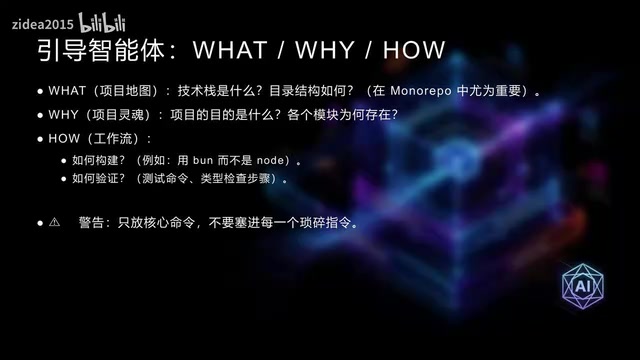
What: Basic Project Information
- Tech stack: Tell Claude which technologies you're using
- Project structure: Provide Claude with a codebase map — what are the apps, what are the shared packages, and what each part does
- Code conventions: Overarching requirements that remain consistent throughout the project
In large projects, this "map" is especially important, as it helps the agent quickly locate what it needs.
Why: The Project's Purpose
Tell Claude the purpose of the project and the specific role of each component in the repository. What are the use cases and functions of different parts of the project? This contextual information helps the agent make better decisions.
How: The Way You Work
Tell Claude how it should work on this project:
- Are you using Bun instead of Node to build the project?
- How can Claude verify its own changes?
- How do you run tests, type checking, and build steps?
Why Claude "Ignores" Your Instructions
This is a question that puzzles many developers: they've written a claude.md, yet Claude frequently doesn't follow the rules inside it.
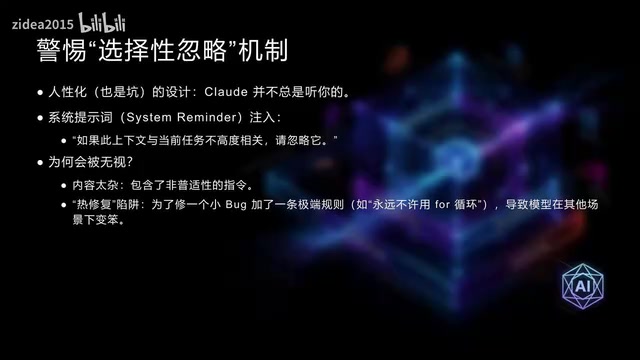
The Official "Filtering Mechanism"
Claude Code injects the claude.md file along with a System Reminder into the user message sent to the agent. This prompt contains a critical piece of information: if the content of claude.md is not highly relevant to the current task, Claude may ignore it.
Why Anthropic Designed It This Way
The reason is that many programmers treat claude.md like a "catch-all patch file":
- Yesterday Claude wrote a loop wrong → add "never use for loops"
- Today the indentation was off → add "must use four spaces"
Over time, the file gets stuffed with trivial, sometimes extreme rules targeting specific minor issues. Anthropic found that if Claude were forced to rigidly follow all of this, it would become overly cautious and might even botch the current task because of stale or bizarre instructions.
Conclusion: Anthropic gave Claude the privilege of "ignore it if you think it's not useful," with the goal of ensuring the agent's overall performance isn't dragged down by trivial instructions.
Core Principle: The More Concise the Instructions, the Better the Results
Research has revealed the following key findings:
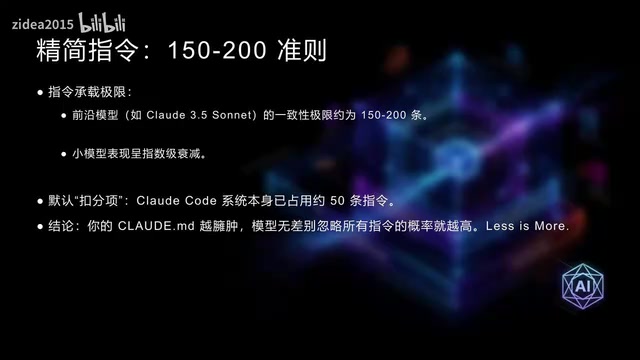
Hard Limits on Instruction Following
- Frontier reasoning LLMs (such as Claude 3.5 Sonnet) can follow approximately 150–200 instructions with reasonable consistency
- Smaller models can handle fewer instructions than larger models
- Non-reasoning models can handle fewer instructions than reasoning models
- LLMs favor instructions at the edges of the prompt (the very beginning and the very end)
- As the number of instructions increases, adherence quality degrades across the board — it's not that later instructions get ignored, but that the model starts indiscriminately ignoring all instructions
Claude Code's Instruction Budget
Claude Code's system prompt already contains roughly 50 individual instructions, which accounts for nearly one-third of the instructions the agent can reliably follow. Once you add project rules, plugins, skills, and user messages, the "budget" left for claude.md is actually quite limited.
Length Recommendations
While Anthropic hasn't issued an official recommendation, the community consensus is:
- Under 300 lines
- Shorter is better
- The Human Layer team's root
claude.mdfile is under 60 lines
Progressive Disclosure: Resolving the Tension Between Information Volume and Brevity
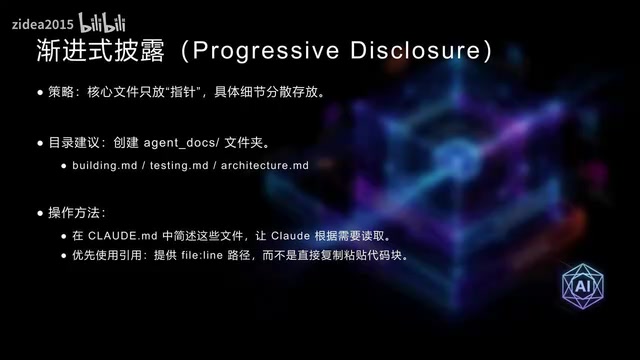
Split Into Separate Files
Don't cram all your build, testing, and code convention instructions into claude.md. Instead, save task-specific instructions in standalone Markdown files with self-descriptive names within your project, then list these files in claude.md with brief descriptions.
You can:
- Instruct Claude to determine which files are relevant on its own and read them before starting work
- Or ask Claude to first present a list of files it wants to read, and only proceed after you approve
Prefer Pointers Over Copies
Avoid including code snippets in the file whenever possible — they go stale quickly. Instead, include references like file:filename:line_number to direct Claude to the authoritative source code.
Claude Is Not a Linter: Don't Make It Do Formatting Work
One of the most common things we see people put in claude.md is code style guides. This is a common practice that deserves correction.
Why You Shouldn't Do This
- Compared to traditional linters, LLMs are both expensive and extremely slow
- Style guides add a large number of irrelevant instructions and code snippets to the context window
- This degrades the LLM's performance and instruction-following ability
- It consumes precious context space
Better Alternatives
- Rely on the codebase itself: LLMs learn through in-context learning — after a few searches through the codebase, the agent will often automatically follow existing code patterns
- Set up Stop Hooks: Run formatters and linters, then present the errors to Claude for fixing
- Use auto-fix linters: Such as Biome — carefully tune the rules to determine which can be safely auto-fixed
- Create slash commands: Include code guidelines and direct Claude to check git status, separating implementation from formatting
Don't Auto-Generate Claude.md
One final important piece of advice: don't use the /init command or auto-generation tools to create your claude.md file.
claude.md is one of the highest-leverage points in your toolchain. A single poorly written line can produce a large volume of bad code, and claude.md affects every stage of your workflow and every artifact it produces.
Therefore, take the time to carefully think through every line in your claude.md file. Make sure each instruction is well-considered, broadly applicable, and genuinely helpful to the agent.
Related articles
 Tutorials
ChatGPT Plus Subscription Guide: Are GPT-5.5, image-2, and Codex Worth the Upgrade?
A detailed look at ChatGPT Plus features — GPT-5.5, image-2, and Codex — with a Plus vs Pro comparison and a complete step-by-step subscription guide for users outside the US.
 Tutorials
Harness AI Engineering in Practice: Using Claude Code to Master Enterprise-Level E-Commerce Development
Deep dive into Harness AI Engineering: master enterprise e-commerce development with Claude Code using the Rules, Skills, Wiki, and Changes framework.
 Tutorials
Cursor + Codex Dual-IDE Collaboration: A Practical Methodology for Open-Source Project Customization
A complete methodology for open-source project customization based on real-world experience, detailing the Cursor+Codex dual-IDE workflow, seven-stage process, MVP validation, and AI source code reading techniques.