A New Paradigm for Text Editing in Compose: TextFieldState Replaces the Old API

Compose 1.13 deprecates the old text input callback API; TextFieldState solves async input issues with a synchronous snapshot system and brings new input filtering, output transformation, state hoisting, and formatted text editing solutions.
The Jetpack Compose team announced that the old value/onValueChange text input API will be deprecated in 1.13, recommending migration to TextFieldState. The old API, when combined with async streams like StateFlow, causes dropped/duplicated characters and cursor jumps because it cannot respond synchronously to the IME. TextFieldState updates synchronously on user input and is backed internally by the snapshot system, allowing BasicTextField to read state only during layout/draw phases and eliminating unnecessary recomposition. Programmatic modification goes through the edit function and TextFieldBuffer; InputTransformation intercepts and filters before commit, supporting change lists for precise rejection; OutputTransformation automatically handles bidirectional offset mapping for visual formatting. The article presents four state hoisting migration patterns: local retention, hoisting to a common ancestor, state holder object, and hoisting to ViewModel, with a special warning not to put mutable TextFieldState into immutable UI data classes. Since Compose 1.12, a formatted text editing API is also available, including expand policies and TrackedRange live handles, supporting WYSIWYG, pattern-based styling, and search highlighting. The team is developing a Markdown incremental parsing library.
In Android development, text input fields are central to almost every interactive scenario—login pages, search bars, chat apps, and more. However, the traditional API based on value and onValueChange callbacks often suffers from dropped characters, duplicate input, and cursor jumping when handling asynchronous data streams. In a recent technical talk, the Jetpack Compose team systematically introduced the new TextFieldState API and announced that the old callback-based API will be deprecated starting with Compose 1.13.
The Plight of the Old API: Async Input vs. IME
Previously, Compose offered two text input APIs: one that accepts a value and an onValueChange callback, and another that accepts a TextFieldState object. The former works well for synchronous input, but once combined with asynchronous streams like StateFlow, it conflicts with the input method editor (IME, i.e., the soft keyboard) in terms of timing.
This conflict manifests as dropped or duplicated characters, or unexpected cursor jumps. The root cause is that the onValueChange callback waits for an asynchronous round trip before updating the UI state, whereas the IME expects an immediate synchronous response.
Input Method Editor (IME) and Text Input Timing
The IME is a soft keyboard service provided by the operating system. It communicates with the edit box through an input connection (InputConnection). When the user presses a key, the IME immediately sends an edit operation to the app (e.g., insert character, delete character, update composing text) and expects the app to synchronously return the updated text and cursor position within the same frame so it can render the composing region, candidates, and cursor. If the app responds late (e.g., waiting for an async callback to return), the IME considers the edit unsuccessful, which may lead to repeated sends, dropped input, or cursor misplacement. The old Compose value/onValueChange API is precisely constrained by this: UI state updates go through an async round trip, failing to meet the IME's synchronous expectations, thereby causing dropped/duplicated characters and cursor jumps. Understanding this timing constraint helps appreciate the necessity of TextFieldState's synchronous updates.
TextFieldState: Synchronous Updates and the Snapshot System
TextFieldState is the solution stabilized since Compose 1.7. It updates synchronously as the user types, without waiting for an async round trip, precisely meeting the IME's synchronous requirements. Besides the read-only text property, TextFieldState encapsulates the active editing session, selection range, undo/redo state, and span styles and paragraph styles for formatted text.
Its internal properties are backed by the Compose snapshot system. When text or selection range is read in Compose, the reading scope automatically subscribes to updates. This allows the underlying BasicTextField to read state only during layout or draw phases, thereby eliminating unnecessary recomposition during user input and significantly improving performance.
Programmatic Modification: TextFieldBuffer and the edit Function
Since text is a read-only property, programmatic modification must go through the TextFieldState.edit function. This function provides a TextFieldBuffer that exposes insert, replace, delete, and other operations. A useful tip: avoid calling edit multiple times in succession; instead, combine all operations into a single edit call. This way, Compose creates the buffer instance only once and synchronizes the IME and snapshot system once. For common batch operations, Compose also provides extension functions, such as setting text and placing the cursor at the end.
Input Filtering: InputTransformation Intercepts Before Commit
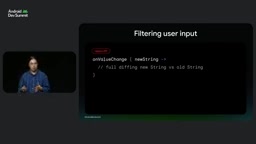
In the old API, filtering logic ran in onValueChange, after the text was already committed. Rejecting or modifying input would "fight" with the keyboard, and developers only had access to the final string, requiring full diff comparisons. The new API introduces InputTransformation, which intercepts user input before it reaches TextFieldState and provides the same TextFieldBuffer API.
Its key capability is the change list: developers can inspect the exact edit ranges, modify in place, or reject the input entirely, and Compose automatically keeps the keyboard and cursor in sync. For example, to implement a digits-only filter, check whether the changes contain non-digit characters; if so, call revertAllChanges to reject the input.
Output Transformation: Automatic Bidirectional Offset Mapping
For visual formatting needs such as credit card numbers or phone numbers, the old VisualTransformation API required developers to manually implement bidirectional mapping between raw input and visual output, which is error-prone and can cause runtime exceptions. The new OutputTransformation is also based on TextFieldBuffer; developers simply call insertion functions at specified indices, and the system automatically computes the bidirectional offset mapping, greatly reducing manual calculations and crashes.
Compose Snapshot System and Reading Scopes
The snapshot system is the infrastructure that enables fine-grained state observation in Compose. It maintains multiple state snapshots, allowing state to be read and written in different snapshots without interference. When a Composable reads a state object during composition, layout, or draw phases, the current reading scope (e.g., recomposition scope, layout scope) automatically subscribes to that state. When the state changes, only the scopes subscribed to that state are notified, triggering only the necessary recomposition, layout, or draw. TextFieldState's internal properties are backed by the snapshot system, so BasicTextField can read text and selection range only during layout/draw phases, avoiding recomposition during composition on every keystroke and significantly improving performance. This also explains why passing TextFieldState through ancestor Composables does not cause parent recomposition—only the location that actually reads the text updates.
Four Migration Patterns for State Hoisting
In practice, almost every use case falls into one of the following patterns, and these examples can also guide migration.
Pattern 1: Local Retention
The simplest scenario is a self-contained input field, such as a promo code input, where the text is read only on submission. In this case, call rememberTextFieldState within the Composable; it also helps restore state after process death. Filtering is done via InputTransformation, and the text is taken from the state object on submission.
Pattern 2: Hoist to a Common Ancestor
When sibling UI elements (such as a character counter or submit button) need to read or modify the text, hoist TextFieldState to a common ancestor Composable. Thanks to the snapshot system, passing it through ancestors does not trigger parent recomposition; only the location that actually reads the text updates.
Pattern 3: State Holder Object
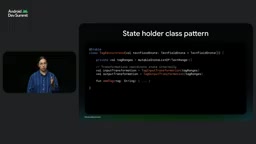
In complex UI scenarios, if input and output transformations need to coordinate internal state (e.g., inline hashtags), package them together with TextFieldState into a state holder object. For example, a tag editor state can reuse intermediate results such as tag ranges and then pass the whole thing to the Composable.
Pattern 4: Hoist to ViewModel
When business logic needs access to the text (e.g., search-as-you-type or complex validation), hoist TextFieldState to the ViewModel. Key caveat: do not put a mutable text object inside an immutable UI data class, because the copy method emits a new instance on every change, while the reference of TextFieldState never changes—StateFlow won't even detect user input; worse, if a new state instance is allocated when creating new UI state, the input field loses selection, cursor, and history. The correct approach is to make it a direct property of the ViewModel. TextFieldState does not reference Android views, Context, or the Compose lifecycle, and conceptually it's no different from StateFlow. However, ViewModels lack rememberSaveable, so you need to manually configure a Saver for TextFieldState to restore after process death.
If your team has strict module rules (ViewModels only in pure Kotlin modules), or you can't immediately refactor UI state when migrating complex legacy screens, a compatibility approach is available: keep TextFieldState in the Composable as the single source of truth, and use launchEffect with snapshotFlow to push text changes back to the existing ViewModel. Be careful to emit the first event to avoid duplicate search queries or overwriting the ViewModel with initial values. If the logic needs to feed changes back (e.g., clear text after submission), you cannot directly set an empty string in the ViewModel; instead, emit a clear-text event and have the Composable holding the state object perform the clear.
Why the Unchanging Reference of TextFieldState Breaks StateFlow
TextFieldState is a mutable single source of truth object whose reference never changes after creation; user input changes its internal properties (such as the text field) rather than replacing the whole object. StateFlow decides whether to emit a new value by comparing old and new values (using equals). If you put an immutable UI data class into a StateFlow and use copy to generate a new instance on every text change, then StateFlow will emit new values—but this rebuilds UI state and may accidentally create new TextFieldState instances, causing loss of selection, cursor, and history. Conversely, if you make TextFieldState itself a direct property of the ViewModel, because the reference doesn't change, StateFlow cannot detect internal text changes, so you cannot rely on StateFlow to observe the text. The correct approach: make TextFieldState a direct property of the ViewModel, and when you need to observe the text, use snapshotFlow { textFieldState.text } or read the state directly in the Composable. If you must put text into a UI state stream, avoid allocating new TextFieldState instances on every change.
Formatted Text Editing: Style Tracking and Expansion Policies
The aforementioned TextFieldState, TextFieldBuffer, and input/output transformations are not only the foundation for plain text input but also underpin the latest formatted text editing API (available since Compose 1.12).
Static text is typically styled using AnnotatedString with addStyle, but its immutable nature in editing scenarios requires allocating a new object and a large number of range objects for every keystroke, which is very costly.
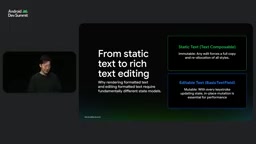
The new API provides a similar addStyle in TextFieldBuffer and introduces an ExpandPolicy parameter that controls the behavior of input text at style boundaries: InsideOnly does not extend the style; AtStart extends at the start of the range; AtEnd extends at the end of the range (most commonly used in editors); AtBoth extends at both ends. Style ranges update automatically with edits—when text is inserted before the style, the range shifts forward; when inserted inside, it expands; when deleted, it shrinks; when everything is deleted, the style collapses and is automatically removed.
Queries and TrackedRange: Live Style Handles
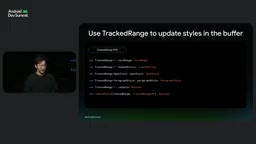
TextFieldState provides read-only getSpanStyles and getParagraphStyles queries that return immutable lists of AnnotatedString.Range, are order-aware, and support overlapping style overrides. TextFieldBuffer's getSpanStyles returns TrackedRange objects, which can be thought of as live handles to style ranges in the buffer, supporting in-place updates of the range, expand policy, or the style itself, and checking whether the range still exists via the isValid property.
Three Real-World Use Cases
In a WYSIWYG editor, when the bold button is clicked, first query the overlapping styles of the selection to determine if everything is already bold; if not, add the style with the AtEnd policy to facilitate continued typing; if already bold and the selection lies within a longer bold range, use TrackedRange to adjust the end of the range in place instead of deleting and recreating.
In pattern-based styling, when the user types double asterisks around a word, InputTransformation finds the matching pattern, extracts the content, removes the asterisks, and calls addStyle to apply bold, with the style persistently written to the state.
For search highlighting, it's suitable to place the logic in OutputTransformation: find all matches and call addStyle to draw yellow highlights; the query itself is mutable state, and the snapshot system automatically reapplies the output transformation when it updates, without modifying the original text state.
Overhead of AnnotatedString and Style Ranges
AnnotatedString is an immutable data class in Compose for representing styled text, consisting of a plain text string and a set of Range (annotation ranges), each recording a start index, end index, and style item (such as SpanStyle or ParagraphStyle). In static display scenarios, this immutable structure is efficient and thread-safe. But in text editing scenarios, every keystroke changes the text length, causing indices of all subsequent style ranges to be recalculated; at the same time, immutability forces allocation of a new AnnotatedString and a large number of new Range objects for every keystroke, causing frequent memory allocation and garbage collection pressure. This is precisely the motivation for the new formatted text editing API to provide mutable addStyle and TrackedRange live handles in TextFieldBuffer: by updating style ranges in place, it avoids rebuilding the entire styled text structure on every keystroke.
Outlook: Markdown Incremental Parsing Library
The team revealed they are developing a markup text library for Jetpack Compose that supports rich text formats like Markdown. Its core capability is incremental parsing and incremental rendering, making it ideal for real-time editing or Markdown streaming scenarios. It is currently in prototype and welcomes developer feedback on use cases.
For teams still using the old callback API, an official migration guide is available, and additional APIs are being developed to simplify migration and state change observation.
Related articles

DeepSeek Open-Sources DeepInfer: What Is an Inference Framework Actually For?
DeepSeek open-sources its inference framework DeepInfer under Apache 2.0, supporting DeepSeek V4.1 Flash offline inference. This article explains its request scheduling, FlashMLA/DeepGEMM compute optimization, DSPark speculative verification acceleration, and what it means for developers and ordinary users.

Open-Source AI Learning Agent: A Full Workflow Experience from Topology Graphs to Exam Generation
Explore an open-source AI learning agent: built on DeepSeek API, it constructs knowledge systems via topology graphs, with automatic document generation, notes, super documents, and exams. Learn about its Agent workflow and design highlights.

DeepSeek Whale Girl Open-Source MV Meme: AI Industry Coded Slang About Pivoting to Closed Source
Bilibili's DeepSeek Whale Girl rap MV uses fictional memes to tease the AI open-source vs. closed-source debate, with lyrics full of industry slang. This article explains the meme culture, the Whale Girl symbol, and the open/closed tension.