Android Tracing 2.0: A Tracing Revolution with 7x Speedup and Context Propagation

Android Tracing 2.0 rewrites the foundation, delivering a 7x speedup plus context propagation and custom metadata for the first time.
Android Tracing 2.0 is a ground-up rewrite of Android's tracing API with an almost unchanged calling convention but seven times the performance. It brings out-of-the-box context propagation for Kotlin coroutines, a propagation token for legacy callback-plus-executor code, custom metadata, and pluggable backends. Real-world wins include Wyze's 45% faster startup, R8's 25% faster optimization, and Compose 1.13 recomposition tracing.
Android Tracing 2.0: A Tracing Revolution with 7x Speedup and Context Propagation
Android's tracing API has gone more than fourteen years without substantive evolution since version 1.0 was introduced in the Jelly Bean era. Rahul, an engineer on Google's Android Developer Experience team, systematically reviewed the historical baggage of this API in a technical talk and detailed the all-new Tracing 2.0—a tracing library rewritten from the ground up, seven times faster, and the first to bring context propagation and custom metadata to app developers.
Clarifying Concepts First: Tracing and Profiling Are Not the Same
Rahul deliberately established a shared vocabulary at the start. When he says tracing, he means explicit tracing—manually instrumenting code so the system knows what you're doing; profiling refers to automated performance analyzers, such as ART method tracing, SimplePerf stack sampling, or memory leak and heap analysis.
The two serve different purposes. Manual tracing is breadcrumbs left in the codebase to answer "what actually happened" later. It's easier to visualize than logs, has clear durations and structure, and can be handed to automated tools or even AI agents for analysis. Automated profiling is typically used after a problem has surfaced to narrow down the scope and locate bottlenecks. Rahul emphasized that if you haven't instrumented beforehand, you'll have to rely on a profiler when problems arise, but the value of the two cannot substitute for each other.
Atrace is Android's built-in tracing infrastructure, short for Android Trace, supported by the atrace command-line tool and the ftrace mechanism in the kernel. Markers written by apps via APIs like Trace.beginSection() ultimately land in a ring buffer maintained by Atrace, mixed with system-level events such as scheduling, binder transactions, and graphics rendering, and are parsed and displayed uniformly by Perfetto or Systrace. Its advantage is natural alignment with system events; its drawback is a closed format oriented toward debugging rather than production telemetry—which is precisely why Tracing 1.0, with its backend locked to Atrace, struggled to pivot to online monitoring.
Perfetto is Google's next-generation system-level tracing platform, comprising both device-side daemons and data sources, as well as cross-platform trace parsing and visualization tools. It defines an open Trace Protocol Buffer format that any producer can write to, then hand off to Perfetto UI or trace_processor for query and analysis. The official sink implementation provided by Tracing 2.0 outputs Perfetto-compatible format, meaning app-custom traces can be interpreted alongside system traces on the same timeline.
The Three Historical Burdens of 1.0
Tracing 1.0 was introduced with Jelly Bean in 2012, and only received async events and counters in Android 10, with no substantive updates since. Rahul pointed out several hard flaws this left behind:
- Backend locked in: Any trace section is fixed to write into the system's Atrace buffer. Converting trace data into online telemetry requires digging into Atrace's storage format yourself, at extremely high cost.
- Tag length limit: Slice names are limited to 128 characters, with anything longer truncated—and truncation itself incurs additional overhead. This limit was reasonable in 2012 but feels out of place today.
- Nowhere to put metadata: Beyond a name, no additional information can be attached to a trace, so during debugging you can only cram information into the name.
- Relatively high overhead: On a Pixel 6a running Android 16, inserting a begin/end section costs about 1200 nanoseconds. For heavily instrumented code paths, this time could have been spent rendering frames.
A concrete example: when you want to know which component initializeComponent actually initializes, the only way under 1.0 is to concatenate the component name into the slice name, which gets truncated due to the length limit—while also paying extra truncation overhead.
API Changes and the Performance Ledger of 2.0
From the calling perspective, Tracing 2.0 looks strikingly similar to 1.0: switch from androidx.tracing.trace to tracer, from trace to tracer.global.trace, add a category parameter, and keep the rest as is. But the underlying changes are enormous.
On performance, the team had experimented with the AndroidX Perfetto SDK. Although it greatly improved the state of things, because it is a C SDK with JNI bindings that adds about four megabytes to the APK, the team never intended for developers to ship it directly. Tracing 2.0 is a purpose-built library, and Rahul's conclusion is that it is seven times faster, leaving more time for the app's own logic.
These performance gains quickly materialized in real scenarios. The dependency injection library Metro integrated Tracing 2.0 via a Kotlin compiler plugin, making the cost of every @Inject visible. The financial app Wyze used this to improve app startup speed by 45%, by deferring unnecessary initialization during the startup phase and discovering some bindings that should have been singletons but were incorrectly scoped; looking at startup metrics, they improved not only first frame time but also fully drawn time. BandLab used the same information in CI to know not only the cost of each binding but also which thread bore that cost, thereby locating expensive bindings on the main thread and tracing performance regressions back to the code change that introduced them.
Context Propagation: Causal Chains Across Threads and Coroutines
This is the most groundbreaking new capability in 2.0. Modern app workloads are distributed across multiple threads, coroutines, and processes, and in 1.0, once you moved work to another thread, the slice hierarchy broke, leaving you to infer "who triggered whom" only by reading code.
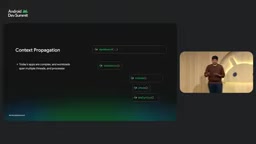
2.0 provides out-of-the-box context propagation for Kotlin coroutines. Take a fetchProfile suspend method as an example: it calls client.get, then switches to dispatchers.default to deserialize the response—utterly ordinary coroutine code. With tracing added, you can see in the trace that work starts on worker 1, transfers to worker 3 after a context switch, and an arrow marks this causal relationship. Zooming into the middle block even reveals that deserialization actually began on worker 1, that withContext triggered the switch, and that the coroutine machinery resumed fetchProfile on worker 3 to reduce the number of switches. When coroutines suspend, when they resume, and what the full causal chain looks like—all become clear at a glance.
For legacy non-coroutine code, 2.0 offers a solution as well. Take a traditional API using callbacks with an executor: simply accept an optional propagation token in the tracing API and pass the token to inner tracing calls; the caller bridges the coroutine world and the callback world with suspendCoroutine, extracting the token from the coroutine context and passing it in. This way, even across the boundary between coroutines and a thread pool, the causal chain remains intact.
Kotlin coroutine context (CoroutineContext) is a set of elements propagated along with a coroutine, most typically CoroutineDispatcher and Job. Developers can also define custom elements and use ThreadContextElement or ordinary context elements to pass data across suspension points. Tracing 2.0's context propagation leverages exactly this mechanism: the tracing framework carries a propagation token as a context element along with the coroutine, and when the coroutine switches threads via withContext or suspension resumption, the token follows along, so slices on the new thread automatically attach beneath the initiating slice.
This also explains why callback-style legacy code requires manually passing the token—callbacks and executors don't participate in the coroutine context, so the framework has no way to carry it automatically; only the caller can explicitly extract and pass it at the suspendCoroutine bridge. Understanding this makes it clear that 2.0 doesn't "magically" fix cross-thread hierarchy; rather, it entrusts the carrier of causality to the language-level context mechanism.
Custom Metadata and Compose Recomposition Tracing
2.0 allows attaching any number of metadata entries to a trace, rather than only having a name as a tool. This capability is used to the fullest in Jetpack Compose's recomposition tracing—a feature released with Compose 1.13 and available today.
Traditional composition tracing can only tell you the relative cost and thread of a composable and its child slices, but cannot answer "why recompose." Recomposition tracing injects custom metadata into the trace, clearly marking the input event that triggered the recomposition, and clicking it reveals exactly which state changed—for example, a mutable state value flipping from true to false, or even the full call stack that caused the change: AbstractClickableNode.performClick triggered a state change, and the state change triggered recomposition. Such information was previously unavailable.
Jetpack Compose recomposition is the core mechanism of Compose's declarative UI: when state (State or MutableState) read by a composable changes, the Compose runtime re-executes the composable functions that read that state to update the UI. Recomposition itself is normal and necessary, but redundant or overly frequent recomposition directly slows frame rendering, making "which state change triggered a given recomposition" key information for performance tuning.
Before Tracing 2.0, recomposition tracing could only record composable entry/exit and duration—observation at the "effect" level; with custom metadata, the framework can write the input event that triggered the recomposition, the state values before and after the change, and even the call stack into the trace, pushing observation to the "cause" level. This works in concert with the Compose compiler plugin's ability to generate tracing code for each composable at compile time, making recomposition tracing available out of the box in Compose 1.13.
Customizable Backends and Multi-Platform Layout
1.0 locked trace data into Atrace; 2.0 hands the sink back to developers. Initialization takes three steps: create a sink (defining the wire format and output destination; the official out-of-the-box implementation provides Perfetto format, but you can implement your own to integrate with systems like OpenTelemetry); use the sink to create a trace driver, optionally specifying which categories to enable—allowing release and debug builds to be treated differently by importance; finally register via setGlobalTracer. You can also use add attribute to write global information such as build version and channel. On Android, you only need to implement the create method of TraceDriver.Factory, and the framework handles registration.
Rahul emphasized that multi-platform support is a deliberate design decision: currently Android and JVM are supported, but the implementation leaves room for future platforms, in line with Compose's multi-platform direction.
Google's Own Tools Are Already Reaping the Benefits
R8 and Metalava, two tools AndroidX engineers rely on daily, are also using Tracing 2.0 to optimize themselves. R8 used it to speed up code shrinking and optimization by 25%. Specifically, the old logic waited for all Gradle workers to finish reading input jars before starting parsing, leaving obvious CPU idle intervals in the trace; AGP 9 changed to process as soon as read, greatly reducing wait time.
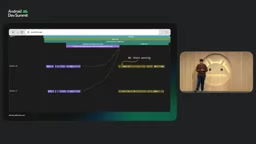
Metalava, meanwhile, cut post-submit time by 15%: it originally ran checks separately for restricted APIs and public APIs, with both rounds repeating expensive upfront work like reading program input and building PSI and AST; changing to do it once and reuse made the savings happen naturally.
R8 is Android's official code shrinking, obfuscation, and optimization tool, replacing the earlier ProGuard. In the AGP build pipeline it shrinks, renames, and globally optimizes bytecode, and its runtime directly affects the build experience of large projects. Metalava is the tool AndroidX uses to extract and validate API signatures from source code; it needs to parse the entire codebase to build PSI and AST, making it inherently a heavy-load stage in the build pipeline. Both are infrastructure where "their own performance is the developer experience," and thus became the earliest internal beneficiaries of Tracing 2.0—their optimization cases in turn validate the practical value of fine-grained tracing in locating CPU idle intervals and redundant upfront work.
What to Trace: A Practitioner's Checklist
Rahul reminds us that tracing matters, but knowing what to trace matters just as much. His criteria include: look for unexplained gaps in system traces where threads are in a running state; prioritize covering app startup and core user journeys; watch for deep call stacks and unexplained CPU usage; check whether thread sleeps all have legitimate reasons (waiting for IO, binder transactions, or external input)—unexplained sleeps often hide problems. After instrumentation, convert findings into benchmarks to continuously track metric drift. He also half-jokingly suggested turning this set of guidelines into a skill and handing it directly to AI agents to execute.
Getting Started
Integration is quite plain: declare a dependency on androidx.tracing.wire, which combines the Perfetto-compatible trace driver with tracing itself; the current stable version is 2.0.5. Perfetto, AndroidX Benchmark, the new Android Performance Analyzer, and the old Android Profiler all support Tracing 2.0.
One-line Summary
Android Tracing 2.0 rewrites the foundation, delivering a 7x speedup and, for the first time, context propagation and custom metadata.
Paragraph Summary
Android's tracing API went fourteen years without substantive evolution since 1.0 arrived with Jelly Bean in 2012, leaving behind baggage including a backend locked to Atrace, a 128-character tag limit, no way to attach metadata, and roughly 1200 nanoseconds of overhead per instrumentation. Tracing 2.0, introduced by Google engineer Rahul, is rewritten from the ground up with an almost unchanged calling convention but seven times the performance, and deliberately avoids the roughly four-megabyte APK size cost of the Perfetto SDK. The new version provides out-of-the-box context propagation for Kotlin coroutines and covers legacy callback-plus-executor code with a propagation token, preserving cross-thread causal chains; custom metadata lets Compose 1.13's recomposition tracing point to the specific state change and call stack. The backend sink is handed back to developers, who can integrate with Perfetto or OpenTelemetry. Wyze's 45% startup improvement, R8's 25% optimization speedup, and Metalava's 15% post-submit time reduction validate tracing's value in giving back to the toolchain.
Related articles

Build a Reasoning Model from Scratch: An 11-Hour Open-Source Course Breakdown
Sebastian Raschka releases a free 8-episode, ~11-hour video course teaching you to build a reasoning model from scratch with Python and PyTorch—from a small Qwen3 model through Verifier, Inference Time Scaling, GRPO, and distillation, with open-source code on GitHub.

An 11-Hour Reasoning Model Course in Practice: How Small Models Learn to Think
Starting from Sebastian Raschka's 11-hour reasoning model course and HN buzz, this analyzes small-model training, legal text version control, Anthropic data policy, and product reliability reviews.

Lightpanda: A Headless Browser Built for AI and Automation
Lightpanda is a headless browser built from scratch in Zig for AI and automation, with 37,852 GitHub stars. This analysis covers its technical approach, design choices, and use cases.