Apple Touchscreen MacBook Pro Hands-On: Breaking Jobs' Ban

Apple launches its first touchscreen MacBook Pro, overturning Jobs' old stance, but ergonomic challenges remain unsolved.
Apple has launched its first touchscreen MacBook Pro, marking a complete reversal from the Jobs era's firm rejection of touchscreen laptops. Foreign media hands-on shows the device retains the classic MacBook Pro design with added screen touch support, but the core ergonomic issue of lifting your arm to operate a vertical screen persists. The article argues Apple's pragmatic strategy is not to eliminate arm lifting but to make touch a supplement—not a replacement—for the trackpad and mouse through software interaction design. Touch has potential value in creative adjustments, presentations, and collaboration, but prolonged text editing and precision tasks still rely on traditional input methods. Whether Apple can form a unique touch language through deep macOS integration will determine if this product is a practical innovation or a gimmicky selling point.
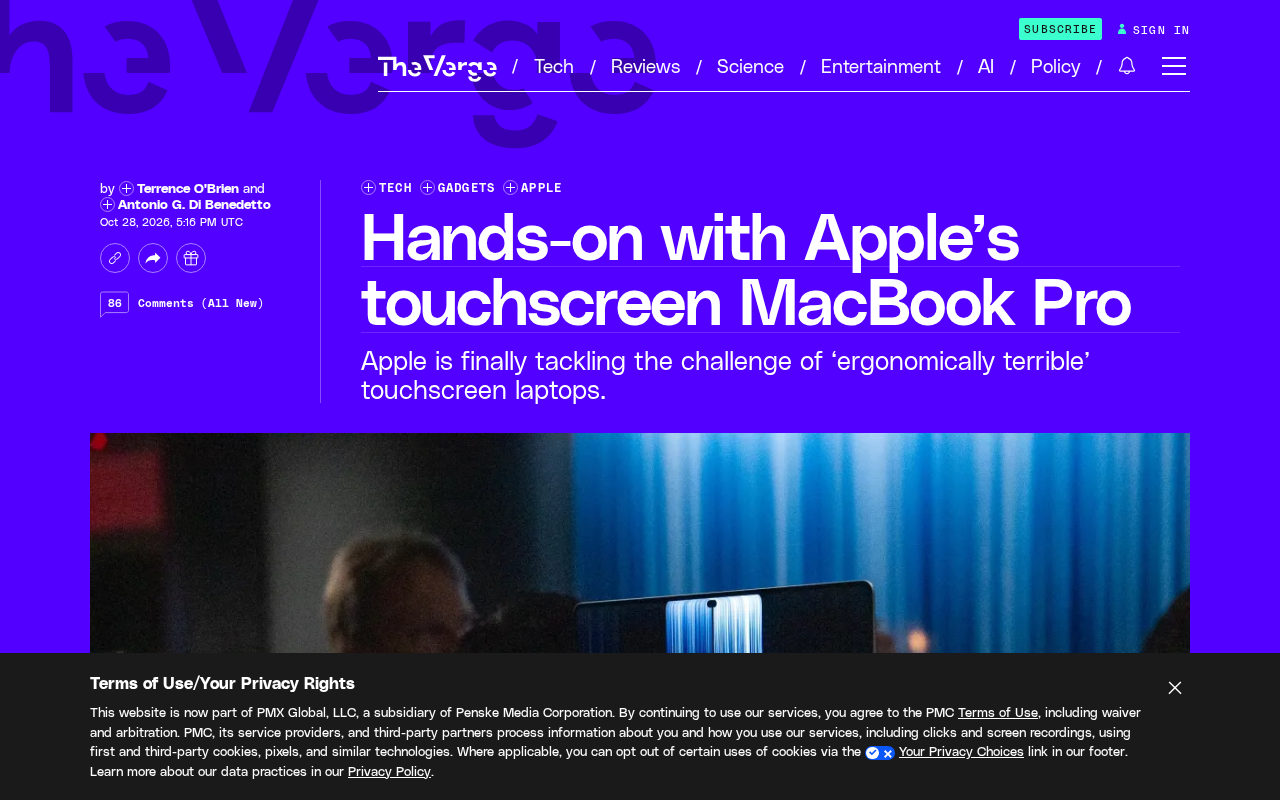
Apple has finally released its first touchscreen MacBook Pro, more than a decade after Steve Jobs' famous remark that "touchscreen laptops are ergonomically terrible." The company once adamantly refused to make touchscreen laptops, and now its stance has completely changed. Foreign media hands-on experiences reveal breakthroughs in the device's interaction methods while also exposing the inherent awkwardness of touchscreen laptops.
From Firm Refusal to Embracing Touch
Jobs' assertion long dominated Apple's product philosophy. He believed that vertical touchscreens would cause arm fatigue, forcing users to repeatedly lift their arms between keyboard and screen—an experience far inferior to a mouse or trackpad. For over a decade, Apple executives publicly reaffirmed this position multiple times, even treating it as the core logic distinguishing iPad from Mac product lines.
However, market conditions and user habits have changed. An increasing number of Windows laptops feature touchscreens, iPad Pro's touch ecosystem has matured, and user expectations for consistent cross-device experiences are rising. Apple's launch of the touchscreen MacBook Pro marks its acknowledgment of touch's value in specific scenarios, though the company has not yet detailed the specific reasons for its strategic shift.
Jobs fully articulated this view in 2010 when unveiling the iPad: touchscreen laptop screens are vertical, and prolonged touching causes arm fatigue, whereas horizontal touch (as on the iPad) is ergonomically sound. He even called touchscreen laptops "ergonomically terrible." This assertion not only shaped Apple's product roadmap for over a decade but also served as theoretical justification for differentiating Mac from iPad. Now that Apple has launched a touchscreen MacBook Pro, it must reinterpret or at least revise this classic stance—yet no systematic official response has been provided.
Hands-On: Can Touch Solve the Ergonomics Challenge?
According to foreign media's initial hands-on, the touchscreen MacBook Pro retains the iconic design of the MacBook Pro series but adds touch support to the screen layer. Users can directly tap, swipe, and zoom interface elements with their fingers. The original article notes that "Apple is unlikely to solve all the 'terrible' ergonomic issues"—such as the core pain point of having to lift your arm to operate the screen, which persists in the vertical screen form factor.
This suggests Apple's solution may not be to eliminate the arm-lifting motion but rather to reduce reliance on continuous touch through software interaction design, making touch a supplement to—not a replacement for—the trackpad and mouse. This pragmatic positioning may be the true significance of the touchscreen MacBook Pro.
"Gorilla Arm" is a common ergonomic issue with vertical touchscreen devices, referring to shoulder and arm fatigue caused by prolonged hovering while operating a screen. The term was originally used to criticize vertical touch desktop and laptop solutions. Products like Microsoft Surface have attempted to mitigate this through detachable keyboards and multi-angle stands, but the screen remains vertical in laptop form factors. If Apple wants to promote touch on the MacBook Pro, it must confront this physical limitation, and software-level hot-zone optimization, gesture alternatives, and trackpad synergy may be key to its mitigation strategy.
Potential Scenarios and Limitations of Touch Interaction
The usable scenarios for the touchscreen MacBook Pro are worth noting. In creative work, directly adjusting timelines, dragging assets, or zooming canvases by hand may be more intuitive than a trackpad; during presentations or collaboration, pointing at content on screen with a finger is more natural than a mouse cursor. But prolonged text editing or precision tasks still rely on the keyboard and trackpad, where touch is actually inefficient.
Foreign media's experience also suggests Apple may optimize touch hot zones through macOS interface adaptations to avoid frequent arm lifting. However, the original information is limited, and specific software interaction details have not been fully disclosed.
macOS and iPadOS have fundamentally different interaction logic: macOS centers on precise pointers (mouse/trackpad), with interface element sizes and spacing designed for pointer operation; iPadOS prioritizes finger touch as the primary input, with larger controls and multi-touch gestures. Bringing touch to macOS means Apple must add tappable areas, gesture layers, and anti-mistouch mechanisms for finger input without disrupting desktop precision operation. This is far more complex than adding trackpad support to iPad, and it is the aspect foreign media focused on most during hands-on but had the least information about.
Apple's Balancing Act and Future Direction
Apple needs to find a balance between innovation and experience. The launch of the touchscreen MacBook Pro is both a response to user demand and a follow-up to competitors' product forms. But Apple has always excelled at late-mover advantage—it won't simply copy the Windows camp's touch solutions but will attempt to deeply integrate touch with macOS to form a unique interaction language.
Whether the first touchscreen MacBook Pro can convince long-term skeptics depends on whether Apple can make touch genuinely useful on a vertical screen rather than a gimmicky selling point. Foreign media's hands-on is just the beginning; more real-world usage feedback will determine the product's success.
Related articles
Build a Reasoning Model from Scratch: An 11-Hour Open-Source Course Breakdown
Sebastian Raschka releases a free 8-episode, ~11-hour video course teaching you to build a reasoning model from scratch with Python and PyTorch—from a small Qwen3 model through Verifier, Inference Time Scaling, GRPO, and distillation, with open-source code on GitHub.

An 11-Hour Reasoning Model Course in Practice: How Small Models Learn to Think
Starting from Sebastian Raschka's 11-hour reasoning model course and HN buzz, this analyzes small-model training, legal text version control, Anthropic data policy, and product reliability reviews.

Lightpanda: A Headless Browser Built for AI and Automation
Lightpanda is a headless browser built from scratch in Zig for AI and automation, with 37,852 GitHub stars. This analysis covers its technical approach, design choices, and use cases.