Build an AI Content Repurposing Factory with n8n (No Code): Turn One Long Video into 10 Formats in One Click
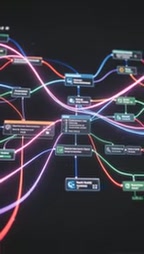
Use n8n to turn YouTube videos into multi-platform social posts in one click — no coding required.
This article walks through an n8n low-code automation workflow designed for creators who need to distribute long-form video across multiple social platforms. The five-step pipeline covers form-triggered input, Apify transcript extraction, LLM-based content atomization, parallel multi-format post generation, and optional human review via Slack or Telegram. The modular design allows models and content sources to be swapped freely, with structured JSON output for easy integration with scheduling tools. Setup requires OpenAI and Apify API keys (~20–30 min), but prompts need careful tuning before going live.
The Content Creator's Repetitive Work Trap
Anyone who creates content knows this pain: you finish recording a long video, then have to rewrite copy separately for Twitter, LinkedIn, Instagram, and TikTok. You end up saying the same thing four or five different ways, burning four to six hours every week on repetitive, mechanical work. The actual creative thinking was done long ago — what's left is just format conversion.
A workflow built on n8n (a low-code automation platform) offers a different solution: paste a YouTube link, click once, and the system automatically handles transcription, extracts five core insights, generates five social media posts, and outputs three short-video scripts — all without writing a single line of code.

Breaking Down the Five-Step Automation Pipeline
The heart of this workflow is decomposing a manual process into modular nodes, each doing exactly one thing, chained together into a complete pipeline.
Step 1: Form Trigger
Using n8n's Form Trigger node — essentially a simple web form — you paste in a YouTube link, hit submit, and the entire pipeline activates. This is the only point in the entire system that requires human input.
Step 2: Transcript Extraction
Apify's YouTube Scraper pulls the video's captions and metadata. The workflow maps this raw data into a clean transcript variable that downstream nodes can reference. This step determines the quality of everything that follows — without an accurate transcript, even the most powerful AI has nothing to work with.
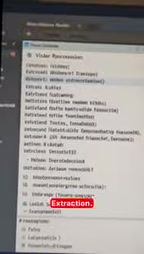
Step 3: Content Atomization
The transcript is sent to a large language model (LLM) node along with a structured prompt, instructing it to extract five key insights, notable quotes, and counterintuitive observations. These become the raw material for all subsequent posts. "Atomization" means breaking a continuous piece of content down into the smallest independently reusable units.
A Structured Prompt is the core engineering challenge in this step. Unlike a plain natural-language instruction, a structured prompt explicitly defines the output format, quantity, and content types — for example, asking the model to "return 5 insights as a JSON array, where each insight includes a title, core argument, and a one-sentence quote." This constraint makes LLM output predictable and directly parseable by downstream nodes, eliminating the need for additional cleanup. Prompt quality directly determines the precision of content atomization: vague instructions produce generic summaries, while carefully tuned structured prompts surface truly shareable standalone insights. This is exactly why the article emphasizes spending time upfront on prompt engineering.
Step 4: Parallel Multi-Format Generation
At this point the workflow branches into multiple parallel outputs: a Twitter thread, a LinkedIn post, and a YouTube community post. Each branch applies the formatting conventions and character limits of its respective platform, rather than crudely copy-pasting the same text everywhere. Writing in a platform-native voice is precisely what makes manual repurposing so time-consuming.
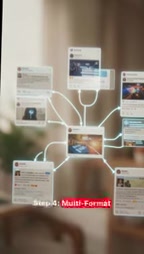
Parallel branching in n8n is implemented via "Split in Batches" or multi-branch nodes, allowing the same input data to simultaneously trigger multiple independent downstream processing chains rather than waiting for each to finish before starting the next. This matters enormously in content distribution: Twitter's 280-character limit, LinkedIn's preference for structured paragraphs and a professional tone, and TikTok's demand for conversational pacing are fundamentally different. Platform-native writing isn't just about character counts — it also involves hashtag conventions, opening hook design, paragraph density, and other details that must be defined separately in each platform's prompt template, not derived from a simple trim of the same text.
Step 5: Human Review (Optional)
Generated drafts are pushed to Slack or Telegram for approval before publishing. This step lets you retain final quality control over your content without having to write a single word yourself. For creators who care deeply about brand voice, this stage is essentially non-negotiable.
Why Modular Design Is the Real Key
The most valuable thing to take from this workflow isn't the specific steps — it's the modular design philosophy. Every node is swappable: want a different model, just replace OpenAI with Claude; want to process blog posts, swap the YouTube URL for a blog URL. All outputs are structured JSON, ready to drop directly into any scheduling and publishing tool.

This means you're not building a one-off script — you're building a content asset that can evolve continuously. As platform rules change and models improve, you only need to update the relevant node rather than rebuilding from scratch.
Outputting structured JSON is what enables seamless integration with third-party publishing tools. Major social media scheduling platforms like Buffer, Hootsuite, and Typefully all provide API endpoints that can directly receive JSON-formatted post content and scheduled publishing parameters. This means the entire chain can extend to: content generation → human review → auto-scheduled publishing, achieving full end-to-end automation from raw video to multi-platform live posts. The modular node design also simplifies version management: when a platform's algorithm changes and you need to update the corresponding prompt template, you only modify that single node without affecting the output logic of other platforms, reducing long-term maintenance costs.
A Few Practical Realities Before You Deploy
The vision is compelling, but there are a few things to keep in mind when actually running this. First, you'll need API keys for both OpenAI and Apify — these are prerequisites for the two core nodes. The full setup takes roughly 20 to 30 minutes.
More importantly, manage your expectations: the first run will almost certainly not produce publish-ready posts. Prompts need repeated iteration until the tone, structure, and length of the output genuinely match each platform's conventions before you go live. In other words, automation eliminates the repetitive labor — not the upfront refinement cost. Invest the time early in prompt engineering, and you'll earn the true "one-click generation" experience later.
Who This Solution Is For
If you're a creator who consistently produces long-form video and struggles to distribute it across multiple platforms, this kind of workflow can compress four to six hours of repetitive work into a single click plus one review. But if your content volume is low, or if you have strong personalization requirements for every individual post, the gains from automation may not justify the setup and tuning investment.
One video, five posts, zero manual writing — that's the promise of an n8n content repurposing workflow. Whether it delivers depends entirely on how much effort you're willing to put into your prompts.
Related articles

Vibe Coding Full-Stack in Practice: AI Programming from Beginner to Enterprise Deployment
From Cursor to Claude Code, this Bilibili AI programming course uses four progressive projects to cover full-stack development, open-source secondary development, and team collaboration. The article analyzes the shock to frontend roles, the efficiency shift from 50 people to 5, and the methodology required for enterprise-grade projects.

David Blaine's Global Quest for Real Magic: From South Africa to Japan and India
David Blaine travels to South Africa, Japan, and India in his Do Not Attempt special, documenting Spinning drivers, black mamba rescuers, iaijutsu masters, and ascetics—exploring the boundary between magic and real human极限 challenges.

Is a Touchscreen MacBook Coming? Vergecast Reveals Apple Executive's Response
Vergecast podcast reveals a conversation between a reporter and Apple executive John Ternus about a touchscreen MacBook and Apple Pencil support. Ternus says iPad is the best device for a stylus, while the reporter bets MacBook will eventually support Apple Pencil.