Build Dify in 5 Minutes: Zero-Code RAG Knowledge Base & AI Game Assistant

Dify is an open-source platform for zero-code AI apps with private deployment; this article covers local setup in three steps and building a RAG game assistant.
The article introduces Dify, an open-source LLM application development platform, highlighting its drag-and-drop building, accessibility for non-technical users, and data security through private deployment—ideal for compliance-heavy industries like finance and healthcare. It then details a three-step Windows local deployment: installing WSL and Docker Desktop, configuring Docker registry mirrors, and starting the Dify container with initial setup. It also outlines a typical workflow for a Delta AI game assistant using Dify's core features—uploading guide documents, connecting LLMs, designing conversation logic—and leveraging RAG to reduce hallucinations. Finally, it offers learning advice: beginners should focus on getting the app running rather than low-level details, with notes and installation packages provided, and later advance to frameworks like LangChain.
Why Choose Dify?
If you're interested in AI application development but have been put off by the coding barriers of frameworks like LangChain and LlamaIndex, Dify may be an ideal starting point. It's an open-source LLM application development platform that supports rapidly building production-grade AI applications through drag-and-drop and configuration—non-technical users can also participate in defining and operating data.
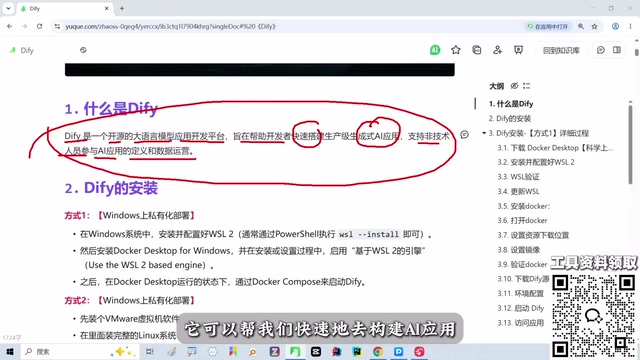
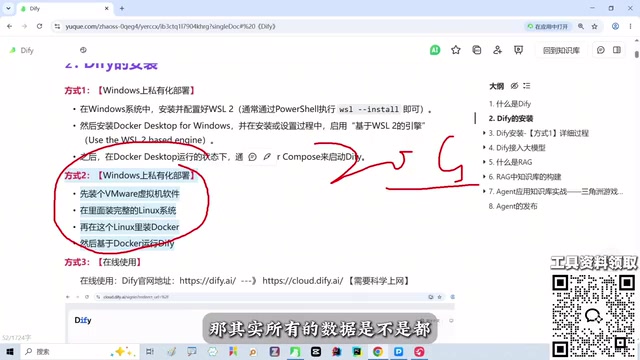
Unlike cloud-hosted platforms such as Coze, Dify supports private deployment, keeping data 100% local. For industries with high compliance requirements like finance and healthcare, this is crucial. This is also the core reason the instructor favors local deployment—whether it's a personal demo or real enterprise data, you have full control.
Local Deployment in Three Steps
Step 1: Install WSL and Docker Desktop
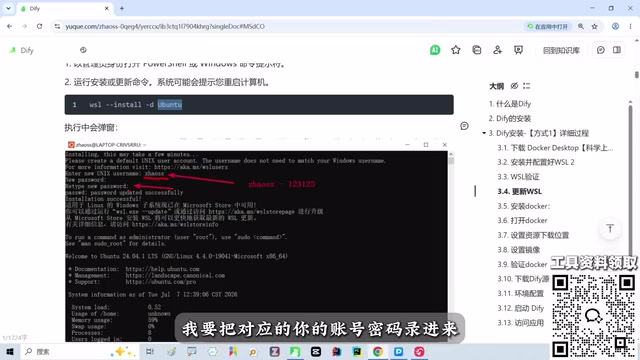
Windows users need to first enable WSL (Windows Subsystem for Linux), then check the relevant options in Control Panel's "Programs." Verify the version with wsl --version; if it reports invalid, update WSL with the command.
Then install Docker Desktop, follow the prompts, and restart your machine when done.
WSL (Windows Subsystem for Linux) is a compatibility layer provided by Microsoft in Windows 10 and above, allowing users to run Linux distributions (such as Ubuntu) directly on Windows without installing a virtual machine or dual-booting. For open-source projects like Dify that are primarily developed for Linux environments, WSL gives Windows users a near-native Linux command-line experience while interopeting with the Windows file system. Docker Desktop relies on WSL 2 as the backend for running Linux containers, so enabling WSL is a prerequisite for installing Docker Desktop.
Docker Desktop is the desktop integrated environment for Docker, packaging the Docker engine, command-line tools, and a graphical interface so developers can run containers on their local machine with one click. Dify's local deployment relies on Docker Compose to orchestrate multiple services (such as API, frontend, database, vector store, etc.), and Docker Desktop simplifies starting and managing these containers. Note that Docker Desktop is free for individuals and small teams, but large enterprises must comply with its licensing terms for commercial use.
Step 2: Configure Docker Registry Mirror
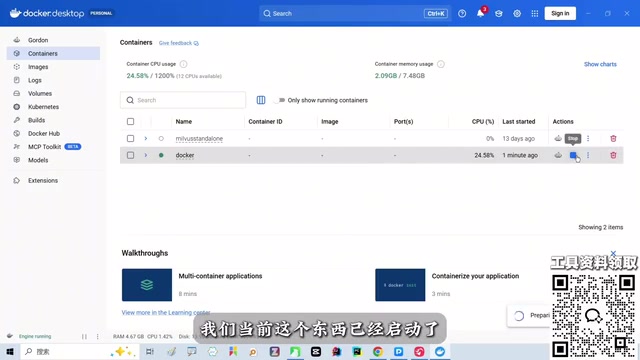
Start Docker Desktop; if "running" appears in the lower-left corner, it's running normally. Go to settings to configure the registry mirror, paste and execute the commands from the notes.
Docker registry mirror refers to configuring a domestic mirror source (Registry Mirror) to replace Docker Hub's default pull address. Due to network conditions, pulling images directly from Docker Hub may be slow or even fail; after configuring a mirror, Docker will prioritize downloading from domestic nodes, significantly improving pull efficiency. In Docker Desktop, this is typically done through the Docker Engine configuration in settings, filling in mirror acceleration addresses (such as dedicated accelerators provided by Alibaba Cloud, Tencent Cloud, etc.) in the registry-mirrors array, then saving and restarting Docker for it to take effect.
Note that the registry mirror only affects the image pull stage and does not change the container's runtime network behavior. Some mirror services require users to register and obtain a dedicated address, while public accelerators may vary in stability due to high usage. After configuration, you can verify acceleration with commands like docker pull hello-world.
Step 3: Start the Dify Container
Pull the Dify image in Docker, configure environment variables, and after startup access the Dify interface via the local path. On first use, set a username, password, and email.
After logging in, you can see modules like Home, Studio, Knowledge Base, Integrations, and Marketplace. In the demonstration, the instructor had already cleared the existing content to configure from scratch.
Building a Delta AI Game Assistant
Although the original article doesn't detail the specific steps, based on Dify's core features, we can infer the typical process for building a game assistant: create a knowledge base and upload game guides, character data, and other documents; configure LLM access (such as GPT, Claude, or local models); then design the conversation flow or Agent logic so the assistant can answer player questions and provide tactical advice. Dify's RAG capability ensures answers are based on the uploaded private knowledge, reducing hallucinations.
RAG (Retrieval-Augmented Generation) is a technical architecture that combines information retrieval with large language model generation. Its core process: first split and vectorize user-uploaded documents and store them in a vector database; when a user asks a question, the system retrieves the most relevant document snippets from the knowledge base, splices them as context into the prompt, and sends it to the LLM to generate an answer. This allows the model's answers to be based on private knowledge rather than relying solely on parametric knowledge memorized during training, thereby reducing hallucinations and improving accuracy.
In Dify, the knowledge base module encapsulates the complete RAG pipeline, including document parsing, chunking, embedding model selection, vector storage, and retrieval strategy configuration. Users only need to upload documents and select an embedding model to have the AI assistant answer questions based on those documents. For the game assistant scenario, importing guides, character attributes, version update notes, and other documents into the knowledge base, combined with conversation flow design, enables a well-grounded Q&A experience.
Learning Advice and Resources
The instructor emphasizes that beginners need not get bogged down in low-level details like WSL and Docker; the main goal is to get the Dify application running. The course provides detailed notes and installation packages, available for free via the teaching assistant or the QR code in the discussion area. For those who want to go deeper into LLM development, they'll later need to learn frameworks like LangChain, LangGraph, Deep Agent, and the Harness architecture.
Dify's significance lies in introducing concepts like agents, RAG, and knowledge bases in an intuitive way, allowing zero-foundation users to quickly experience the complete pipeline of AI application development.
LangChain is an open-source programming framework for building large language model applications, providing abstractions like Chains, Agents, Memory, and tool calling—suitable for developers who need deep customization and code-level control. LangGraph is a framework in the LangChain ecosystem for stateful, multi-step workflows, defining nodes and edges in a graph structure, suitable for building complex agent loops and conditional branches. Deep Agent typically refers to agent systems with multi-step reasoning, tool use, and autonomous planning capabilities. The Harness architecture broadly refers to the runtime support layer built around models, including prompt management, tool orchestration, evaluation, and observability engineering components.
These concepts represent the progression from low-code platforms to code-level development. Dify is suitable for rapid validation and lightweight production, while LangChain/LangGraph are better suited for scenarios requiring fine-grained control, custom logic, or deep integration. Beginners can first use Dify to build an intuitive understanding of agents, RAG, and knowledge bases, then gradually transition to code frameworks, avoiding getting stuck in engineering details from the start.
Related articles
 Tech Frontiers
MuJoCo: An Analysis of DeepMind's Open-Source General-Purpose Physics Simulator
An in-depth analysis of Google DeepMind's open-source physics simulator MuJoCo: high-performance C++ kernel, MJCF modeling format, contact solving principles, MJX GPU acceleration, and robot reinforcement learning use cases.
 Tech Frontiers
Claude API Quick Start: The Official Quickstarts Project Collection
Anthropic's official claude-quickstarts project collection helps developers quickly build deployable apps with the Claude API. Nearly 20k stars, Python-based, great for beginners and prototyping.
 Tech Frontiers
AI Agents Connecting Directly to APIs: Which Calls Can Be Safely Allowed?
AI agents can call any API, but the real challenge is deciding which calls can be safely allowed. This article analyzes allowance decisions from three dimensions—intent matching, least privilege, and controllable impact—and argues that the control layer should sit outside the agent, combined with audit traceability to build a trustworthy API call governance mechanism.