Building a Privacy-First TV Box: Escape Smart TV Data Surveillance

LibreELEC or a Linux Mini PC beats smart TV surveillance — here's how to take back your living room.
Modern smart TVs embed ACR technology that tracks your viewing by default, and toggling off personalized ads rarely stops the data collection itself. This article evaluates three privacy-first alternatives — Apple TV (too locked down for third-party YouTube clients), Raspberry Pi with LineageOS (viable but high-effort), and LibreELEC with Kodi or a Linux Mini PC (the most reliable option). Combined with open-source apps like FreeTube and SmartTube, physical network isolation of the TV, and Pi-hole telemetry blocking, users can close the privacy gap that's been hiding in plain sight in their living room.
Smart TVs: The Privacy Black Hole You've Been Ignoring
Many privacy-conscious users invest heavily in self-hosted services, GrapheneOS phones, and VPNs — yet consistently overlook the most data-leaky device in their living room: the smart TV. A Reddit user shared their wake-up moment: after LG's data collection scandal broke, they realized they'd had a blind spot all along and immediately cut their LG TV's network access entirely.
This is far from an isolated case. Modern smart TVs almost universally ship with ACR (Automatic Content Recognition) technology baked in, tracking every frame you watch and sending that data back to manufacturers for ad profiling and analytics. Even if you never touch the TV's built-in streaming apps, the privacy risk persists the moment it connects to your network. Manufacturer privacy policies are typically vague and convoluted, leaving users with little real control over where their viewing data ends up.
ACR (Automatic Content Recognition) technology was pioneered by companies like Gracenote and works much like music recognition apps: your TV takes a screenshot of the screen every few seconds, extracts a fingerprint, and compares it against a cloud database to identify what you're watching — whether it's a locally played movie, a cable broadcast, or content from an HDMI-connected external device. Samsung, LG, Vizio, Roku, and other major manufacturers have deeply integrated ACR into their operating systems, with it enabled by default. Vizio was fined $2.2 million by the FTC over this practice, and LG has faced repeated controversy for collecting viewing data without consent. Even when users toggle off "personalized ads" in settings, the underlying ACR data collection often continues in the background — that toggle stops ads based on the data, not the data collection itself.
Defining Your Needs: Minimal, Not Maximal
Before exploring alternatives, it's worth getting clear on what you actually need. The Reddit user's requirements were quite modest:
- Jellyfin: an open-source, self-hosted media server for personal libraries
- A privacy-respecting YouTube client: not the official tracking-laden app
- German public broadcast on-demand: ARD/ZDF Mediathek and similar local content
- No demanding audio requirements: TV speakers are fine, no need for Atmos or high-end surround sound
This kind of minimal use case is actually the ideal starting point for a privacy-first TV box — no expensive hardware required, no complex ecosystem dependencies. The focus is on complete control over the software stack.
Option 1: The Limitations of Apple TV
Apple TV inevitably comes up in community discussions like this. It's genuinely excellent hardware, and Apple's overall privacy track record is better than most competitors. But for this type of use case, it has one glaring weakness: a walled garden ecosystem.
You can't easily install third-party privacy-respecting YouTube clients (like SmartTube or NewPipe-style alternatives) — you're limited to whatever's available in the App Store. For users who want to bypass YouTube's official tracking, this limitation is essentially a dealbreaker. Apple TV is a better fit for users willing to play by Apple's rules within Apple's ecosystem, not for those seeking full autonomy and control over their privacy setup.
Option 2: Raspberry Pi / Mini PC + Custom OS
The original poster leaned toward building something with a Raspberry Pi or Mini PC running LineageOS. The direction is right, but there are some practical realities to keep in mind:
LineageOS on ARM single-board computers isn't always a smooth experience. Running Android on a Raspberry Pi is hit-or-miss — hardware video decoding, HDMI-CEC (using your TV remote to control the box), and other features can have compatibility issues. More mature alternatives include:
- LibreELEC + Kodi: a lightweight Linux system purpose-built for media centers, with solid Jellyfin plugin support, low resource usage, and smooth performance
- Mini PC running Linux desktop + browser: maximum flexibility — use FreeTube or similar desktop clients for YouTube, and access Mediathek directly in a browser
- Raspberry Pi running LineageOS: viable but high-effort, best suited for tinkerers who enjoy the process
For privacy-respecting YouTube access, FreeTube on desktop or SmartTube on Android (specifically optimized for TV interfaces) are both mature, well-regarded options for bypassing official tracking.
LibreELEC is a "Just Enough OS" Linux distribution designed specifically to run the Kodi media center. The system footprint is tiny (typically under 200MB), boots quickly, and strips out everything unrelated to media playback. Kodi itself is a nearly two-decade-old open-source media player supporting local library management, network streaming plugins, automatic subtitle downloads, and much more. Its Jellyfin plugin seamlessly integrates your self-hosted media library into the Kodi interface. LibreELEC supports the Raspberry Pi 4/5, various Amlogic chipset boxes, and x86 PCs — leveraging GPU hardware decoding on all of them for smooth 4K HDR playback. It also natively supports HDMI-CEC, so your TV remote works out of the box with no extra configuration. For users who just need local media playback, this combination is about as close to zero-hassle privacy-friendly as it gets.
Option 3: Flashing Privacy Firmware on TV Boxes
Another approach is buying a generic Android TV box and flashing a more privacy-respecting firmware onto it. The viability of this path depends heavily on the specific hardware model — some popular boxes have active community firmware support, while many cheap boxes have locked bootloaders that make flashing difficult or even come with pre-installed malware.
If you go this route, prioritize models with a proven community, unlockable bootloaders, and firmware from trustworthy sources. For most people, the barrier to entry and uncertainty involved likely outweighs just going with LibreELEC or a Mini PC from the start.
Practical Recommendations: Layered Hardware and Software Protection
Regardless of which hardware you choose, privacy protection should be approached systematically:
- Physically disconnect the native OS from the network: keep the TV itself offline, use it purely as a display, and hand all smart functionality to the external box
- Network-level filtering: use your router or Pi-hole to block telemetry domains from both the TV and the box — even if a device is online, this cuts off data exfiltration
- Choose open-source apps: Jellyfin, FreeTube, and SmartTube are all open-source projects — transparent and auditable
- Avoid logging into official accounts: use apps anonymously wherever possible to minimize identity-linked data
Pi-hole is a DNS-level ad and tracking blocker that runs on your local network, typically deployed on a Raspberry Pi or small server. It works by routing your home network's DNS requests through Pi-hole, which checks them against maintained blocklists and resolves known ad, telemetry, and tracking domains to null addresses — effectively killing data exfiltration attempts at the network layer before they leave your home. For smart TVs and IoT devices where you can't install software, Pi-hole is one of the few tools that can meaningfully limit their outbound data. Community-maintained blocklists covering major smart TV manufacturers' telemetry domains — such as LG's
lgappstv.comand Samsung'ssamsungacr.com— are available for direct import. Combined with VLAN isolation at the router level, you can fully segment your smart TV's network traffic from other devices, preventing cross-device data correlation.
Closing Thoughts
What this Reddit discussion illustrates is that building a privacy-first viewing environment doesn't require a large budget — it requires reclaiming control over your software stack and data flows. For users with clear, modest needs (Jellyfin, YouTube, local public media), LibreELEC or a Linux Mini PC is usually a better fit than the closed Apple TV ecosystem, and more reliable than the rabbit hole of flashing LineageOS onto a Raspberry Pi. Downgrade your smart TV to a dumb display, pair it with network-level telemetry blocking, and you'll have finally plugged the privacy gap in the one corner of your home that's been overlooked far too long.
Related articles
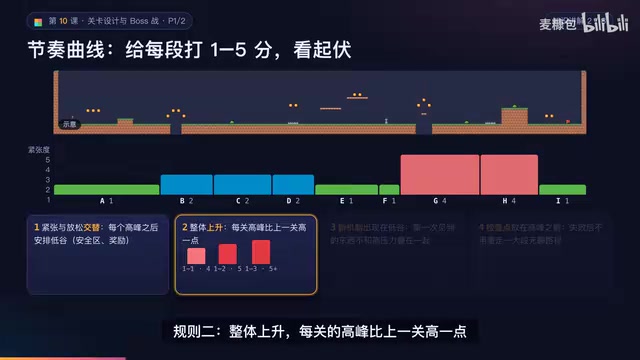
AI Game Development in Practice: Designing Levels with the Four-Step Method and Pacing Curves
AI game development lesson 10: design levels with the four-step method (teach, practice, combine, test) and a 1-5 pacing curve, plus sightline guidance and safety zones—implement Animatable Body 2D moving platforms and generate ASCII sketches for 1-2 Underground Cavern and 1-3 Guard Hall.
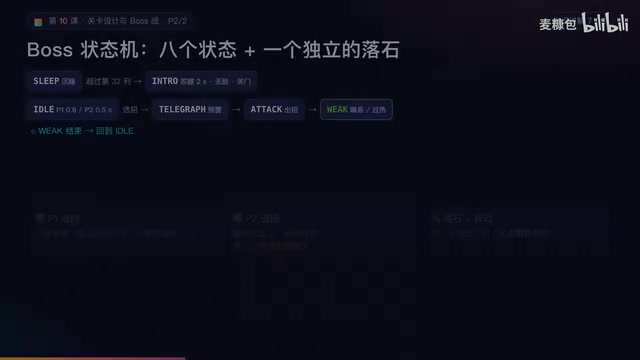
AI Game Development in Practice: Two-Phase Boss State Machines and Death Heatmap Tuning
AI game development lesson 10: implement a two-phase Boss with a state machine, guarantee fairness with color signals and a 0.4-second warning floor, locate difficulty cliffs with a death heatmap, and apply lightest-to-heaviest fixes one at a time, with an acceptance checklist and common pitfalls.
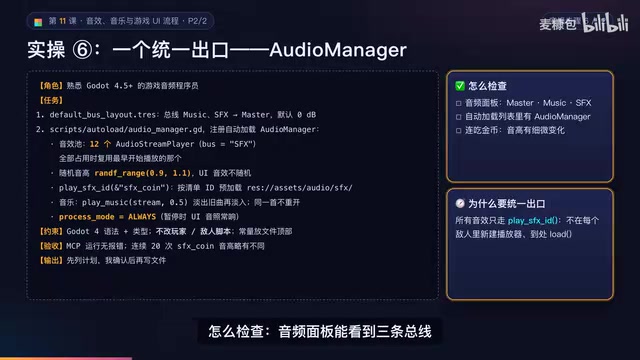
AI Game Development in Practice: Audio Buses and Building the Full UI Flow
AI game dev lesson 11 part 2: Godot's audio trio, audio buses and dB conversion, AudioManager's player pool and random pitch, autoload boundaries, the full UI flow from title to clear, fault-tolerant JSON saves, and pixel font anti-aliasing and integer-size rules.