bytemail: The Privacy-Focused Email Client That Puts Your Inbox in the MacBook Notch

bytemail is a natively Swift Mac email client that leverages notch interactions and privacy architecture to enter the market.
bytemail is a natively Swift-built Mac email client supporting any IMAP account such as Gmail, iCloud, and Outlook, and it topped Product Hunt's daily leaderboard. Its most distinctive design treats the MacBook notch as an interaction area, with new mail and login codes popping out from the notch and Undo Send shown as a paper plane animation. On privacy, it blocks tracking pixels, flags spoofed senders, and promises emails never pass through its own servers. It also includes a built-in MCP server letting AI apps like Claude access email data, plus standard features like Snooze, rule filtering, and one-click unsubscribe. A 7-day free trial and iPhone beta are available.
In the email client space—dominated by giants and "semi-abandoned" products—it's not easy for a new product to stand out. bytemail earned 129 upvotes on Product Hunt and topped the day's leaderboard, not by piling on features, but through a very specific angle: a natively Swift-built Mac email app that places high-frequency actions like notifications, login verification codes, and undo send right in the MacBook notch.
All Your Mailboxes in One Window
bytemail supports Gmail, iCloud, Outlook, Yahoo, Fastmail, and any IMAP account, all in a single window. For people managing multiple email accounts, this solves the switching cost problem—no more jumping between browser tabs and different clients.
Native Swift development is what sets it apart from Electron-wrapper clients. The original text emphasizes a "fast window"—and in email, a scenario that demands quick scanning and frequent switching, the responsiveness difference of a native architecture is perceptible. For anyone handling dozens or hundreds of emails a day, that smoothness is itself productivity.
The difference between Electron wrappers and native Swift: Many cross-platform desktop clients (like early versions of Slack and Notion) are built on Electron, which essentially packages a Chromium browser engine to run web apps. This approach offers high development efficiency and cross-platform consistency, but at the cost of high memory usage, slow startup, and the need for extra bridging for system-level interactions (notifications, menu bar, trackpad gestures). Native Swift apps, by contrast, directly call macOS's AppKit/SwiftUI frameworks, using system APIs more naturally with lower latency in high-frequency operations like scrolling, searching, and window switching. For email—a scenario requiring quick scanning and frequent switching—the responsiveness advantage of a native architecture is easier to perceive, which is the technical backdrop for bytemail's emphasis on a "fast window."
The Notch Becomes Part of the Email Experience
bytemail's most distinctive design is treating the MacBook notch as an interaction area. New mail arrivals and login verification codes "grow out" of the notch, Undo Send is presented with a paper plane flying across the notch, and a desktop widget shows unread counts.
The significance of this design isn't just aesthetic. The notch is a wasted area on Mac screens, and bytemail turns it into a persistent information entry point. The detail of verification codes popping out of the notch targets the most annoying step in the login process—no need to switch to SMS or another device; the code is right in front of you.
Privacy Is Both a Selling Point and an Architectural Choice
When email clients talk about privacy, the biggest risk is empty slogans. bytemail makes three commitments: blocking tracking pixels, flagging spoofed senders, and ensuring emails never pass through its own servers.
The first two are functional protections. Tracking pixels are the most common monitoring method in marketing emails; blocking them means senders can't confirm whether and when you opened an email. Spoofed sender detection targets phishing emails—a type of attack that has always been prevalent in email.
The third is an architectural commitment: your emails will never pass through bytemail's servers. For privacy-sensitive users, this is more convincing than any marketing copy, because it means the vendor has no technical channel to access email content.
Tracking Pixels: Marketing emails often embed a 1x1 transparent image; when the recipient opens the email, the client requests that image from the sender's server, thereby recording open time, IP address, device type, and more. Blocking tracking pixels means the client doesn't automatically load such remote images, or blocks known tracking domains, so the sender can't confirm whether the email was opened. This is one of the most basic and effective privacy protections, but for senders relying on open-rate data, it affects their marketing analytics. bytemail makes tracking-pixel blocking a default capability, precisely targeting users' dislike of being monitored.
MCP Server: Email Integrated into AI Workflows
bytemail includes a built-in MCP server that can be called by Claude and other AI applications. This means email data can become working context for AI assistants—for example, having AI help you review correspondence for a project, or organize based on inbox content.
MCP, as a protocol connecting AI applications with external data sources, has been adopted by more and more tools over the past year. Email is one of the highest information-density types of personal data, and integrating it into AI workflows offers significant value. However, this capability is described in only one sentence in the original text; how far it can actually go and how permission boundaries are drawn will require hands-on use to judge.
MCP (Model Context Protocol): An open protocol proposed by Anthropic for letting AI models securely connect to external data sources and tools. It defines a standardized interface enabling AI applications (like Claude Desktop) to call local or remote services in a unified way—reading files, querying databases, operating APIs, and more. An MCP server is a server-side program implementing this protocol, responsible for exposing specific data and capabilities to AI. bytemail's built-in MCP server essentially packages email data as AI-callable resources, letting applications like Claude read email content and perform organization tasks with user authorization. This architecture separates AI capabilities from local data, with permission boundaries controlled by the MCP server—a mainstream pattern for AI workflow integration today.
All the Expected Features Are There
Beyond its differentiated design, bytemail also covers the standard features of a modern email client: Snooze, rule-based filtering, and one-click unsubscribe. These are capabilities heavy email users rely on daily; missing any one would send people back to their old client.
The product offers a 7-day free trial and includes an iPhone beta, indicating that a multi-platform layout is already underway.
Who Should Use It
If you use a Mac, juggle multiple email accounts, and care about being tracked, bytemail is worth a try. The smoothness of native Swift, the novelty of notch interactions, and the architecture where emails never pass through third-party servers are its three pillars relative to similar products.
Two things bear watching: the actual capability boundaries of the MCP server, and—as a new product—its long-term stability and pace of feature iteration. Email clients are a category with high switching costs; once users get comfortable, they rarely change, which also means newcomers must prove themselves reliable within the first few weeks.
Related articles
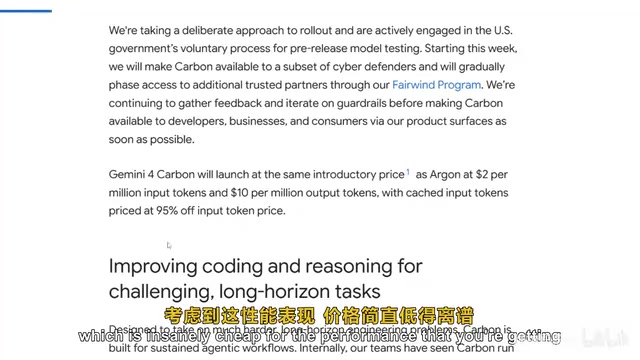
Gemini 4 Carbon Hands-On: The Strongest AI Model? Compared with Claude Opus 5.5
Google's Gemini 4 Carbon tops the Artificial Analysis leaderboard with 71% on CW Bench and leads Vending Bench. Hands-on comparison with Claude Opus 5.5: stunning front-end design but slightly behind in web development, with a clear price advantage.

Gemini 4 Carbon Tops Global Rankings as AI Productivity and Open-Source Ecosystems Surge
Google DeepMind's Gemini 4 Carbon tops global benchmarks, built for complex agents and system security. ByteDance launches Doubao Work integrated with Feishu, Anthropic's AI autonomously breaches 5 system-level attack chains, and ModelBest and Fudan open-source on-device multimodal and image generation models.

Overseas Creator Breaks Down N8n AI Agent Business Playbook: From Tooling to Monetization
An overseas creator breaks down the N8n AI agent business playbook: comparing Zapier, Make, and N8n, detailing four monetizable automation categories—lead capture, WhatsApp follow-up, booking, and content pipelines—plus agency pricing and a sales playbook.