Claude Code Beginner's Guide: A Deep Dive into the Most Powerful AI Coding Tool

Claude Code is an AI-native coding agent that reads your full project, writes code, and auto-debugs — far beyond chat-based tools.
Claude Code is a locally installed AI coding assistant powered by Claude's 200K-token context window, enabling it to read entire codebases, generate precise code, and auto-debug in a full agent loop. This guide covers its core advantages, the history of AI coding tools from Copilot to Cursor, and why Claude Code outperforms Trae, Codex, and other alternatives.
What Is Claude Code
Claude Code is a locally running AI coding assistant. Its standout feature is that you don't need to log into any website — once installed, you can call it directly from your development environment, making the onboarding process incredibly straightforward.
While it does have certain OS requirements, all mainstream systems are supported. As an AI coding assistant, Claude Code's capabilities are fundamentally different from the conversational coding we typically do in DeepSeekAd or ChatGPT.
Conversational Coding vs. Automated Programming
Traditional conversational coding has one glaring weakness: when you ask a question in DeepSeek or ChatGPT, the AI typically returns a code snippet, which you then have to manually copy into your project, run, test, and repeatedly tweak when things break. The workflow is painfully inefficient.
More critically, conversational tools can't read the full context of your project. When a project contains dozens or even hundreds of code files, the AI has no visibility into any of them — you have to manually describe everything, which severely hampers development speed. The root cause of this limitation is the context window of early large language models: early models could only process a few thousand tokens at a time, nowhere near enough to hold an entire project's codebase.
Core Advantages of Claude Code
Claude Code is fundamentally different from conversational tools. It can read through an entire project's full content, feeding the complete context to the underlying model to generate precise, business-relevant code.
The technical foundation for this capability is the Claude model family's massive 200K token context window — equivalent to processing roughly 150,000 English words in a single pass, more than enough to accommodate the core codebase of a mid-sized project. The AI is no longer blindly answering isolated questions; it can genuinely understand cross-file dependencies, function call chains, and business logic.
Going further, it can also automatically debug and fix errors, completing the full loop from reading context, generating code, to self-correcting — this is what true automated programming looks like. This working paradigm is essentially the AI Agent model: the tool doesn't just "generate code" — it proactively reads the file system, executes terminal commands, runs test cases, parses error messages, and iterates on fixes, forming a complete "perception–decision–execution" loop. This marks AI's evolution from being an "answerer" to a genuine "collaborative developer."
For beginners, this capability might be hard to appreciate at first glance. But it's precisely this power that has made Claude Code explode in popularity among developers, with its reputation continuing to grow by word of mouth.
A Brief History of AI Coding Assistants
To understand Claude Code's place in the industry, it helps to trace the evolution of AI coding assistants.
From Copilot to Cursor
The first to capture widespread attention was GitHub Copilot. Released in 2021 and built on OpenAI's Codex model — which was specifically trained and fine-tuned on massive amounts of open-source code — Copilot integrated into editors like VSCode as a plugin. By analyzing the current file's context to predict the next block of code in real time, it pioneered the "AI code completion" category and delivered a genuinely transformative experience for developers. Its limitations, however, were just as clear: at its core it was a completion tool, incapable of proactively understanding the overall project architecture or independently debugging and running code.
Cursor then burst onto the scene, far surpassing Copilot. Cursor is an AI-native IDE built on a heavily modified version of VSCode, supporting free switching between underlying models (including Claude, GPT-4, and others). It introduced the "Composer" feature, allowing AI to make edits across multiple files simultaneously — a major breakthrough at the time — bringing its overall capability close to what Claude Code offers today. Cursor's rise also confirmed the industry's strong appetite for an "AI-native development environment": developers were no longer satisfied with code completion; they wanted AI to participate in the entire development lifecycle.
The Divergence of Tools at Home and Abroad
Trae comes in an international version (paid) and a domestic Chinese version (free), with specific optimizations for Chinese developers. Its understanding of Chinese is particularly solid, and it was once considered the most polished coding tool available.
There's also OpenCode, though the overall experience is relatively underwhelming — not a top recommendation.
Why Claude Code Is More Powerful
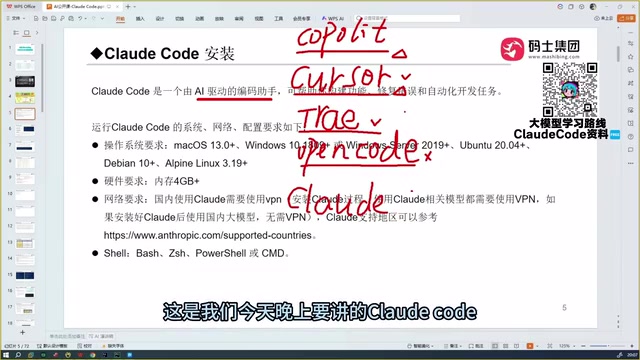
After extensive hands-on experience with Copilot, Cursor, Trae, and other mainstream tools, one conclusion consistently emerges: Claude Code is currently the most powerful AI programming tool available, a clear step above Trae, which was once considered "the most complete" option.
The Core Gap: The Underlying Model
The capability ceiling of any AI coding assistant is ultimately determined by the underlying model powering it. Claude Code's strength comes down to the fact that the Claude (Sonnet/Opus) model family sits at the very top of the industry in terms of code understanding and generation. This advantage is backed by objective benchmarks: Claude 3.5 Sonnet once set a record-breaking lead on SWE-bench, the industry's widely recognized, high-difficulty benchmark. SWE-bench requires models to directly resolve Issues from real GitHub repositories — involving the full pipeline of code understanding, modification, and verification — making it a rigorous measure of real-world programming ability, not just a simple code generation exercise.
By comparison, Trae's main advantage is that it's free in China, but in more technically demanding scenarios, its code generation quality noticeably drops off.
Side-by-Side Comparison with Codex
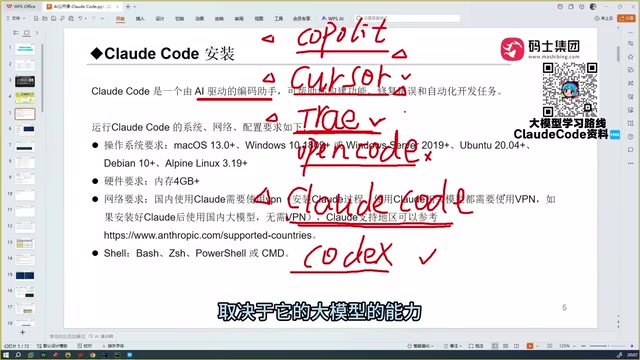
OpenAI's Codex is also worth noting. Paired with top-tier models like GPT-5, its programming capabilities could theoretically rival Claude Code. That said, the Codex + GPT-5 combination still awaits more real-world validation and should be treated as a reference point for now.
After cross-comparing Trae, Qwen, GLM-series, and a range of other domestic and international models, the overall conclusion still points to Claude Code as the best AI coding tool available today.
Final Thoughts
For developers, Claude Code brings more than just a productivity boost — it brings a genuine sense of urgency. Its ability to independently read through a project, generate code, and auto-correct errors is redefining what "programming" itself means.
For beginners looking to get started, Claude Code's local installation and out-of-the-box usability significantly lower the barrier to entry. But no matter how powerful the tool, it remains just that — a tool. What ultimately determines success is the developer's deep understanding of the project and business logic. Choose the right tool, build a solid foundation, and you'll unlock the full potential of AI-assisted programming.
Key Takeaways
Related articles

DeepSeek Open-Sources DeepInfer: What Is an Inference Framework Actually For?
DeepSeek open-sources its inference framework DeepInfer under Apache 2.0, supporting DeepSeek V4.1 Flash offline inference. This article explains its request scheduling, FlashMLA/DeepGEMM compute optimization, DSPark speculative verification acceleration, and what it means for developers and ordinary users.

Open-Source AI Learning Agent: A Full Workflow Experience from Topology Graphs to Exam Generation
Explore an open-source AI learning agent: built on DeepSeek API, it constructs knowledge systems via topology graphs, with automatic document generation, notes, super documents, and exams. Learn about its Agent workflow and design highlights.

DeepSeek Whale Girl Open-Source MV Meme: AI Industry Coded Slang About Pivoting to Closed Source
Bilibili's DeepSeek Whale Girl rap MV uses fictional memes to tease the AI open-source vs. closed-source debate, with lyrics full of industry slang. This article explains the meme culture, the Whale Girl symbol, and the open/closed tension.