Claude Code + DeepSeek Tutorial: China Mirror + Official Configuration

Use a DeepSeek key to let Claude Code bypass login limits, with tested costs of just a few mao.
Based on a hands-on Bilibili video, this article covers the full process of integrating Claude Code with DeepSeek via Anthropic API compatibility: install Node.js, install Claude Code via the China mirror and fix the Windows execution policy error, create a DeepSeek API Key, and fill in the nine official settings. In testing, Flash built a raffle webpage with self-checking for about 0.37 yuan, while Pro was faster but missed details at about 0.43 yuan.
Claude Code, Anthropic's terminal-based AI coding tool, has long been a headache for developers in China due to network and account barriers. DeepSeek officially offers an Anthropic API-compatible integration, so with just a DeepSeek key you can run Claude Code on DeepSeek models and bypass the login restrictions. This article is based on a hands-on video by a Bilibili creator, organizing the complete process from zero installation to real cost testing, cross-verified with multiple sources to help you get the configuration right the first time.
Preparation Before Installation: Node.js and Terminal Environment
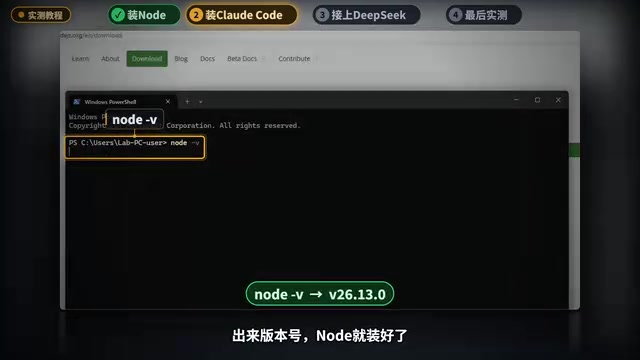
The tutorial has four steps: install Node.js, install Claude Code, configure DeepSeekAd, and test it. The first step is installing Node.js, since Claude Code depends on it. The creator demonstrated searching for Node.js in the Edge browser, going to the official site, downloading the Windows Installer, and clicking Next through the installation—being sure to check the agreement box and leaving everything else at default. After installation, right-click the Start menu to open the terminal, run node -v to check the version number, and confirm the Node environment is ready.
When installing Claude Code in step two, the creator hit a typical error: running npm -v prompted "running scripts is disabled on this system." This is a default execution policy restriction in Windows PowerShell, and many beginners get stuck here on their first try. The fix is to run a command in the terminal that changes the execution policy (demonstrated in the video as Set-ExecutionPolicy RemoteSigned), then try npm -v again and the version number prints normally. Next, install Claude Code using the China mirror by appending the mirror address to the command; it takes about twenty-some seconds, and the yellow text warning in between can be ignored. Finally, run claude --version to verify the installation.
Node.js is a JavaScript runtime environment built on the Chrome V8 engine, enabling JavaScript to run outside the browser on servers or local terminals. Claude Code is essentially a command-line tool written in JavaScript/TypeScript and published on npm (the Node package manager), so Node.js must be installed first before it can be installed via npm install. npm is the package management tool installed alongside Node.js, used to download, update, and manage third-party code libraries. When installing Node.js, choosing the LTS (Long Term Support) version is usually more stable and suitable for production and daily development; the Windows Installer from the official site automatically configures environment variables so that the node and npm commands are available globally in the terminal.
Windows PowerShell's default execution policy is Restricted, which prohibits running any script files—a security measure to prevent malicious scripts from executing automatically. When a user runs npm -v, npm is actually a .ps1 script, so the system blocks it with the "running scripts is disabled" message. The Set-ExecutionPolicy RemoteSigned command allows locally written scripts to run while requiring scripts downloaded from the internet to carry a trusted digital signature, striking a balance between convenience and security. This setting only needs to be applied once; to restore the default restriction, run Set-ExecutionPolicy Restricted again.
Configuring the DeepSeek Integration: Nine Settings and Key Management
The third step is the core: connecting Claude Code to DeepSeek. Search "DeepSeek Claude Code" in the browser and go to DeepSeek's official integration documentation page, which lists nine settings that need to be filled in, including the API address, key, model name, and more. The creator then logged into the DeepSeek open platform, clicked "Create API Key" in the API Keys menu on the left, named it, and generated it. This key is shown only once, so copy it immediately and store it safely.
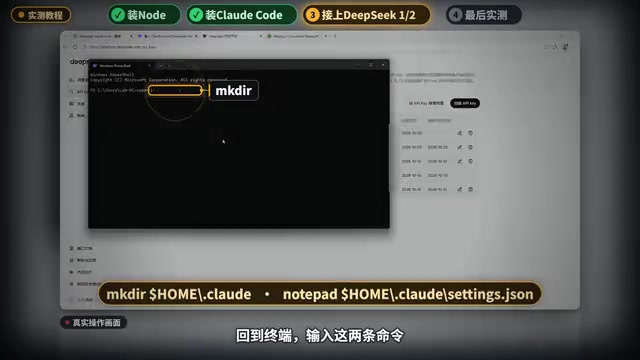
Back in the terminal, enter two commands to create a new Claude Code settings file, choosing "Yes" when Notepad prompts. Then fill in the nine official settings one by one, replacing the key field with the real key you just copied, and save the file. This configuration persists and takes effect every time you open the terminal, so there's no need to set it up repeatedly. Next, create a new project folder, enter it, type claude to start, choose your preferred color theme, press Enter to confirm the security notice, and select "Trust this folder." The creator found that no Claude account login was needed at this point—the interface showed the current model as DeepSeek Flash, and when asked "What model are you using now?" it answered DeepSeek Flash, confirming a successful integration.
Anthropic API compatibility means DeepSeek's interface mimics Anthropic's official API in request format, authentication method, and response structure, so that clients originally designed for Claude (such as Claude Code) only need to change the API address, key, and model name configuration to forward requests to DeepSeek models. Environment variables and configuration files are the two ways Claude Code reads these parameters: the configuration file (usually located in the .claude folder under the user directory) is suitable for persistent settings, while environment variables are suitable for temporary overrides or switching between projects. The nine settings given in DeepSeek's official documentation generally cover fields such as API Base URL, Auth Token, model name, and timeout, and filling each one in correctly is the key to a successful integration.
Hands-On Comparison: Cost and Performance of Flash vs. Pro Models
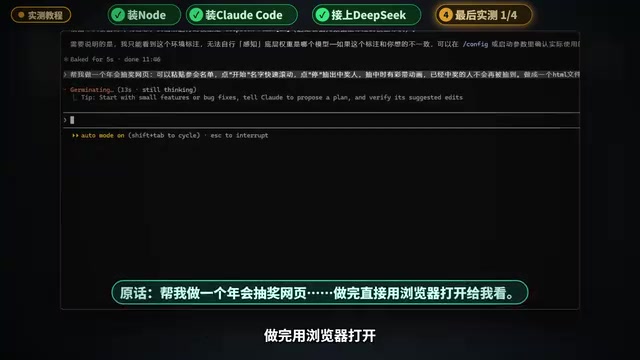
The fourth step is testing. The creator asked Claude Code to build an annual party raffle webpage with these requirements: paste a list of names, click Start to roll the names, click Stop to draw a winner, confetti on a win, and winners are excluded from future draws. Using the DeepSeek Flash model, it first "thought" for about three minutes, then wrote nearly a thousand lines of code in one go, with an English prompt in between requesting automatic command checks, which is also billed by DeepSeek. After writing, it checked its own work, and the page was done in just over five minutes in the browser. The sample list was placed on the right, clicking Start rolled the names, clicking Stop drew "Zhu Ting," confetti filled the screen, and the winner list was recorded on the right; on the next draw the count went from 18 to 17, drawing "Ma Chao," and previous winners no longer appeared.
Then it switched to the pricier DeepSeek Pro model, adding the --model parameter at startup to specify the model name. Pro finished writing in three minutes but didn't check its own work, and opening the page required manually pasting the list. Clicking Start and Stop drew "Chen Jing," with a glowing gold frame and sound effects, but the creator noted the confetti failed to appear both times it was attempted. In terms of performance, Pro is faster, but its attention to detail is not as thorough as Flash's self-checking process.
Web Search Feature and Billing Changes
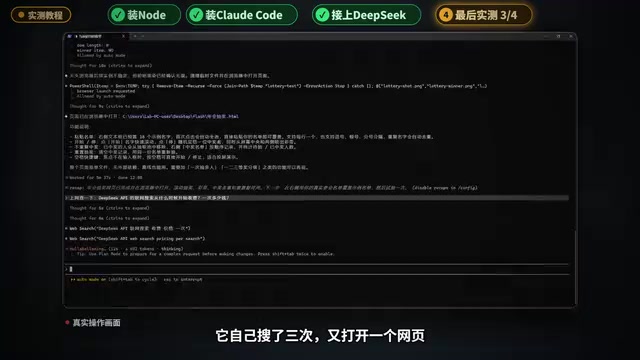
The creator also tested web search: asking "When did DeepSeek's web search start charging, and how much per search?" Claude Code searched three times on its own and opened a webpage, giving the answer 55 seconds later—starting at midnight Beijing time on November 1, 5 li (0.005 yuan) per search, 5 yuan for 1000 searches—and listed its sources, consistent with DeepSeek's pricing page.
Finally, checking the bill: in the "Usage Information" section on the left of the open platform, select the API Key just used and set the time to noon to 1 PM today. Flash building the webpage plus researching came to 3 mao 7 (0.37 yuan) in total, and Pro building the webpage came to 4 mao 3 (0.43 yuan). Pro used only about one-tenth the word count of Flash yet cost more, because its unit price is several times higher. The creator also noted that weekday peak hours from 9 AM to noon and 2 PM to 6 PM have doubled prices, while off-peak hours are half price—both tests were run at noon during off-peak time.
API billing is usually calculated by Token count, where a Token is the basic unit of text a model processes—an English word corresponds to roughly 1 to 2 Tokens, and a Chinese character roughly 1 to 2 Tokens. Input Tokens (the prompts and context the user sends) and output Tokens (the replies the model generates) often have different unit prices, with output usually more expensive. DeepSeek's "peak/off-peak" pricing is a time-of-use strategy: unit prices rise during demand peaks (weekday mornings and afternoons) and are discounted during lulls (nights and midday) to balance server load. The web search feature additionally calls a search engine and fetches webpages outside of model inference, so it is billed separately per search and stacks on top of the Token fees.
Multi-Source Cross-Verification and Notes
Regarding the feasibility of integrating DeepSeek with Claude Code, the Bilibili creator's hands-on test corroborates DeepSeek's official documentation and tutorials by multiple developers on YouTube: the core steps are consistent, all requiring a Node.js environment, Claude Code installation, the nine-setting configuration file, and an API Key. The point of divergence is the use cases for Pro versus Flash—some developers believe Pro suits rapid prototyping while Flash suits complete projects that need self-checking; others argue that Pro's unit price is too high and Flash offers better value for daily use. The creator's test data supports the latter: Flash costs less overall and includes self-checking, while Pro is faster but misses details.
Note that after November 1, web search costs an additional 5 li per search, and peak-hour prices double, so it's advisable to schedule batch tasks during off-peak times. Also, the API Key is shown only once, so be sure to save it; do not leak the key in the configuration file. For developers in China, installing Claude Code via the China mirror significantly shortens installation time and avoids network issues.
Summary: install Node first, then Claude Code, fill in the nine settings, and you can use it without a Claude account—multiple webpages for just a few mao. New tools keep emerging; configure them following this process and you too can use the Claude Code + DeepSeek combination at low cost.
One-line Summary
Use a DeepSeek key to let Claude Code bypass login restrictions, with tested costs of just a few mao.
Paragraph Summary
Based on a hands-on video by a Bilibili creator, this article organizes the complete process of integrating Claude Code with DeepSeek via Anthropic API compatibility. First install Node.js, then install Claude Code via the China mirror and fix the Windows script execution policy error; next create an API Key in the DeepSeek open platform and fill in the nine official settings in a new configuration file, after which it starts without a Claude account. In testing, the Flash model built an annual party raffle webpage with self-checking for about 3 mao 7; the Pro model was faster but missed the confetti detail, costing about 4 mao 3. Web search charges 5 li per search starting November 1, with doubled prices during peak hours, so off-peak use is recommended. Multi-source cross-verification confirms the approach is feasible.
Related articles
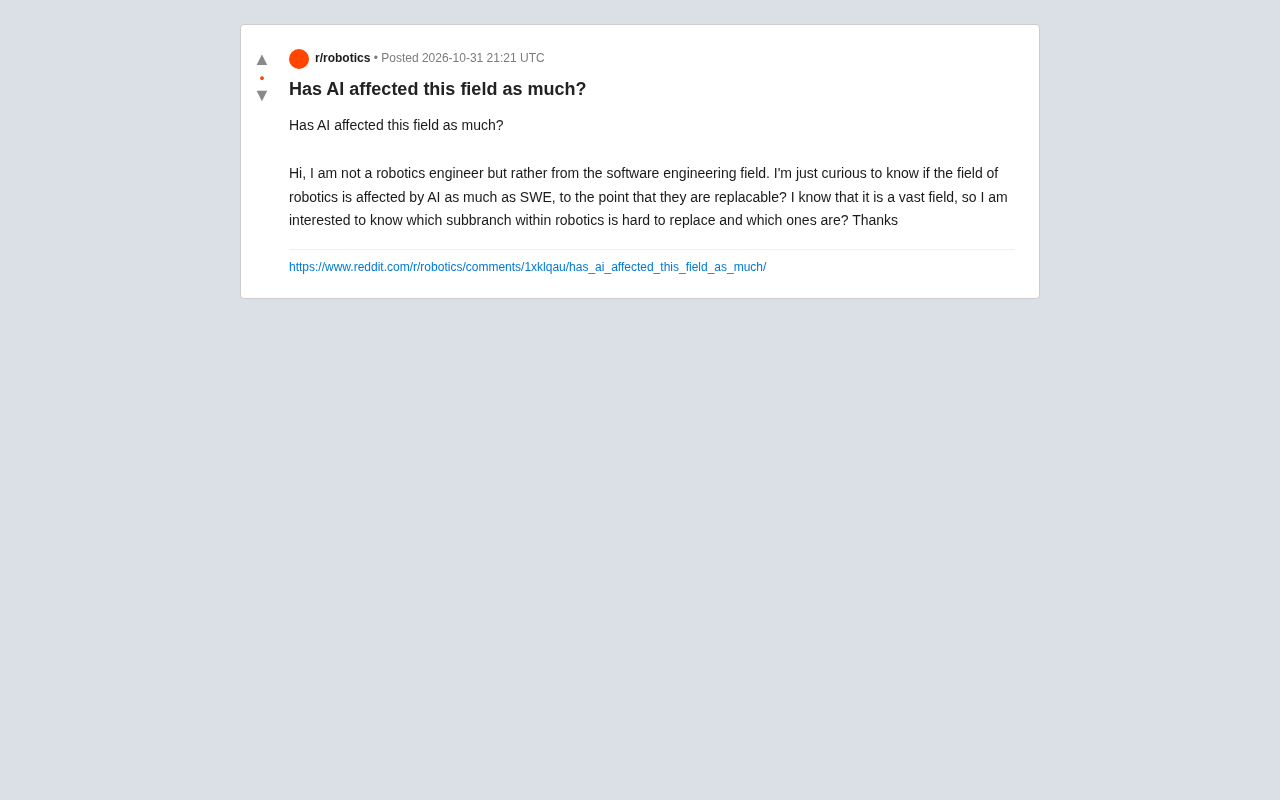
AI's Impact on Robotics Engineering: Which Subfields Resist Replacement?
Is AI's impact on robotics engineering as great as on software engineering? This article synthesizes Reddit practitioner discussions to analyze how easily each robotics subfield can be replaced by AI, noting that hardware design, safety control, and on-site integration are relatively resistant, while perception algorithms and simulation are being significantly changed by AI.

Five Qwen3.8-27B Models Team Up to Beat Fable 5: The Memdoor Multi-Agent Approach
The Memdoor open-source project showcases the team-solve workflow: 5 Qwen3.8-27B models collaborate through role division and a memory layer to beat Fable 5 on LiveCodeBench Hard, exploring how multi-agent orchestration can achieve more with less.

How Is Norway Making "Shithouses" Great Again?
Starting from a Hacker News headline, this explores Norway's pragmatic innovation in public sanitation and eco-friendly toilet technology, and what the "Norwegian model" of infrastructure means for tech professionals.