Cloud AI throttled and more expensive? Two commands put an LLM on your NAS

Two commands deploy an OpenAI-compatible LLM locally on a NAS, with electricity under one yuan a day.
The article presents a lightweight approach to moving an LLM from the cloud to a local NAS. Amid cloud AI throttling and price hikes, local deployment consists of three core parts—an inference engine, a model file, and a local port. Installation takes two commands, the API runs on port 11434 and is OpenAI-compatible, and existing tools connect by changing the base URL. At 35W, electricity costs under one yuan a day, turning token-based billing into a fixed expense. It also notes the downsides: slower than cloud and less capable than flagship models, best for latency-insensitive scenarios needing control, privacy, and stability. The next episode will cover tool calling.
Cloud AI services are throttling usage and raising prices, so many developers are moving models back into their own homes. A video on Bilibili demonstrates how to deploy a local LLM on a NAS with just two commands, with the API exposed on local port 11434, OpenAI-compatible, and at 35W power draw, electricity costs less than one yuan a day.
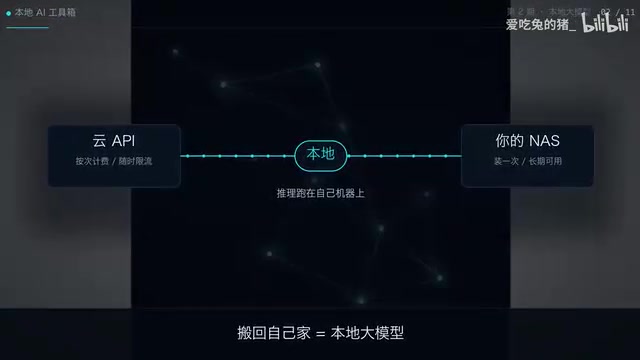
Why move the model back on-prem
Cloud AI throttling and price hikes are the direct driver behind this wave of local deployment. The video opens by naming the pain point: cloud AI is throttling again and quietly raising prices. For developers relying on APIs, this means both cost and availability become uncontrollable.
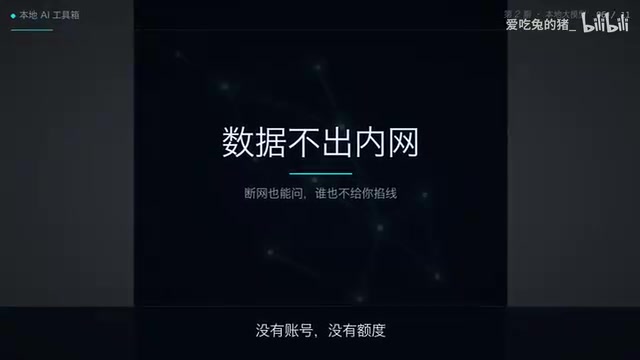
The core appeal of a local LLM is control. The API runs on your own machine, with no account system, no quota limits, and no one able to pull the plug remotely. That autonomy feels especially practical when cloud services keep changing their policies.
The whole system is just three things
The video breaks the local deployment down simply: an inference engine, a model file, and a local port. No complex middleware, no extra account configuration.
The inference engine loads and runs the model, the model file is the actual knowledge carrier, and the local port exposes an OpenAI-compatible API to the outside. The advantage of this design is ecosystem compatibility—a large number of existing tools and SDKs support the OpenAI format, so you can connect to the local service just by changing the base URL.
The inference engine is the most commonly misunderstood part of local deployment. It is essentially a runtime optimized specifically for large models, responsible for loading model weights into memory or VRAM, scheduling matrix operations, managing context caches, and exposing an HTTP API. Common ones include Ollama, llama.cpp, and vLLM. Among them, Ollama is known for "starting a service with one command," listens on port 11434 by default, and natively provides an OpenAI Chat Completions-compatible /v1/chat/completions route—which is the key reason the two commands in the article are enough to complete deployment.
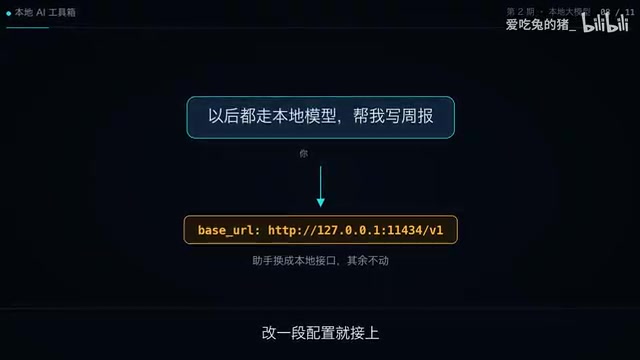
The OpenAI-compatible API is an ecosystem-level convention: the request body uses a messages array plus fields like model and temperature, and the response returns a choices structure. As long as the local service follows this schema, LangChain, LlamaIndex, various IDE plugins, and even the official OpenAI SDK can switch to the local model by only changing base_url and api_key (any placeholder value works locally), without touching business code. This is exactly the technical prerequisite that lets the "three things" approach land with such a low barrier.
Installation takes just two commands
The deployment process is compressed into two commands—copy, paste, and press Enter one by one. The video doesn't show complex dependency configuration or environment variable tweaking, which means the barrier has been lowered dramatically.
Once it's running, the terminal returns something like a chat completion result. To connect an AI assistant, you only need to change a piece of configuration and point requests at local port 11434.
From the operational path, this approach suits NAS users who don't want to wrestle with container orchestration and just want to quickly validate local inference. A NAS is always online and low-power, making it a natural fit as an always-on inference node.
The electricity bill: under one yuan a day at 35W
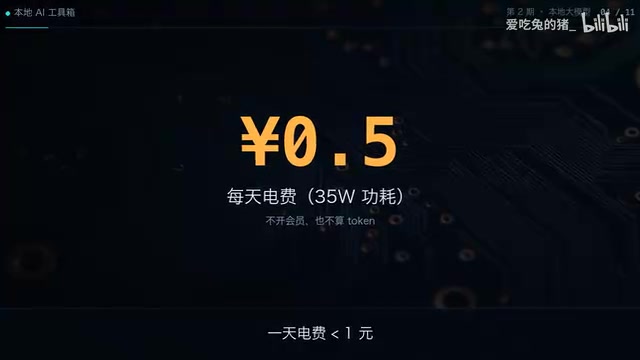
The video gives a very concrete reference: at 35W, this NAS costs less than one yuan a day in electricity. The point of this number isn't precision—it's that it brings the marginal cost of local inference down to a perceptible low.
Compared with the token-based billing model of cloud APIs, the cost structure of local deployment is fixed—the hardware is already bought, and electricity is the only ongoing expense. For high-frequency calls or scenarios that need to be online long-term, this fixed-cost model has an advantage.
Why a NAS suits an always-on inference node: A NAS (network-attached storage) typically uses a low-power x86 or ARM processor, runs 24/7, and generally draws between 20 and 60 watts—it is designed for continuous operation. This means local inference doesn't require buying an extra always-on host, and the marginal hardware cost is close to zero.
That said, note that the 35W estimate in the article usually covers only idle or light-load states. When the model actually performs inference, the CPU/GPU goes into high load, and actual power draw may rise to 60–100W or even higher, depending on the chip model and model size. In addition, running a 7B-class model on CPU alone often yields only a few tokens per second—this is the direct source of the "slower than cloud" shortcoming. If the NAS supports integrated graphics or is equipped with a dedicated GPU, throughput and power efficiency can be significantly improved.
The downsides should be made clear too
The video doesn't shy away from the weaknesses of local deployment: slower than the cloud, and not as smart as flagship models. This is the objective reality of local inference—a NAS has limited compute, and small-parameter models can't match cloud LLMs on complex tasks.
Choosing local or cloud is essentially a trade-off among controllability, cost, and capability. Local deployment is better suited to scenarios that are latency-insensitive and demand high data privacy or service stability; for tasks with hard requirements on reasoning quality and response speed, the cloud still has the edge.
Next step: teaching the model to call tools
The video ends by mentioning that the next episode will teach the model to call tools. This means the current deployment is only a starting point—only local models plus tool-calling capability can cover more real-world workflows.
For NAS users who want to try a local LLM, the appeal of this path is its gradual nature: first get it running with two commands, then expand capabilities step by step. The command list is in the first line of the video description, lowering the barrier to reproduction.
One-line Summary
Two commands deploy an OpenAI-compatible LLM locally on a NAS, with electricity under one yuan a day.
Paragraph Summary
The article introduces a lightweight approach to moving an LLM from the cloud back to a local NAS. Facing the pain points of cloud AI throttling and price hikes, local deployment centers on three components—an inference engine, a model file, and a local port. Installation takes only two commands, the API runs on local port 11434 and is OpenAI-compatible, and existing tools can connect by changing the base URL. At 35W, a NAS costs less than one yuan a day in electricity, shifting the cost structure from token-based billing to fixed expenses. The article also candidly notes the shortcomings: local inference is slower than the cloud and less capable than flagship models, making it suitable for scenarios that demand controllability, privacy, and stability but are latency-insensitive. It ends by previewing that the next episode will extend tool-calling capabilities.
Related articles

The Truth Behind Titanic's Sinking: Key Decisions and Communication Failures in the National Geographic Documentary
National Geographic's The Unsinkable Ship uses survivor testimony to reconstruct Titanic's fatal decisions—from the missing MSG telegram prefix and the broken boiler-room-to-bridge link to how 'unsinkable' thinking delayed damage control and evacuation.

74M-Parameter Open-Source Model Partially Outperforms Jev AI in Testing
Fastino AI's Glider 2.5 models, with just 74M–300M parameters, reportedly outperform Jev AI in some guardrail benchmarks per YouTube testing, run on consumer hardware, and even play Doom. We analyze small models' competitiveness and deployment value on specific tasks.

Gemini 4 Argon Hands-On: Aggressive Pricing, 3D Capabilities Need Coaching
Gemini 4 Argon hands-on: limited-time $2/$10 pricing, million-token output, strong 3D and reverse-engineering work, but weak front-end aesthetics and zero-shot ability need coaching.