DeepSeek Harness: A Beginner's Installation and Testing Guide

DeepSeek Harness is an open-source web UI agent tool that launches with one command and could replace Cloud Code in China.
Aimed at test engineers, this guide introduces DeepSeek Harness (DSH), an open-source agent tool seen as a strong domestic alternative to Cloud Code thanks to its open-source multi-model support, web UI friendliness, and data security advantages. Installation starts with Node.js, and after configuring a domestic mirror, a single NPX command downloads dependencies, starts the UI, and opens the browser. It covers configuring DeepSeek official and third-party models, mandatory workspace selection, and demos web search, file I/O, and the trace view, while noting native limitations like multi-user support and file editing.
Why Test Engineers Should Care About DeepSeek Harness
Automated testing and test development used to come with a high barrier to entry—you had to know how to write code, which was both a gatekeeper and a moat. But the AI era has flattened that barrier, and the industry trend is now shifting toward "AI-led testing." According to the assessment of a Bilibili creator in their tutorial, DeepSeekAd Harness (DSH for short) is very likely to replace Cloud Code's position in the domestic Chinese environment.
There are several lines of reasoning behind this judgment. First, DSH is open source and supports connecting to a wide range of models, including DeepSeek's official models as well as Tongyi Qianwen, Xiaomi, MiniMax, and others—its openness is strong. Second, Cloud Code is a command-line tool, whereas DSH provides a web UI—for testers who don't do development, the point-and-click, visual interaction experience is far friendlier. Third, from a data security perspective, the creator mentioned that the company behind Cloud Code has had issues exposed such as collecting data through backdoors and intercepting users' plaintext, so there are fewer concerns about domestic tools in this regard.
It should be noted that DSH is currently labeled a technical preview and is still in rapid development, aimed primarily at technical personnel rather than ordinary users. It "has grown but isn't perfect yet," and enterprises often need to do further encapsulation when adopting it, combining testing activities with DSH to form a test development platform.
Environment Preparation: Node.js Is the Starting Point
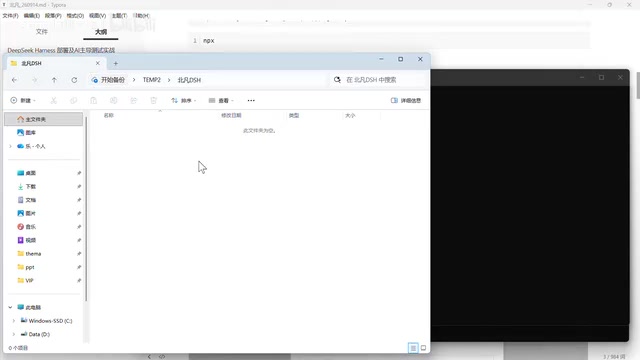
DSH's operation depends on NPX, NPX comes from NPM, and NPM requires a Node.js environment. This is the starting point of the entire installation chain.
Installing Node.js
Open the official website, download the installer package, double-click to run it, and click Next all the way through. The creator recommends using the V24 long-term support (LTS) version and advises against older versions like Node.js 18. After installation is complete, run npm -v and npx -v in the terminal—if the version numbers print normally, the environment is ready.
If NPX doesn't work, it's usually a leftover environment issue; a thorough uninstall followed by reinstallation typically solves it.
Configuring a Domestic Mirror
The NPM registry is overseas, so download speeds in China may be very slow. Configuring a domestic mirror is almost a mandatory step—otherwise installing dependencies could take a very long time.
The division of labor between the two commands is worth clarifying: NPM is a package management tool, and NPX is a package execution tool. Subsequent tools like DSH and MCP are all executed through NPX—it handles downloading, installing, launching, and executing all in one go, a one-stop service.
Node.js is a JavaScript runtime environment based on the Chrome V8 engine that lets JavaScript run outside the browser on servers or local terminals. NPM (Node Package Manager) is the package management tool installed alongside Node.js, responsible for downloading, installing, and managing third-party dependencies; NPX is a package execution tool built into NPM since version 5.2 that can directly run an npm package without first installing it globally—it temporarily downloads the package and its dependencies at runtime and clears the cache after execution. DSH in this article is published as an npm package, so it must rely on a Node.js environment to be launched via NPX. If other versions of Node.js or leftover old configurations were previously installed in the environment, the NPX command may fail, in which case a thorough uninstall and reinstallation is the common solution.
A domestic mirror means replacing the official NPM registry (registry.npmjs.org) with a mirror server deployed in China, such as the Taobao NPM mirror or Tencent Cloud mirror. Because the official registry servers are overseas, direct access from China may be extremely slow or even time out; configuring a mirror can significantly speed up dependency installation. Configuration is usually done by changing the global registry address with the npm config set registry command, or by using a registry management tool like nrm to switch. Note that mirrors have synchronization delays, and a very small number of newly published packages may not be available from the mirror in the short term—in that case you can temporarily switch back to the official registry.
Launching DSH with a Single Command
Installing DSH requires just one command: npx plus DSH's package name (the package is under the DeepSeek organization, officially abbreviated as DSH).
Choosing the Right Directory Matters
The creator particularly emphasizes: don't execute it in the C drive system directory or the Downloads directory. You should create a dedicated clean working directory, such as an independent folder named "BeifanDSH." This greatly reduces the chance of environment-related side effects down the road.
Some learners tried cloning the source code and compiling locally, only to encounter a module compilation failure on Windows that prevented deployment. In fact, a single NPX command is enough—it automatically downloads the correct dependencies without manual compilation.
Three Things Happening Behind the Command
After executing this command, DSH completes three actions: downloading DSH and all its dependencies; launching a Web UI service; and automatically opening the browser and filling in the token.
Starting from version 1.2, DSH added authentication—directly accessing the localhost address is rejected, and you must carry the correct token to get in. This improves security to some extent. In the creator's demonstration, the browser automatically popped up and completed login after the command finished executing; if you want to access it from another browser, just copy the full token over.
Configuring Large Models: More Than Just DeepSeek
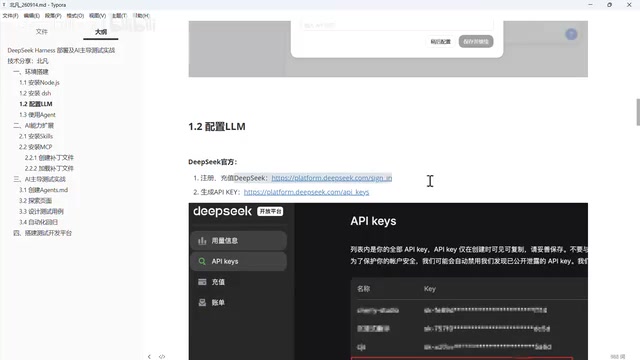
When you first open DSH, the interface guides you to add an API Key. If you click "Configure Later" and close this window, you actually gain more flexibility—you can freely configure models from different vendors.
Option 1: Using DeepSeek's Official Models
This is the simplest path. Register a DeepSeek account, top up, generate an API Key in the console, and fill the Key into the model configuration in settings.
Regarding the top-up amount, the creator's advice for beginners is to top up five or ten yuan first to get a feel for the consumption rate: if you feel it burns too fast, switch to a monthly plan; if you don't use it much, pay-as-you-go is more economical. This is a classic "little horse crossing the river" situation—it depends on your personal usage intensity. API Keys involve financial security, so don't reveal them to anyone.
If you closed the input box at the time, you can open Settings → Models → Edit, find the DeepSeek official key field, fill it in, and save.
Option 2: Connecting Third-Party Models
When using non-DeepSeek models, you need to prepare four pieces of information:
- Interface type: Different interfaces have different data formats and parameter types. Most vendors provide an OpenAI-compatible format; when unsure, choosing OpenAI-compatible generally won't go wrong.
- Interface address: Not needed for official models, but required for third-party models.
- Interface key: Required, just like with DeepSeek.
- Model name: Must be written correctly. The creator mentioned a learner who switched from Alibaba to Xiaomi and changed both the address and the key but left the model name as Tongyi's—an incorrect model name also prevents use.
In settings you can choose well-known vendors (such as Tongyi, Xiaomi, OpenCode), or go with "Custom Provider": give it any name, fill in the address, select the OpenAI-compatible protocol, enter the key, add the model ID and display name, and click Create.
Selecting a Workspace Is a Mandatory Step
After configuring the model, you'll find the input box unclickable because one more step remains: selecting a workspace. A workspace is essentially a directory where the AI reads and writes files and loads skills. Different workspaces are isolated from each other—files created in the first directory are not visible in the second. DSH mandates selecting a workspace; without one, you can't use the dialog box.
Verifying that configuration succeeded is simple: ask any question and see whether it returns an answer. Even if the answer is wrong, that's fine—that's a model capability issue; at least the call chain works. In comparative testing, the creator found that the same question got a nearly zero-second response from the DeepSeek model, while a certain third-party model took six seconds—DeepSeek's advantages in speed and price are fairly intuitive.
Practical Capability Demonstration: Search, Files, and Observability
Web Search: The Integration Advantage of the DeepSeek Ecosystem
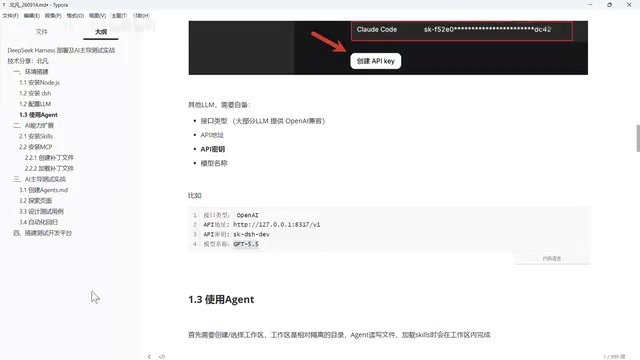
DSH's plugin settings include a web search feature, which performs searches through DeepSeek under the hood. Once the key is configured, you can have it search for real-time information. In the demonstration, the creator searched for that day's financial news—DSH didn't just return headlines; it scraped web content, cross-checked, filtered out old news, and finally produced a summary across dimensions such as market regulation, industry trends, and overseas focus.
This deep integration is a unique advantage of pairing DSH with DeepSeek models. Previously, when using OpenWebUI to connect DeepSeek models, search wasn't available, and you had to additionally register for a third-party search service, obtain a key, top up, and then integrate it. DSH integrates large model capabilities, web search, and multimodal parsing together, making the transition very natural for users already on DeepSeek models.
File Reading/Writing and Visualization
Have DSH create a Markdown file in the workspace (for example, writing "Hello everyone, I'm Beifan" in bold)—it will call the write tool, clearly displaying the file name and content parameters, then send the file out as a card; click to preview the rendered effect. JS or Python files also display line numbers.
The limitation is that you can only view, not edit—the AI can create and modify files for you, but users cannot directly edit within the workspace. The creator strengthened this capability in their self-built test development platform, creating a file manager for all files in the workspace that supports upload, download, open, edit, modify, and delete.
Trace View: Agent Observability
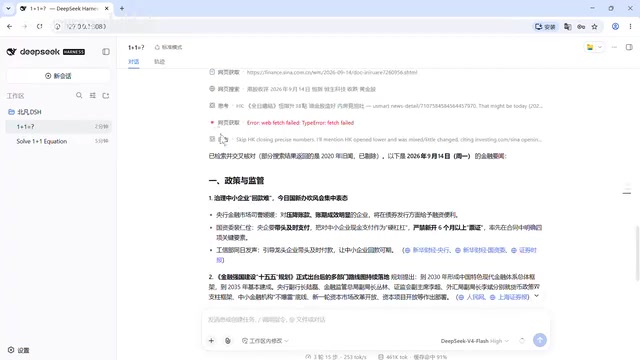
The "Trace" panel on the right side of the conversation records detailed information, similar to a browser's F12 developer tools. It visualizes and makes the context intuitive: what the system prompt says, what the user prompt is, which tool was called at each step, how much time it took, how many tokens were consumed—all queryable.
The creator emphasized the concept of Function Calling in the course (later the industry came to prefer calling it Tool Calling)—a large model plus tool calling is what constitutes an agent. DSH visualizes this mechanism, precisely meeting the "observability" requirement in agent building: when something goes wrong, you can open each step to see how it thought, how it executed, and where it went wrong—a huge help for tuning and debugging.
Tool Calling (tool calling, often called Function Calling in earlier days) refers to the ability of large models to proactively select and call external tools or functions based on user intent when generating responses. Developers predefine the tool's name, description, and parameter structure; the model determines which tool to call during the conversation and outputs structured call parameters; an external program executes them and returns the results to the model, which then continues reasoning based on the results. It is precisely this mechanism that evolved large models from "only able to chat" into agents that can read and write files, search the web, and execute code. Each tool call recorded in the trace view is essentially the execution log of Tool Calling, which is why observability is crucial for agent debugging.
Limitations and Future Directions
The native version of DSH doesn't support multiple people using it simultaneously; multi-account access requires additional modification, and the creator says they will explain the integration approach in their test development course. Enhanced capabilities such as file management and platform encapsulation also require secondary development.
Overall, DSH's basic capabilities—Q&A, search, file reading/writing—are already usable, and you can get started once the environment is ready. The direction it represents—AI-led testing, web-UI-based agent tools, and domestic open-source alternatives—is worth test practitioners getting ahead of.
One-line Summary
DeepSeek Harness is an open-source web UI agent tool that you can get started with in a single command, seen as a strong candidate to replace Cloud Code in China.
Paragraph Summary
The article is aimed at test engineers and introduces the positioning and getting-started approach of the open-source agent tool DeepSeek Harness (DSH). The author believes DSH is likely to replace Cloud Code in China, citing its open-source multi-model access, its web UI being friendlier to non-developers, and fewer data security concerns. Installation starts with Node.js; after configuring a domestic mirror, a single NPX command handles dependency download, UI launch, and browser opening—but it must be run in a clean, non-system directory. Model configuration supports DeepSeek official and third-party vendors, requiring four pieces of information: interface type, address, key, and model name, plus a mandatory workspace selection. The article demonstrates web search, file reading/writing, and the trace view, while noting native limitations such as multi-user support and file editing, which require secondary encapsulation for enterprise adoption.
Related articles

Mistral Large 4 Open-Sources a Trillion Parameters, Microsoft Offers Voluntary Severance to 60,000 Employees
Mistral Large 4 open-sources a trillion-parameter multimodal model with a coding agent score of 48; SanDisk earnings show AI inference reshaping NAND demand; Google Gemini adds in-app file editing, OpenAI raises Codex quotas, and Microsoft offers voluntary severance to 60,000 employees.
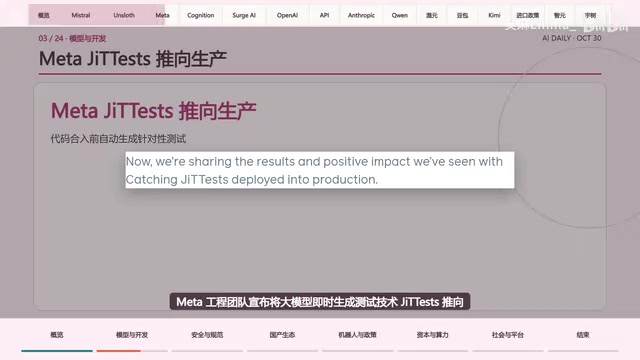
Mistral Large 4 Opens Its Weights: AI Morning Brief Roundup of Models and Ecosystem Trends
Mistral Large 4 opens its weights, a 1-trillion-parameter MoE architecture that can run locally on MacStudio; Meta's test-generation technology enters production; top tax benchmark pass rate only 10.8%; Canadian government takes a stake in Cohere; Doubao Work opens third-party model calls. This AI Morning Brief rounds up model, ecosystem, capital, and policy developments.
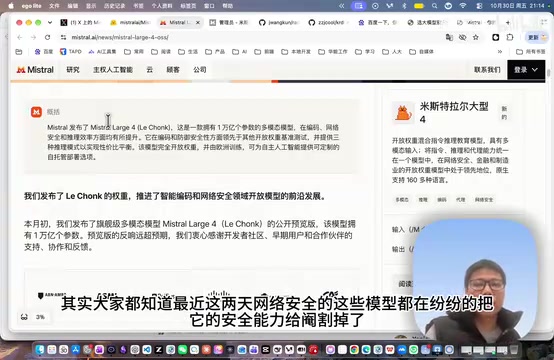
Mistral Large 4 Goes Open Source: A 1T-Parameter European Qwen Challenging DeepSeek
Mistral Large 4 is now open source: 1T total parameters, 52B activated, focused on coding and cybersecurity, with ~610G NVFP4 weights. We analyze its comparison with DeepSeek V4 Flash, API pricing, demo realism, and local deployment value.