DeepSeek Harness in Practice: Integrating Browser and Phone Automation

DeepSeek Harness integrates EcoLite and ADB to enable browser and phone automation, packaged as a Device Workbench.
The article presents a Bilibili creator's solution: by installing the EcoLite browser and its Skill, DeepSeek Harness gains real browser operation capabilities, enabling Bilibili video data collection, comment scraping, and automatic HTML analysis report generation; using Android ADB wireless debugging to connect multiple phones, it performs Douyin livestream room research and video information collection. On this basis, the creator used a prompt to have the Agent integrate both capabilities into a "Device Workbench" plugin supporting device lists, real-time screen monitoring, manual takeover, and process/result reports. The article also introduces how the voice input tool Mosimosi improves efficiency in Web Coding. The creator claims this combination expands capability boundaries by 5 to 6 times, but the author notes this is a personal experience judgment, not a benchmark test.
In the race for AI Agents, capability boundaries often determine how much repetitive human labor an agent can replace. A Bilibili creator shared a solution that lets DeepSeek Harness take over browser and phone automation operations, with a self-built "Device Workbench" plugin for unified monitoring and manual takeover. According to him, this combination can expand Harness's capability boundaries by 5 to 6 times.
Why Browser and Phone Automation Are Needed
An Agent can read and write files and call APIs, but a large amount of real-world information is hidden in browser-rendered pages and mobile apps. For example, comment content on certain websites can only be obtained through a browser, while the online viewer counts and danmaku comments of rival livestream rooms can only be seen in mobile apps.
By invoking a real browser or a real phone to execute tasks, an Agent can complete information collection like a human and automatically generate research reports. More importantly, operational tasks are equally feasible—most of the work people do is already done through a computer browser or a phone. Once this path is opened up, the application scenarios it unlocks are left to the user's imagination.
According to the creator's demo, the Device Workbench plugin can display in real time the execution screens of the local browser and different connected phones. When a step requiring human assistance arises, you can take over the interaction directly. After a task ends, you can view the process report and result report.
Browser Capability: Two-Step Integration with EcoLite + Skill
The browser automation tool the creator chose is EcoLite, on the grounds that it is one of the more mature Agent browser solutions available. Installation takes two steps: first obtain the installer and complete installation, then open the command line and confirm it returns the installation path, indicating that the browser itself and the restored configuration are ready; then install EcoLite's Skill in DeepSeekAd Harness by running a piece of installation code.
Once the Skill is installed, Harness gains the ability to operate a browser. In the demo, he used voice input to instruct the Agent to open Bilibili and search for EcoLite-related video data, and generate an HTML report. The report included core conclusions, key data statistics, the complete execution process (preparation, opening the website, first search, expanding sampling, etc.), distribution charts for play counts and video durations, and on-site screenshots—proving that the data was obtained through real browser operations.
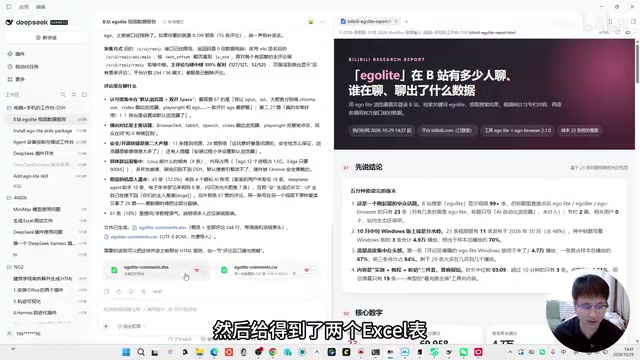
The advanced test was to scrape all comments under the two most-viewed videos and export them to Excel; the Agent also automatically summarized what the comment section was discussing. He then asked for the comment content to be turned into a web analysis report. The report had 12 sections, covering "who is praising, who is questioning, who is spamming," key conclusions, discussion rhythm, a competitor radar, a to-be-resolved issues list, and other dimensions. The creator specifically noted that the to-be-resolved issues list is very useful for topic selection and narrative.
Skill is a capability extension mechanism in Agent frameworks such as DeepSeek Harness. It is essentially a structured instruction set or tool definition that an Agent can understand and invoke. After installing a Skill, the Agent knows "that such a set of tools is available, what the input and output parameters of each tool are, and which one to call in which scenario," thereby incorporating operational capabilities it did not originally have (such as opening a browser, clicking elements, and extracting page data) into its task planning. Compared with writing code directly to call APIs, the advantage of a Skill is that it lets the Agent decide autonomously when to use it and how to combine tools, without the user having to manually specify the invocation method each time. Once EcoLite's Skill is installed, Harness can autonomously complete the entire chain of "open webpage—search—scrape—generate report."
Phone Capability: Wireless Debugging Based on ADB
Android's ADB debugging tool provides a ready-made channel for phone automation. In theory, a phone can be operated through ADB alone. In the prompt, the creator additionally required support for wireless ADB—provided that the phone has developer options enabled and wireless debugging authorization completed.
In the demo, he connected two phones and had the Agent use a phone to open Douyin, search for livestream room information, and generate a web report. The report presented data such as fluctuations in online viewers across three livestream rooms. Another test was searching for information about DeepSeek Harness-related videos, retrieving likes, favorites, shares, and actual phone screenshots, with a complete and verifiable record of the execution process.
ADB (Android Debug Bridge) is the official debugging bridge tool provided by Android, originally used by developers to connect devices for app installation, log viewing, and shell command execution. It works through a client–daemon architecture: the adb program on the computer communicates with the adbd daemon on the phone to send commands such as taps, swipes, text input, screenshots, and reading the UI hierarchy. Traditional ADB requires a USB cable, whereas wireless debugging (supported on Android 11 and above) allows a connection to be established within the same LAN using a pairing code, freeing users from cables. For an Agent, ADB is like a pair of "hands" that can operate any Android app; it does not require the target app to provide an API, nor is it affected by UI redesigns, so it is highly general-purpose—this is also the fundamental reason the creator chose it as the phone automation channel.
Device Workbench: Packaging Capabilities into a Plugin
After verifying both capabilities, the creator used a single prompt to have Harness integrate the browser and phone capabilities into a "Device Workbench" page and package it as a Harness plugin. Once completed, a "Device Workbench" entry appears in the left menu, and it can be toggled on or off in plugin management.
The workbench interface lists connected devices—in the demo, one browser plus two phones. During task execution, screen changes can be viewed in real time, and you can take over at any time to operate the phone or browser directly. After each task ends, a process report and result report are generated. In the demo, rerunning a MUSE-related collection task showed the complete process of the Agent opening the app on its own, entering search terms, and taking screenshots one by one; the final report showed a duration of 194 seconds, with the first five results and actual screenshots attached.
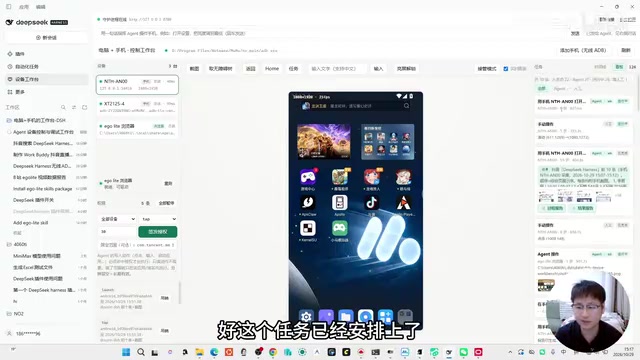
Phone pairing is done by clicking Add Phone; after enabling developer options and using wireless debugging, the device can be discovered. You can also do it in one step: directly ask Harness to integrate browser and phone control capabilities and generate a workbench page; if asked during the process which browser solution to choose, just specify EcoLite.
Plugin in Agent frameworks usually refers to a set of capability packages that can be installed and uninstalled independently, which may include tool functions, interface entries, and configuration items. Unlike Skill, which focuses on "telling the Agent how to use tools," a plugin is more about engineering encapsulation: packaging multiple modules such as browser control, phone control, screen streaming, and report generation into a reusable whole, and registering menus and panels in the host interface. The creator had Harness generate the "Device Workbench" with a single prompt and package it as a plugin, which in effect completed a piece of metaprogramming—the Agent wrote code that extends its own capabilities. This model of "an Agent building tools for itself to use" is an important direction in current Agent engineering for reducing manual integration costs.
Why Voice Input Has Become Standard
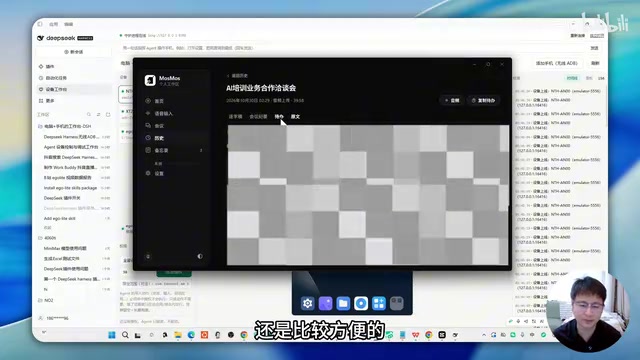
For most of the experiment, the creator used voice input to complete Web Coding. He believes speaking is faster and more likely to spark coding inspiration. He uses Mosimosi, a free tool focused on voice input. Its features include saving all voice records for easy review of historical prompts in long conversations, and an AI polishing function that removes verbal fillers and modal particles and organizes speech into smooth, complete expressions.
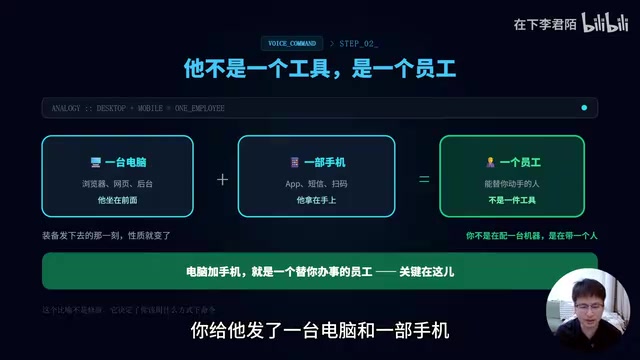
There is also a practical scenario: when an optimization idea arises during project execution but you are not sure when to implement it, pressing Alt+1 opens a voice memo for recording and automatic saving, which is handier than opening Notepad. The creator likens this experience to "giving an employee a computer and a phone and just telling him what to do"—once the Device Workbench is set up, using voice to arrange for the Agent to operate the browser and phone gives exactly that managerial feel.
Web Coding refers to a way of working in which natural language dialogue drives an Agent to complete programming and web-building tasks; users no longer write code line by line but instead describe requirements, review results, and propose modifications. In this mode, input bandwidth often becomes the bottleneck: keyboard typing speed is limited, and long requirement descriptions easily interrupt the train of thought. The advantage of voice input is that speaking speed can usually reach two to three times that of typing, and it is closer to the way people naturally express requirements, preserving more contextual intent. Combined with AI polishing to remove verbal fillers, the quality of voice-transcribed prompts is already close to written expression. For Coding scenarios that require frequent iteration and long conversation context, voice records can also serve as a traceable prompt history, reducing the cost of repeated descriptions.
Test Conclusions and Capability Boundaries
Both rounds of browser-side tests (video data collection, comment scraping and report generation) were completed normally, and operation screenshots proved that the real browser path was used; on the phone side, two devices were successfully connected and Douyin livestream room research and video information collection were completed. The creator concludes that this solution allows Harness to take on repetitive work that only humans could do before, rather than being limited to the Agent's original capability scope.
It should be noted that the 5-to-6-times capability expansion in the material is the creator's qualitative judgment based on his own experience, not a rigorous benchmark result; data such as execution duration and number of devices all come from a single demo environment, and actual performance will vary with network, device model, and task complexity.
Related articles

Mistral Large 4 Open-Sources a Trillion Parameters, Microsoft Offers Voluntary Severance to 60,000 Employees
Mistral Large 4 open-sources a trillion-parameter multimodal model with a coding agent score of 48; SanDisk earnings show AI inference reshaping NAND demand; Google Gemini adds in-app file editing, OpenAI raises Codex quotas, and Microsoft offers voluntary severance to 60,000 employees.
Mistral Large 4 Opens Its Weights: AI Morning Brief Roundup of Models and Ecosystem Trends
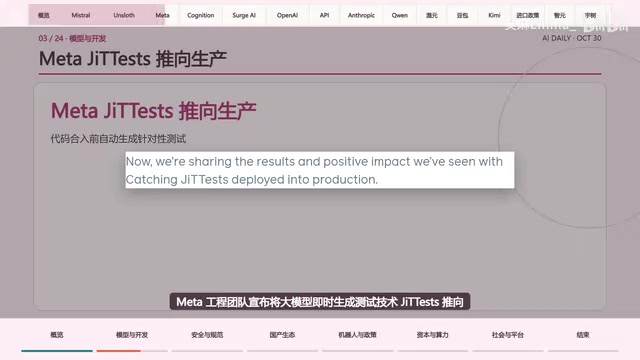
Mistral Large 4 opens its weights, a 1-trillion-parameter MoE architecture that can run locally on MacStudio; Meta's test-generation technology enters production; top tax benchmark pass rate only 10.8%; Canadian government takes a stake in Cohere; Doubao Work opens third-party model calls. This AI Morning Brief rounds up model, ecosystem, capital, and policy developments.
Mistral Large 4 Goes Open Source: A 1T-Parameter European Qwen Challenging DeepSeek
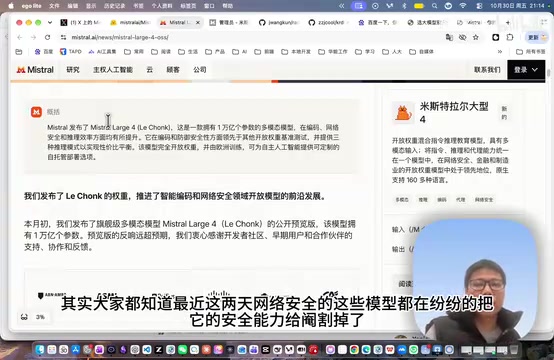
Mistral Large 4 is now open source: 1T total parameters, 52B activated, focused on coding and cybersecurity, with ~610G NVFP4 weights. We analyze its comparison with DeepSeek V4 Flash, API pricing, demo realism, and local deployment value.