DeepSeek SuperAgent in Practice: A Full Workflow for Parallel Multi-Project Development
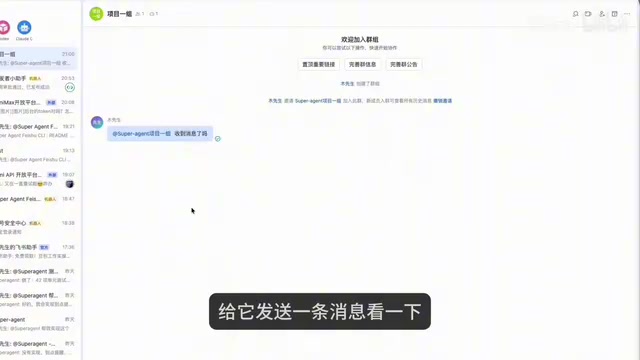
A hands-on walkthrough of SuperAgent's full AI R&D collaboration chain, from installation and Feishu integration to parallel multi-project work.
Based on a Bilibili creator's hands-on tutorial, this article walks through the full deployment flow of DeepSeek SuperAgent. SuperAgent runs on DeepSeek Harness as an independent process and Profile, with four characteristics: continuous, efficient interaction, proactive, and persistent. Installation requires only the repository address and official manual, with dependencies auto-installed in about four minutes. The main sticking points when integrating Feishu are app permission authorization and version publishing; model invocation failures are usually due to expired API keys, which the Agent can detect and fix itself. Cases demonstrate the loop from group chat requirements to PR generation, iteration on review comments, and merging, as well as parallel multi-project work via independent bots and repository instances. The author stresses that its value lies in continuous collaboration, but code still requires manual testing and acceptance.
DeepSeek SuperAgent is pushing AI programming from "single conversations" toward "continuous collaboration." This hands-on tutorial shared by a Bilibili creator walks through the complete chain from installation and deployment to IM integration and parallel multi-project execution—worth a close look for developers who want to boost delivery efficiency.
What Is SuperAgent: A Resident R&D Partner
According to the official documentation cited by the creator, SuperAgent is an autonomous agent system that runs on DeepSeekAd Harness (DSH), existing as an independent process and independent Profile. This point is critical: its execution process is invisible in the DSH desktop client, and its model configuration is entirely separate.
Its way of working closely resembles real R&D collaboration—requirements are dropped directly into a Feishu group, SuperAgent picks them up and develops autonomously, then submits a PR to the GitHub repository, and review comments continue to be iterated on within the PR. The creator summed up its positioning in one sentence: it's equivalent to a developer on the team.
The four characteristics summarized in the official docs define the capability boundary of this system:
- Continuous: The user proposes plan A in IM, then changes it to plan B in the PR, and the Agent can understand and adjust its execution direction
- Efficient interaction: Fast response, capable of handling multiple complex tasks in parallel
- Proactive: No need to wait for instructions; continuously observes environment events and proactively pushes updates
- Persistent: Always online, connected to a real work environment for long-term operation, automatically fixing anomalies when they occur
Understand these four points, and you understand its essential difference from ordinary code completion tools.
DeepSeek Harness (DSH) is the host environment on which SuperAgent runs—think of it as the foundational platform that hosts Agent processes and manages model configuration and the plugin ecosystem. The article mentions that the execution process is invisible in the desktop client and that model configuration is separate; this stems from DSH's architecture of running Agents as isolated independent Profiles: each Profile has its own model name, API key, and plugin table, so when modifying configuration you can't reuse the desktop client's settings but must directly edit the corresponding config file. This isolation both prevents multiple instances from interfering with each other and makes it possible to run multiple SuperAgents in parallel on the same machine—the multi-project parallelism discussed later is built on this mechanism.
Installation: Let the Agent Resolve Dependencies Itself
The design philosophy behind the installation step is interesting—rather than hardcoding steps, it lets the Agent read the official manual itself. The prompt the creator sent had only three parts: the repository address, install according to the official manual, and automatically install missing dependencies. Since SuperAgent depends on quite a few components like Node, Git, and Python, this "figure it out yourself" approach turned out to be the least hassle—the entire installation took four minutes.
After installation you get a management panel address, from which you can see SuperAgent's execution process; in settings you can also see installed plugins, including GitWatch, Feishu, and others. Note the model configuration: by default it uses the model from DSH; to change it, you need to have it modify the corresponding config file—the model name and API key are stored in a separate table.
Connecting Feishu and GitHub: Permissions Are the Most Common Sticking Point
To get SuperAgent into a real workflow, you need to configure two things: an IM group chat and a GitHub repository. The tutorial chose Feishu.
The process itself isn't complicated—have the Agent configure the Feishu CLI, create an app on the open platform following the prompts, fill in the App ID and secret, and pull the bot into the group. But during the demo the creator hit a typical pitfall: after the bot joined the group, it didn't respond to messages. The reason was that after creating the app, no authorization had been done; the Agent proactively requested a one-click authorization link. After adding the group-related permissions, you still need to create a new version and publish it in "Version Management & Release" on the open platform for the permissions to actually take effect.
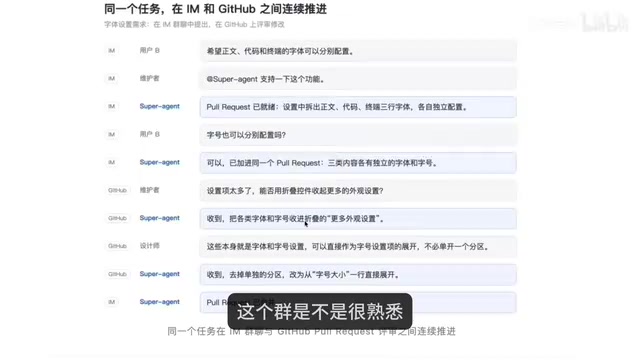
The second sticking point was a model invocation error. Investigation revealed it was a 401 caused by an expired old API key; the Agent detected that the local DSH had a valid configuration and completed the fix itself. This kind of self-healing capability recurred throughout all subsequent steps and is the most practical part of this system. After the fix, sending an instruction in the group resulted in a new line from SuperAgent appearing in the repository's README.
The Feishu Open Platform's app permission system uses a three-stage "apply—authorize—publish" process: after creating an app, it carries no business permissions by default; you must first check the required scopes in permission management (such as receiving group messages and bot speaking), then have an admin complete authorization, and finally create and publish a new version in "Version Management & Release" for the permissions to take effect online. The article's case of the bot not responding after joining the group was precisely because the app lacked group-related permissions and no new version had been published—both the authorization link and re-publishing are indispensable. Understanding this process helps avoid misdiagnosing "messages not getting through" as a network or configuration issue.
Case One: From a Group Chat Requirement to a Merged PR
The creator used a Todo app to demonstrate the complete development chain. The product document defined the feature scope by P0, with the core being CRUD for tasks. After @-mentioning SuperAgent in the group with the requirement attached, it replied "received" and entered the development phase; progress could be viewed in the session on the left, and the whole task took 26 minutes.
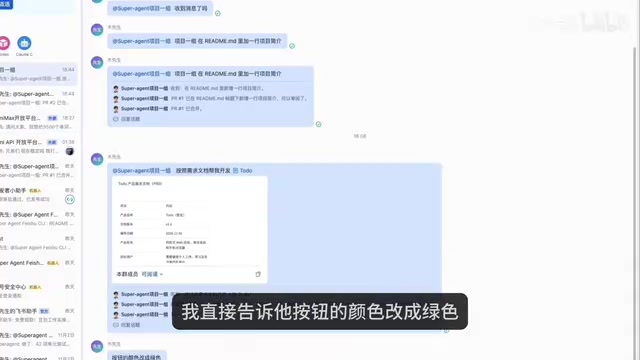
The output was a PR that included test screenshots as well as mobile and desktop adaptation screenshots. After pulling it locally and verifying, the functionality worked, but the creator wasn't happy with the button color—so they simply said in the group to change it to green, and SuperAgent submitted a new PR to complete the adjustment.
Another modification path is closer to everyday collaboration: directly add agent under the PR to have it execute, for example changing the button to red; the task panel shows the new task, and when it's done the original PR updates automatically. After merging and verifying locally, the color did take effect. This "requirement-development-review-modification" loop requires no switching between multiple sessions—attention only needs to be on the requirement itself and final acceptance.
add agent under a PR (Pull Request) refers to directly invoking an AI Agent from the PR comment or action entry in the code hosting platform, so that it executes modifications with the current PR's branch and discussion as context. Compared with going back to the IM group to re-describe the requirement, this approach keeps review comments, code diffs, and modification actions in one place; the Agent can directly read the review context and push new commits, and the original PR updates automatically. It compresses "giving feedback" and "changing code" into a single action and is a key entry point for maintaining context continuity in multi-instance collaboration.
Case Two: Parallel Instances—One Person Advancing Multiple Projects
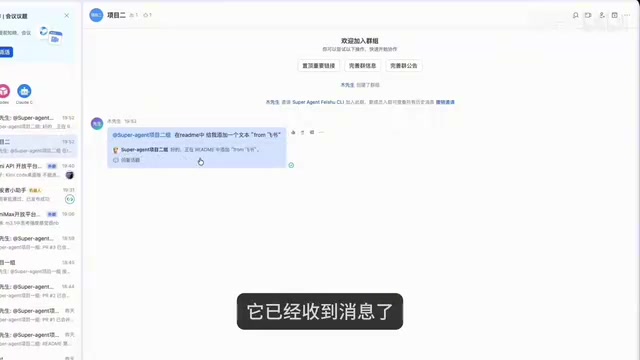
The official documentation explicitly states that one bot binds to one instance, so parallel multi-project work requires preparing independent bots and repositories. The creator created a second repository and a bot named "Project Team Two," handed the instance name, port number, bound Feishu bot, and repository address to the Agent for configuration, and the whole process took 12 minutes.
After the second instance went live, it also encountered an issue where group messages could reach it but the connection to the Git repository was abnormal; after having the Agent investigate on its own, it created a PR and completed the fix. Then two groups, two repositories, and two instances started work simultaneously: Project Two developed a personal blog, while Project One added four theme modes to an existing project. Both tasks submitted their own PRs when done, with test and result screenshots attached.
A Few Judgments: The Value Is in Continuous Collaboration, the Boundary Is Manual Acceptance
The core value of this approach isn't "speed" but "not dropping the thread." In traditional usage, every new conversation requires re-explaining the project background, whereas SuperAgent lets subsequent requirements and bug feedback continue to be appended in the group or under the PR, with context naturally continuing.
But it doesn't eliminate human responsibility. The creator emphasized at the end: submitting code doesn't mean the task is complete—whether the feature was done well and whether the problem was fixed still ultimately requires your own testing and acceptance. For individual developers, a safer path is to first run a small project through one round of "requirement-submit-test-feedback," then gradually bring in more projects.
From a tool-form perspective, SuperAgent strings IM group chat, code repositories, and PR review into a continuous collaboration flow, which is closer to how real R&D operates than simply improving generation speed. As for whether it can stably take on a role in more complex projects, that depends on how each team defines the Agent's responsibility boundaries and acceptance criteria.
Related articles
 Tech Frontiers
MuJoCo: An Analysis of DeepMind's Open-Source General-Purpose Physics Simulator
An in-depth analysis of Google DeepMind's open-source physics simulator MuJoCo: high-performance C++ kernel, MJCF modeling format, contact solving principles, MJX GPU acceleration, and robot reinforcement learning use cases.
 Tech Frontiers
Claude API Quick Start: The Official Quickstarts Project Collection
Anthropic's official claude-quickstarts project collection helps developers quickly build deployable apps with the Claude API. Nearly 20k stars, Python-based, great for beginners and prototyping.
 Tech Frontiers
AI Agents Connecting Directly to APIs: Which Calls Can Be Safely Allowed?
AI agents can call any API, but the real challenge is deciding which calls can be safely allowed. This article analyzes allowance decisions from three dimensions—intent matching, least privilege, and controllable impact—and argues that the control layer should sit outside the agent, combined with audit traceability to build a trustworthy API call governance mechanism.