Deploy Claude Code in China Without a VPN: A DeepSeek API Guide

Use DeepSeek API as a backend to run Claude Code locally in China — no VPN needed, up in 5 minutes.
This guide helps developers in China bypass network restrictions and quickly experience Claude Code by substituting the native Anthropic interface with DeepSeek's API. The process has three steps: register on DeepSeek and get an API key (minimum ¥1 top-up), update Claude Code's config file to point to the DeepSeek endpoint, and complete initialization via the command line. The guide also covers daily-use tips like batch file shortcuts, API key security, and pointers for further learning.
Introduction
For developers eager to try Claude Code, navigating VPN setups and complex environment configurations is often the biggest barrier. This guide presents a deployment approach that works entirely within China's domestic network — using the DeepSeekAd API, with no VPN required. You can have Claude Code installed and running locally in under 5 minutes.
Prerequisites: Getting Your DeepSeek API Key
Register and Top Up Your DeepSeek Account
First, you'll need to obtain an API key from the DeepSeek platform. Open your browser, search for "DeepSeek," and navigate to the official website (it typically appears near the top of search results). You can register and log in by scanning a QR code with WeChat.
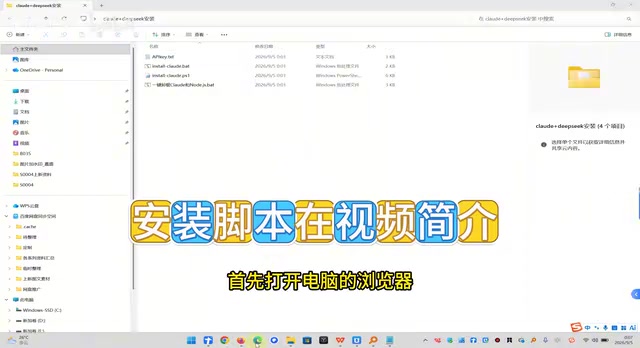
First-time users need to complete two steps:
- Identity Verification: The platform requires real-name verification before you can access API services.
- Account Top-Up: A minimum deposit of ¥1 is all you need to get started, with both WeChat Pay and Alipay supported.
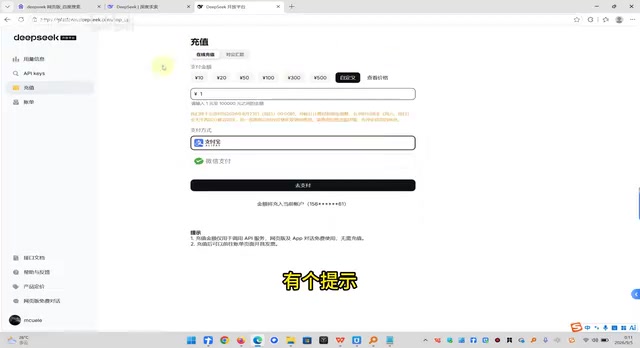
Create an API Key
Once your account is funded, go to the API Keys page and click Create. Enter any name you like (e.g., "ClaudeCode") and confirm. The system will generate an API key for you.
Important: Copy and save this key immediately. Once you close the page, you won't be able to view it again — and you'll need it when configuring Claude Code.
Installing Claude Code: Step-by-Step
Configure Your DeepSeek API Key
After downloading the installer, complete the API key configuration before running the setup script:
- Open the configuration file in the installation directory.
- Locate the third line and paste your DeepSeek API key into the designated field.
- Save the file.
Run the Automated Installer
With the configuration in place, double-click the setup script to run it. A command-line window will appear with progress indicators. When an authorization dialog pops up, click Agree and Yes to proceed.
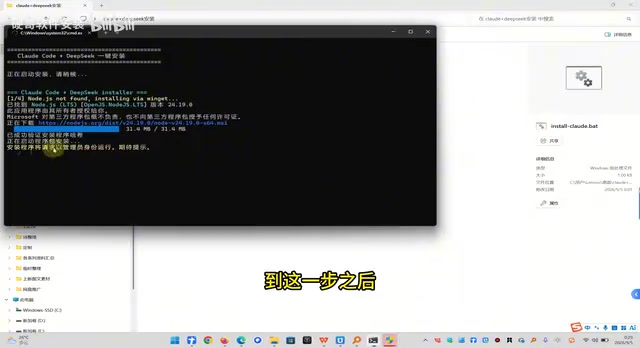
The entire installation process is automated — no manual intervention needed. Once the command line confirms that installation is complete, you're ready for the configuration step.
Initial Setup and Launching Claude Code
Basic Configuration Walkthrough
After installation, enter the designated command in the terminal and press Enter. The system will guide you through initial setup:
- Display Mode: When prompted to choose a display mode, use the arrow keys to navigate and press Enter to confirm the default option.
- Model Confirmation: When asked whether to use the DeepSeek model, select Yes and press Enter.
- API Configuration: On the model selection screen, use the arrow keys to select the second option (DeepSeek API) and press Enter.
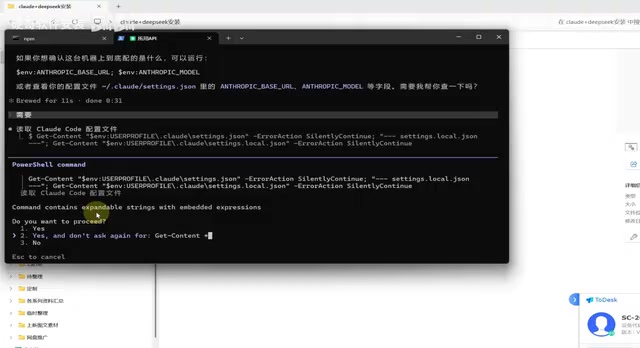
Once setup is complete, the system will display the current model information. If it shows DeepSeek, you're all set.
How to Launch Claude Code Going Forward
Claude Code doesn't create a desktop shortcut after installation. Each time you want to use it, launch it from the command line:
- Right-click in an empty area of the installation directory and select Open in Terminal.
- Type the launch command (e.g.,
node cloud) in the terminal window. - Press Enter to open the Claude Code workspace.
Tip: You can create a batch file (
.bat) with the launch command so you can double-click to start Claude Code instantly, saving yourself from typing the command every time.
Technical Notes
Why Use DeepSeek API with Claude Code
DeepSeek is one of China's leading large model providers, and its API offers several advantages when integrated with Claude Code:
- No VPN needed: Runs entirely on domestic servers, with stable and reliable network access.
- Affordable pricing: Token-based billing with a ¥1 minimum — perfect for individual developers.
- Strong compatibility: The API interface is designed to be compatible with mainstream large models, enabling seamless integration with the Claude Code framework.
Security Best Practices
Keep the following in mind throughout setup and daily use:
- Protect your API key: Treat your key like a password — never share it or post it on public platforms.
- Monitor your balance: Check your account balance regularly to avoid service interruptions due to insufficient funds.
- Prevent key leaks: Never commit configuration files containing your API key to public repositories like GitHub.
Next Steps
This guide focuses on getting Claude Code deployed quickly with minimal friction. If you want to explore its full capabilities, here are some directions to consider:
- Search for advanced Claude Code tutorials on Bilibili or YouTube to learn more sophisticated workflows.
- Read the official documentation to master additional command-line techniques.
- Join developer communities to exchange tips and best practices with other users.
- Experiment with integrating Claude Code into your actual development workflow to boost coding efficiency.
As an AI-assisted coding tool, Claude Code can significantly speed up both writing and debugging code. With the DeepSeek API approach outlined here, developers in China can start using it immediately — no complex network configuration required.
Related articles

Why Does Self-Play AI Always Get Crushed by Cheap Units? An RTS Developer's Account of the Dilemma
An independent developer trained an RTS commander AI with pure self-play, only to find it dominated historical versions but was crushed by human players using cheap tier-1 units. This article analyzes the causes of self-play strategy collapse, explores solutions such as exploiters, diversity rewards, and reward design, and introduces the open Bot Kit and AI league plan.
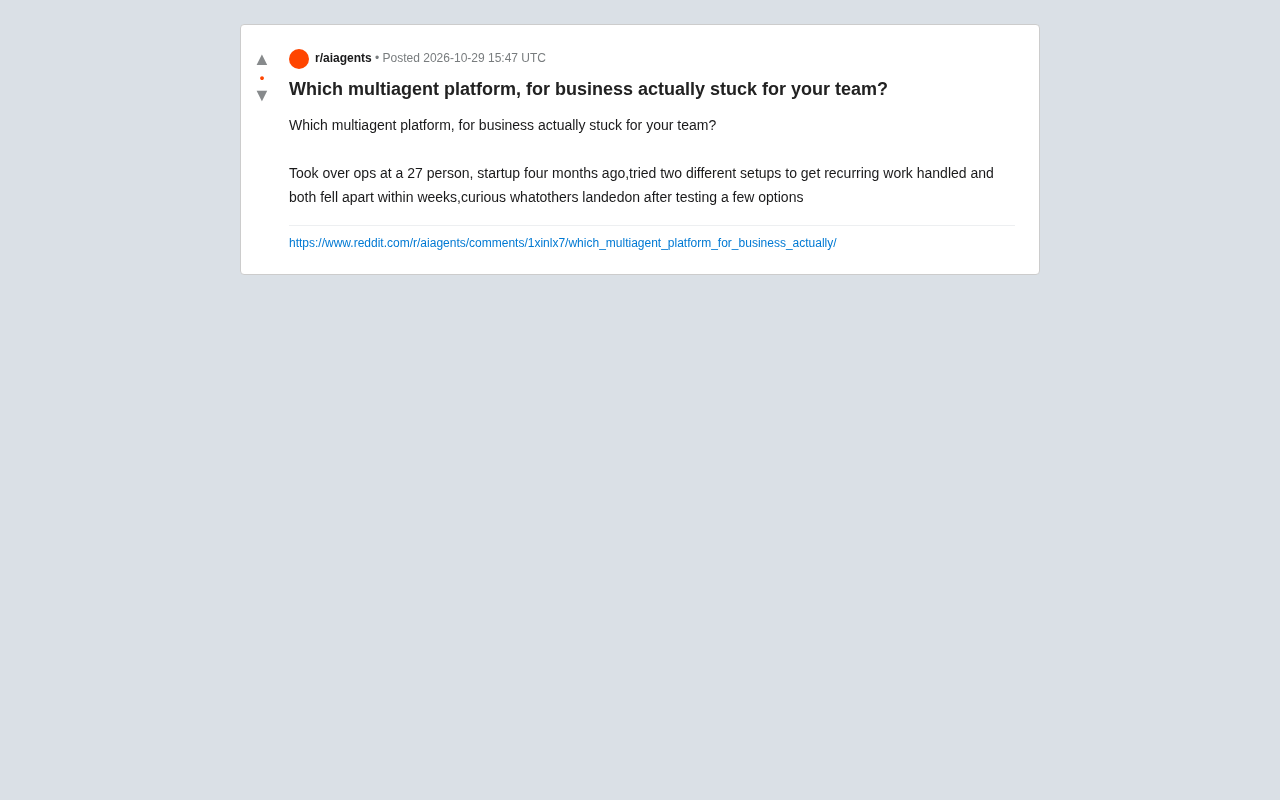
Which Multi-Agent Platform Wins? A Small Team's Battle Scars and Selection Considerations
A 27-person startup's ops lead tried two multi-agent platforms in four months and both failed. This article analyzes why small-team deployments break down, and offers selection guidance on integration depth, observability, and progressive rollout.

Thrive Holdings Takes ADT Private in $7.6 Billion Deal
Thrive Holdings acquires ADT for $7.6 billion in an all-cash take-private deal expected to close in Q1 2027. Analysis of the deal structure, ADT's asset value, and impact on the smart home security industry.