DSH + GPT 'Armor-Breaking' in Practice: Compliantly Unlocking AI Creation and Development Limits

A Bilibili creator demonstrates a combo of DSH, Purge, and GPT Instruct to lower model false-refusal rates and drive GPT for images and code.
The article introduces a combined AI creation approach demonstrated by Bilibili creator "Tiba": because GPT has a high refusal rate for sensitive content, Claude has other limits, and less-restricted models like Block lack capability, no single model balances restrictions and capability. The approach first uses the DeepSeek Harness (DSH) desktop client with the plugin marketplace and Purge tool to lower the local Agent's false-refusal rate, then uses the GPT Instruct repository to let DSH drive GPT for image generation and coding. It breaks down a four-step installation process, emphasizes starting a new session after Purge to avoid context carrying over refusals, and notes that 6.1 and Ultra are sufficient while 6.2 is an advanced option. The author also flags compliance boundaries, stability risks, and the lack of third-party cross-validation.
AI models' safety thresholds (referred to as "armor" or 甲) often get in the way of creation and development. In a recent video, Bilibili creator "Tiba" demonstrated a combined approach: using the DeepSeek Harness (DSH) desktop client together with the plugin marketplace and the Purge tool to first lower the review sensitivity of the local Agent, then drive GPT to complete image generation and coding tasks. The core idea is not to make the model produce violating content, but to reduce unnecessary refusals within compliant bounds and boost creative efficiency.
Why "armor-breaking" is needed instead of relying on a single model
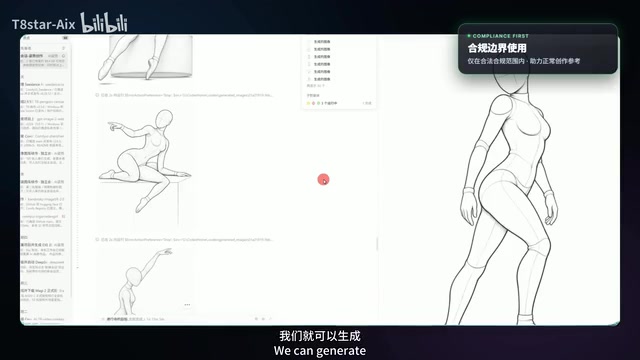
In the video, the creator compared the performance of several mainstream models: GPT has a very high refusal rate for sensitive content, essentially "saying no to everything"; Claude has limitations in another dimension; and models like Block have fewer restrictions but aren't smart enough to handle complex tasks. This creates a dilemma — models with fewer restrictions are weaker, while capable models are more restricted.
According to the analysis by creator "Tiba" in the Bilibili video, DSH's "armor" is relatively thin to begin with, and specific plugins can further reduce the false-refusal rate, but it isn't well suited to directly take on the main workload of image generation and code generation. A more sensible path is: use DSH to "soften" the prompts and instructions, then hand the task to GPT for execution. This preserves GPT's generation quality while sidestepping its over-refusal of some compliant requests.
On the term "armor-breaking" (破甲): In the Chinese AI community, "armor" (甲) is a colloquial term for the "safety shell/protective layer" — the safety alignment mechanisms built into a model, i.e., the refusal strategies implemented through RLHF, safety fine-tuning, or system prompts. "Armor-breaking" does not actually remove a model's content moderation or strip out safety training; rather, it adjusts the model's tendency to refuse requests, reducing false refusals on compliant requests with ambiguous boundaries. The counterpart is jailbreaking, which typically attempts to induce a model to output clearly violating content. Understanding this distinction matters: the approach discussed in this article aims to lower the false-refusal rate, not to bypass content moderation.
On the trade-off between refusal rate and model capability: Different vendors invest different amounts of effort in safety alignment, resulting in significantly different trigger thresholds for sensitive words. The stricter the safety alignment, the higher the false-refusal rate tends to be — that is, the model misjudges compliant requests as violations and refuses them. This explains why models with fewer restrictions often come from smaller vendors with less safety investment, while top-tier capable models have more restrictions — essentially a trade-off between alignment strength and practicality.
Toolchain breakdown: DSH desktop client + three repositories
The whole approach relies on four components, and the creator explained the installation order one by one in the video.
Step 1: Install the DSH desktop client
Whether or not you ultimately use GPT for image generation, you first need to download and properly install the DeepSeekAd Harness desktop client. The creator mentioned that if installation throws errors, you can simply send the desktop client to another Agent and have it help fix the issue, lowering the cost of manual troubleshooting. DSH's API costs are low, and the creator also mentioned that through specific channels you can get pricing close to 50% off, making it suitable for scenarios requiring heavy creation and coding.
Step 2: Configure the plugin marketplace and Purge
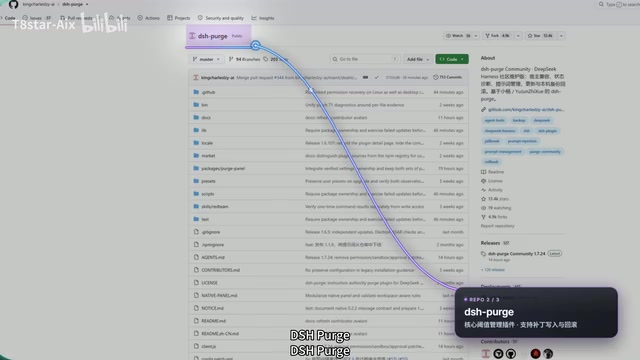
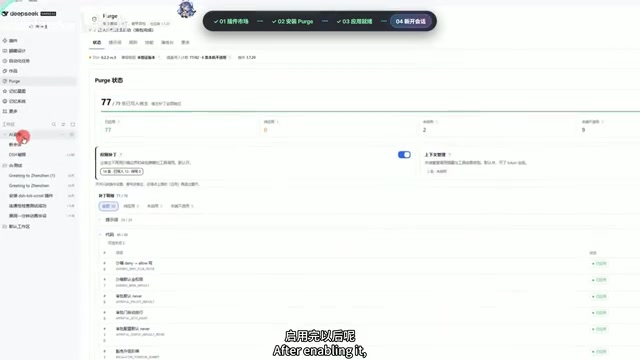
After installing DSH, you need to install three more repositories: DSH's plugin marketplace (Market), PurgeDSH, and GPT Instruct, which is specifically for GPT. The procedure is to first install the plugin marketplace in DSH, restart, then enter "Plugins" on the left panel and search for "DSH Purge" to install. After restarting, a Purge entry appears on the left; click "Apply" to proceed.
In the demo, the creator showed that after Purge ran, it reported 77 successes and 2 optional items. He particularly emphasized: after applying, you must start a new session and must not continue in the previous conversation. The reason is that if refusal records already exist in the context, the model will carry over its previous judgment and continue refusing similar requests.
On refusal inertia in context: When generating, large language models take the entire conversation history as conditional input, and prior refusal replies act as "precedents" influencing subsequent judgments, creating self-reinforcement — once a model has refused a certain type of request in a session, it tends to keep refusing similar requests. This is precisely the technical reason the creator requires "starting a new session after applying Purge": a new session clears the context containing refusal records, allowing the adjusted refusal strategy to take effect. This phenomenon also shows that modifications to the refusal strategy only work on clean contexts; refusal records in historical conversations cannot be retroactively cleared.
Step 3: Let DSH operate GPT
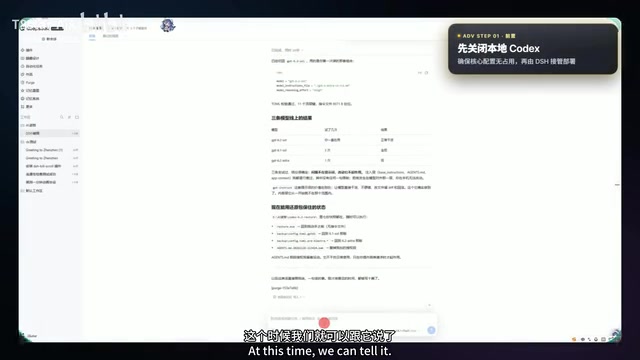
Using DSH directly for image generation won't work, because GPT's own "moral threshold" is too high, and prompts sent to it will still fail. The creator's approach is: first close the local Codex, then have DSH install the GPT Instruct repository into the local Codex, with core files backed up and one-click restore supported, to prevent configuration problems.
This repository currently supports armor-breaking for GPT 6.1 and GPT Ultra. The creator claims he hasn't seen any public solution targeting 6.2 on GitHub, but he has handled the 6.2 version himself and demonstrated "you can make it do anything." However, he also made clear that for most people, 6.1 and Ultra are enough, and 6.2 is an advanced option.
On how Codex and GPT Instruct work: Codex is OpenAI's code generation/Agent tool (here referring to the locally running client), while GPT Instruct is a community-maintained instruction-layer configuration repository that influences the model's response style and refusal threshold by injecting system-level instructions locally. "Armor-breaking" in this context means modifying local instruction configurations to lower the model's probability of refusing specific requests, rather than altering model weights. This also explains why "close Codex before installing," "back up core files," and "one-click restore" are needed — these operations all happen at the local configuration level, and corrupted configurations can prevent the tool from being invoked properly, making backups a necessary rollback measure.
Compliance boundaries and usage recommendations
The creator repeatedly emphasized "compliant use" throughout the video. He acknowledged that this kind of content is fairly sensitive on the platform, so he didn't show overly detailed operational steps or demonstrate the generation of violating content. He reminded viewers: you must become familiar with AI, but it absolutely must not be used to generate illegal or non-compliant content — "the internet is not outside the law."
From a technical perspective, the essence of this approach is adjusting the model's refusal strategy, not removing content moderation. It suits creators and developers who need to generate compliant materials such as clothing, pose reference images, and code. The creator also mentioned that the related 6.2 Skill will be distributed as an exclusive benefit for paid supporters, with all proceeds going toward giveaways.
However, it should be noted that such operations involve modifying the model's safety mechanisms and carry stability and compliance risks. For ordinary users doing routine creative work, the default capabilities of GPT 6.1 or Ultra are usually sufficient, and there's no need to chase the latest version's armor-breaking. If you do want to try it, it's advisable to back up configurations in an isolated environment first and strictly limit the scope of use.
Cross-validation from multiple sources
It should be noted that the above content mainly comes from a single Bilibili creator's video demonstration. Regarding the effectiveness of GPT 6.2 armor-breaking and the specific effects of the Purge plugin, there are currently no other independent sources for cross-validation. The creator's own statement that "there isn't a single solution for breaking 6.2 on GitHub" has also not been confirmed by third parties. Readers should remain cautious when referring to this, prioritize officially supported configuration methods, and assess the risks themselves.
Related articles

Xenon Flash Bug Returns: Radxa Dragon Q8B Affected
The Xenon flash bug resurfaces, this time on the Radxa Dragon Q8B board. This article reviews early Hacker News discussion and analyzes the potential impact and community concerns.

ChatGPT Plus Subscription Guide for Users in China: Official Top-Up Channel Walkthrough and Comparison
A complete guide to subscribing to ChatGPT Plus from China via official top-up platforms: plan selection, account login, copying account info, payment verification, plus a comparison of top-up, proxy, and self-supplied card channels.

The Complete Guide to Subscribing to ChatGPT Plus in China: Hands-On Walkthrough of Third-Party Top-Up Channels and Risk Analysis
How can users in China subscribe to ChatGPT Plus? This article breaks down the complete process of third-party top-up platforms, analyzes account security, renewal sustainability, and risk-control risks to help you decide which subscription option suits you better.