Firefox Smart Window Upgrade: AI Form Filling and Web Monitoring

Mozilla adds two AI-native capabilities to Firefox Smart Window: tab-based auto form filling and web monitoring.
Mozilla is adding two new features to Firefox's AI browsing experience, Smart Window: auto-filling online forms based on open tab content (e.g., extracting work experience from LinkedIn or portfolio pages for job applications), and web monitoring that tracks content changes on specified pages and alerts users. Smart Window is positioned not as a sidebar chat assistant but as native AI deeply integrated into everyday browser operations. This approach offers a more natural experience but requires reading tab content and continuous page access, posing privacy and permission design challenges. Mozilla has not yet disclosed specific privacy controls, data processing methods, or launch timelines, and form-filling accuracy and monitoring reliability remain to be validated through real-world use.
Mozilla is adding new features to Smart Window, Firefox's AI browsing experience, enabling the browser not only to read web pages but also to proactively help you fill out forms and monitor page changes.
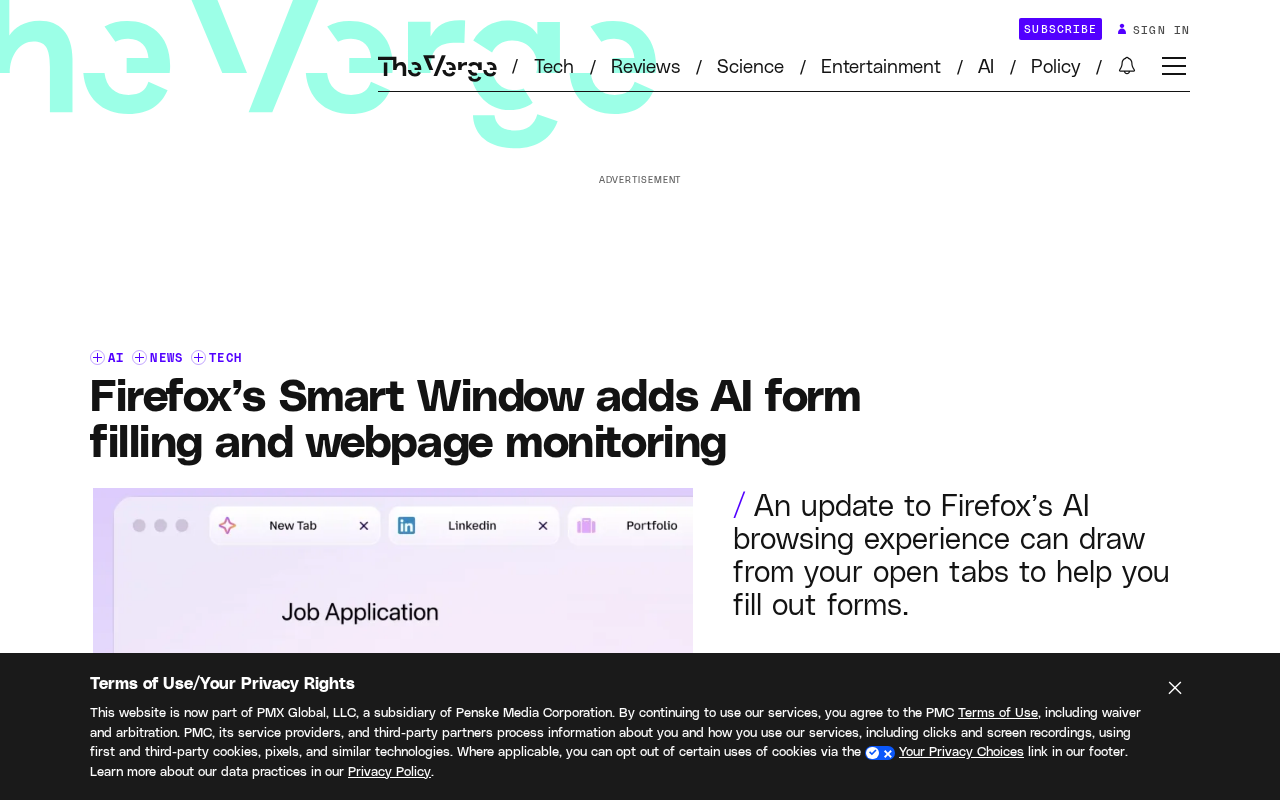
Extracting Information from Tabs to Auto-Fill Forms
One of Smart Window's new capabilities is filling out online forms based on the content of already-open tabs. Mozilla's example is specific: when a user applies for a job, Smart Window can extract work experience from their online portfolio or LinkedIn page and paste it into the job application.
This means the browser is no longer just passively displaying pages—it's beginning to understand the semantic relationships between the multiple tabs you have open. Traditional browser autofill relies on locally stored structured data like addresses and phone numbers, whereas Smart Window's approach is closer to "reading and understanding" your profile pages and then dynamically generating answers for form fields.
If this capability works smoothly, it could significantly boost efficiency for scenarios involving repeated information entry—job applications, registrations, and sign-ups. But it also raises a question: how does the browser determine which tab content can be used for form filling? Does the user need to authorize each instance? Mozilla has revealed limited details so far, and these boundary design decisions will determine the actual experience.
Traditional browser autofill relies on structured data (such as addresses, credit cards, and phone numbers) that users save manually or that the system learns from form history. What Smart Window needs to handle is unstructured information: work experience on LinkedIn pages is presented as natural language paragraphs, timelines, and job descriptions with no unified schema. To extract and fill in job application forms, the browser needs to perform semantic understanding—identifying which text fragments correspond to "company name," "employment dates," and "job responsibilities," then mapping them to the target form's fields. This is essentially an information extraction task involving named entity recognition, relation extraction, and text generation. The accuracy of the AI model here directly determines whether the feature is usable: if it fills "desired position" with "past position," users will need to verify each item, and the efficiency advantage evaporates.
Web Monitoring: Letting the Browser Watch for Changes
In addition to form filling, Smart Window has also added web monitoring capabilities. Although the original information doesn't elaborate on the specific implementation, based on the feature name, the browser can track content changes on specified pages and alert users when changes occur.
This type of need is common in reality: product pages waiting for restocking, price changes to watch, announcement updates to keep an eye on. In the past, users relied on third-party monitoring tools or browser extensions. If Smart Window integrates this capability natively, it essentially turns "periodic checking" into built-in browser behavior.
Combined with AI capabilities, web monitoring can be smarter—rather than simply comparing HTML differences, it can understand substantive changes in page content and filter out noise like ad carousels and recommendation feed refreshes. This is precisely where AI excels and traditional monitoring tools fall short.
Web monitoring typically has several technical implementation approaches: polling (periodically requesting the page and comparing content), DOM diff detection (monitoring page structure changes), and selector-based targeted monitoring (tracking only specific elements). Traditional tools mostly use the last approach, requiring users to manually specify CSS selectors or XPath. AI-enhanced monitoring attempts to automatically identify "meaningful changes," such as distinguishing a product price dropping from 199 to 149 versus a recommendation carousel refreshing. This requires the model to understand the functional attributes of different page regions rather than mechanically comparing text differences. Browser-native monitoring also has a natural advantage: it already has the user's session and cookies, so it can access pages behind login, whereas third-party monitoring tools are often limited by permissions or require additional authorization.
Smart Window's Positioning: An Experimental Ground for AI Browsing Experiences
Smart Window is Mozilla's AI-driven browsing experience built for Firefox. Based on the features disclosed so far, its approach isn't to build a standalone AI assistant but to embed AI capabilities into the browser's everyday operations—form filling, monitoring, and content understanding.
This contrasts with two current approaches to browser AI-ification: one is a sidebar chat assistant, and the other is native capabilities deeply integrated into page operations. Smart Window clearly belongs to the latter. The advantage is a more natural experience; the challenge is more complex privacy and permission design—the browser needs to read your tab content to complete form filling, and needs continuous page access to enable monitoring.
Mozilla has historically taken a strong stance on privacy, and whether Smart Window can find a balance between capability and trust will be key to user acceptance. Official information so far remains at the level of feature examples; specific privacy controls, data processing methods, and launch timelines have not yet been clarified.
The sidebar approach to browser AI-ification is exemplified by Microsoft Edge's Copilot: AI exists as a separate panel, users ask questions proactively, and AI answers based on the current page but doesn't directly manipulate page elements. The native capability approach has AI directly reading tab content, filling forms, and triggering page operations—a more seamless experience but with broader permissions. The privacy models of the two approaches are fundamentally different: sidebar AI typically only processes content users explicitly submit, while native capabilities require continuous, background access to page data. Mozilla's choice of the latter means Smart Window needs to establish a fine-grained permission system—such as per-site authorization, per-feature toggles, and confirmation before actions—to give users confidence in handing tab content to the browser.
Several Issues Worth Watching
For developers and heavy browser users, Smart Window's evolution is worth tracking. It represents a direction: the browser transforming from "a tool for displaying web pages" into "an agent that understands and operates on web pages." Form filling and web monitoring are just the beginning; if this capability set is opened to third parties, the imaginative possibilities for third-party scenarios would be even greater.
In the short term, what users care about most is probably practical usability: how accurate is form filling, are monitoring triggers reliable, and are there many false positives? These all require real-world use to verify. Mozilla's current information is enough to generate interest, but there's still a gap before a complete assessment can be made.
Related articles

Why Does Self-Play AI Always Get Crushed by Cheap Units? An RTS Developer's Account of the Dilemma
An independent developer trained an RTS commander AI with pure self-play, only to find it dominated historical versions but was crushed by human players using cheap tier-1 units. This article analyzes the causes of self-play strategy collapse, explores solutions such as exploiters, diversity rewards, and reward design, and introduces the open Bot Kit and AI league plan.
Which Multi-Agent Platform Wins? A Small Team's Battle Scars and Selection Considerations
A 27-person startup's ops lead tried two multi-agent platforms in four months and both failed. This article analyzes why small-team deployments break down, and offers selection guidance on integration depth, observability, and progressive rollout.

Thrive Holdings Takes ADT Private in $7.6 Billion Deal
Thrive Holdings acquires ADT for $7.6 billion in an all-cash take-private deal expected to close in Q1 2027. Analysis of the deal structure, ADT's asset value, and impact on the smart home security industry.