Gemini API CLI: A Multimodal Tool for AI Agents—But Watch Your Bill

Gemini API CLI is a multimodal command-line tool for coding agents—free itself, but the models cost money.
The article clarifies the difference between Gemini API CLI and the old Gemini CLI: the former is not an agent but a CLI tool that wraps image, video, music, and subtitle generation into single commands, executed when called by a coding agent. This keeps the agent from writing one-off scripts for every image and from having its context crowded out by big blocks of text output—it just gets a file path, keeping context clean and reasoning more stable. But a free tool doesn't mean free usage: text and speech have free quotas while images and video do not, and video generation costs about 10 cents per second. Agents can autonomously call paid models, so developers need to add budget controls, call-frequency limits, or human confirmation to the agent's logic to avoid runaway costs.
Google recently gave coding agents a new tool that can generate images, videos, and voiceovers with a single command—but its name is easy to misunderstand. It's called Gemini API CLI, not the earlier Gemini CLI aimed at personal accounts. The two are fundamentally different: the old Gemini CLI is a coding agent that Google has shut down for personal accounts, while Gemini API CLI isn't an agent at all—it's a command-line tool.
The Line Between Tools and Agents
A CLI (command-line interface) is a program that runs by entering a single line of instruction. That's exactly what Gemini API CLI is: it doesn't plan tasks for you or proactively call models—it simply wraps multimodal generation capabilities into a single command. The one actually using it is your coding agent—the agent makes decisions, and the CLI executes them.
This division of labor solves a previous pain point. Before this tool existed, an agent had to write a one-off script for every image it generated and then receive a big block of text output, which would eat into the agent's context memory and degrade the efficiency of subsequent tasks. Now, the agent just enters one command, the image lands directly in a folder, and all the agent gets back is a file path.
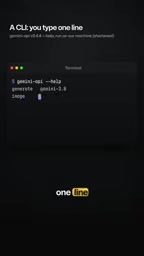
All the agent gets back is a file path, not a pile of text.

This change may seem minor, but it has a big impact on the agent's workflow: cleaner context, more stable subsequent reasoning, and fewer truncation issues triggered by overly long output.
The essential difference between a CLI and an agent lies in the direction of control flow. A CLI is a deterministic executor: given parameters, it returns a result—it doesn't decompose tasks or maintain state across steps. An agent is a decision-making system with a loop: it observes the environment, plans steps, calls tools, and adjusts based on results. Wrapping multimodal generation into a CLI is like giving the agent an "atomic tool"—the agent's reasoning loop stays in its own hands, while the generation action is handed off to an external process. This also aligns with a common principle of agent tool design: tools should have as single a responsibility as possible and return output as structured as possible, while the agent handles orchestration.
The context window is the total number of tokens an LLM can see in a single inference, including system instructions, conversation history, tool output, and more. It is both a capacity limit and a source of cost and latency. When a tool returns a big block of text (such as base64-encoded images or verbose logs), that content occupies the context for a long time, squeezing the space available for subsequent reasoning and potentially triggering truncation that causes the agent to lose key early information. Having the tool return only a file path is essentially moving "data" out of the context and keeping only a "reference"—a standard practice for reducing context pollution.
Multimodal Capabilities: Images, Video, Music, and Subtitles
Gemini API CLI covers more than just images. The same toolset can also generate music and video, and convert any audio recording into subtitles. For developers who need to quickly produce multimedia assets, this means no more switching between multiple APIs and scripts—a single command handles everything from generation to saving to disk.
This "one command, one result" design simplifies the agent's multimodal tasks from the cumbersome process of "write script—parse output—extract file" to a two-step operation of "send command—receive path." Developers can focus more on the logic design of the agent rather than glue code for file handling.
A Free Tool, But Not Free Models
Here's a key reminder: the tool itself is free, but the models behind it are not. According to the video source, text and speech have free quotas, while images and video do not. Video generation costs about 10 cents per second.

This pricing structure raises a real problem: your agent can now spend money on its own. When the agent decides it needs to generate a video, it may call the tool repeatedly, and costs can add up quickly. At 10 cents per second, a video of a few dozen seconds can easily reach several dollars. For individual developers or small teams, this requires adding cost controls to the agent's decision logic—such as setting budget caps, limiting the call frequency for video generation, or prioritizing the free-quota text and speech capabilities in non-essential scenarios.
Pay-as-you-go and free quotas are two common pricing models for cloud APIs. Free quotas are usually measured in requests, tokens, or duration, and once exceeded, billing switches to pay-as-you-go; multimodal models, being compute-intensive, often have no free quota or a very low one. This means "free tool" doesn't equal "free usage"—the real cost occurs with every model call. For calls triggered automatically by an agent, costs scale linearly with the number of calls, with no human confirmation step.
Should You Give Your Agent a Budget?
The value of Gemini API CLI lies in turning multimodal capabilities into standard actions an agent can call while keeping the context clean. But it also puts a new challenge in front of developers: cost awareness. The free tool lowers the barrier to experimentation, while the paid models require developers to impose finer constraints on agent behavior.
A practical approach: explicitly define budget boundaries in the agent's instructions, make high-cost operations like video generation actions that require confirmation, or enable them only when clearly needed. The free quotas for text and speech can handle most everyday tasks, while images and video are reserved for scenarios that truly require them.
Whether to give your agent an independent budget depends on how much automation you're comfortable with. The tool is already in place; what's left is designing a set of rules that lets the agent get work done without running out of control.
Human-in-the-loop refers to inserting a human approval step before executing high-risk or high-cost actions. In agent systems, a common implementation is to classify tools into read-only, reversible-write, and high-cost categories, requiring confirmation only for the latter two. Another control mechanism is to set call quotas and circuit breakers: set a maximum number of calls or a maximum amount per task, and abort and report back once exceeded. These constraints are best enforced both in the agent's system instructions and as hard limits at the tool layer—relying on prompt constraints alone is unreliable, and refusal to execute at the tool layer is the last line of defense.
One-line Summary
Gemini API CLI is a multimodal command-line tool for coding agents—free itself, but the models cost money.
Paragraph Summary
The article clarifies the difference between Gemini API CLI and the old Gemini CLI: the former is not an agent but a CLI tool that wraps image, video, music, and subtitle generation into single commands, executed when called by a coding agent. This division of labor means the agent no longer needs to write a one-off script for every image, and is no longer crowded out of its context by big blocks of text output—it just gets a file path, keeping the context clean and reasoning more stable. But a free tool doesn't mean free usage: text and speech have free quotas, while images and video do not, and video generation costs about 10 cents per second. Agents can autonomously call paid models, so developers need to add budget controls, call-frequency limits, or human confirmation to the agent's logic to avoid runaway costs.
Related articles

world2vec: Building Mechanistic World Models with Latent Dynamics Learning
world2vec proposes a reward-free method for learning mechanistic world models via latent dynamics, faithfully reproducing systems over long horizons with at least an order of magnitude fewer parameters than DreamerV3, TD-MPC2, and LeWM, and achieving accurate system identification on 71 attractor benchmarks.

A New KL-DRO Paradigm: Adaptive Scenario Generation Around a Learned Density Model
KL-DRO research proposes centering the KL ball on a learned density model instead of the empirical distribution, with adaptive scenario generation guiding sampling toward the worst case. Experiments show lower cost under distribution shift when records are scarce and the model can extrapolate, with comparable in-distribution cost.

ODE Samplers for Discrete Diffusion Models: Exponential Residual Flows Accelerate Generation
Discrete diffusion models lack deterministic ODE sampling? This article introduces Exponential Residual Flows (ERFs), which introduce continuous residual variables per token to construct piecewise ODEs for deterministic sampling and support consistency distillation acceleration. Superior to prior methods on code and text generation tasks.