Getting Started with Ollama: The Simplest Path to Local LLM Deployment
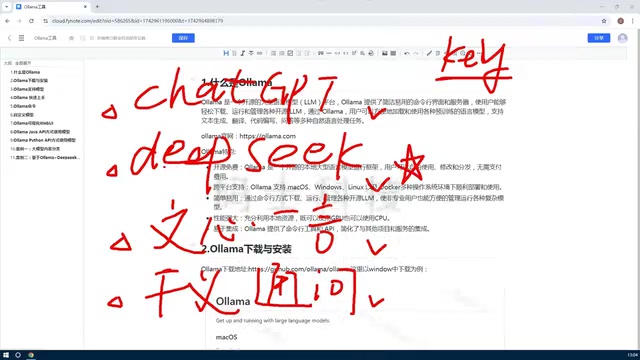
Ollama is a free, open-source tool that makes it easy to download, manage, and run open-source LLMs locally.
This article introduces Ollama, a local LLM management platform that addresses the cost and data privacy limitations of online AI services. Ollama abstracts complex hardware setup, supports macOS, Windows, Linux, and Docker, and offers both CLI and Web UI modes. It flexibly leverages GPU and CPU resources and provides an OpenAI-compatible API supporting Python, Java, Golang, and more — making it an ideal starting point for developers and enterprises building private AI applications.
Why We Need Ollama
Most people's first encounter with large language models happens through online services: logging into ChatGPT, DeepSeekAd, ERNIE Bot, or Qwen and having a conversation. This approach is zero-friction and works right out of the box — but it comes with a few unavoidable drawbacks.
The first is cost. If you're just chatting, the free tiers most online services offer are usually sufficient. But the moment you move into custom development — say, calling a model via API to power your own application — you need a dedicated API Key, and you'll be billed based on the number of tokens returned. While models like DeepSeek have brought prices down considerably, it's still an ongoing expense that scales with usage.
The second concern is data sovereignty and control. When you use an online service, you're running someone else's hosted model. You can't freely modify or fine-tune it, and you have no guarantee that sensitive data won't leave your local environment. For use cases like internal enterprise knowledge bases or private-domain applications, sending data to a third-party server is often simply not acceptable.
This is exactly what's driving more and more people to ask: can we take those already open-source models — like DeepSeek's open-source releases or multimodal models like LLaVA — and deploy them locally? The answer is yes. And the most convenient tool for doing so is Ollama.
What Exactly Is Ollama
In short, Ollama is a large model management platform. Think of it as a dedicated tool for downloading, managing, and running a wide variety of open-source LLMs. With Ollama, models that would otherwise require significant setup effort can be run easily on your own machine.
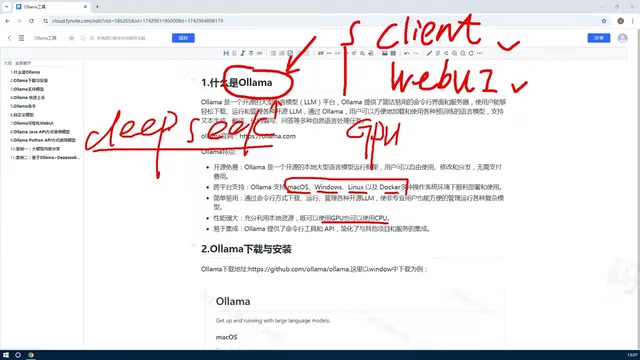
Ollama offers two primary ways to interact with it:
- CLI (Command Line Interface): An interactive terminal experience, well-suited for developers who want fast, scriptable access;
- Web UI: A graphical interface that's more approachable for newcomers, letting you chat with models directly in a browser — just like an online service.
Using either approach, you can download, manage, delete, and even create custom models within the Ollama platform. For example, if you want to run DeepSeek's latest model locally (which can weigh in at hundreds of gigabytes), Ollama lets you pull it from the internet and run it on your own hardware. Naturally, larger models demand more from your machine.
One of Ollama's standout strengths is its resource scheduling. Running LLMs typically requires a GPU, and Ollama is designed to make full use of whatever hardware you have — whether that's a GPU, a CPU, or both. Before tools like this existed, getting a large model running locally meant configuring a complex GPU environment from scratch and hoping your graphics card was supported. Ollama abstracts all of that complexity away, dramatically lowering the barrier for everyday users to run open-source models.
Core Features of Ollama
Putting it all together, here's why Ollama has become the go-to tool for local LLM deployment.
Free, Open Source, and Cross-Platform
Ollama is completely free and open source. It supports all major platforms: macOS, Windows, Linux, and Docker. This means:
- Individual users can install it on their Windows PC or Mac to experiment;
- Enterprises can deploy it in Linux or Docker environments for production use.
Regardless of the platform, what you can actually run ultimately depends on your hardware resources.
Simple to Use, Dual-Mode Operation
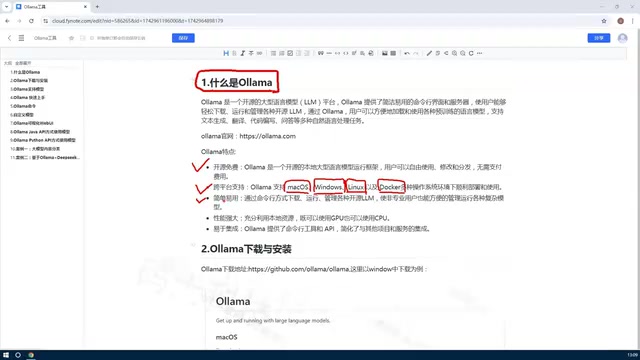
As mentioned, Ollama supports both CLI and Web UI modes. The command line is ideal for efficiency-focused developers, while the Web UI makes the experience accessible to users who aren't comfortable with terminals. This dual-mode design accommodates a wide range of users.
High Performance with GPU/CPU Flexibility
Ollama's ability to intelligently schedule both GPU and CPU resources is one of its defining strengths. It completely simplifies what used to be a complex hardware configuration process, turning "running LLMs locally" from a niche skill for specialists into something any motivated user can accomplish.
Easy Integration and Strong Extensibility
Ollama exposes both an API and a CLI interface, letting you access local models from multiple languages including Python, Java, and Golang. A common use case is interacting with a locally deployed model via API — and because the model is running on your own machine, there are zero API costs involved.
You can take things further by layering your organization's private knowledge base on top of an existing open-source model, building a domain-specific intelligent application entirely under your control. This is a very common enterprise need, and Ollama makes it surprisingly straightforward to implement.
Wrapping Up
To summarize, Ollama's value comes down to three things:
- It's a model management tool — it lets you deploy open-source models locally and run them at no cost;
- It's feature-rich — free, open source, cross-platform, and accessible via both API and CLI;
- It's highly extensible — flexibly leverages CPU/GPU resources and supports multi-language API integration for building private applications.
For developers and enterprises looking to break free from the costs and privacy concerns of online AI services — and truly own their models — Ollama is an almost essential starting point. From here, the next step is simple: install Ollama, download your first model, and begin your journey with local LLMs.
Related articles

Gemini 4 Carbon Tops Global Rankings as AI Productivity and Open-Source Ecosystems Surge
Google DeepMind's Gemini 4 Carbon tops global benchmarks, built for complex agents and system security. ByteDance launches Doubao Work integrated with Feishu, Anthropic's AI autonomously breaches 5 system-level attack chains, and ModelBest and Fudan open-source on-device multimodal and image generation models.

Overseas Creator Breaks Down N8n AI Agent Business Playbook: From Tooling to Monetization
An overseas creator breaks down the N8n AI agent business playbook: comparing Zapier, Make, and N8n, detailing four monetizable automation categories—lead capture, WhatsApp follow-up, booking, and content pipelines—plus agency pricing and a sales playbook.

Empacer: The Voice-First AI Assistant for Small Business Owners That Topped Product Hunt
Empacer is a voice-first AI assistant for small business owners: three-question setup, voice requests turned into customer replies, social posts, and invoices—all owner-approved. It won #1 Product of the Day on Product Hunt with 231 upvotes and 47 comments.