Google Play Policy Review Explained: A Developer's Guide to Avoiding Pitfalls

Google Play review AMA reveals common rejection causes and compliance tools, emphasizing self-checks and appeals first.
Based on an AMA with the Google Play Trust & Safety team, this article systematically covers common policy review issues and response strategies. It introduces self-check tools like the Policy Center, Policy Bites videos, Play Policy Insights, and Android skills, reflecting the shift-left compliance trend. It then details six high-frequency rejection causes—missing login credentials, old version code not deactivated, underestimating review time, declarations not matching the manifest, abusing resubmission, and third-party SDK compliance—with concrete operational advice. It also covers review logic for sensitive permissions and AI-generated content, proof of permission for impersonation, extension requests for policy deadlines, the three-strikes logic for multi-app accounts, and solutions for stuck account verification. The core conclusion: review is not a black box; developers should systematically use official resources, self-check before submission, and appeal rather than blindly retry when blocked.
Policy Review Infrastructure: Resources and Tools
Google Play's policy system is not a static set of rules but a dynamically updated collection. According to Paul from the Google Play Trust & Safety team, developers can view the latest updates—including new policies, revisions, or clarifications to existing policies—on the Policy Center page. For developers who prefer visual learning, the official channel also offers a "Policy Bites" video playlist that explains policy changes one by one.
Even more noteworthy is the "Play Policy Insights" feature in Android Studio, designed to help developers better understand what is happening inside their apps and provide pre-review guidance. In addition, an Android skill can be used to audit whether an app complies with Google Play policies, covering permissions, account deletion, and data safety, and developers can install it via the Android CLI.
These tools reflect a trend: Google wants to shift policy compliance left, letting developers self-check and self-correct before submitting for review rather than relying on passive interception during the review process.
Play Policy Insights is a static analysis feature built into Android Studio that scans permission declarations, API calls, data safety-related configurations, and manifest files in a project in real time as developers write code and build APK/AAB files, comparing them against Google Play's latest policy rule set. Unlike waiting for review feedback after submission, this tool surfaces warnings or errors directly at the IDE level, highlighting code locations that may trigger policy risks. Its underlying logic converts Google Play's policy text into executable check rules, covering high-frequency rejection scenarios such as sensitive permission usage, account deletion entry points, and data safety form consistency. Developers can run this check before every build to intercept compliance issues locally, significantly reducing the probability of rejection due to obvious oversights.
The Six High-Frequency Rejection Landmines
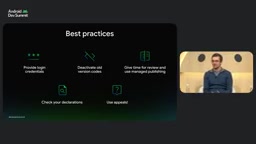
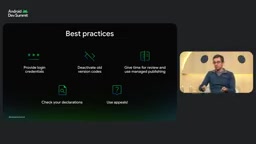
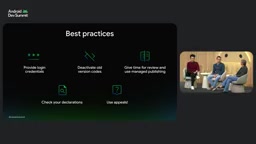
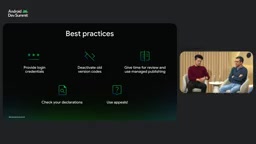
Paul and Bowdoin listed best practices for working with the policy review team, which map directly to the most common rejection reasons.
1. Missing Login Credentials: The Most Overlooked Obstacle
"Provide reviewer login credentials" sounds simple, yet it is an extremely common cause of delays or rejections. If an app requires login, contains gated content, or involves credits and subscriptions, developers must provide test credentials under "Sign-in details" (formerly "App access") in the "App content" section of Play Console. Bowdoin specifically emphasized that credentials must bypass mechanisms such as two-factor authentication, CAPTCHA, and paywalls.
The more complicated situation is that the review team may log into the same app multiple times across different regions and multiple devices. Bowdoin noted that review is not one person sitting in a room clicking "approve" or "reject"; rather, multiple teams review in parallel according to different policies and workflows. Therefore, providing multiple login accounts (a second, third, or even fourth) can significantly reduce review interruptions caused by security mechanisms being triggered. If the login flow is complex—for example, requiring specific steps to enter developer mode—be sure to explain it in detail in the free-text field, or even provide an operation video.
Two-factor authentication (2FA) and CAPTCHA are security mechanisms commonly used by apps and websites to distinguish real human users from automated scripts. But in the Google Play review scenario, these mechanisms directly block reviewers from accessing app content. 2FA typically requires users to enter an SMS verification code, use an authenticator app, or use a hardware key for secondary confirmation; CAPTCHA requires users to identify images, solve puzzles, or check "I'm not a robot." The review team needs to log into the same app repeatedly across multiple regions and devices; if credentials trigger 2FA or CAPTCHA, the review process is immediately interrupted, leading to rejection or delay. Therefore, test accounts provided to reviewers must have 2FA disabled in advance, bypass CAPTCHA, skip paywalls, and remain valid throughout the review period. For apps with complex login flows, step-by-step instructions should also be included in the free-text field, or even a demo video recorded, to prove that reviewers can smoothly access protected feature areas.
2. Old Version Code Not Deactivated: The Culprit Behind Rejection Loops
Developers often encounter the so-called "rejection loop": they upload a clean, compliant production version but forget that an old, non-compliant version is still active on an open or closed testing track. Bowdoin explicitly stated that even if an app bundle is on an old testing track, it is still subject to Google Play policy review. If it requests restricted permissions or uses outdated, vulnerable SDKs, it will still be reviewed. Therefore, before clicking submit, be sure to replace or deactivate outdated version code on all tracks.
3. Underestimating Review Time: Don't Submit the Day Before Launch
App review and publishing may take seven days or even longer to go live, especially for new apps or apps requesting sensitive permissions. Paul advises that if there is a major release plan, submit new apps at least a few weeks in advance. Combined with the "Managed Publishing" feature, approved updates can be held until the developer is ready to publish, avoiding unexpected delays during marketing campaigns or sensitive releases. Also, do not resubmit repeatedly after submitting for review—once you resubmit, the review clock restarts.
4. Declarations Not Matching the Manifest: The Data Safety Minefield
App content declarations—such as the data safety section, privacy policy, and photo/video permissions—must be consistent with the app manifest of active bundles or version codes on all tracks. Paul gave an example: if the app manifest requests access to precise location but the permission declaration form does not disclose its purpose, the app will face enforcement action.
"Enforcement" here covers a range of adverse actions from warnings and rejections to removal, suspension, and even account bans. Third-party SDKs are also within scope: even if the app itself does not use a certain type of data, if an integrated SDK does, it may still lead to enforcement. Developers should use the Google Play SDK Index to view insights on more than 100 widely used commercial SDKs.
The app manifest (AndroidManifest.xml) is the core configuration file in an Android app bundle, declaring metadata such as the app's package name, components, permission requests, hardware features, and SDK versions. The Google Play review team cross-checks the permissions actually requested in the manifest against the declarations filled out in the "Data safety" form in Play Console. For example, if the manifest includes the ACCESS_FINE_LOCATION permission but the data safety form does not disclose the collection and purpose of location data, it will be judged as an inconsistent declaration. Third-party SDKs may also automatically inject permissions during the manifest merger process, causing permission requests that developers did not notice to appear in the final bundle. Therefore, developers should check the merged manifest after building and use the manifest-merger report to confirm the source of all permissions, ensuring that every declaration in Play Console can be traced to a corresponding basis in the manifest and SDK behavior.
5. Abusing Resubmission: The Risk of Algorithmic Flagging
Bowdoin warned that repeated rejections for the same issue within a short period may trigger algorithmic flagging, leading to harsher enforcement such as removal or suspension. If an app is rejected, you should not immediately resubmit without making any changes. The console inbox and associated emails will provide the exact violation information and guidance. If you disagree with the rejection, you should use the link provided in the communication to appeal rather than hastily resubmitting. An appeal is an opportunity to communicate with a real person; although the communication may be limited, it usually yields more details about the reason for rejection.
6. Third-Party SDK Compliance: The SDK Index's "Vote of Confidence"
Bowdoin spends a great deal of time on SDK-related work. He noted that the Google Play SDK Index aggregates public data and categorizes SDKs by monetization, advertising, health, and other categories. Some SDKs carry a "Registered in SDK Console" badge, meaning the SDK developer has passed a review process similar to the Play developer console.
This badge does not guarantee that an app will pass review, but it provides two layers of confidence: first, the probability of rejection for apps using that SDK is significantly reduced; second, if Google discovers non-compliant behavior in an SDK, it takes a two-pronged approach—notifying the SDK developer to remediate while sending warnings to app developers using that SDK, informing them of the issue and the compliant version they can update to. Developers can choose to update the SDK version or, more thoroughly, remove and replace the SDK.
Review Logic for Sensitive Permissions and AI-Generated Content
Regarding permissions, sensitive permissions must be closely related to the app's core purpose. If a permission serves only ancillary or unadvertised features, the probability of rejection is extremely high. In addition, video links provided in declarations must be accessible—the review team needs to be able to access the app, video links, and everything in the declaration to complete a thorough review.
On AI-generated content, Bowdoin made it clear: since the birth of the Play Store, the position has always been that "the developer is responsible for all content in the app or all content accessible to users." Generative AI is an emerging field, but the same principle applies. He analogized generative AI to user-generated content (UGC) policies: both require filtering mechanisms and user reporting mechanisms. The review team will not reverse-engineer your filtering code, but it will check whether inappropriate content is accessible—if it is, the developer needs to strengthen the filtering mechanism.
Impersonation and Appeals: The Art of Proving Permission
Impersonation or plagiarism policies are another high-frequency rejection reason. Bowdoin noted that the most common scenario is developers publishing apps on behalf of clients—for example, white-label development for gyms, SaaS solutions, and the like. In this case, "proof of permission" should be submitted through an appeal: on the client company's official letterhead, including the company logo, explicitly stating that the developer is authorized to use the relevant images and logos in their app, preferably with the app name and package name included.
A more proactive approach is to submit an "advanced notice form" in Play Console, upload supporting documents, and associate the account with other entities, thereby preventing such enforcement before submission.
Policy Deadlines Approaching: How to Buy Time
When a new policy or policy update brings a deadline and developers need more time, they can apply for an extension. Bowdoin described the standard process: policies are usually publicly announced months in advance, followed by warning notifications. If the seven-day period is insufficient, developers can appeal to explain that they understand the policy, are taking steps to address the issue, and request more time. Google usually grants some leniency, and if the deadline approaches again, another request can be made—but it is not unlimited. Bowdoin and Paul also push internally to extend the seven-day warning to 14 or 28 days.
The "Three Strikes" Logic for Multi-App Accounts
If a developer account has multiple apps and one is suspended for a policy violation, does it affect the entire account? Bowdoin explained using the baseball three-strikes metaphor: bad actors repeatedly publish violating content, get taken down, and then try to republish, forming a repeated behavior pattern; after three times, the account may be banned. But if a developer submits a large number of apps simultaneously through a CI/CD pipeline (for example, developing for a restaurant chain) and multiple of them are rejected or suspended at the same time, Google will treat it as only one "strike." This reflects the review logic's distinction between context and intent.
CI/CD pipelines (continuous integration/continuous delivery) are an automated software delivery practice in which developers chain together code submission, building, testing, and release through scripts and toolchains to achieve high-frequency, batch app updates. In the Google Play ecosystem, large developers or development agencies often use CI/CD to manage dozens or even hundreds of apps simultaneously—for example, batch-generating white-label apps for chain brands. Under this model, if a shared component or template has a policy issue, multiple apps in the same batch may be rejected or suspended at the same time. Google's review logic distinguishes between "malicious repeated violations" and "systematic errors in automated batch operations": the former is handled as three strikes, while the latter typically treats concentrated rejections in the same batch as a single event. Developers should embed policy self-check steps into the CI/CD process, such as automatically running Play Policy Insights or validating data safety forms, to reduce the associated risks of batch submissions.
What to Do If Account Verification Is Stuck
For new developers or existing developers who need to re-verify, if identity verification and payment profile verification are complete and only phone number verification remains, Bowdoin advises: first check notifications in Play Console, enter the phone number in international format as instructed, and complete SMS or phone verification. If you encounter error messages or do not receive the SMS, you can create a support ticket through the "Help" button at the bottom of Play Console, selecting the options related to "Verify developer account" and the dedicated radio button for phone number verification. In most cases, Play Console clearly shows the next step for verification.
Conclusion
This AMA revealed a core fact: Google Play's policy review is not an unpredictable black box. Login credentials, version management, declaration consistency, appeal channels, SDK governance—every link has clear rules and tool support. The best strategy for developers is not to guess the reviewer's intent but to systematically use official resources, complete self-checks before submission, and, when problems arise, resolve them through appeals rather than blind retries.
Related articles

Vaani Developer Platform: Build Human-Like Voice AI Agents with Zero Code
Vaani Developer Platform tops Product Hunt with 175 upvotes, offering zero-code construction of human-like voice AI agents with flow design, tool and knowledge base connections, real phone deployment, and structured call data output.

Knocket AI: A Lightweight Tool That Lets Visitors Chat with Zero Friction
Knocket AI is a lightweight tool that lets visitors start real-time chats via a website or link without registering, targeting founders, creators, and small teams.

XWiki Launches Open-Source MCP Server: Let AI Read Your Wiki
XWiki's open-source MCP Server extension connects your Wiki knowledge base to AI agents like Claude Code and GitHub Copilot, supporting Q&A, page editing, and structured data—self-hosted to keep data control.