How Crashlytics Eliminates Android Memory and Responsiveness Issues

Firebase Crashlytics' new toolchain traces from ANR to native memory corruption, solving the "stack traces lying" problem.
Based on a talk by Polina from the Firebase Crashlytics team, this article uses the Chroma Clip app case to demonstrate the toolchain for diagnosing Android responsiveness and memory issues. It points out that ANR and OOM stack traces often show symptoms rather than root causes, and introduces Application Exit Info API for ANR thread insights, Profiling Manager for automatic heap dumps on Android 17, and GWP ASAN and ARM MTE for native memory corruption, with Crashlytics console badges and Perfetto examples, ending with a toolchain quick reference.
Why responsiveness and memory issues are the hardest to diagnose
Polina points out that after you fix JSON parsing typos and add missing null checks, the remaining hard problems are responsiveness and memory issues. A null pointer exception stack trace can point precisely to MainActivity.kt line 42, but ANR or OOM stack traces almost never point to the real culprit. In the best case, it only tells you that some innocent thread happened to be running when the app froze or ran out of memory, while the root cause may have occurred earlier or in a completely different place.
The Chroma Clip story begins with local testing before the 1.0 release: the user selects a video, taps to extract the palette, and the familiar "Application Not Responding" dialog appears. Logcat shows the main thread state as S (sleeping), stuck in unsafe.park waiting for an unknown object. Because traditional Java synchronized locks were not used, Logcat cannot tell who the main thread is waiting for, which background thread it is waiting on, or why it exceeds 5 seconds. Locally, you can still manually dig through dozens of sleeping threads in traces.txt, but in production, developers simply cannot obtain this file from the user's phone.
Solving the ANR: Application Exit Info and the root-blocking badge
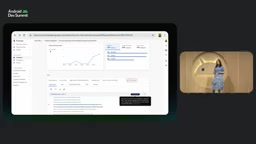
The turning point comes from Android's Application Exit Info API. Starting with Android 11, when the system flags an ANR or terminates a process, it records rich exit metadata, including the exact reason, memory state, and complete system traces for all threads in the process. As long as you use Crashlytics SDK 18.3.5 or higher, no extra plugin or single line of code is needed—the SDK automatically queries this information after the app restarts and reports it along with device telemetry.
In the Crashlytics console, a thread named Default Dispatcher Worker 1 is marked as root-blocking—it is the bottleneck blocking the main thread. Crashlytics also provides other intelligent badges: threads stuck reading large files or slow queries are marked as IORootblocking, and threads waiting on each other are marked as deadlocked. Expanding the thread's stack trace reveals that frameDecoder.getUncompressedFrame is stuck in createBitmap allocating memory for a single frame. Combined with the console data showing less than 100 KB of available device memory, it is almost certain: process memory starvation caused garbage collection to spin wildly, starving the UI for over 5 seconds. Polina's rule of thumb: an ANR accompanied by low available RAM is strong evidence of a memory leak or bloat.
Application Exit Info API is a system-level diagnostic interface introduced in Android 11 (API level 30). It returns a history of recent process terminations via ActivityManager.getHistoricalProcessExitReasons(). Each record includes the termination reason (such as ANR, low memory, user-initiated stop), timestamp, process name, human-readable description, and an optional system trace file (trace). The value of this API lies in turning traces.txt—previously only available on developer devices—into data obtainable in production, and without special permissions. Monitoring SDKs like Crashlytics can silently read and report these historical records on the app's next launch, filling the gap in online root-cause analysis for ANRs and OOMs.
From OOM to heap dump: pinpointing Java heap bloat
Right next to the ANR in the issue list is OutOfMemoryException, which makes Polina suspect they are two sides of the same coin: the same memory pressure, manifesting as ANR or OOM depending on timing. OOM stack traces are equally deceptive—it shows createBitmap failing to allocate even 256 bytes when opening the settings page, but the settings page is just the unfortunate caller, not the culprit.
Crashlytics now integrates with Android's Profiling Manager API. On Android 17, the system automatically captures heap snapshots in the background when the app triggers an OOM or exceeds a memory limit. Crashlytics SDK 20.1.0 and above works out of the box and automatically groups OOM and memory limit termination events in the dashboard. Users can choose to enable heap dump collection in the Firebase console. Crashlytics also explicitly marks OOM stack traces as non-deterministic, preventing developers from wasting time as just described.
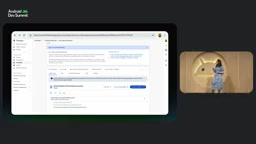
After downloading the deobfuscated Perfetto heap dump, you can analyze it in the Heap Dump Explorer of the Perfetto UI. Chroma Clip's heap contains a massive bar spanning the entire Java heap—each pixel's color and string objects are retained in lists, numbering in the millions. The fix is straightforward: instead of allocating an object for every pixel, downsample the frames and count raw integers directly.
Profiling Manager API is a system performance profiling framework introduced in Android 15 and expanded on Android 17, allowing apps to request that the system generate heap dumps, method traces, and other performance data in the background without user action or adb. It registers triggers (such as OOM, memory limit termination) via the ProfilingManager class, and the system automatically captures data when triggered, storing it in the app's private directory, which the SDK can then read and upload on the next launch. Compared to the traditional Debug.dumpHprofData(), Profiling Manager's advantages are that it works in production, has controllable performance impact, and can capture the heap state at the moment of OOM rather than a post-mortem snapshot.
Memory limit termination and native leaks
After fixing the OOM, ANRs on some devices persist, while other devices begin crashing randomly with an entirely new memory limiter kill. This is a new mechanism in Android 17: Java OOM only governs the Java heap limit, but an app's total memory also includes native RAM such as graphics buffers and C++ allocations. Previously there was only a global low memory killer; now the memory limiter sets an independent limit for each app and terminates the app when exceeded.
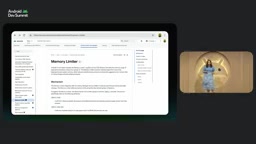
Crashlytics also automatically groups these termination events and provides reason explanations, troubleshooting suggestions, and official documentation links. In the Perfetto overview, the process total memory (unknown RSS plus swap) reaches 4 GB, while the managed heap is only 42 MB. This rules out Kotlin/Java code within 10 seconds and focuses suspicion on the native C++ layer. Checking native palette engine process frame reveals that every frame allocates a temporary scratch buffer but never releases it. After the fix, memory limit terminations on Android 17 disappear, and ANRs on older devices are also resolved.
memory limiter kill is a process-level memory control mechanism introduced in Android 17. Unlike the previous global low memory killer (LMK), it sets an independent total memory limit for each app (including Java heap, native heap, graphics buffers, and all other memory types). Once the process total memory exceeds this threshold, the system directly terminates the process and records the reason as REASON_MEMORY_LIMIT. This mechanism fills the gap where Java OOM only focuses on the managed heap, allowing native memory leaks to be actively discovered by the system. Developers can obtain such termination records via the Application Exit Info API and combine them with heap dumps to analyze native allocation hotspots.
Native memory corruption: GWP ASAN and ARM MTE
After the app went viral, the previously negligible number of native crashes skyrocketed. The stack trace contains no code of your own—the render thread crashes in libc.so while freeing memory. This is the textbook signal of native memory corruption: C++ code corrupted or freed the buffer earlier, and the render thread merely stepped on the landmine later.
Crashlytics supports two tools out of the box. GWP ASAN is a lightweight production-oriented safety net that samples a very small fraction of native allocations and surrounds them with guard pages, with nearly zero CPU and memory overhead; but it is probabilistic, so local debugging may require long runtimes to hit. ARM MTE uses hardware pointer and memory tag checks for every allocation, available on ARM v9 devices such as Pixel 8 and newer, and is suitable for deterministic local debugging. The two are complementary, and Crashlytics automatically badges captured issues and supports filtering by tool.
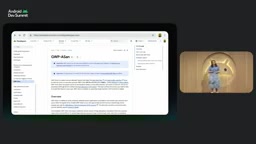
In the console, crashes captured by GWP ASAN have an extra memory stack trace tab, with the exact cause of the use-after-free given at the top, listing the buffer's allocated by and deallocated by. Chroma Clip's bug is obvious at a glance: a background thread frees the old buffer when switching filters, while the render thread is still reading it. After adding a mutex, GWP ASAN reports and mysterious crashes almost disappear overnight.
GWP ASAN (Google-Wide Profiling AddressSanitizer) is a production-grade address sanitizer widely used within Google, designed for low overhead. It monitors a small number of native allocations via sampling: each allocation is surrounded by guard pages, and memory is made inaccessible after free, so out-of-bounds reads/writes or use-after-free immediately trigger a crash with a detailed report. Its CPU and memory overhead is typically below 5%, making it suitable for online deployment. ARM MTE (Memory Tagging Extension) is a hardware feature of the ARMv9 architecture that attaches a 4-bit tag to each memory allocation, with pointers carrying matching tags, and the hardware verifies tag consistency on every access, deterministically catching memory errors, but requires device support (such as Pixel 8 and newer). The two are complementary: GWP ASAN has broad coverage but is probabilistic, while MTE is precise but hardware-dependent.
Toolchain quick reference
The checklist given at the end of the talk includes: Application Exit Info for ANR thread insights and metadata; Profiling Manager for automatic collection of OOM and memory limit termination triggers; full GWP ASAN and ARM MTE support for native memory corruption. Additionally, field heap dumps on Android 17 and above are in private preview and can be analyzed with Perfetto and the Android CLI; interested developers can apply via the link in the talk.
Polina's closing blessing is apt: may your main thread never block and your heap memory always be clean. For Android developers who have suffered from "stack traces lying," this toolchain at least makes troubleshooting no longer a guessing game.
One-line Summary
Firebase Crashlytics' new toolchain demonstrates how to trace from ANR to native memory corruption, solving the "stack traces lying" problem.
Paragraph Summary
Based on a talk by Polina from the Firebase Crashlytics team, this article uses the case of Chroma Clip, a video palette extraction app, to systematically demonstrate the toolchain for diagnosing Android responsiveness and memory issues. It points out that ANR and OOM stack traces often show only symptoms rather than root causes, and introduces in turn the use of the Application Exit Info API for ANR thread insights, Profiling Manager for automatically capturing heap dumps of OOM and memory limit terminations on Android 17, and GWP ASAN and ARM MTE for locating native memory corruption. Each step is illustrated with intelligent badges in the Crashlytics console and Perfetto analysis examples, culminating in a toolchain quick reference to help developers escape the guessing game.
Related articles

DeepSeek Open-Sources DeepInfer: What Is an Inference Framework Actually For?
DeepSeek open-sources its inference framework DeepInfer under Apache 2.0, supporting DeepSeek V4.1 Flash offline inference. This article explains its request scheduling, FlashMLA/DeepGEMM compute optimization, DSPark speculative verification acceleration, and what it means for developers and ordinary users.

Open-Source AI Learning Agent: A Full Workflow Experience from Topology Graphs to Exam Generation
Explore an open-source AI learning agent: built on DeepSeek API, it constructs knowledge systems via topology graphs, with automatic document generation, notes, super documents, and exams. Learn about its Agent workflow and design highlights.

DeepSeek Whale Girl Open-Source MV Meme: AI Industry Coded Slang About Pivoting to Closed Source
Bilibili's DeepSeek Whale Girl rap MV uses fictional memes to tease the AI open-source vs. closed-source debate, with lyrics full of industry slang. This article explains the meme culture, the Whale Girl symbol, and the open/closed tension.