How Do AI Agents and Workflows Differ? Understanding the Core Differences in One Chart
Workflows are routes set by humans and Agents are routes set by AI; enterprises should divide and combine work based on determinism and understanding needs.
The article explores how enterprises should distinguish and choose between AI Agents and workflows, noting that the fundamental divide is "who sets the route": workflows have fixed paths designed in advance, with deterministic, auditable results; Agents make autonomous decisions via large models based on goals and tools, with flexible but uncertain paths. It compares the two across determinism, information types, failure modes, and cost, and advises dividing work: clear, fixed-step tasks go to workflows, unstructured content needing judgment goes to AI, and complex business combines both. Selection can be judged with three questions, and implementation can start by embedding AI nodes into existing processes, while minimizing permissions, requiring human confirmation for key actions, keeping full records, piloting small-scale, and calculating costs—avoiding the misconception of replacing everything with Agents.
Introduction
This year, many companies have written launching AI Agents into their plans, but on closer inspection, some so-called Agents are really just automation workflows, while some workflows genuinely need an Agent to drive them. How exactly should the two be distinguished? A piece of content on Bilibili breaks this down, and the core can be summed up in one sentence: A workflow is a route set by humans; an Agent is a route set by AI.
A workflow is designed step by step in advance by a person, and when conditions are met it executes along a fixed path—for example, if a reimbursement exceeds 5,000 yuan, it is routed to the director for approval. An AI Agent, by contrast, is given a goal and a set of available tools, and the large model itself decides what to do next until the goal is achieved.
Four Key Differences
1. Different Determinism
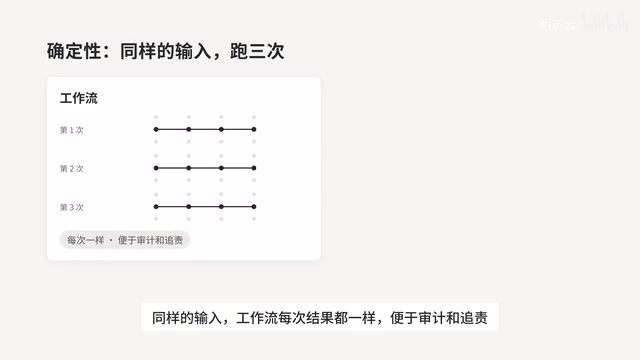
For the same input, a workflow produces the same result every time, which makes auditing and accountability easy; an Agent may take a different path each time, so results carry a certain degree of uncertainty. This is the most fundamental dividing line between the two, and it also determines the scenarios they suit.
2. Different Types of Information They Excel At
Workflows excel at handling structured data, such as fields, amounts, and statuses; Agents excel at unstructured content, such as emails, contracts, and a customer's free-form description.
3. Different Ways of Failing
When a workflow fails, it is usually because a rule didn't cover the case, and this can be located and fixed; an Agent may misunderstand, or it may perform operations beyond what was expected. So its permissions need to be limited, and human confirmation should be set at key steps.
4. Different Cost Structures
Running a workflow once incurs almost no additional cost; an Agent calls the model at every step, which involves both fees and waiting time. This is especially worth calculating clearly when rolling out at scale.

Workflow vs. BPM: A workflow refers to a sequence of tasks that automatically flows according to preset rules, commonly implemented via BPM (Business Process Management) platforms such as DingTalk Approval, Feishu Approval, and Camunda. Its core is a "determinism engine"—people hard-code conditions, branches, and approvers into the process definition, and the system is only responsible for executing according to the chart and recording the status of each step. Precisely because the path is fixed, workflows are naturally auditable, accountable, and replayable, which is why they remain irreplaceable in finance and compliance scenarios over the long term.
AI Agent: An Agent refers to a system that uses a large language model as its decision-making core and can autonomously call tools to accomplish goals. It usually consists of four parts: goal instructions, an available toolset (such as search, reading and writing databases, and sending emails), memory/context, and planning capability. The essential difference from a workflow is that an Agent's next action is determined by the model's reasoning at runtime rather than being pre-coded, so the same goal may lead down different paths. This also means that an Agent's output is probabilistic, requiring permission constraints and human fallbacks to manage risk.
How to Divide the Work in an Enterprise
Applied to a company's actual business, the division can work like this: for things with clear rules and fixed steps—such as expense reimbursement, procurement approval, and contract expiration reminders—hand them to workflows; for things that require understanding and judgment—such as reading customer emails to determine their requests, extracting key clauses from contracts, and answering employees' policy questions—AI is the better fit.
And for a complete business like handling customer complaints, a combination of both is usually needed: AI reads the email to determine the category and urgency, and the subsequent dispatching, timing, and escalation are handed to the workflow.
Structured vs. Unstructured Data: Structured data refers to information that can be expressed with fixed fields and formats, such as amounts, dates, status codes, and order numbers; databases and forms naturally carry this kind of data. Unstructured data refers to content without a fixed pattern, such as free text, emails, scanned contracts, and customer service conversations. Traditional workflow engines excel at making conditional judgments on structured fields, but struggle to directly "read" a passage of natural language; the strength of large models is precisely parsing unstructured content into structured judgments (such as request category, urgency, and key clauses). Therefore, the essence of enterprise division of labor is to let workflows handle the parts that are already structured, and let AI be responsible for turning unstructured information into structured results that can flow through the process.
Three Questions to Ask Before Choosing
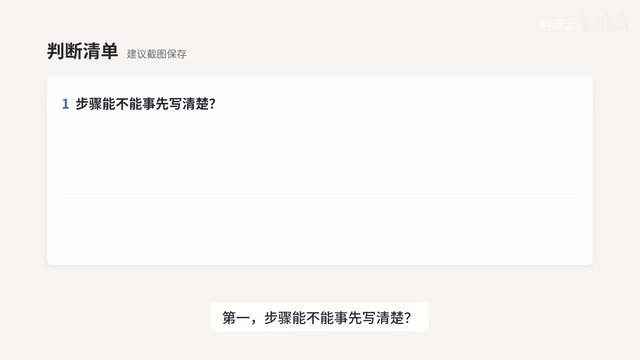
- Can the steps be written out clearly in advance? If so, use a workflow.
- Is the input natural language or documents that require understanding and judgment? If so, introduce AI at this step.
- Is the cost of failure high? If so, have AI only give suggestions, with humans or rules making the final call.
These three questions are essentially helping companies judge: which steps need determinism, and which steps need understanding capability.
Three Types of Tools for Implementation
The first category is process automation or BPM platforms, used to build approval flows, tasks, and automation between systems; the second category is large-model applications and Agent development platforms, which provide knowledge bases, tool calling, and conversational capabilities; the third category is a growing number of process platforms beginning to offer AI nodes, which can embed a step of AI judgment within a fixed process.
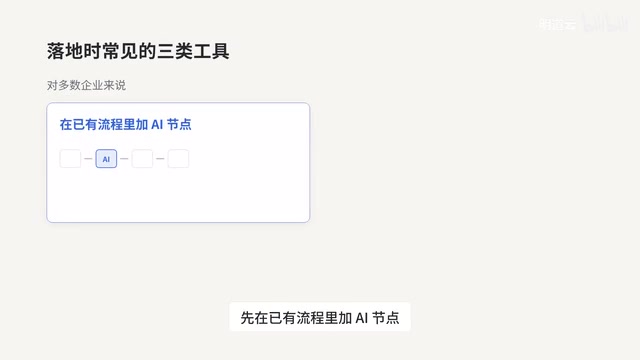
For most enterprises, adding AI nodes to existing processes is now more likely to yield results than building an all-capable Agent from scratch—the former introduces understanding capability within a deterministic framework, with controllable risk; the latter means managing uncertainty from the ground up.
Points to Note Before Getting Started
- Minimize permissions: The tools an Agent can call and the data it can see should be only what is necessary to complete the task.
- Require human confirmation for key actions: Such as payments, sending external messages, and deleting data.
- Keep complete records: What tools were called at each step and on what basis must all be traceable.
- Start with a small-scale pilot using real data: Measure accuracy, then gradually expand.
- Calculate costs clearly: For steps with many calls, evaluate model fees and response time.
A Common Misconception
The misconception to be most wary of is wanting to use Agents to replace all processes. The more prudent approach is: hand the deterministic parts to workflows, hand the steps requiring understanding and judgment to AI, and retain human confirmation at key nodes. Agents are not a master key, and workflows are not outdated relics; putting each in the position where it excels is the more pragmatic path for enterprises today.
One-line Summary
A workflow is a route set by humans and an Agent is a route set by AI; enterprises should divide and combine the work according to determinism and understanding needs.
Paragraph Summary
The article explores how enterprises should distinguish and choose between AI Agents and workflows, pointing out that the fundamental dividing line lies in "who sets the route": workflows have fixed paths designed in advance by humans, with deterministic results that are easy to audit; Agents make autonomous decisions based on goals and tools via large models, with flexible paths but a degree of uncertainty. The article compares the two across four dimensions—determinism, types of information they excel at, ways of failing, and cost structure—and offers enterprise division-of-labor advice: hand things with clear rules and fixed steps to workflows, hand unstructured content requiring understanding and judgment to AI, and combine both for complex business. Selection can be judged with three questions, and implementation can start by embedding AI nodes into existing processes, while paying attention to minimizing permissions, human confirmation of key actions, complete traceability, small-scale pilots, and cost accounting, avoiding the misconception of replacing everything with Agents.
Related articles

Vaani Developer Platform: Build Human-Like Voice AI Agents with Zero Code
Vaani Developer Platform tops Product Hunt with 175 upvotes, offering zero-code construction of human-like voice AI agents with flow design, tool and knowledge base connections, real phone deployment, and structured call data output.

Knocket AI: A Lightweight Tool That Lets Visitors Chat with Zero Friction
Knocket AI is a lightweight tool that lets visitors start real-time chats via a website or link without registering, targeting founders, creators, and small teams.

XWiki Launches Open-Source MCP Server: Let AI Read Your Wiki
XWiki's open-source MCP Server extension connects your Wiki knowledge base to AI agents like Claude Code and GitHub Copilot, supporting Q&A, page editing, and structured data—self-hosted to keep data control.